> ## Documentation Index
> Fetch the complete documentation index at: https://gccai.heqingsong.uk/llms.txt
> Use this file to discover all available pages before exploring further.
# 快速开始
> 快速开始使用我们的API服务
# 快速开始
欢迎使用我们的API服务!本指南将帮助您快速开始使用图像和视频生成功能。
## 第一步:获取API密钥
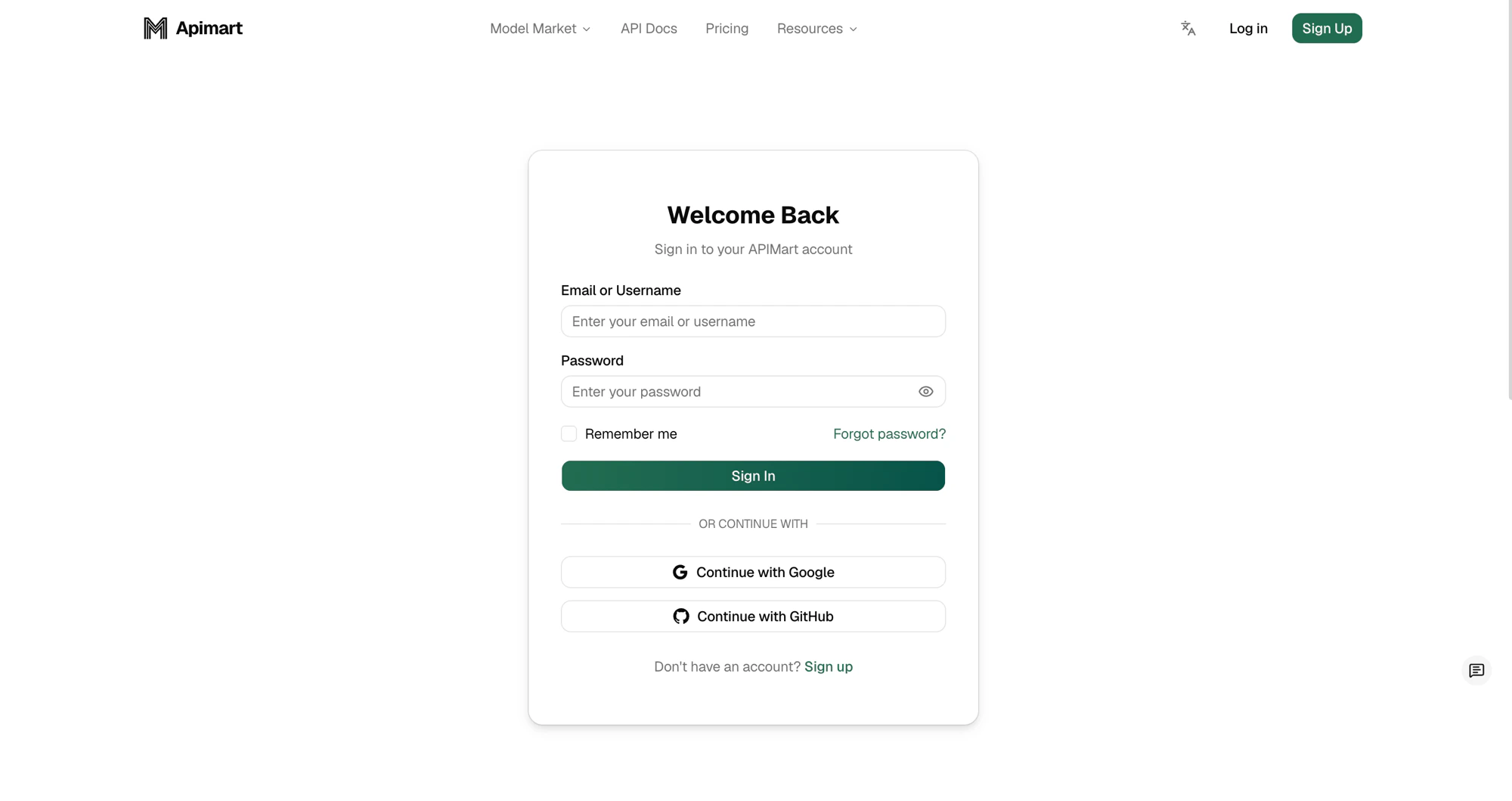
1. 访问 [API密钥管理页面](https://gccai.heqingsong.uk/keys)
2. 登录您的账户
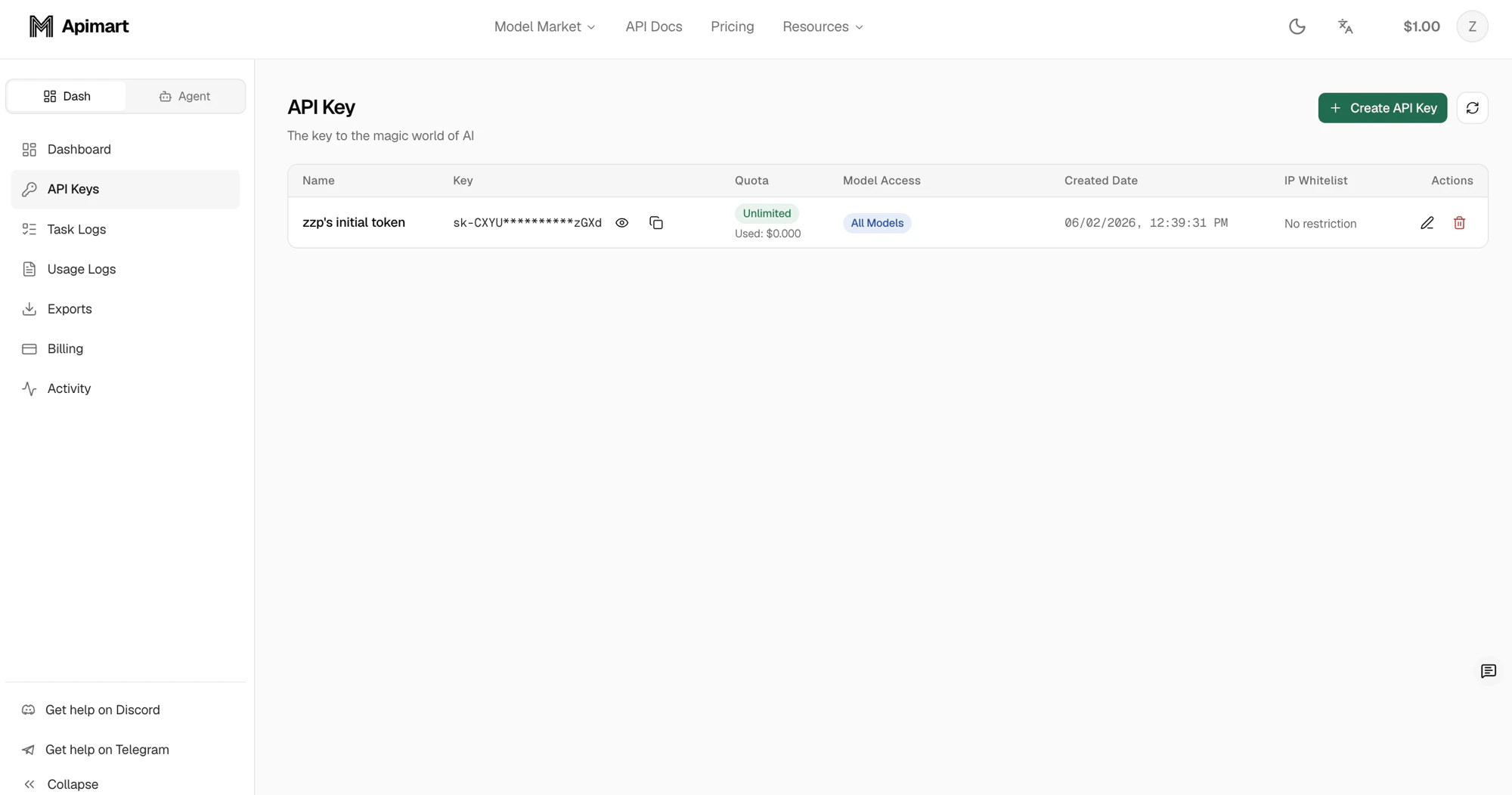
 3. 创建新的API密钥
在 API 密钥页面,点击右上角的 **Create API Key** 按钮创建密钥。
3. 创建新的API密钥
在 API 密钥页面,点击右上角的 **Create API Key** 按钮创建密钥。
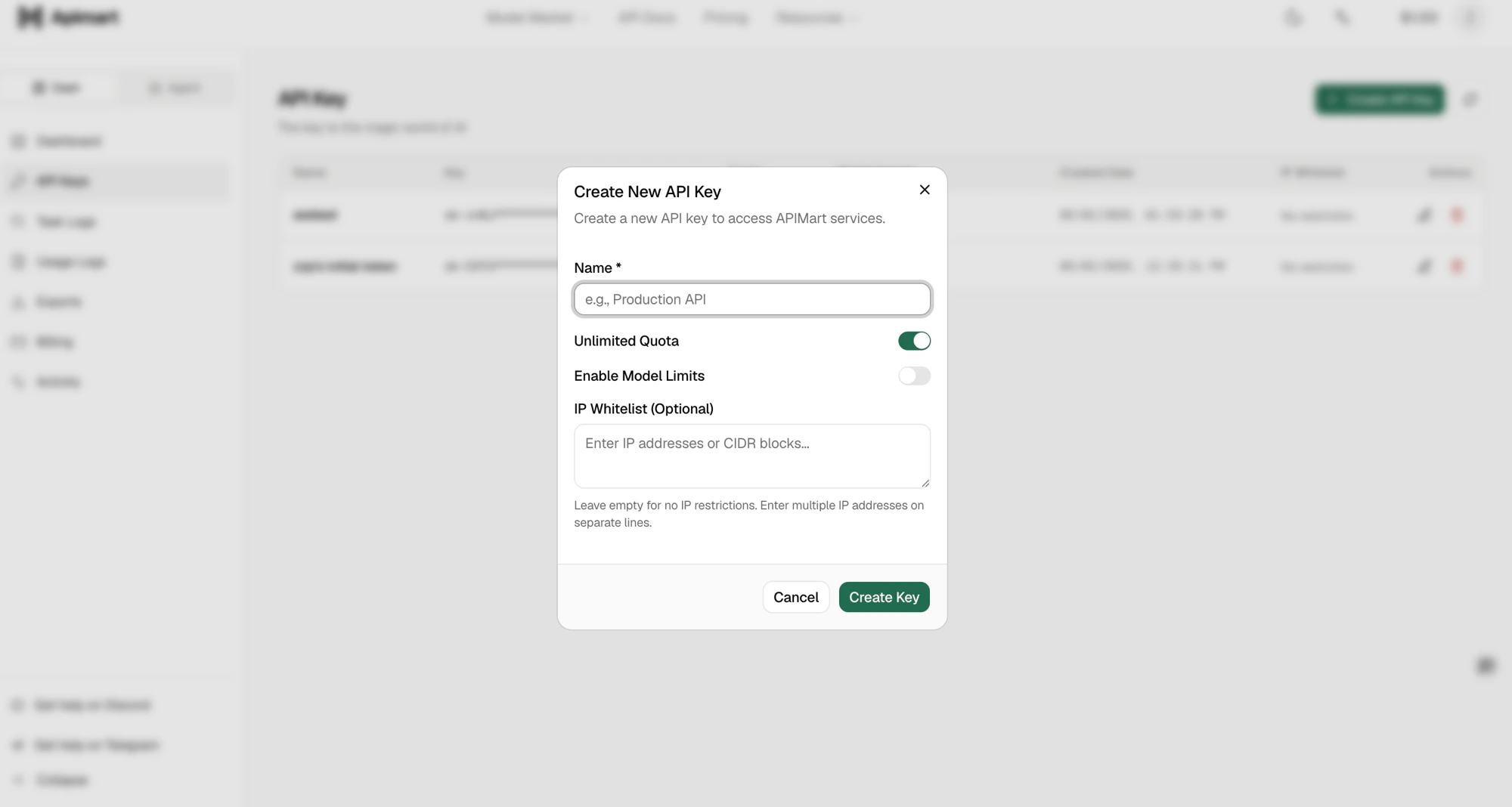
 在弹出的表单中填写密钥名称(Name)等信息,可选设置额度(Unlimited Quota)、模型权限(Enable Model Limits)和 IP 白名单,然后点击 **Create Key**。
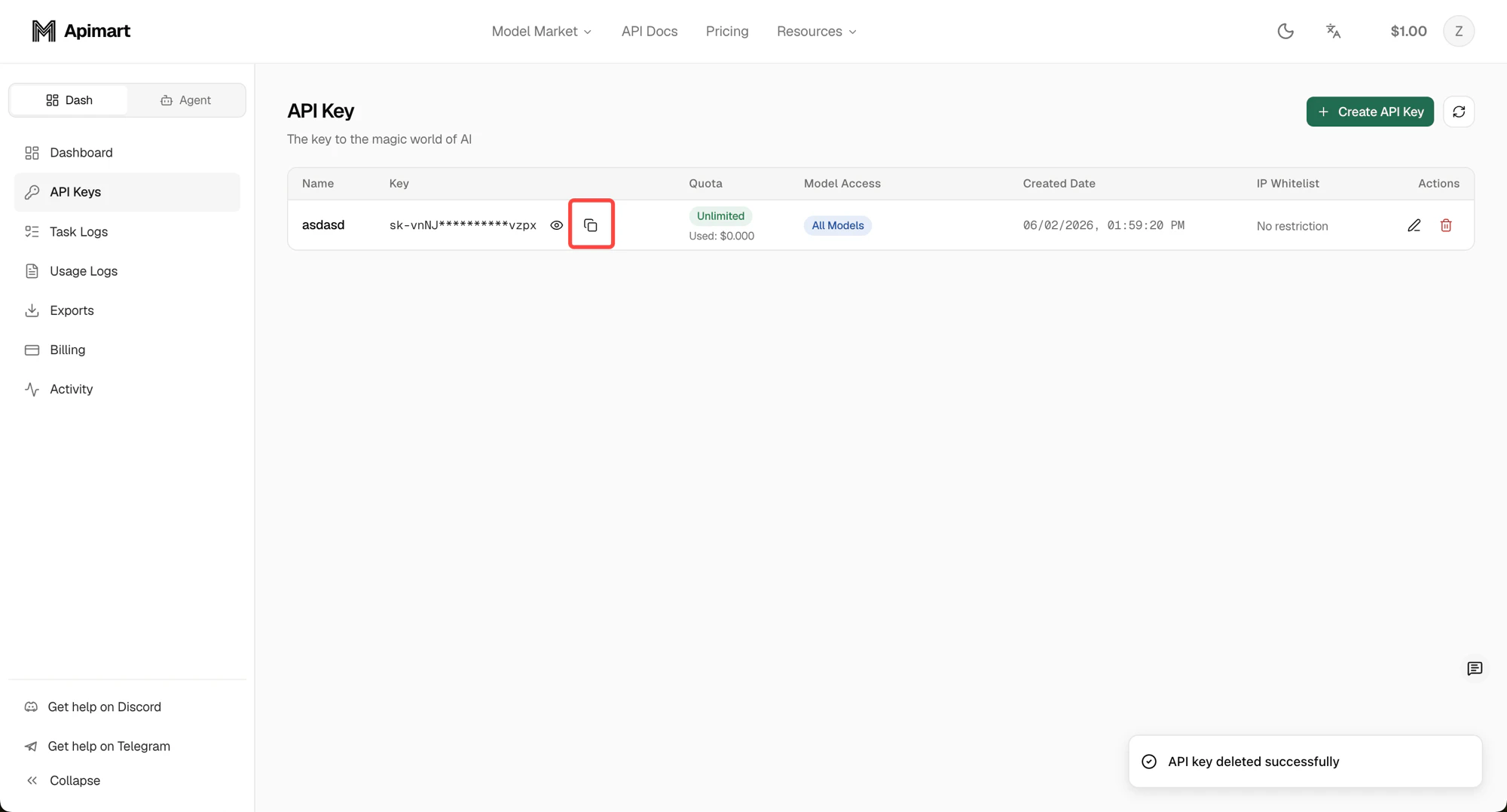
 4. 保存您的密钥
 ## 第二步:选择模型
我们提供多种AI模型供您选择。您可以前往 [模型广场](https://gccai.heqingsong.uk/zh/model) 浏览全部可用模型及其定价。
### 文字生成模型
* **GPT-4o**: 强大的对话和文本生成能力
* **Claude**: Anthropic 的高性能对话模型
* **Gemini**: Google 的多模态大语言模型
### 图像生成模型
* **GPT-4o-image**: 高质量图像生成
### 视频生成模型
* **Sora2**: 专业视频生成
## 第三步:发送请求
### 文字生成示例
```bash theme={null}
curl -X POST https://gccai.heqingsong.uk/v1/chat/completions \
-H "Authorization: Bearer YOUR_API_KEY" \
-H "Content-Type: application/json" \
-d '{
"model": "gpt-4o",
"messages": [
{
"role": "user",
"content": "你好,请介绍一下你自己"
}
]
}'
```
### 图像生成示例
```bash theme={null}
curl -X POST https://gccai.heqingsong.uk/v1/images/generations \
-H "Authorization: Bearer YOUR_API_KEY" \
-H "Content-Type: application/json" \
-d '{
"model": "gpt-4o-image",
"prompt": "一只可爱的熊猫",
"size": "1:1",
"n": 1
}'
```
### 视频生成示例
```bash theme={null}
curl -X POST https://gccai.heqingsong.uk/v1/videos/generations \
-H "Authorization: Bearer YOUR_API_KEY" \
-H "Content-Type: application/json" \
-d '{
"model": "sora-2",
"prompt": "海浪拍打着海岸",
"duration": 15,
"aspect_ratio": "16:9"
}'
```
## 第四步:查询任务状态
由于我们使用异步处理模式,您需要查询任务状态来获取结果:
```bash theme={null}
curl -X GET https://gccai.heqingsong.uk/v1/tasks/YOUR_TASK_ID \
-H "Authorization: Bearer YOUR_API_KEY"
```
## 下一步
详细了解所有可用的API接口
了解如何在您的应用中集成API
## 第二步:选择模型
我们提供多种AI模型供您选择。您可以前往 [模型广场](https://gccai.heqingsong.uk/zh/model) 浏览全部可用模型及其定价。
### 文字生成模型
* **GPT-4o**: 强大的对话和文本生成能力
* **Claude**: Anthropic 的高性能对话模型
* **Gemini**: Google 的多模态大语言模型
### 图像生成模型
* **GPT-4o-image**: 高质量图像生成
### 视频生成模型
* **Sora2**: 专业视频生成
## 第三步:发送请求
### 文字生成示例
```bash theme={null}
curl -X POST https://gccai.heqingsong.uk/v1/chat/completions \
-H "Authorization: Bearer YOUR_API_KEY" \
-H "Content-Type: application/json" \
-d '{
"model": "gpt-4o",
"messages": [
{
"role": "user",
"content": "你好,请介绍一下你自己"
}
]
}'
```
### 图像生成示例
```bash theme={null}
curl -X POST https://gccai.heqingsong.uk/v1/images/generations \
-H "Authorization: Bearer YOUR_API_KEY" \
-H "Content-Type: application/json" \
-d '{
"model": "gpt-4o-image",
"prompt": "一只可爱的熊猫",
"size": "1:1",
"n": 1
}'
```
### 视频生成示例
```bash theme={null}
curl -X POST https://gccai.heqingsong.uk/v1/videos/generations \
-H "Authorization: Bearer YOUR_API_KEY" \
-H "Content-Type: application/json" \
-d '{
"model": "sora-2",
"prompt": "海浪拍打着海岸",
"duration": 15,
"aspect_ratio": "16:9"
}'
```
## 第四步:查询任务状态
由于我们使用异步处理模式,您需要查询任务状态来获取结果:
```bash theme={null}
curl -X GET https://gccai.heqingsong.uk/v1/tasks/YOUR_TASK_ID \
-H "Authorization: Bearer YOUR_API_KEY"
```
## 下一步
详细了解所有可用的API接口
了解如何在您的应用中集成API