> ## Documentation Index
> Fetch the complete documentation index at: https://gccai.heqingsong.uk/llms.txt
> Use this file to discover all available pages before exploring further.
# Quick Start
> Quickly start using our API services
# Quick Start
Welcome to our API services! This guide helps you quickly get started with image and video generation.
## Step 1: Get an API Key
1. Visit the [API Key Management page](https://gccai.heqingsong.uk/keys)
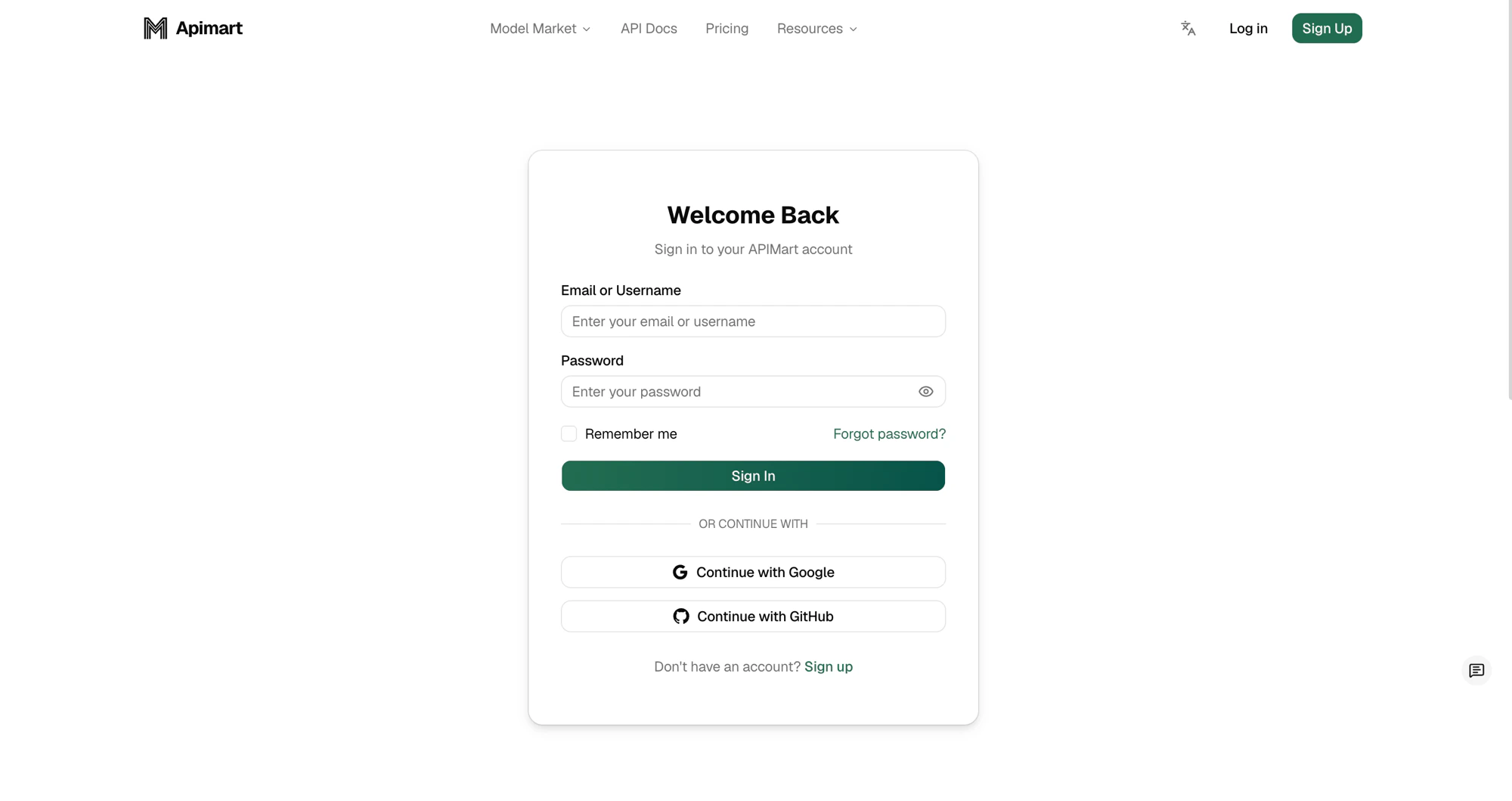
2. Sign in to your account
 3. Create a new API key
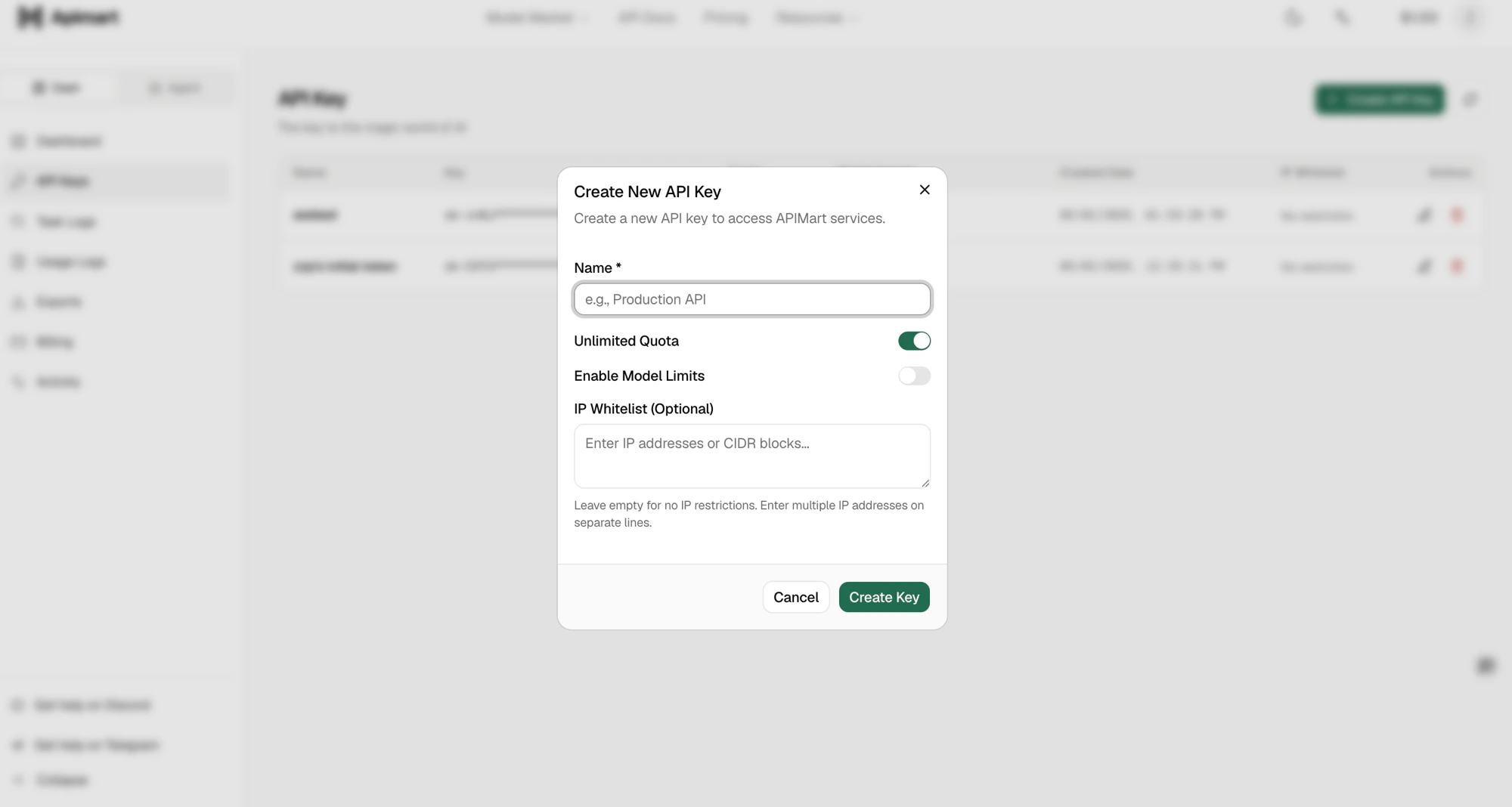
On the API Keys page, click the **Create API Key** button in the top-right corner.
3. Create a new API key
On the API Keys page, click the **Create API Key** button in the top-right corner.
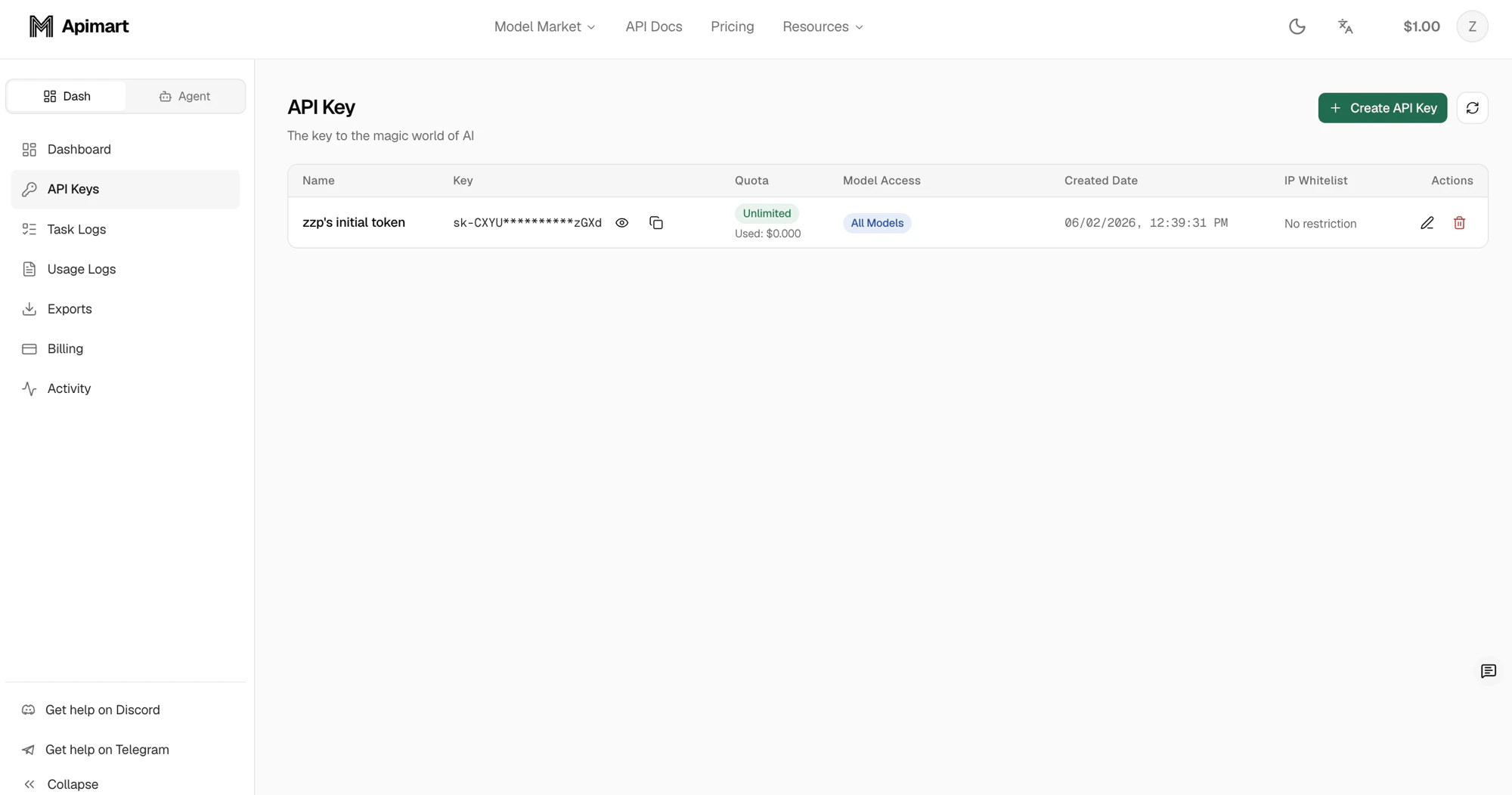 In the dialog that appears, enter a **Name** for the key, optionally configure the quota (Unlimited Quota), model limits (Enable Model Limits) and an IP whitelist, then click **Create Key**.
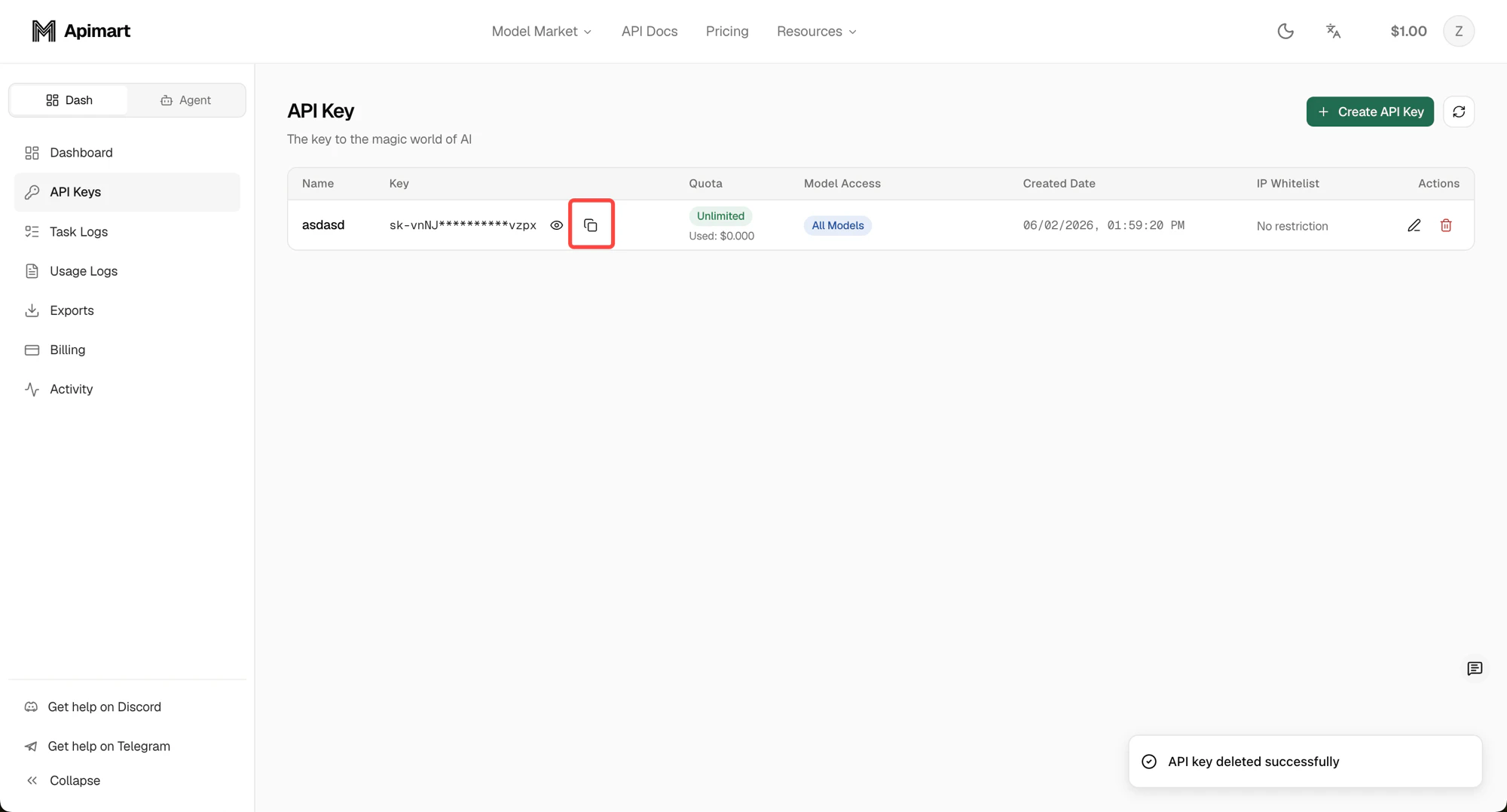
 4. Save your key securely
 ## Step 2: Choose a Model
We provide multiple AI models to choose from. Visit the [Model Market](https://gccai.heqingsong.uk/en/model) to browse all available models and their pricing.
### Text Generation Models
* **GPT-4o**: Powerful dialogue and text generation capabilities
* **Claude**: High-performance conversational model by Anthropic
* **Gemini**: Google's multimodal large language model
### Image Generation Models
* **GPT-4o-image**: High‑quality image generation
### Video Generation Models
* **Sora2**: Professional video generation
## Step 3: Send a Request
### Text generation example
```bash theme={null}
curl -X POST https://gccai.heqingsong.uk/v1/chat/completions \
-H "Authorization: Bearer YOUR_API_KEY" \
-H "Content-Type: application/json" \
-d '{
"model": "gpt-4o",
"messages": [
{
"role": "user",
"content": "Hello, please introduce yourself"
}
]
}'
```
### Image generation example
```bash theme={null}
curl -X POST https://gccai.heqingsong.uk/v1/images/generations \
-H "Authorization: Bearer YOUR_API_KEY" \
-H "Content-Type: application/json" \
-d '{
"model": "gpt-4o-image",
"prompt": "A cute panda",
"size": "1:1",
"n": 1
}'
```
### Video generation example
```bash theme={null}
curl -X POST https://gccai.heqingsong.uk/v1/videos/generations \
-H "Authorization: Bearer YOUR_API_KEY" \
-H "Content-Type: application/json" \
-d '{
"model": "sora-2",
"prompt": "Waves crashing against the shore",
"duration": 15,
"aspect_ratio": "16:9"
}'
```
## Step 4: Check Task Status
Because we use asynchronous processing, you need to query task status to obtain results.
```bash theme={null}
curl -X GET https://gccai.heqingsong.uk/v1/tasks/YOUR_TASK_ID \
-H "Authorization: Bearer YOUR_API_KEY"
```
## What’s Next
Learn more about all available API endpoints.
Learn how to integrate the API into your application.
## Step 2: Choose a Model
We provide multiple AI models to choose from. Visit the [Model Market](https://gccai.heqingsong.uk/en/model) to browse all available models and their pricing.
### Text Generation Models
* **GPT-4o**: Powerful dialogue and text generation capabilities
* **Claude**: High-performance conversational model by Anthropic
* **Gemini**: Google's multimodal large language model
### Image Generation Models
* **GPT-4o-image**: High‑quality image generation
### Video Generation Models
* **Sora2**: Professional video generation
## Step 3: Send a Request
### Text generation example
```bash theme={null}
curl -X POST https://gccai.heqingsong.uk/v1/chat/completions \
-H "Authorization: Bearer YOUR_API_KEY" \
-H "Content-Type: application/json" \
-d '{
"model": "gpt-4o",
"messages": [
{
"role": "user",
"content": "Hello, please introduce yourself"
}
]
}'
```
### Image generation example
```bash theme={null}
curl -X POST https://gccai.heqingsong.uk/v1/images/generations \
-H "Authorization: Bearer YOUR_API_KEY" \
-H "Content-Type: application/json" \
-d '{
"model": "gpt-4o-image",
"prompt": "A cute panda",
"size": "1:1",
"n": 1
}'
```
### Video generation example
```bash theme={null}
curl -X POST https://gccai.heqingsong.uk/v1/videos/generations \
-H "Authorization: Bearer YOUR_API_KEY" \
-H "Content-Type: application/json" \
-d '{
"model": "sora-2",
"prompt": "Waves crashing against the shore",
"duration": 15,
"aspect_ratio": "16:9"
}'
```
## Step 4: Check Task Status
Because we use asynchronous processing, you need to query task status to obtain results.
```bash theme={null}
curl -X GET https://gccai.heqingsong.uk/v1/tasks/YOUR_TASK_ID \
-H "Authorization: Bearer YOUR_API_KEY"
```
## What’s Next
Learn more about all available API endpoints.
Learn how to integrate the API into your application.