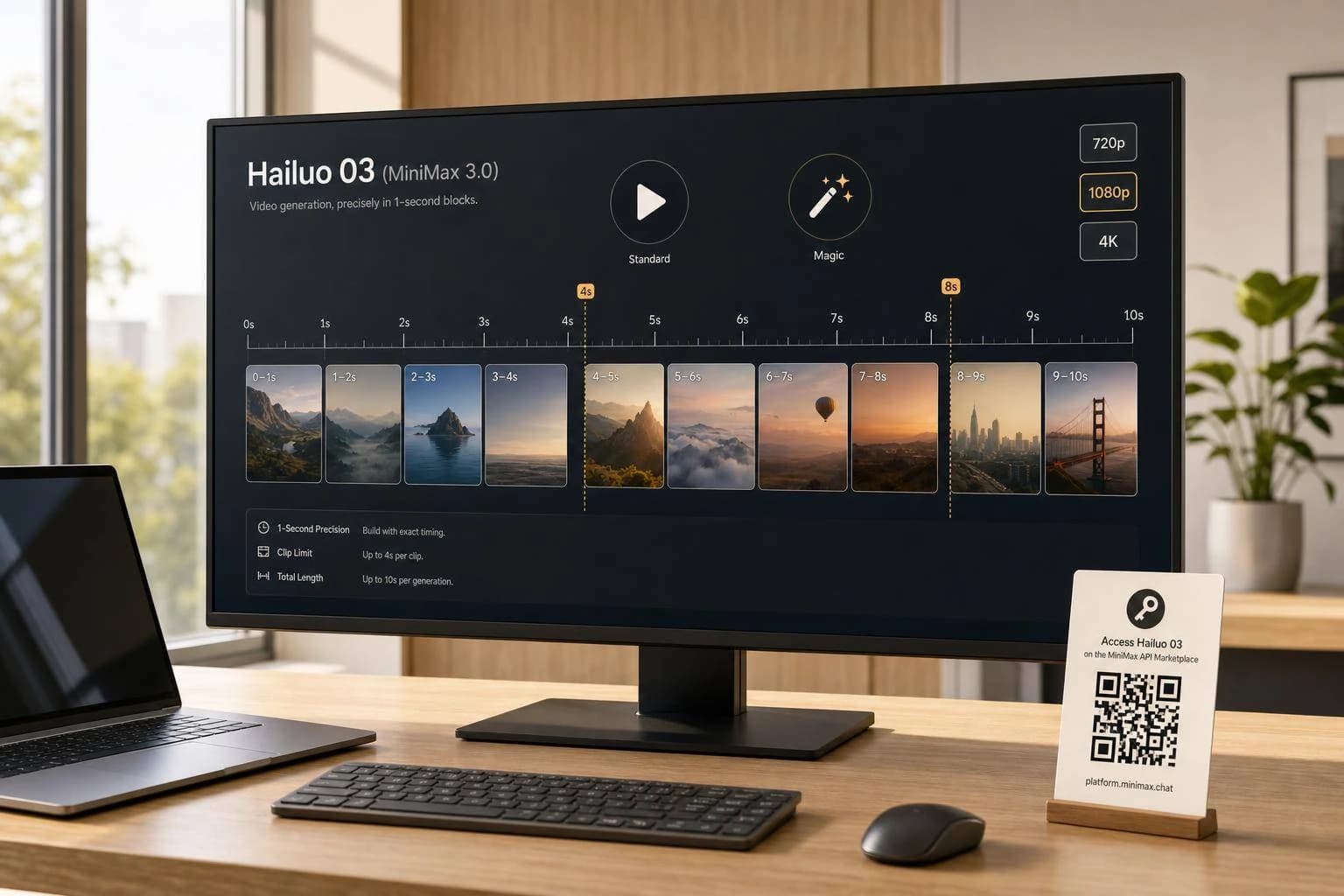
Hailuo 03 (MiniMax 3.0) API: Pricing & Access
Hailuo 03 (MiniMax 3.0) handles text-to-video, image-to-video, synced audio, and camera control. See APIMart pricing from $0.0104/sec and how to access the API.
If you want AI video generation with one API call, Hailuo 03 gives you text-to-video, image-to-video, audio sync, subject reference, and camera control in one model.
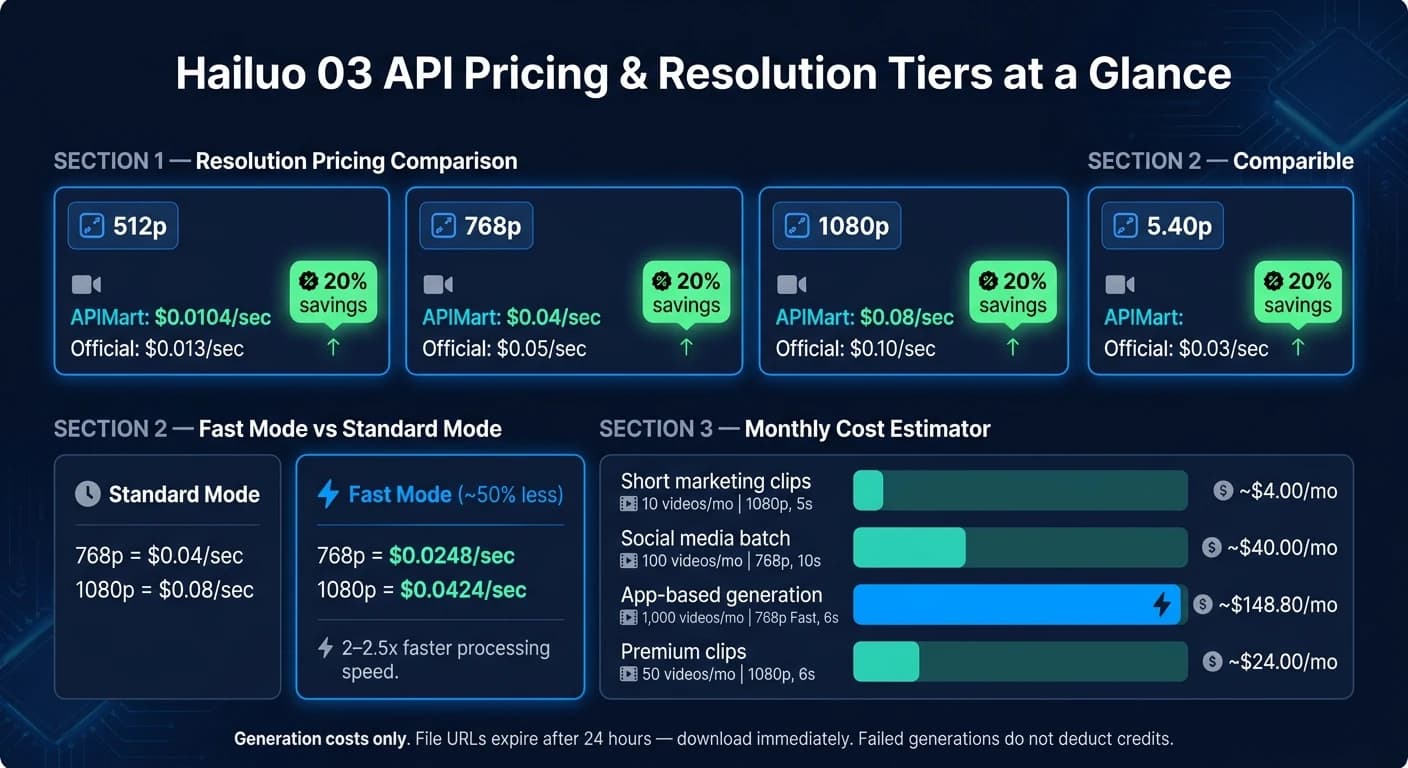
Here’s the short version: I’d look at cost per second first, because that drives most of the budget. On APIMart, pricing starts at $0.0104/sec for 512p, goes to $0.04/sec for 768p, and $0.08/sec for 1080p. I’d also plan around clip length limits: 1080p is usually 5–6 seconds, while 768p can go up to 10 seconds.
If I were checking whether this API fits my workflow, these are the points I’d care about right away:
- Main modes: text-to-video, image-to-video, first-and-last-frame, subject reference, synced audio
- Camera control: Director Mode uses bracketed Chinese tags like
[左移]and[推进] - Aspect ratios: 16:9, 9:16, 4:3, 3:4, 21:9, and 1:1
- Billing model: pay per generated second
- Fast mode: about 50% lower cost than standard mode, with lower per-second rates
- API endpoint:
POST https://api.apimart.ai/v1/videos/generations - Model name:
MiniMax-Hailuo-03 - Delivery flow: async job, then poll task status or use a callback URL
- File access: output links usually expire after 24 hours
One point stands out: APIMart lists pricing at 20% below the official MiniMax API rates for the main tiers, which can add up fast if you’re making 100 or 1,000 clips per month.
Minimax Hailuo API Tutorial: Clone Voice, AI Video & Music Generation + Make.com Automation
Quick Comparison
| Item | Hailuo 03 |
|---|---|
| Best fit | Video generation workflows for apps, media teams, and batch jobs |
| Input types | Text and image |
| Output modes | Video with synced audio options |
| Resolutions | 512p, 768p, 1080p |
| Common duration range | 5 to 10 seconds |
| 768p price on APIMart | $0.04/sec |
| 1080p price on APIMart | $0.08/sec |
| Fast mode example rates | $0.0248/sec at 768p, $0.0424/sec at 1080p |
| Job handling | Async task ID, polling, or callback |
| File retention | Usually 24 hours |
So if you need short-form AI video and want one account, one balance, and one endpoint, this setup is simple to test and easy to price before you ship it.
Core Features of the Hailuo 03 API
Supported Generation Modes and Media Inputs
Hailuo 03 supports text-to-video, image-to-video, first-and-last-frame generation, subject-reference mode, and synchronized audio generation. It also includes Director Mode, which lets you add bracketed camera commands for shot-level control.
If you want tighter control over camera movement, this is where Director Mode stands out. It uses Chinese camera labels, including [左移] for pan left, [推进] for push in, [拉远] for pull back, and [跟随] for follow shot [3].
Those controls don't just change how the video looks. They also influence the output settings you'll choose next.
Output Quality, Duration, and Aspect Ratios
Hailuo 03 supports several common production aspect ratios: 16:9, 9:16, 4:3, 3:4, 21:9, and 1:1 [1]. That gives you room to format videos for landscape, portrait, square, or cinematic layouts without much fuss.
Output is tuned for production use, with resolution varying by mode and output setting. Video length also depends on the mode you select, and results are delivered as downloadable video files. Longer videos and higher output settings use more total usage.
How Hailuo 03 Differs from Earlier Models
Earlier Hailuo models are aimed at narrower output styles. Hailuo 03 takes a broader route by combining stronger multimodal control with more generation workflows.
| Model | Resolution | Max Duration | Best Use Case |
|---|---|---|---|
| Hailuo 03 | Varies by mode | Varies by mode | Multimodal workflows, Director Mode, subject reference [1] |
| Hailuo 2.3 | 1080p / 768p | 6s–10s | Human motion, micro-expressions, stylized art [2] |
| Hailuo 02 | 1080p | 10s | Physics-heavy motion and realistic motion [2] |
The next step is to weigh these features against pricing and usage limits before you decide to use it.
Pricing, Billing, and Cost Planning
How Hailuo Video Pricing Is Structured
Hailuo 03 charges per second of video generated, so your total cost changes based on three things: resolution, clip length, and mode.
That means a 10-second clip at 1080p costs 2x more than a 5-second clip at the same resolution. Of those three factors, resolution hits your bill the hardest. 1080p costs the most, then 768p, then 512p [6].
Fast mode is the main way to cut spend. It runs about 2–2.5x faster and costs about 50% less than standard high-fidelity mode [4]. It also has lower per-second pricing:
- 768p Fast: $0.0248/sec
- 1080p Fast: $0.0424/sec [7]
A simple rule of thumb: plan around your total generated seconds first, then pick the lowest resolution that still fits the job.
Hailuo 03 Pricing Through APIMart

APIMart uses one USD credit balance across models. So if you're already paying for other AI workloads like WAN 2.6 there, Hailuo 03 fits into the same account and budget.
Hailuo 03 pricing on APIMart is 20% lower than the official MiniMax API rates across the main resolution tiers [6].
| Resolution | APIMart Price | Official Price | Savings |
|---|---|---|---|
| 512p | $0.0104/sec | $0.013/sec | 20% |
| 768p | $0.04/sec | $0.05/sec | 20% |
| 1080p | $0.08/sec | $0.10/sec | 20% |
Next, the access section shows how to create a key and send a request.
Usage Limits, Storage Costs, and Monthly Budget Estimates
You can estimate monthly spend with a simple formula:
seconds per video × number of videos × per-second rate
The examples below use APIMart's published per-second pricing and a few common production setups.
| Use Case | Volume | Settings | Est. Monthly Cost |
|---|---|---|---|
| Short marketing clips | 10 videos/mo | 1080p, 5s | ~$4.00 |
| Social media batch | 100 videos/mo | 768p, 10s | ~$40.00 |
| App-based generation | 1,000 videos/mo | 768p Fast, 6s | ~$148.80 |
| Premium clips | 50 videos/mo | 1080p, 6s | ~$24.00 |
These numbers cover generation only. Storage and file retention are billed separately.
One small gotcha: generated video links usually expire after 24 hours, so it makes sense to download files right away. Failed generations and clips sent to security review don't deduct credits [5]. If you hit 429 errors, use exponential backoff.
How to Access the Hailuo 03 API via APIMart
Create an APIMart Account and Generate an API Key
Once you’ve looked at pricing, the next step is getting access. Create a free APIMart account, add funds to your USD credit balance, and head to the API Key Management page in your dashboard to generate your API key.
One small but important note: keep that key in an environment variable, not in your source code. It’s a simple habit that can save you a lot of trouble later.
Find the Model and Send a Video Generation Request
To use Hailuo 03, set the model name to MiniMax-Hailuo-03.
Send your request to:
POST https://api.apimart.ai/v1/videos/generations
These are the main fields you’ll use:
| Parameter | What It Does |
|---|---|
model | Set to MiniMax-Hailuo-03 |
prompt | Text prompt, up to 2,000 characters |
first_frame_image | Start image as a public URL or Base64 string |
resolution | 768p or 1080p |
duration | Clip length in seconds, such as 5, 6, or 10 |
prompt_optimizer | Set to true to let the system refine your description |
If you’re doing image-to-video, upload your image to /v1/uploads/images first. Then use the returned URL as first_frame_image.
There are a couple of input limits to watch for. Images must be under 20 MB, and the aspect ratio needs to stay between 2:5 and 5:2.
Handle Authentication, Job Status, and File Retrieval
Every request needs a Bearer token in the header:
Authorization: Bearer YOUR_API_KEY
After you submit a request, don’t expect the MP4 right away. The process is asynchronous. Hailuo 03 returns a task ID first, and the final MP4 comes after processing finishes.
Poll:
GET https://api.apimart.ai/v1/tasks/{task_id}
Check every 15–30 seconds until the status changes to completed. At that point, you can retrieve the direct URL for the finished MP4 file.
If you’re running a high-volume setup, add a callback_url to the initial request. That way, APIMart can notify your system when the video is ready, instead of making you keep polling.
Also, make sure you download the MP4 before the file URL expires.
Best-Fit Use Cases and Final Takeaways
Where Hailuo 03 Fits Best in Real Workflows
Now that features, pricing, and access are on the table, the next step is simple: figure out where Hailuo 03 makes sense in day-to-day production.
Hailuo 03 works well for teams that need fast, repeatable video generation across marketing, product, social, and training work. For marketing and advertising teams, it can produce multiple ad versions or launch teasers for A/B testing. E-commerce teams can turn static product photos into motion clips that show texture and detail more clearly.
For social media content, synchronized audio generation is a strong match for TikTok, Reels, and Shorts, where sound is part of the format, not just an add-on. Teams making episodic brand videos can use character consistency to keep facial features, clothing, and expressions steady from scene to scene. For education and corporate training, it can turn scripts into explainer scenes and make clip updates easier between cohorts. It also fits batch pipelines that depend on asynchronous generation.
Key Points to Confirm Before Adoption
Before rolling it into production, check the basics so your output goals line up with cost, format, and delivery needs.
- Pricing and volume fit: At $0.08/sec for 1080p [6], plan around total generated seconds and use the lowest resolution that still does the job.
- Resolution and duration trade-offs: 1080p output is usually capped at 5–6 second clips, while 768p can support up to 10 seconds.
- Storage window: Generated file URLs usually expire after 24 hours, so download and store files right away.
- Prompt testing: Test prompts at 768p or Fast mode before moving to final 1080p renders.
- Model availability: Confirm Hailuo 03 is enabled in your APIMart account before production.
FAQs
Which resolution is best for my budget?
The best resolution comes down to budget and what kind of clips you need, especially since pricing may depend on unit deductions or per-second charges.
If you want the lowest-cost option for high-volume use, 768p usually makes the most sense. If image quality matters more, 1080p gives you higher-fidelity output. The tradeoff is clip length: 1080p is often capped at 5-second clips, while 768p supports clips up to 10 seconds.
How long does Hailuo 03 take to generate a video?
Generation time depends on the platform and current system load. Reported times range from 2–5 seconds to 15–30 seconds per clip, and some higher-quality generations average about 1 minute, 38 seconds.
Because timing shifts based on load and request settings, asynchronous workflows are the safer choice for API integrations.
What should I test before using Hailuo 03 in production?
Before production, validate image inputs up front. Keep files under 20 MB, and make sure the aspect ratio stays between 2:5 and 5:2. That small check can save you from avoidable 400 errors later.
For 429 and 5xx responses, retry with exponential backoff. Don’t hammer the API and hope for the best. Backoff gives the service room to recover and helps your app behave like a good citizen.
Video generation runs asynchronously, so plan for that from the start. You can poll about every 15 seconds, or use a callback_url if you’d rather get notified when the job finishes.
Also, don’t sit on the output. Save generated video URLs within 24 hours so you don’t lose access.
At the same time, log the basics for each job:
- task_id
- wall-clock time
- estimated costs
Those few records make debugging, billing checks, and job tracking much less of a headache.
Choose the model you want in the model marketplace
Try chat, image and video models in the APIMart model marketplace, and experience model capabilities quickly with one unified API.