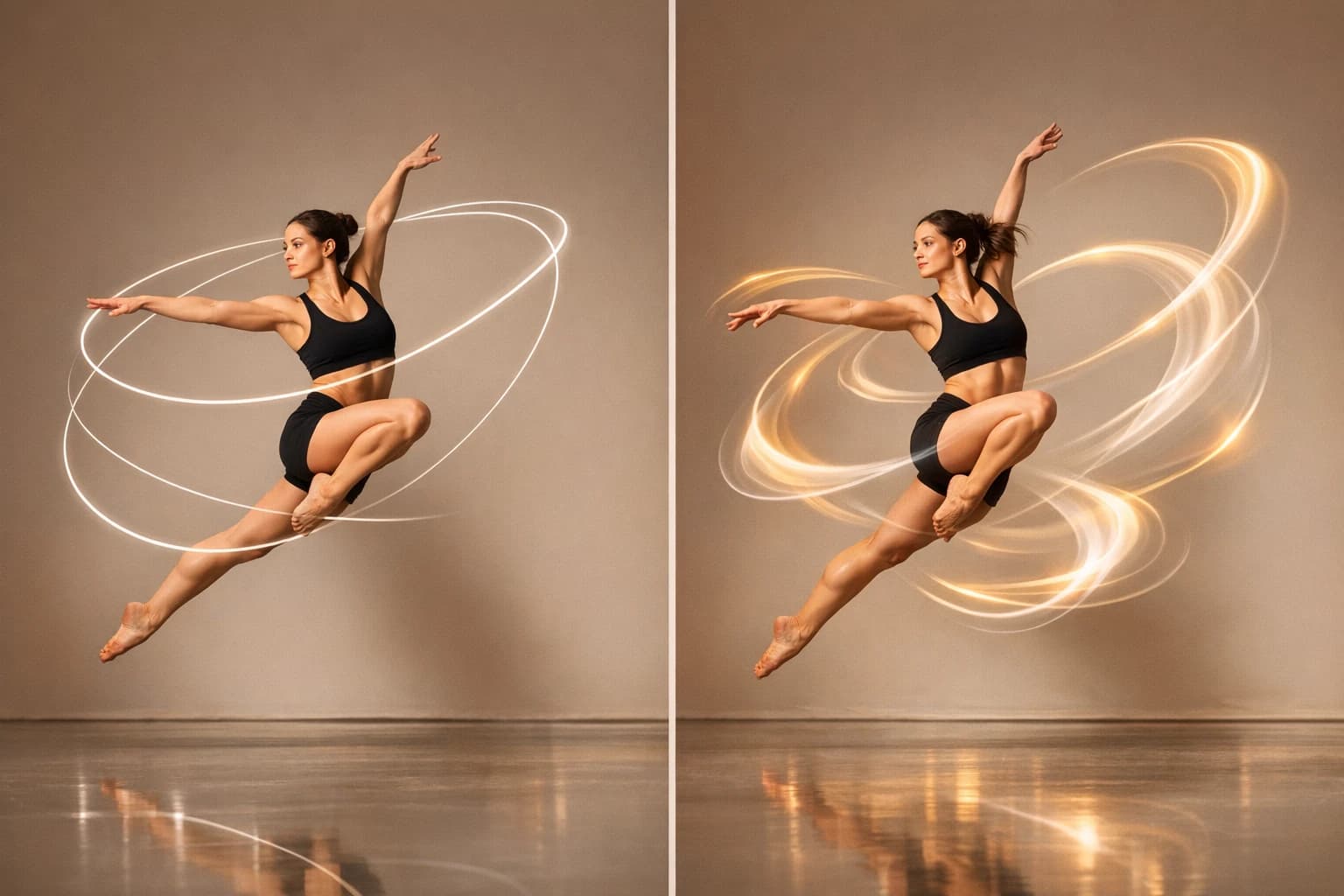
Kling V3 vs Runway - Best Motion Control AI?
Kling V3 Motion Control vs Runway Gen-4 compared on motion realism, creative control, pricing and workflows to help you pick the right AI video tool.
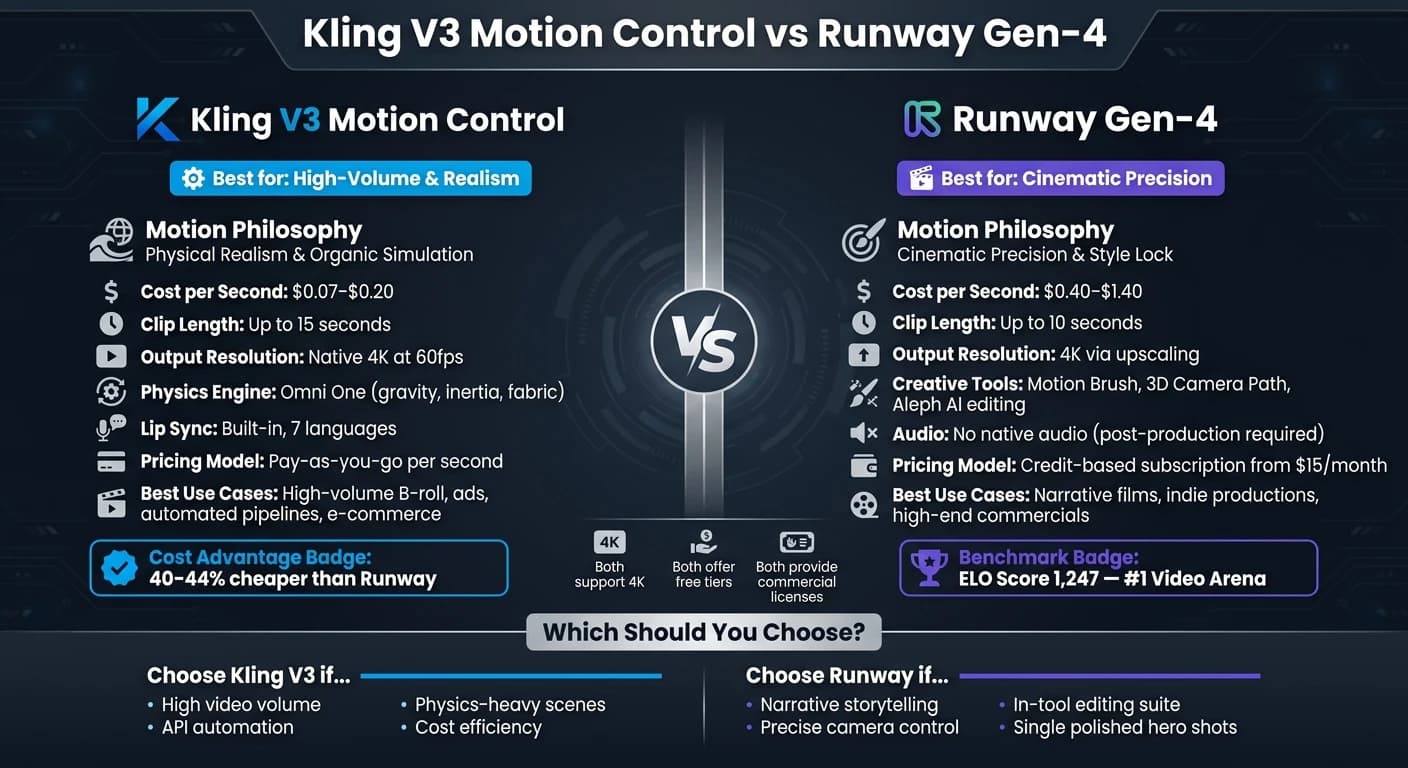
Which motion control AI is better for your needs? It depends on your focus. Kling V3 excels in lifelike motion physics and cost efficiency, making it ideal for high-volume projects. Runway Gen-4 offers precise control and stylistic consistency, perfect for narrative-driven work. Here's a breakdown:
- Kling V3 Motion Control: Focused on physical realism. Simulates natural movement like fabric draping and fluid dynamics. API-friendly, supports 4K at 60fps, and costs ~$0.07–$0.20 per second.
- Runway Gen-4: Prioritizes cinematic precision. Includes advanced editing tools, consistency across scenes, and 4K upscaling. Subscription-based with plans starting at $15/month.
Quick Comparison:
| Feature | Kling V3 Motion Control | Runway Gen-4 |
|---|---|---|
| Motion Philosophy | Realistic physics | Cinematic precision |
| Cost per Second | ~$0.07–$0.20 | ~$0.40–$1.40 |
| Clip Length | Up to 15 seconds | Up to 10 seconds |
| Output Resolution | Native 4K at 60fps | 4K via upscaling |
| Best For | High-volume workflows | Polished hero shots |
Choose Kling for automation and bulk production. Opt for Runway when detailed scene control is critical.
Kling vs Runway (2025) Which AI Video Generator Is REALLY Worth It? 🎬👀
Kling V3 Motion Control: Features and Capabilities
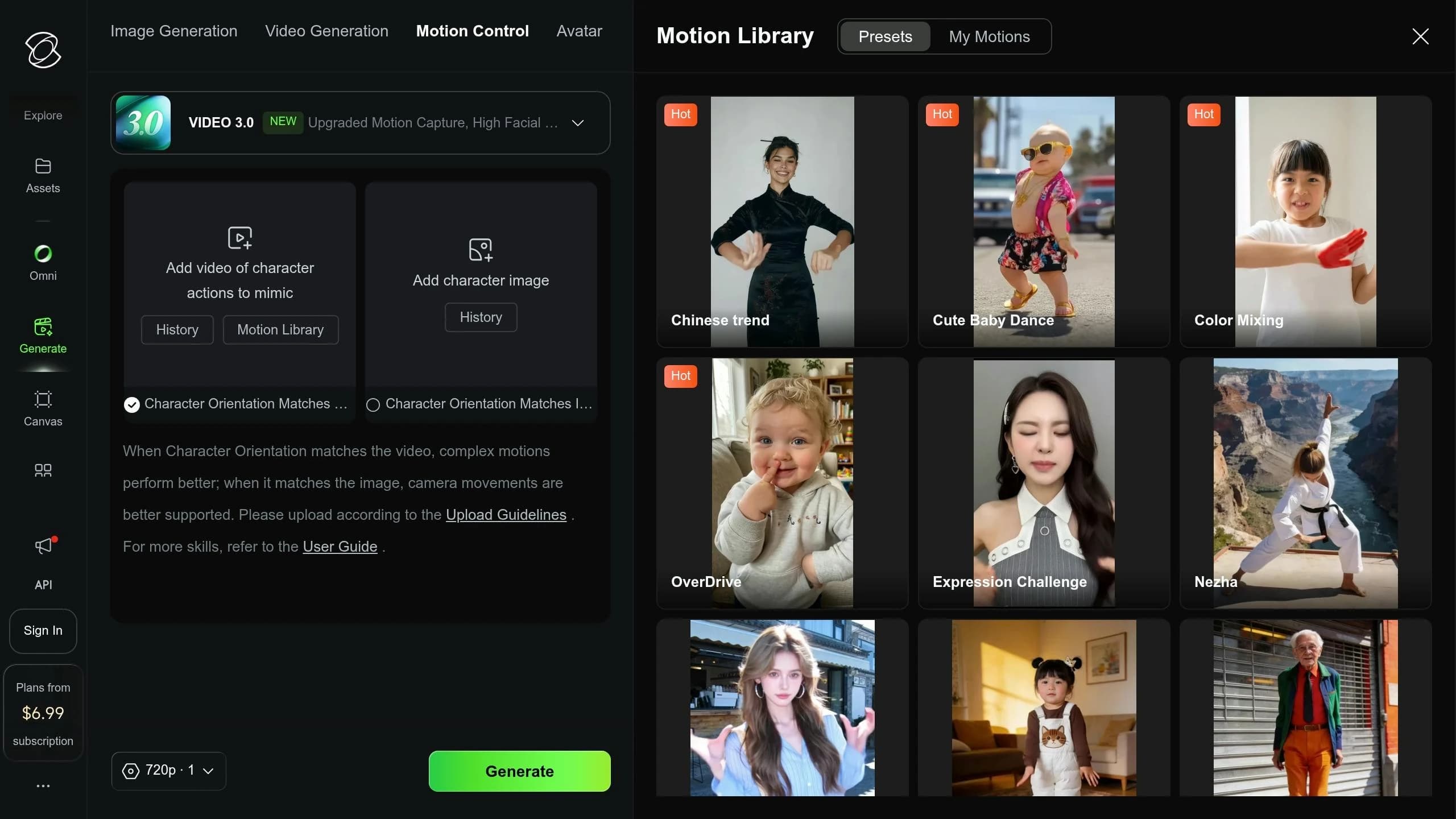
Kling V3 Motion Control focuses on creating AI-generated videos that feel natural and lifelike. By leveraging the Omni One physics engine, it simulates gravity, inertia, and material deformations with precision [11]. This means, for example, a jacket will fold naturally as a person moves, or hair will sway with realistic weight and drag.
Motion Realism and Physics Accuracy
What makes Kling V3 stand out is its 3D Spacetime Joint Attention system. This feature employs Chain-of-Thought reasoning to extract motion sequences from reference videos with an impressive 99.2% motion accuracy rate [11]. Imagine filming a dancer, uploading the footage, and having Kling replicate those movements on a digital character - frame by frame, with every body part moving smoothly and consistently.
Facial features are handled with similar precision. Kling V3 offers built-in lip sync for 7 languages [2], eliminating the need for external tools. Its Element Binding feature ensures a reference face remains consistent - even during complex movements like 180-degree head turns or when hands obscure parts of the face [7]. The system supports clips up to 15 seconds in length, rendered at 1080p resolution and 60fps [11].
"Kling 3's spatiotemporal architecture produces walking, gesturing, and dancing motions that are virtually indistinguishable from real footage." - Veo 4 Analysis [2]
These advanced motion features integrate seamlessly into the API workflow, making it a powerful tool for developers.
Integration with APIMart

Kling V3’s high motion accuracy pairs perfectly with APIMart, a platform that hosts over 500 AI models under a single endpoint. The integration process is straightforward: submit a POST request with image and video URLs, receive a task_id, and either poll for updates or use a callback_url [12][13]. With a 99.9% uptime SLA, APIMart ensures reliability, and all generated videos come with full commercial usage rights [10][14].
"We dropped kling-motion-control into our pipeline and immediately cut integration time. The minimal API surface makes it a joy to scale." - James Liu, Senior Developer [14]
Kling V3 Pricing on APIMart
Pricing for Kling V3 is based on a per-second model, with APIMart offering a 20% discount off standard rates [10][14]. Here’s a breakdown of the pricing tiers:
| Model Variant | Tier | APIMart Price (per sec) |
|---|---|---|
kling-v3-motion-control | Standard | $0.1029 |
kling-v3-motion-control | Pro | $0.1371 |
kling-v3 / omni | 720P | $0.0672 |
kling-v3 / omni | 1080P | $0.0896 |
kling-v3 / omni | 4K | $0.4286 |
For instance, creating a 10-second Motion Control clip at the Standard tier costs about $1.03. A good strategy is to start with the Standard mode to test motion transfer results, then switch to Pro mode for final renders to optimize costs [15]. This pricing approach ensures flexibility and scalability while maintaining high-quality results.
Runway: Features and Capabilities
Runway takes a different path compared to Kling V3, focusing on giving directors complete creative freedom. As of April 2026, Runway Gen-4.5 holds the top spot on the Video Arena leaderboard, boasting an impressive ELO benchmark score of 1,247. This score reflects its leading performance in visual fidelity and temporal consistency among AI video tools [8][17].
Creative Control Tools
Runway is packed with tools that put creative control directly in the hands of filmmakers. Precision Director Mode lets users define exact camera movements, speeds, and zooms in 3D space. The Motion Brush allows for region-specific motion adjustments, while Act-Two ensures character continuity across scenes. Additionally, World Consistency maintains a stable visual style throughout a project [5][8][9].
"Runway Gen-4: This is the go-to 'Creative Suite' for movie makers. It gives you deep control and keeps the same style across all your scenes." - Atlas Cloud Blog [5]
Built-In Editing Suite
Runway isn’t just about creating visuals - it combines video generation, editing, and project management in its browser-based editing suite. The interface mirrors professional editing software, featuring a timeline, asset bin, and AI-driven effects. One standout feature is the Aleph AI editing layer, which enables frame-specific edits, such as adjusting lighting, adding or removing props, or changing color grades. These changes are then automatically applied across the entire clip [18].
The suite also includes in-painting and out-painting tools for fixing issues or extending frames. Impressively, Gen-4.5 can generate clips in just 30 to 90 seconds, making it three to four times faster than earlier versions [3].
However, Runway does not produce native audio. All sound - whether it’s music, dialogue, or effects - needs to be added during post-production. This contrasts with Kling V3, which includes built-in lip-sync capabilities [8][16].
"Runway remains essential if you're a motion design pro or post-production specialist: it's the only platform that integrates generation + video editing + masking + color grading in a single interface." - Romain Koffi [3]
Runway Pricing Structure
Runway uses a credit-based subscription system, where creating a 10-second Gen-4 clip typically consumes 150–200 credits [8]. This structure makes monthly costs vary depending on the scale of the project.
| Plan | Monthly Price | Credits/Month | Key Features |
|---|---|---|---|
| Free | $0 | 125 (one-time) | 720p resolution, watermarked output |
| Standard | $15 | 625 | 1080p resolution, basic AI tools |
| Pro | $35 | 2,250 | 4K upscale, commercial license |
| Unlimited | $95 | Unlimited (Relaxed Mode) | 4K resolution, fair-use throttling |
The Standard plan at $15/month is suitable for smaller projects or testing, as it covers around three to four Gen-4 clips. For those needing production-level output, the Pro plan at $35/month is a practical choice. Additionally, Runway offers an API priced at approximately $0.12 per second of generated video, which is ideal for teams automating workflows [4].
Side-by-Side Comparison
This section breaks down the key aspects of motion quality, workflow integration, and pricing to help identify which tool better suits specific production needs.
Motion Quality and Creative Control
Kling V3 and Runway Gen-4 take very different approaches to motion. Kling V3 focuses on physical realism, using its Unified Training Framework to simulate factors like gravity, inertia, and material density. This makes it ideal for tasks like realistic fluid dynamics, fabric behavior, and intricate human motion [5]. On the other hand, Runway Gen-4 emphasizes stylistic consistency. Its "World Consistency" system uses up to three reference images to maintain a locked visual style, ensuring minimal frame-to-frame drift [8].
"Kling 3.0 wins for organic, realistic movement and physical plausibility. Runway Gen-4 wins when you need frame-to-frame visual consistency above all else." - Cristian Da Conceicao, Founder of Picasso IA [1]
| Feature | Kling V3 Motion Control | Runway Gen-4 |
|---|---|---|
| Motion Philosophy | Physical realism and organic simulation [1] | Cinematic precision and style lock [1] |
| Physics Accuracy | Excels with fluids, fabric, and complex motion [5] | Best for subtle, controlled movements [5] |
| Subject Consistency | "Identity-Lock" with a single reference image [5] | "World Consistency" with up to three reference images [8] |
| Control Method | Direct motion transfer using realistic simulations [1] | Motion Brush and 3D camera path scripting [8] |
These contrasting approaches to motion give each tool a unique edge depending on the creative or technical requirements.
Workflow Integration and Performance
Both tools bring their strengths to production workflows, but they cater to different needs. Kling V3's API-first design makes it highly compatible with automated pipelines, while Runway's browser-based interface is tailored for hands-on creative tweaks. Kling V3, available on APIMart at $0.1029/sec, offers features like "AI Director" mode, which can create a 15-second sequence with up to six camera cuts from a single prompt, making it a time-saver for teams handling high volumes [5]. Runway, meanwhile, provides a suite of creative tools for directors who need precise control [8].
Notably, Kling V3 supports native 4K output at 60fps without upscaling, while Runway achieves 4K resolution through export upscaling. Additionally, Kling generates clips up to 15 seconds long, compared to Runway's 10-second cap for standard clips [5][6].
"Runway is where we go for hero content... Kling is our workhorse for everything else." - Apostle Production Studio [4]
Pricing and Cost Efficiency
When it comes to pricing, the models differ significantly. Kling V3 uses a straightforward per-second, pay-as-you-go system via APIMart, while Runway relies on a credit-based subscription. For high-volume production, Kling is roughly 40–44% less expensive than Runway, making it an attractive option for studios managing extensive workloads [8].
| Metric | Kling V3 Motion Control (APIMart) | Runway Gen-4 |
|---|---|---|
| Pricing Model | Per-second, pay-as-you-go [10] | Credit-based subscription [8] |
| Cost per Second | ~$0.07–$0.20 [5] | ~$0.40–$1.40 [8] |
| Free Tier | 66 daily credits (refreshed daily) [1] | 125 one-time credits [1] |
| Best For | High-volume B-roll, ads, automated pipelines | Narrative shots requiring precision and polish |
For studios producing large quantities of content, Kling V3's cost efficiency can make a big difference. However, if the goal is to create a single, highly polished "hero" shot, Runway's tools and subscription model might be the better fit.
Conclusion: Choosing the Right Motion Control AI
Both tools bring distinct strengths to the table, catering to different production needs. Your choice ultimately hinges on the specific demands of your project.
Best for Realism and API Integration
If your focus is on physical accuracy - like capturing the natural movement of water, fabric, or lifelike human gestures - Kling V3 Motion Control is the better option. Its physics-driven motion engine and smooth API integration make it ideal for automated, high-volume workflows. Pricing at $0.0672/sec (720P) ensures predictable costs without compromising quality.
"Kling 3.0 is producing output that professional video teams are using in production, and the price difference is significant enough that ignoring it is no longer a defensible business decision." - Digital by Default [19]
Best for Creative Control
For projects requiring precise scene control, character consistency, or cinematic polish, Runway Gen-4 stands out. Its comprehensive editing suite, which includes tools like inpainting, color grading, and 3D camera path scripting, is perfect for narrative-driven work like indie films or high-end commercials. The tool’s ELO benchmark score of 1,247 for visual fidelity underscores its strength in delivering visually stunning results [8].
These unique capabilities provide a clear framework for choosing the right tool for your project.
How to Make Your Decision
Consider your priorities and match the tool to your project needs:
| If your priority is... | Best fit |
|---|---|
| High-volume content, social media, e-commerce | Kling V3 via APIMart |
| Narrative films, VFX pre-visualization | Runway Gen-4 |
| API-driven automation and cost efficiency | Kling V3 via APIMart |
| Precise camera control and in-tool editing | Runway Gen-4 |
Many teams find value in using both tools for different aspects of their projects. As Arun Kumar explains: "The question is not which tool is best. It is which tool solves your specific production problem." [8] Combining Runway for detailed narrative shots and Kling for physics-heavy sequences can maximize both creative output and cost efficiency. Ultimately, the right choice depends on the unique challenges and goals of your video production.
FAQs
Which tool is better for character consistency across scenes?
Both tools offer high-quality character consistency but serve distinct purposes. Runway's World Consistency feature uses up to three reference images to lock in a character's identity, making it ideal for maintaining visual continuity in storytelling projects. On the other hand, Kling 3.0 stands out in dynamic animation with its Element Binding feature, which keeps facial features intact during complex movements like head turns or occlusions. Many professionals use them together - Runway for narrative consistency and Kling for lifelike motion.
Can I use Kling V3 and Runway together in one workflow?
Yes, you can integrate Kling V3 and Runway into a single workflow. Many professionals pair Runway's creative tools and cinematic capabilities with Kling's realistic motion and lifelike physics. A popular method is to design or refine assets in Runway, then export them to Kling for detailed animation and finishing touches. This approach takes advantage of the strengths of both tools seamlessly.
How do I estimate total cost for a full video project?
To figure out the total cost of your video project, start by calculating the number of clips you'll need and their durations in seconds. Then, check the cost per second for your selected model. Keep in mind that certain settings, like 4K resolution or audio, can significantly increase credit usage - sometimes by as much as 5x.
If you're working on a large-scale project, it’s worth comparing subscription plans to your expected output. If you’re close to exceeding your credit limits, upgrading your plan might be more economical than purchasing extra credits separately.
Choose the model you want in the model marketplace
Try chat, image and video models in the APIMart model marketplace, and experience model capabilities quickly with one unified API.