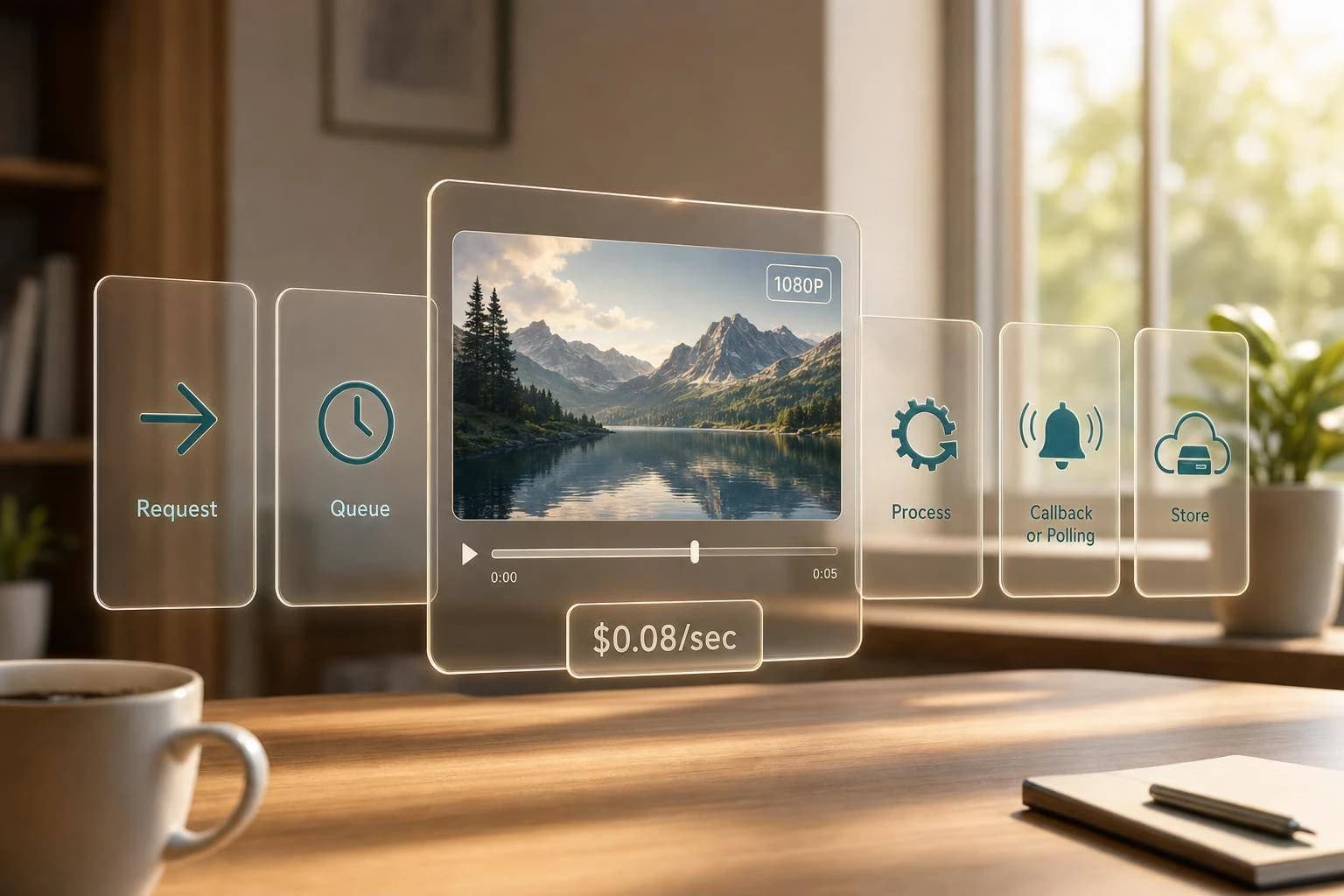
MiniMax Hailuo 03 API: 1080p Video Generation
Build 1080p AI video with the MiniMax Hailuo 03 API: text-to-video, image-to-video, async jobs, pricing at $0.08/sec, and production tips for developers.
If you want 1080p AI video by API, the main limits are simple: 5-second max clips, async job handling, and a cost of $0.08/sec. I’d treat Hailuo 03 as a short-form video model for apps that need text-to-video or image-to-video without running GPUs.
Here’s the article in plain English:
- What it does: generates 1080p MP4 video
- Input types: text prompt, image-to-video, first-and-last-frame, and subject reference
- Clip limit: 5 seconds at 1080p
- Price: $0.40 per 5-second 1080p clip
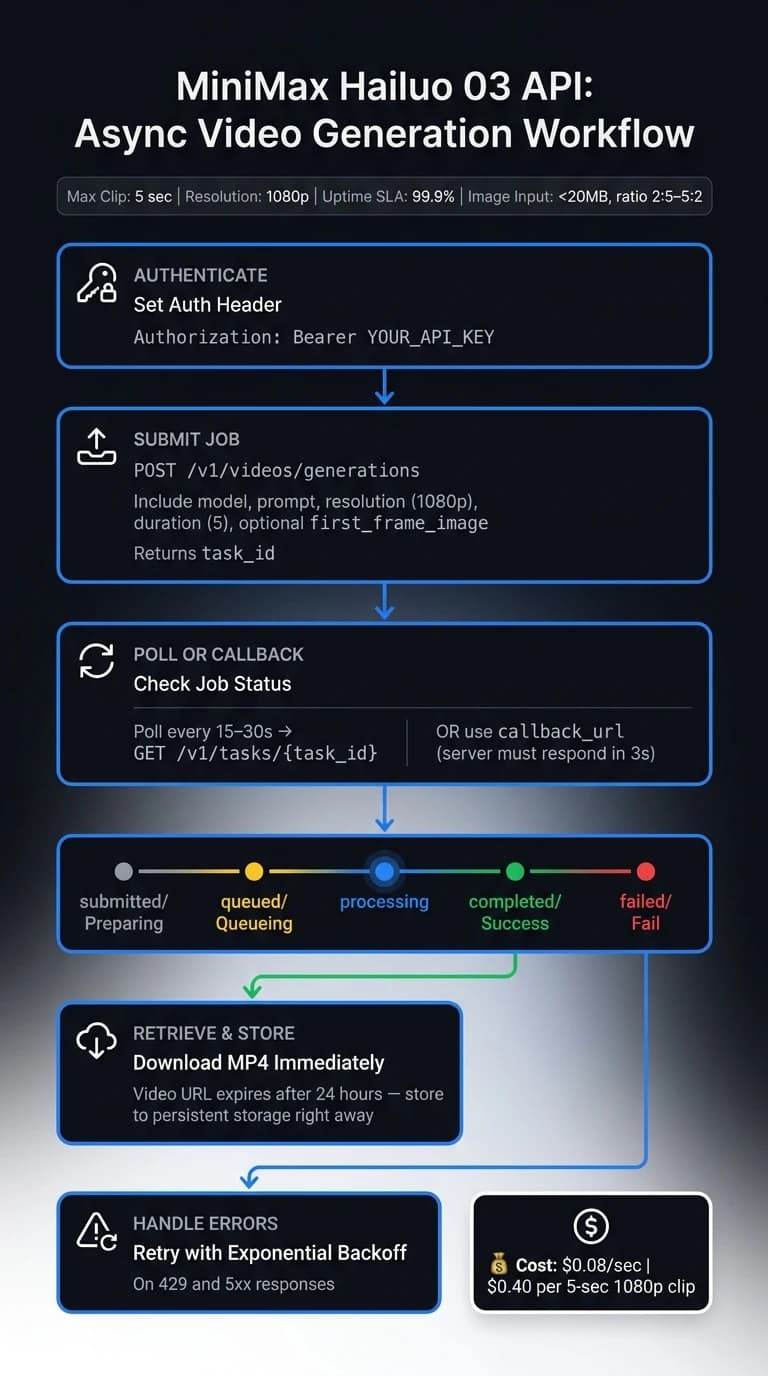
- API flow: submit job, then poll
task_idor usecallback_url - Prompt control: bracketed camera moves like
[Pan left]or[Zoom in] - File handling: final video URL expires after 24 hours
- Image rules: under 20 MB and aspect ratio between 2:5 and 5:2
- Reliability note: article cites 99.9% uptime SLA
What matters most is this: you need backend logic, not just a prompt. That means handling async status checks, storing the MP4 right away, retrying on 429 and 5xx, and stitching clips if you need anything longer than 5 seconds.
If I were setting this up, I’d test prompts at lower resolution first, lock the motion wording, then move to 1080p only for final runs to keep spend under control.
Watch: Automating MiniMax Video Generation
Core Capabilities and 1080p Output Options
Before you send your first request, get clear on Hailuo 03's input modes, motion controls, and output limits.
Supported Inputs: Text Prompts, Images, and Motion Instructions
Hailuo 03 supports four input modes: text-to-video, image-to-video (I2V), first-and-last-frame video, and subject-reference video [2].
For motion control, you can combine up to three camera moves inside one bracketed instruction, such as [Pan left, Pedestal up] [3]. That gives you a simple way to guide framing and scene movement without adding extra metadata.
These modes line up with the request fields covered in the next section.
1080p Output Specs Developers Should Verify
1080p output is capped at 5-second clips. If you need a longer sequence, generate multiple clips and stitch them together in your backend. For projects requiring integrated audio, consider Google's Veo 3.1 as an alternative.
That limit should shape both your request settings and your backend assembly logic.
Hailuo 03 Specs
| Spec | Detail |
|---|---|
| Input modes | Text-to-video, image-to-video, first-and-last-frame video, subject-reference video |
| Motion control | Up to three camera moves per bracketed instruction |
| Max clip length | 5 seconds |
| Output resolution | 1080p |
How to Call the MiniMax Hailuo 03 API on APIMart
Now that you’ve seen what Hailuo 03 can make, it’s time to connect it to your app.
Authentication, Base URL, and Headers
Every request to APIMart uses a Bearer token in the Authorization header, along with Content-Type: application/json. A single APIMart API key handles every request.
POST https://api.apimart.ai/v1/videos/generations
Authorization: Bearer YOUR_API_KEY
Content-Type: application/json
Request Examples for Text-to-Video and Image-to-Video
You’ll use the same endpoint and the same auth setup each time. What changes are the prompt, resolution, duration, and input URL.
The model field points to Hailuo 03. resolution controls output quality. And if you want 1080p, duration must be 5.
Text-to-video request:
{
  "model": "MiniMax-Hailuo-03",
  "prompt": "A product designer sketching at a sunlit desk, [Pan left, Zoom in], cinematic depth of field",
  "resolution": "1080p",
  "duration": 5,
  "prompt_optimizer": true
}
Image-to-video request:
{
  "model": "MiniMax-Hailuo-03",
  "prompt": "The product rotates slowly on a white surface, [Orbit right]",
  "resolution": "1080p",
  "duration": 5,
  "first_frame_image": "https://your-storage.com/product-shot.jpg",
  "prompt_optimizer": true
}
For image-to-video, upload the image first and use the returned URL in first_frame_image. The image must be under 20 MB, and its aspect ratio needs to stay between 2:5 and 5:2. If it falls outside that range, the API returns a 400 error. Set prompt_optimizer to true if you want the prompt refined before generation.
Async Responses, Job Status, and Final Video URLs
Video generation runs asynchronously, so your app needs to poll for status or use a callback.
"After submitting a task, poll its status using the task_id until it succeeds or fails." - MiniMax API Docs [2]
Poll this endpoint every 15–30 seconds:
GET https://api.apimart.ai/v1/tasks/{task_id}
The status field moves through a few stages:
| Status | Meaning |
|---|---|
submitted / Preparing | Request received, initializing |
queued / Queueing | Waiting for GPU resources |
processing | Video is actively rendering |
completed / Success | Done - video URL is available |
failed / Fail | Error occurred; check error_message |
When the status reaches completed, the response includes the final MP4 URL. Download the MP4 right away because the link expires after 24 hours [4].
If you’re handling lots of jobs, pass a callback_url in the first request instead of polling. Your server will get a POST callback when the job finishes, and it must return the challenge value within 3 seconds [3].
With the job flow set up, the next move is dialing in quality and cost for production. You might also consider Kling V3 for alternative cinematic video styles.
Parameters, Performance, and Pricing for 1080P Workloads
Quality Controls That Matter in Production
Once your request format is set, the next step is tuning output quality, speed, and spend. For most 1080P jobs, three settings do most of the work: resolution, duration, and prompt_optimizer.
prompt_optimizer rewrites prompts to make motion and composition clearer [1][3]. In most production cases, it’s best to leave it on. But if your prompt needs to stick closely to brand terms or exact wording, set it to false so the system doesn’t rewrite language you need to keep [3].
You can also use fast_pretreatment to cut prompt prep time. The tradeoff is a small drop in output quality [1][3].
For camera movement, put motion directions directly in the prompt with bracketed commands. Examples include [Pan left] and [Zoom in]. You can use up to three of these commands in a single prompt [3][5].
Latency and Cost Planning in USD
After those controls are in place, cost mostly comes down to clip length. Since generation runs asynchronously, plan for a submit-and-poll flow. If you want your backend to get the result automatically, use callback_url so it receives a notice when the job is done [4].
At $0.08 per second, a 5-second 1080P clip costs $0.40.
One simple way to cut waste is to test prompts at 768P first, then switch to 1080P once prompt behavior and camera motion look right [1][6].
Integration Patterns and Next Steps
Backend Workflow for Marketing, Product, and Education Apps
With request handling and job status set up, the next move is putting Hailuo 03 into actual product flows. The core job flow stays the same across app types. What changes is the prompt style, the input you send, and what the clip needs to do.
For marketing ad clips, use text-to-video. Keep prompts short and direct, and include camera cues like [Pan left] or [Tracking shot]. For product visuals, use image-to-video and pass product shots as the reference image. For educational explainers, 768P is often the practical pick when you need longer clips.
Storage, Delivery, and Usage Tracking at Scale
Once rendering finishes, move the file into persistent storage for delivery and tracking. Download each MP4 right away and store it in your own system for delivery. For reliability, add exponential backoff on 429 and 5xx responses. If you're handling high volume, use callback_url instead of polling. Track usage in one place across all video jobs. That setup helps keep delivery steady as volume grows.
Conclusion: Key Points for Developers
Submit jobs with the right input type for the use case, handle the async flow with care, and store output right away - then build from there.
FAQs
How long does a 1080p video usually take to generate?
High-quality 1080p video generation usually takes 1 minute 38 seconds to 5 minutes, although some jobs wrap up in 30 to 90 seconds.
The exact timing comes down to two things: how complex your prompt is and how long you want the video to be. Since generation runs asynchronously, your app should poll the task status until it’s complete.
What’s the best way to make videos longer than 5 seconds?
To create videos longer than 5 seconds with the MiniMax Hailuo API, use a lower resolution.
1080p only supports 5- or 6-second clips, depending on the model version. 768p supports clips up to 10 seconds.
So if you want a 10-second video, set:
resolutionto768pdurationto10
In your API request, it should look like this idea in practice: use 768p for the resolution and 10 for the duration.
When should I turn off prompt_optimizer?
Turn off prompt_optimizer when you want tighter control over the video output. By default, the system rewrites your description to help improve the result.
Switch it off if you want your prompt used exactly as written, especially if you've already fine-tuned it and don't want anything changed.
Choose the model you want in the model marketplace
Try chat, image and video models in the APIMart model marketplace, and experience model capabilities quickly with one unified API.