
OpenWorker: Andrew Ng's Open-Source AI Agents
OpenWorker is Andrew Ng's open-source, local-first agent framework that plans workflows, routes cloud and local models, and requires approval for risky steps.
If you want an AI system to finish work instead of just answer prompts, OpenWorker is the main idea in one line: it plans tasks, uses tools, and stops for approval before high-risk actions.
I’d sum it up like this: OpenWorker is an open-source, local-first agent framework that runs through a desktop app and a local Python server, routes jobs across cloud and local models, and uses 4 permission levels to control file access, command runs, and outside messages. It fits teams that want tighter control over data, lower setup friction across models, and a clear human check before anything risky happens.
Here’s the short version:
- What it does: turns a goal into a multi-step workflow
- How it runs: Tauri 2 desktop app + React 18 UI + local FastAPI/Uvicorn server
- Model access: cloud providers and local models through
aisuite, plus Ollama for local use - Safety model:
read,write_local,exec, andexternal - Human review: every
execandexternalstep waits for approval - Connected tools: files, calendars, Slack, and other team systems
- Model endpoint option: APIMart via one OpenAI-compatible API
- Best-fit work: reports, research, content packages, support tasks, and media pipelines
- Production needs: tracing, evals, prompt versioning, spend tracking, and an outbox review flow
A few facts stand out. OpenWorker uses 4 action types, blocks 100% of exec and external actions until a person approves them, and can switch among models like GPT-5, Claude Sonnet 4.6, and Gemini 3 Pro Preview without changing the workflow logic.
| Area | What I’d know fast |
|---|---|
| Core use | Goal-to-work agent system |
| Local setup | Desktop app + localhost server |
| Risk control | Approval gates for high-risk actions |
| Model routing | Cloud + local LLMs |
| Team use cases | Ops, content, research, support, media |
| Production focus | Logs, tests, spend limits, audits |
If I were deciding whether it fits my team, I’d look at one thing first: do I have repeatable work with clear steps and a need for human approval on risky actions? If yes, OpenWorker makes sense.
Andrew Ng: State of AI Agents | LangChain Interrupt
How OpenWorker Works: Architecture, Models, and Permissions
OpenWorker's reliability comes from three layers: local execution, model routing, and approval gates.
Desktop app and local agent server
OpenWorker runs as a Tauri 2 desktop application with a React 18 UI, paired with a local Python 3.10+ server using FastAPI and Uvicorn. In plain English, the app you see on your desktop works side by side with a local server running on your machine.
That setup keeps the agent close to both the data and the user. It also helps keep things tighter from a control standpoint, since the server listens on localhost by default.
Model routing across cloud and local LLMs
OpenWorker uses aisuite to route requests between cloud model providers and local runtimes like Ollama. That gives teams room to decide where each task should go instead of sending everything through one path.
For example, teams can keep private tasks local and route lower-risk work elsewhere. If the data is sensitive, tasks can be sent to a local model through Ollama.
Task planning, typed actions, and approval gates
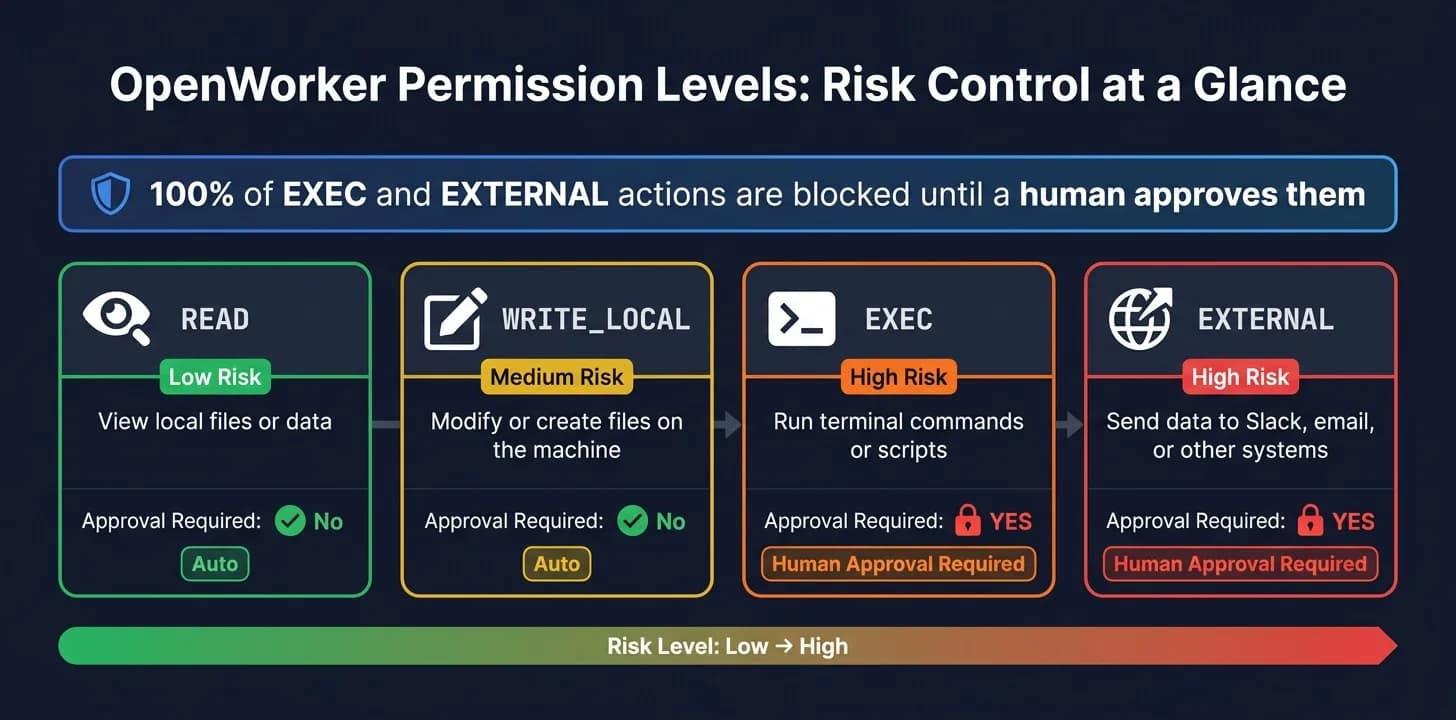
When you give OpenWorker a goal, it breaks that goal into discrete steps and assigns a permission type to each action before anything runs. So instead of one big black box, you get a series of steps that can be checked and reviewed.
The four permission types map directly to risk level:
| Permission | What It Allows | Risk Level |
|---|---|---|
read | View local files or data | Low |
write_local | Modify or create files on the machine | Medium |
exec | Run terminal commands or scripts | High |
external | Send data to Slack, email, or other systems | High |
Approval gates block every exec and external action until a human approves it. That control model is what makes the next layer of integrations practical.
Tools, Integrations, and APIMart-Powered Model Access
Working across files, calendars, Slack, and team systems
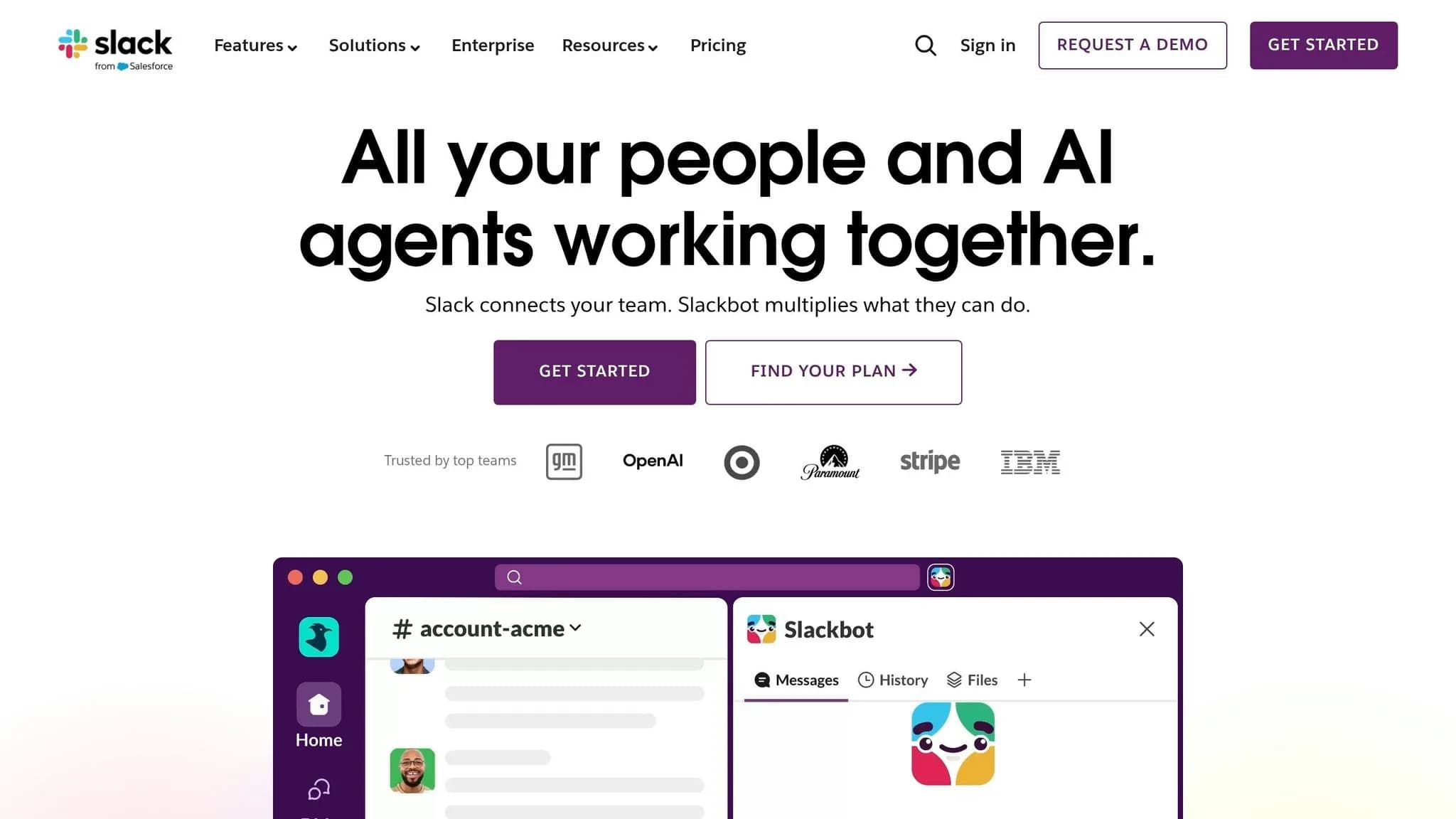
OpenWorker connects to local files, calendars, Slack, and other team systems through built-in tools, hosted integrations, and connectors.[4] That makes it useful for automating connected work, not just one-off tasks.
Here’s what that looks like in practice. An operations team asks OpenWorker to prepare the weekly performance report and share it with the team. The agent reads local analytics exports, puts together a polished document in a shared folder, drafts a Slack summary with the key metrics, and then stops to ask for approval before sending anything outside the team.[4] OpenWorker does the coordination. People still decide what goes out.
Content and marketing teams can use the same setup for content packages. OpenWorker can pull source research from local files, draft a brief or blog doc, and mark review deadlines on the team calendar - all without touching external systems until someone signs off.[4]
Using APIMart as a unified model endpoint
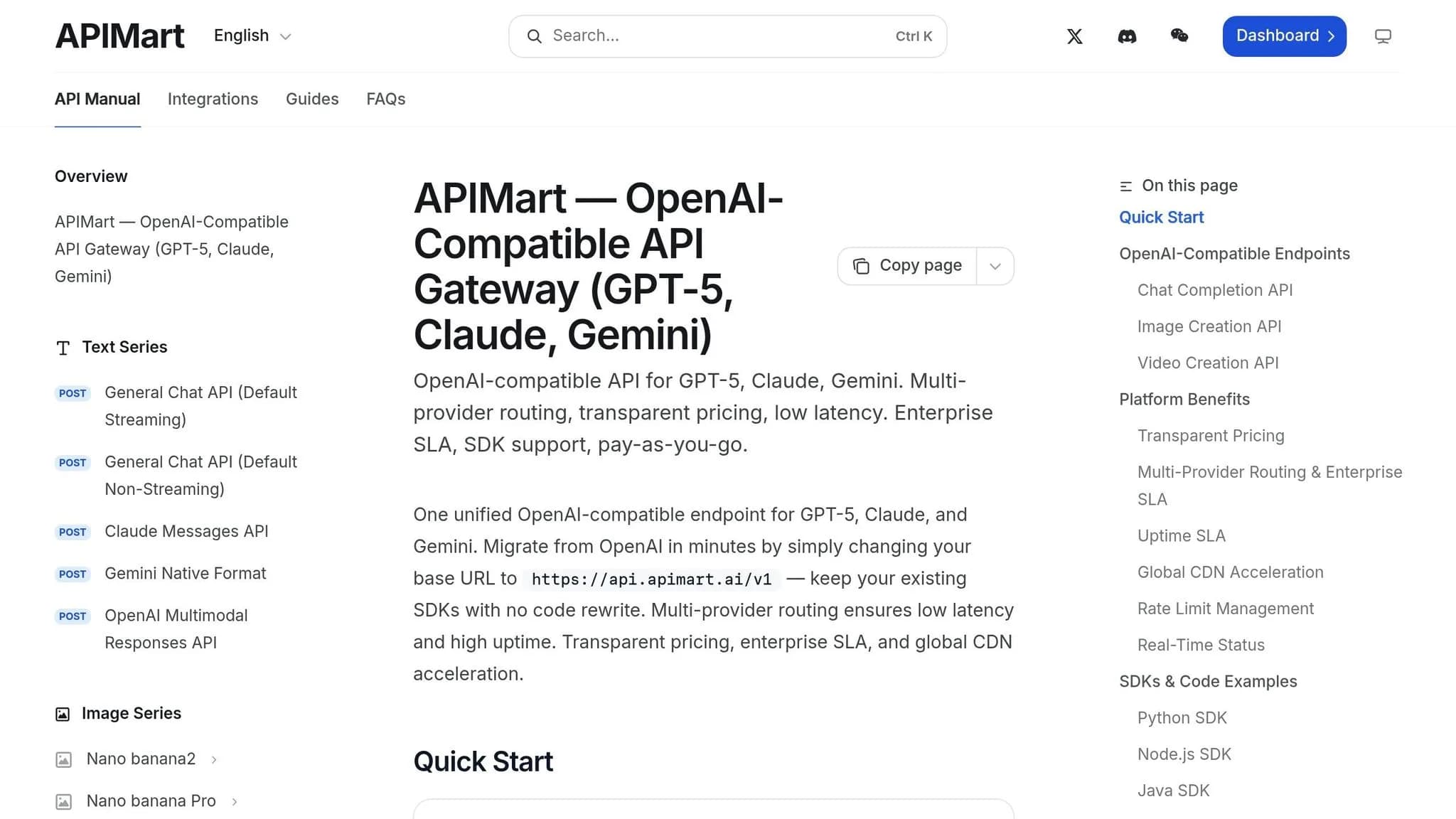
Once the tools are connected, the next step is model access. OpenWorker can use APIMart as its unified model endpoint through a single OpenAI-compatible base URL.[2][3]
The setup is pretty simple:
- Create an APIMart API key
- Send standard OpenAI-compatible JSON payloads for chat, completions, and media requests
From OpenWorker’s point of view, APIMart looks like one steady provider. But behind that single endpoint, teams can switch between models like GPT-5, Claude Sonnet 4.6, or Gemini 3 Pro Preview without changing the agent workflow at all. That means one routing layer and less upkeep across the models a team uses.
Multi-modal workflows for content and media teams
That same routing setup also supports multimodal work beyond text. With APIMart, OpenWorker can move from research to script to video generation through one endpoint.[1]
For a team producing weekly video content, OpenWorker can coordinate the whole pipeline - research, scripting, asset generation, and review staging - while APIMart handles model selection in the background. The workflow stays the same. Only the model changes.
Running OpenWorker Reliably in Production
Production use needs tracing, controls, and cost visibility across models, tasks, and teams. Built on the permissions and model routing already in place, this section covers the operational layer that makes those foundations work in practice. The next step is turning that setup into something you can observe, audit, and control in production.
Tracing, evals, and prompt versioning
Production reliability starts with visibility into every step of every run.
Every agent run should log the full run state: conversation state, tool inputs and outputs, which model was used, token counts, and per-step latency. Without that, debugging turns into guesswork. With it, you can see exactly where a workflow failed and fix that part without disturbing the rest.
Prompt versioning matters just as much. When a team updates a system prompt to improve output quality, there's always a chance it will break something that already worked. Running golden tests - a small set of known-good inputs with expected outputs - against every prompt change helps catch regressions before they hit production. Golden tests catch prompt regressions before deployment.
| Feature | Without Tracing | With Tracing |
|---|---|---|
| Visibility | Blind to specific failure points and cost spikes | Granular view of latency, tokens, and error rates |
| Debugging Speed | Slow; requires manual reproduction of agent state | Fast; logs provide full conversation and tool state |
| Reliability | High risk of regressions during prompt updates | High; golden tests catch quality drops in CI/CD |
| Cost Control | Reactive; discovered only at end of billing cycle | Proactive; alerts trigger on per-task drift |
Risk controls and human oversight for sensitive actions
When an agent can affect shared systems, execution needs a reviewable handoff.
For sensitive actions, use an outbox pattern: the agent records intended actions for review before execution.[5] This is the right fit for shared systems, where human review should happen before execution, not after damage is done.
This ties directly to the exec and external permission types set up earlier - the outbox pattern governs the final handoff for those higher-risk actions. In more complex multi-agent setups, a folder structure built around inbox/, outbox/, and workspace/ directories keeps data boundaries clean and handoffs predictable.[5] Each agent knows where to read from and where to write, which makes the pipeline easier to audit.
Cost and model management with APIMart routing
Once workflows are running, cost control becomes an operational requirement.
With APIMart as the central endpoint, teams can track spend, set price caps, and monitor latency in one place. If you're already running multi-model workflows, centralized routing cuts the overhead of managing separate keys, SDKs, and dashboards for each provider.
| Metric | Direct Keys | APIMart Unified Endpoint |
|---|---|---|
| Setup Effort | High; multiple SDKs and auth flows | Low; one OpenAI-compatible client |
| Observability | Fragmented across multiple dashboards | Centralized; one view for all modalities |
| Cost Control | Manual per-provider caps | Centralized price caps and routing rules |
| Maintenance | High; requires SDK updates for every model | Low; model changes are simple string updates |
With direct keys, cost spikes are often found only at the end of a billing cycle. With APIMart routing, teams can set price caps and routing rules before a workflow turns into an expensive problem.
Practical Use Cases and Conclusion
Research, content operations, and media workflows
Once the workflow controls are set up, OpenWorker tends to shine in repetitive, high-volume work. It works best when a task follows the same set of steps again and again.
That’s why it fits marketing, research, and media workflows so well. Teams can automate content assembly by coordinating different parts of the process and checking the final output against brand standards. In one pipeline, a team can draft copy, generate images, and create short videos through a single endpoint.
That setup makes the jump from research to text, image, and video generation much smoother. Instead of stitching tools together by hand, teams can run the whole flow in one place.
Support, operations, and internal operations automation
The same idea carries over to internal support and operations. OpenWorker can do more than send simple replies. It can answer, verify, and take action on routine tasks such as order status checks, password resets, and billing requests.
For teams, that matters because a lot of internal work isn’t hard. It’s just repetitive. OpenWorker helps move that work along while keeping sensitive actions behind approval gates.
Conclusion: What teams can build today
Put together, these workflows show where OpenWorker is strongest right now. Its open-source design gives teams direct control over customization, data, and cost. That setup is built around local-first execution and practical automation that finishes work instead of only getting it started.
A smart way to begin is simple: start with one high-volume, repetitive workflow, prove the value, and then expand.
FAQs
Who is OpenWorker best for?
OpenWorker works best for cross-functional teams, developers, and business units that want to move AI from demos into reliable, production-ready automation.
It’s a good fit for teams scaling multi-step workflows across research, content operations, customer support, and business process automation - especially when they want to stay in control of customization, integrations, and costs.
Can OpenWorker keep sensitive data local?
Yes. Open-source agent frameworks often support local deployment, so developers can build and test agents while keeping sensitive data inside their own systems.
With local deployment models and file-based communication protocols, teams can keep strict data boundaries in place and keep operations internal.
What tasks should teams automate first?
Start with high-volume, rule-based workflows. The best early targets are repetitive tasks, easy to measure, and already tied to systems like CRMs, ERPs, or help desks.
Good first use cases include customer support triage and invoice processing. Why these first? They can cut manual work fast and lower service costs without a big process overhaul.
From there, teams can branch into document processing, data extraction, and content generation.
Choose the model you want in the model marketplace
Try chat, image and video models in the APIMart model marketplace, and experience model capabilities quickly with one unified API.