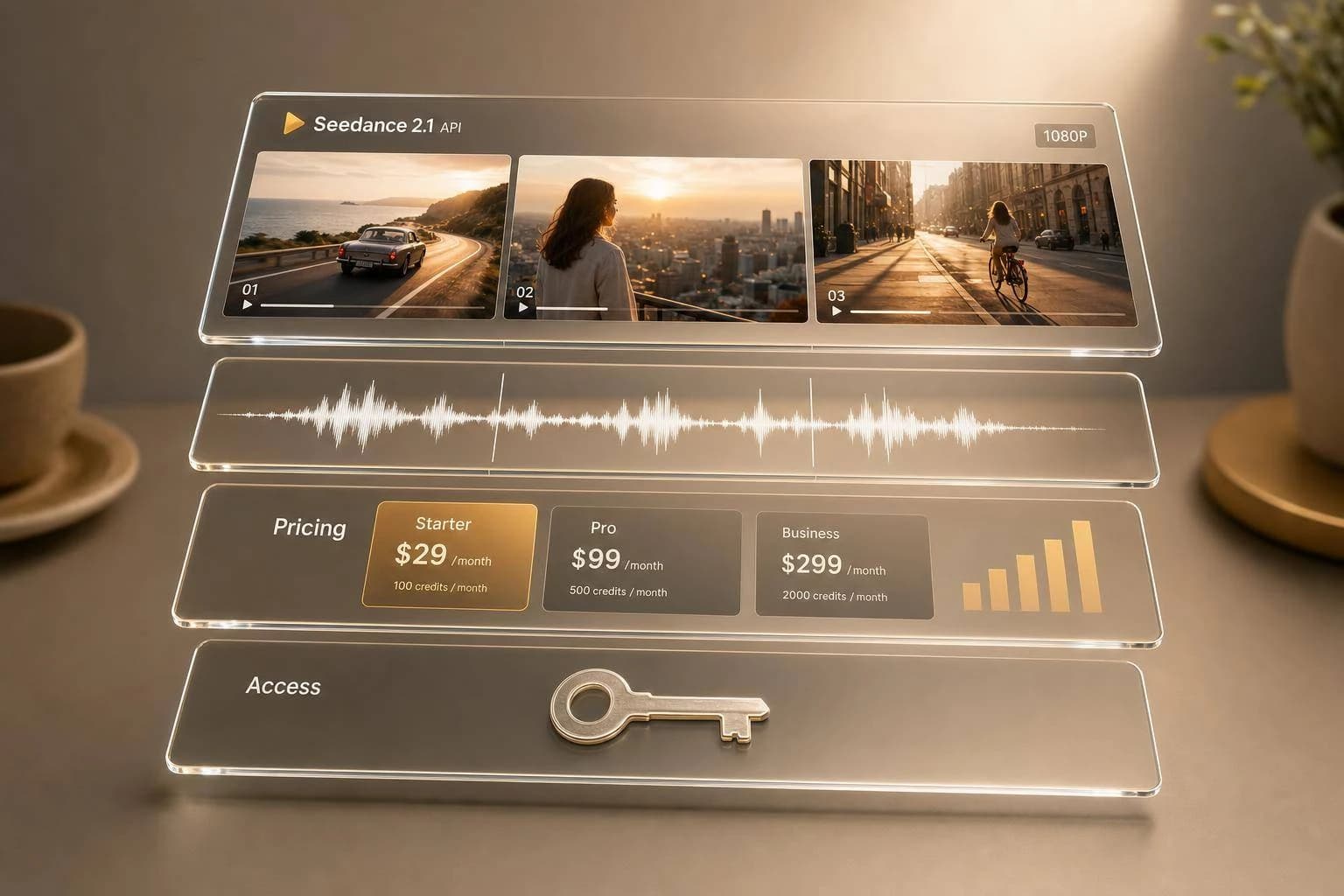
Seedance 2.1 API: Native Audio & 1080p Video
Seedance 2.1 API guide: native synced audio, 1080p multi-shot video, supported inputs and controls, with Seedance 2.0 pricing baselines and APIMart access.
Here’s the short answer: if I were planning around Seedance 2.1 today, I’d treat it as an early-access video API with native synced audio, 1080p output, multi-shot control, and a 4–60 second clip range, while using Seedance 2.0 pricing as the current baseline.
If you want the main points fast, here they are:
- What it does: Generates video and synced audio in one request
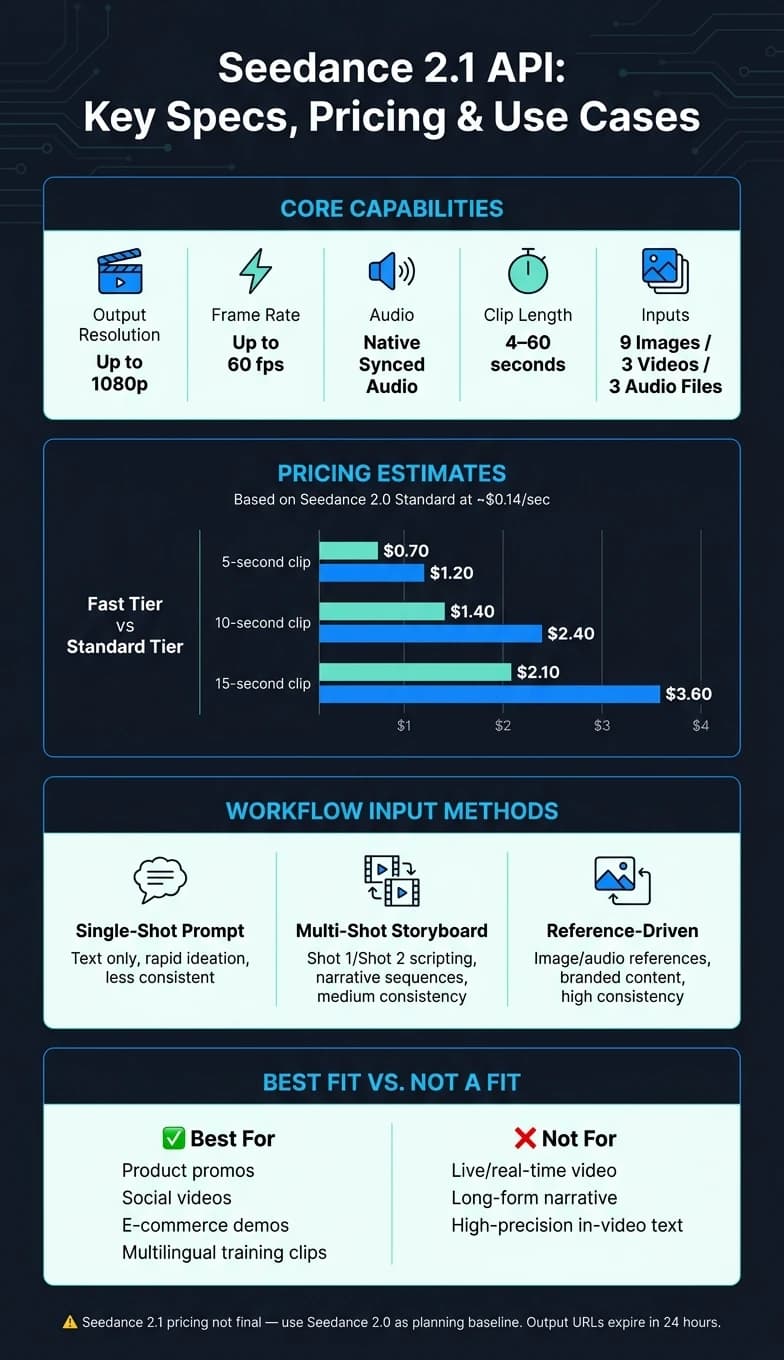
- Output: Up to 1080p and as high as 60 fps
- Inputs: Up to 9 images, 3 video clips (up to 15 seconds each), and 3 MP3 audio files
- Control: Uses tags like
@shot,@camera, and@characterfor shot planning - Pricing status: Seedance 2.1 pricing is not final yet
- Working cost baseline: Seedance 2.0 Standard is about $0.14/second
- Budget examples: about $0.70–$1.20 for 5 seconds, $1.40–$2.40 for 10 seconds, and $2.10–$3.60 for 15 seconds
- Access: Early access through APIMart with an OpenAI-style flow
- Limits to watch: URL outputs expire after 24 hours, and some reference methods have face-use limits
So what does that mean for you? If you need short promo clips, product demos, social videos, or training content with sound already synced, Seedance 2.1 looks like a strong fit. If you need live video, long-form story work, or exact on-screen text, I’d look elsewhere or consider cinematic AI video generation.
How to Use the Seedance 2.0 API (Full Walkthrough)
Quick Comparison
| Area | Seedance 2.1 | What I’d assume right now |
|---|---|---|
| Availability | Early access | Check APIMart before planning production |
| Audio | Native synced audio | Built into generation |
| Resolution | Up to 1080p in the article’s main framing | Use 1080p as the safe planning target |
| Frame rate | Up to 60 fps | 24 fps and 30 fps also supported |
| Clip length | 4–60 seconds | Longer pieces need chained segments |
| Input support | Images, video, audio | One request can include all three |
| Pricing | Not final | Use Seedance 2.0 as a cost guide |
| Cost baseline | About $0.14/sec on Standard | Fast for drafts, Standard for finals |
| Output handling | Async workflow | Submit, poll, then download |
| File access | Expiring URLs | Download within 24 hours |
I’d read Seedance 2.1 as a “plan now, confirm before launch” API: the feature set is clear, the price sheet is not.
Seedance 2.1 Capabilities: Native Audio, 1080p, and Multi-Shot Video
Seedance 2.1 brings native audio, 1080p output, and multi-shot control into a single API workflow. That matters because you can handle sound, image quality, and shot planning in one request instead of stitching parts together later.
Supported Inputs and Production Controls
One Seedance 2.1 API request can take several reference assets at once:
- Up to 9 images
- Up to 3 video clips, with each clip capped at 15 seconds
- Up to 3 audio tracks in MP3 format [1][3]
For shot control, Seedance 2.1 uses a structured @tag system. This gives teams more direct control over how a video plays out from shot to shot. For example, @character helps lock identity, @camera controls lens choice and camera movement, @motion shapes movement physics, and @shot lets you chain camera angles into a single sequence [3].
The output specs are also clear: native 1080p at up to 60 fps, with 24 fps and 30 fps options as well [1][3].
How Native Audio Generation Changes Output Quality and Editing Steps
Seedance 2.1 creates synced audio and video in one pass, which cuts out separate sync work. In plain terms, lip-sync and beat-matched music are built into the first output, so editors spend less time fixing timing by hand [8][3].
It also supports multi-language lip-sync in English, Chinese, Japanese, and Korean. That gives teams a simpler path when they need short-form content for more than one market [3].
What 1080p and Multi-Shot Generation Mean in Practice
Native 1080p and multi-shot sequencing make Seedance 2.1 a solid fit for short marketing videos, product demos, and educational clips. Single clips can run from 4 to 15 seconds, and those clips can be chained into scenes that go past 1 minute [3].
In day-to-day production, the big shift is in shot construction. Multi-shot sequencing works through @shot tags or a shooting-script-style prompt format. So you can line up a wide shot, a close-up, and a reaction shot while keeping character identity and lighting steady across cuts [5][3].
There are a couple of limits to watch. first_frame_url and reference_images should not be used together in the same call [5]. Content policies may also limit real human faces in some reference modes, so if your team is building identity-locked or character-based clips, AI-generated or illustrated references are the safer route [5].
These limits also shape cost and integration decisions, which the next section covers.
Pricing: What Is Known for Seedance 2.1 and How to Estimate Cost
With the feature set clear, the next step is cost.
Seedance 2.1 Pricing Status and Seedance 2.0 Reference Benchmarks
Public pricing for Seedance 2.1 isn't final yet. For now, the safest move is to use Seedance 2.0 as your planning baseline until Seedance 2.1 pricing is published.
Here are the current budget assumptions based on Seedance 2.0 Standard and Fast tiers:
| Tier | Price per Second | Notes |
|---|---|---|
| Standard | ~$0.14 | Full resolution, final render quality |
| Fast | Lower cost | Trades resolution for lower cost |
That gives you a simple working model: Fast for drafts, Standard for final renders.
Estimated Cost for Common U.S. Production Scenarios
You can use these ranges to plan short marketing clips, product demos, and educational videos without overthinking it.
| Use Case | Duration | Estimated Cost (USD) |
|---|---|---|
| Product demo clip | 5 seconds | $0.70 – $1.20 |
| Ad variation | 10 seconds | $1.40 – $2.40 |
| Marketing or educational clip | 15 seconds | $2.10 – $3.60 |
There’s a practical pattern here. Fast tiers cut cost by lowering resolution, which makes them a good fit for drafts, test variations, and early edits. Standard is the better pick when you need the final version to look polished.
If you're planning multi-shot sequences or using several reference assets, budget near the top end of each range. Native audio and multi-shot are included in the base generation cost instead of being billed as separate add-ons [9].
How APIMart Pricing Context Helps With Budget Planning

If you already have an APIMart video budget, use that as your frame of reference until official Seedance 2.1 pricing goes live.
Based on Seedance 2.0 benchmarks, Seedance 2.1 would likely land in the mid-to-upper range of APIMart's current video model pricing. That makes budgeting a lot easier. You can estimate where it fits in your monthly content spend without building a separate cost model from scratch.
Access and Integration: Using Seedance Workflows Through APIMart
Once you've mapped cost, the next step is access and request structure.
Current Access Status and API Onboarding Flow
Seedance 2.1 is still in early access [1]. So before you build around it in production, check the current availability in your APIMart account.
APIMart uses an OpenAI-compatible pattern [1][4]. If your team already works with OpenAI SDKs, you can usually reuse much of your current integration logic instead of starting from scratch. That makes it easier to plug Seedance into a broader workflow, especially if you're already handling text, image, and video generation through a unified LLM API.
Request Structure, Key Parameters, and Output Handling
Seedance 2.1 accepts images, video, and audio in a single request - up to 9 images, 3 video clips, and 3 audio files [1][6]. In plain English, that means less request chaining for common production workflows.
Here are the fields that matter most in day-to-day use:
| Parameter | Required/Optional | Description |
|---|---|---|
model | Required | Model identifier for the Seedance 2.1 endpoint [1] |
prompt | Required | Text description; use @image1 tags for multi-shot references [1] |
duration | Optional | Length in seconds (4–60s supported in v2.1) [1][2] |
resolution | Optional | 480p, 720p, 1080p, 2K, 4K (default 1080p) [2][10] |
aspect_ratio | Optional | 16:9, 9:16, 1:1, 21:9, or adaptive |
reference_images | Optional | Array of up to 9 image URLs for character/style consistency |
reference_audios | Optional | Array of up to 3 audio URLs for sound/rhythm guidance |
generate_audio | Optional | Boolean - set true for native synchronized audio [2][5] |
seed | Optional | Integer for reproducible output across iterations [7][5] |
One last production detail: handle outputs before they expire. Generated video URLs expire after 24 hours, so download files right away to private storage [4][2]. Treat 403 as an expiration signal, 429 as rate limiting, and failed as a safety or input error [2][7].
Best-Fit Use Cases and Final Takeaways
Where Seedance 2.1 Fits Best
Now that pricing and access are clear, the next step is simple: where does Seedance 2.1 make the most sense?
Seedance 2.1 works best for teams that need short-form video with synced audio, 1080p output, and multi-shot control in one workflow.
The clearest fit is product promos and e-commerce demos. Its motion controls make product movement look more natural, so teams can turn static product images into demo-style clips without a full video shoot. It also makes sense for short social videos, where reference-driven input helps keep a product or spokesperson visually consistent from shot to shot without re-shoots.
It also fits educational and training content. That matters even more for localized training clips, since the model supports tight lip-sync across multiple languages.
Where does it fall short? It’s not a strong match for:
- Real-time or live use cases
- High-precision in-video text
- Longer narrative pieces that go past the clip limit unless you manually chain segments
What to Check Before Using It in Production
Before you move Seedance 2.1 into production, use Seedance 2.0 benchmarks as a temporary reference for budget planning. You should also confirm the 60-second clip limit and the output resolution you need, because production readiness comes down to whether those limits match your publishing format [1][6].
If your final piece needs to run longer, use the last-frame carry-over option to keep visual continuity between segments. It also makes sense to test native audio quality, multi-shot coherence, turnaround time, and your process for content review and source tracking before launch.
Use the table below to match each workflow to the input style that fits the output you want.
| Workflow Type | Input Method | Best For | Consistency Level |
|---|---|---|---|
| Single-Shot Prompt-to-Video | Text prompt only | Rapid ideation, short social videos, open-ended concepts | Less consistent |
| Multi-Shot Storyboard | Scripting with Shot 1:, Shot 2: | Narrative storytelling, explainers, cinematic sequences | Medium (script-driven) |
| Reference-Driven Consistency | Reference-driven input | Branded content, product demos, character-consistent series | High consistency |
Conclusion: Key Points to Remember
Seedance 2.1 is most useful when you need audio and video generation together, 1080p output, and multi-shot storytelling in a single API workflow. Reported gains over Seedance 2.0 include roughly 20% better generation quality [1], which gives production teams a clear reason to pay attention.
APIMart’s OpenAI-compatible integration pattern also lowers friction. Teams already using standard SDKs can plug Seedance workflows into their current setup without rebuilding their stack. For U.S. teams looking at multimodal video generation, that gives them a direct path toward production once access opens up.
FAQs
How should I budget before Seedance 2.1 pricing is final?
Use current Seedance 2.0 rates as your baseline: about $0.10 to $0.24 per second, depending on the quality tier and provider.
A practical estimate is about $0.14 per second for standard quality. Since billing can shift between per-second pricing and token-based models, it helps to plan your monthly budget around expected output volume. For drafts, stick with faster, lower-resolution tiers to keep costs in check. Then save 1080P output for final deliverables.
What should I test before using Seedance 2.1 in production?
Before moving to production, run the same-prompt retests against your current 2.0 workflows. That’s the cleanest way to check whether 2.1 is actually better and to spot regressions in motion stability, reference consistency, and realism.
You should also test your actual prompts, reference assets, and target formats across multiple runs. One good output doesn’t tell you much. Repeated runs show whether the model holds up when the work gets messy.
As you review results, pay close attention to:
- moderation behavior
- billing units
- error handling
For now, keep 2.0 in place as a fallback until 2.1 performs with steady results.
How can I make longer videos if clips are capped at 60 seconds?
Chain multiple segments into one continuous sequence. Use return_last_frame to get the final frame from one generation, then pass that frame back as first_frame_url in the next API request.
That simple handoff helps keep the look consistent from one segment to the next. Your characters, framing, and overall scene feel more connected, which makes it much easier to build longer, multi-shot videos without losing the visual identity you already set.
Choose the model you want in the model marketplace
Try chat, image and video models in the APIMart model marketplace, and experience model capabilities quickly with one unified API.