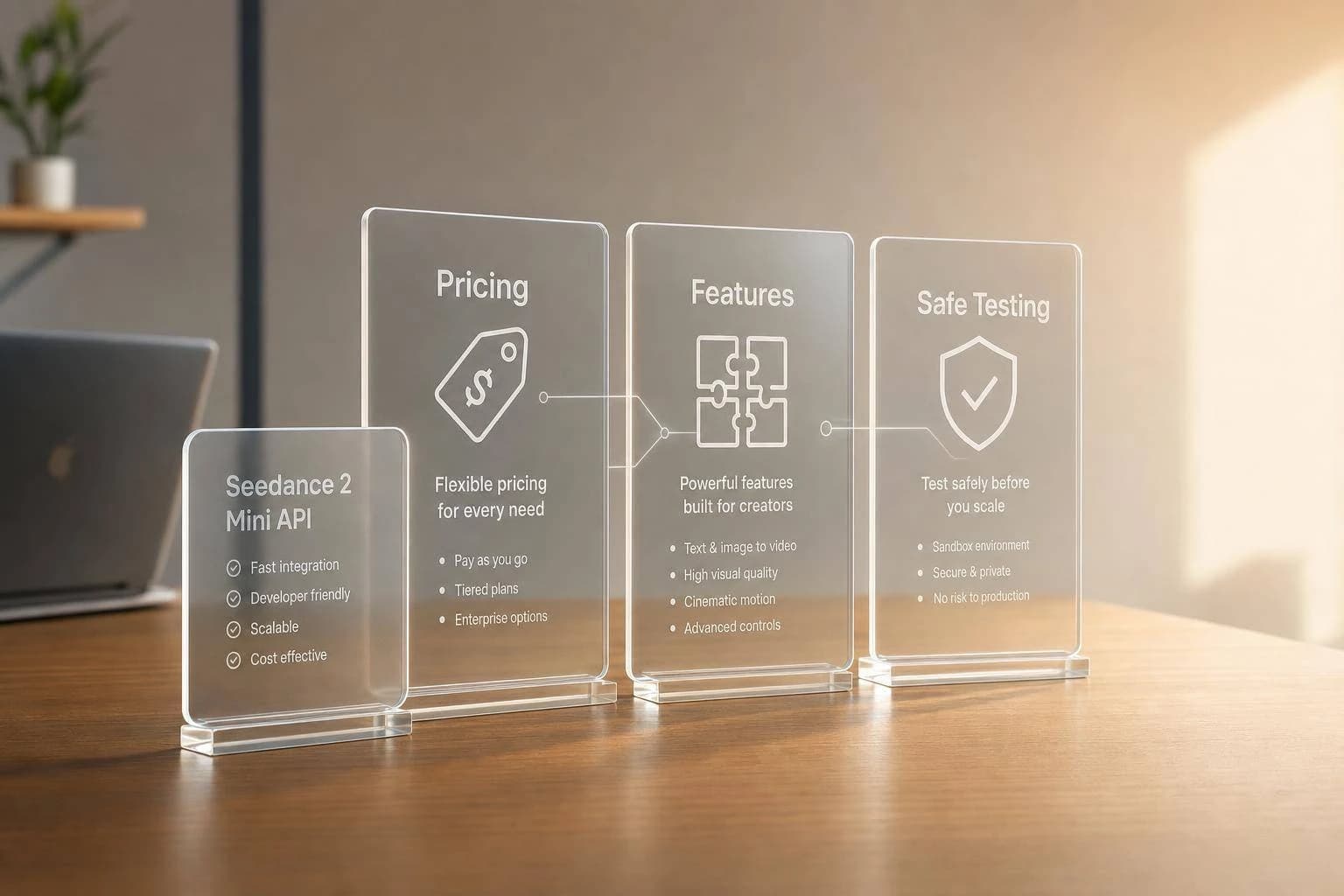
Seedance 2 Mini API: Pricing, Features & Access
Is Seedance 2 Mini a real ByteDance model? See what is confirmed, how its pricing compares to Seedance 2.0, and how to access and test the API through APIMart.
Here’s the short answer: as of June 16, 2026, Seedance 2 Mini looks more like a provider label than a fully confirmed standalone ByteDance model. If you want to use it, I’d first verify the model ID, billing method, resolution cap, and API availability before I budget or ship anything.
If I had to boil this guide down, it would be this:
- Seedance 2.0 is the confirmed baseline with public support for text-to-video, image-to-video, and multi-input references.
- Seedance 2 Mini is less clear and often appears through third-party routes, not clear public ByteDance docs.
- Pricing can vary a lot by provider: per clip, per second, or credits.
- A 5-second 720p Seedance 2.0 clip can start around $0.045, while other routes can cost much more.
- Mini often seems aimed at draft use, with caps like 720p or 1080p and fewer input options.
- Access is not always direct. You may need BytePlus, Volcengine, or a unified service like APIMart.
- The safe setup is simple: run one short async test, log the job ID, poll status, download the file fast, and watch for expiring URLs.
If you’re comparing options, the main split is simple: official Seedance 2.0 is the stable path, while Seedance 2 Mini may be a lighter route with fewer confirmed details.
How to Use Seedance 2.0 API Full Tutorial | fal Walkthrough, Prompts +Pricing [April Live Access]
Quick Comparison
| Option | Status | Typical Output | Inputs | Pricing Style | Best Fit |
|---|---|---|---|---|---|
| Seedance 2.0 | Public, documented | 720p to 4K | Text, image, video, audio refs | Per clip or per second | Final video jobs |
| Seedance 2 Mini | Preview or provider-defined | Often 720p or 1080p | Usually fewer modes | Credits or provider pricing | Prompt tests and drafts |
One stat stands out: Seedance 2.0 reached 86.4 on VBench Total, with 94.7 Subject Consistency, and a 5-second 720p output can take about 48 seconds. That makes it the safer benchmark when Mini details are missing.
So if you want the plain-English takeaway: treat Seedance 2 Mini as unconfirmed until your own API test proves otherwise.
Seedance 2 Mini vs. Official Seedance 2.0 API
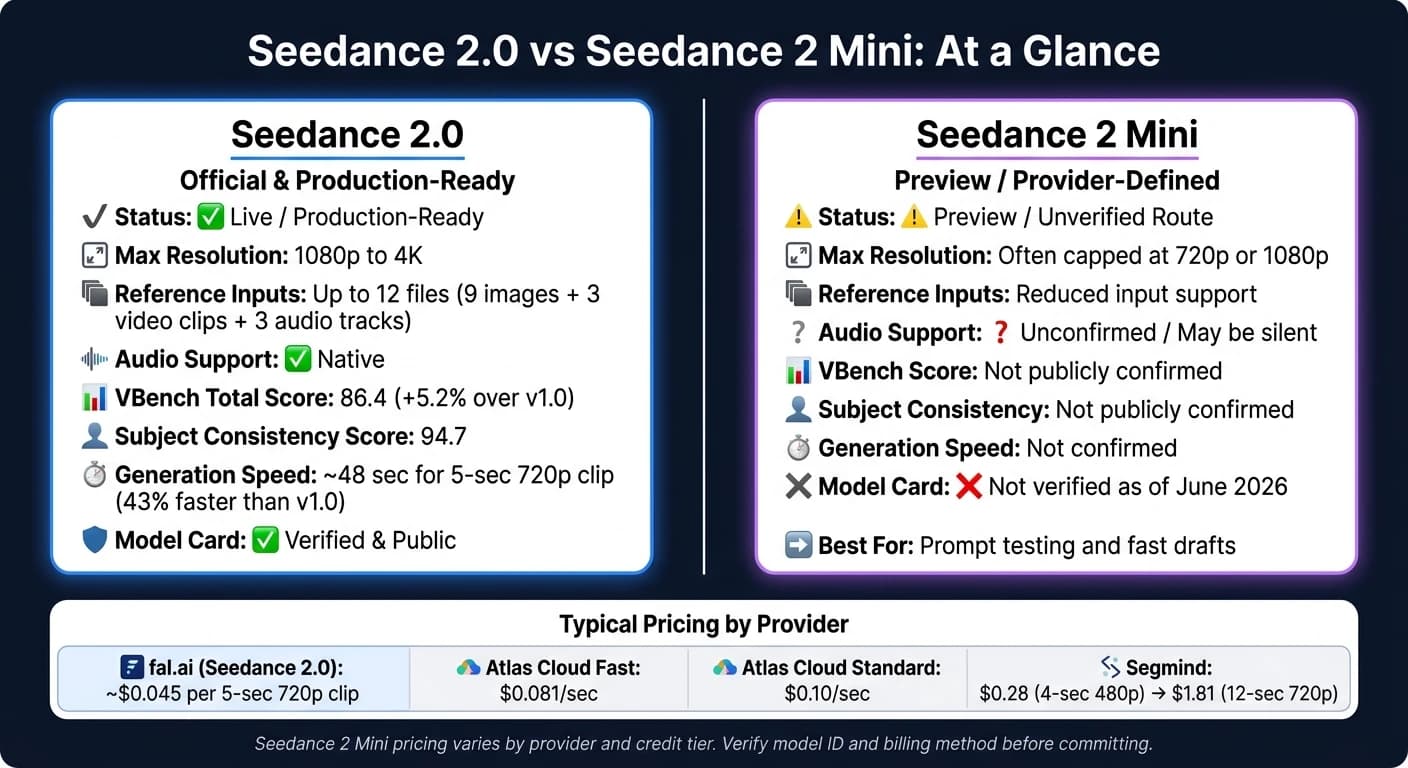
Seedance 2.0 is the verified production baseline. Seedance 2 Mini is a lighter route, and there’s much less public documentation around it.
What Seedance 2.0 Officially Supports
Seedance 2.0 is a fully documented, production-ready model. It supports text-to-video and image-to-video generation, along with a multimodal reference input system that accepts up to 12 files in one request: up to 9 images, 3 video clips, and 3 audio tracks [1][3]. That makes it a solid fit for marketing clips, product explainers, and character-consistent videos.
The benchmark data backs that up. Seedance 2.0 scored 86.4 on the VBench Total benchmark, which is a 5.2% jump over version 1.0 [4]. Its Subject Consistency score reached 94.7, which matters if you need product details or character looks to stay steady from frame to frame [4]. For speed, a 5-second, 720p clip takes about 48 seconds to generate, making it 43% faster than version 1.0 [4].
What Is Known and Unknown About Seedance 2 Mini
For access planning, the big question is simple: what does Mini cut compared with the full 2.0 API?
The "Mini" label is not publicly documented as a separate model. As of June 2026, it’s more accurate to treat it as a provider-defined lightweight lane or workflow profile used for fast prompt testing and iteration [10]. In practice, Mini routes are often capped at 720p or 1080p and may leave out some multimodal inputs, including audio [1][5][8].
That gap shows up most clearly in input support, output limits, and intended use.
| Feature | Seedance 2.0 (Official) | Seedance 2 Mini (Provider Route) |
|---|---|---|
| Status | Live / production-ready | Preview / unverified route |
| Max Resolution | 1080p to 4K [4][3] | Often capped at 720p or 1080p [1][5] |
| Reference Support | Full multimodal reference input, including images, video, and audio [1][3] | Reduced input support [1] |
| Audio Support | Native audio support [11][3] | Unconfirmed; may be silent [1] |
| Primary Use | Final-quality production | Prompt testing and fast drafts [10] |
| Model Card | Verified and public [10] | Not verified as of June 2026 [10] |
Before you build around Mini, check the model ID, billing unit, and release status. Those details can change the whole picture when you start comparing pricing and access routes.
Pricing: How Seedance 2 Mini Costs Are Usually Structured
Seedance 2.0 Pricing Patterns to Use as a Baseline
Treat Seedance 2.0 as your ceiling. In most cases, price comes down to clip length, resolution, and how billing works. That gives you a cautious starting point for budgeting before you ask for access.
How to Estimate Seedance 2 Mini Spend Before You Commit
A simple way to estimate Mini spend is:
seconds × resolution rate = credits per clip
If you want to keep costs in check, start with 480p or fast mode.
Price alone doesn't tell the whole story. It only helps if the route supports the inputs and outputs your workflow needs. Before you scale, check refund rules and any minimum balance requirement.
Comparison Table: Seedance 2.0 Tiers vs. Seedance 2 Mini Routes
The table below shows the billing setups most likely to shape Mini spend and access [2][12].
| Route | Billing Model | Pricing Snapshot | API Access | Status |
|---|---|---|---|---|
| fal.ai - Seedance 2.0 | Per-clip USD | ~$0.045 for a 5-second 720p clip [4] | Yes | Official baseline |
| Atlas Cloud - Fast | Per-second USD | $0.081/sec [6] | Yes | Official baseline |
| Atlas Cloud - Standard | Per-second USD | $0.10/sec [6] | Yes | Official baseline |
| Segmind - Seedance 2.0 | Per-clip USD | ~$0.28 (4-second 480p) to ~$1.81 (12-second 720p) [13] | Yes | Official baseline |
| Mini route | Credits, provider-dependent | Varies by tier [2] | Varies by tier | Indicative Mini route |
If direct API access matters, verify the tier before you build around it. Then confirm that the access route you pick actually exposes API calls.
Access Requirements: Where to Get Seedance 2 Mini and How APIMart Fits In
Official ByteDance Access Routes
Pricing only matters once you know which access route is live. Official access goes through BytePlus for international developers and Volcengine for China-based accounts. In both cases, you need a cloud developer account, real-name identity verification, and a dedicated video generation project before you can create API credentials [7][16].
Volcengine bills in Chinese yuan (RMB) [7] and may also require a Chinese phone number [15]. As of June 2026, Seedance 2 Mini-specific endpoints are still preview-only [1][7]. During public testing, BytePlus accounts may get 20 free Fast-tier invocations per month, but full API access after that needs an approved application [16]. If a rate isn't published, treat that endpoint as unconfirmed.
Third-Party Mini Routes and What to Verify First
Before you build anything, check the basics first: the model ID, supported modes, auth method, and the async submit-poll-download workflow [7][16]. You should also review the provider's pricing page, region or eligibility rules, and data-retention policy.
One detail matters more than it may seem. Generated URLs expire within 24 hours, and task history may be limited to 7 days, so download outputs to your own private storage right away [14].
Once the route is confirmed, make a small test call before you move into production.
Using APIMart as a Unified API Access
If official access is delayed or stuck in preview, a unified API channel can make testing much simpler without forcing you to redo your setup. APIMart gives you one API key, one billing account, usage-based USD billing, and OpenAI-compatible calls for Seedance workflows [9][15].
It also supports multi-modal inputs and video workflows, which means you can keep a single integration in place while you validate Seedance 2 Mini [9][15].
How to Start Safely: A Step-by-Step Setup and Integration Workflow
Once access and billing are confirmed, run one small job first. The goal is simple: make sure the whole workflow works before you send more traffic through it.
Steps 1–3: Confirm the Model, Check API Readiness, and Review Billing Rules
Before you write any integration code, confirm the exact model string you plan to use. As of June 2026, bytedance/seedance-2-mini/text-to-video may still be in pre-launch preview on some platforms [1]. If the Mini endpoint isn't live yet, use bytedance/seedance-2.0/text-to-video as a temporary stand-in. That way, your code path stays the same, and switching to Mini later is much easier [1].
Then make sure you have actual API access, not just a playground demo. Run a small test generation and check the model label in the response metadata. That's the easiest way to confirm which model produced the video [1].
Billing comes next, and it matters more than people think. Check whether the provider charges per second, per clip, or per token. Also confirm whether failed jobs still count against your balance. Some providers reserve about $1.21 per generation, and an HTTP 406 can mean your balance is below the minimum charge [13].
Steps 4–5: Run a Small Test and Measure Real Output
Use a short test clip to check the route from end to end. Start with 480p or 720p and a simple prompt like "a cyclist at dawn." (or use MiniMax-Hailuo-02 for high-consistency motion tests) Submit the job, save the task_id or job_id, poll until it's done, and download the output before the URL expires [1][7].
While that test runs, log the details:
- Request payload
- Job ID
- Status changes
- Response schema
- Total latency
Use a fixed seed so you can compare prompts on equal footing [7]. If your workflow needs both text-to-video and image-to-video, test both now. Also note that ByteDance policy often blocks reference images with real human faces [13].
Step 6: Prepare the Workflow for Production Use
If the test works, tighten the workflow before you send live traffic. Add exponential backoff to your polling loop. A good starting point is every 5 to 10 seconds, then wait longer if the job is still running. This helps you avoid 429 concurrency errors [7].
Set a hard timeout of about 3 minutes. If a job still hasn't finished by then, log it and move on instead of polling forever [7]. Move each completed video to private storage right away [7]. Set spend caps in your billing dashboard, and watch queue times closely since they can stretch to several hours during peak traffic [17]. Only scale once the route, billing, and output handling all pass this first test.
FAQs
Is Seedance 2 Mini a real standalone model?
No. As of June 16, 2026, Seedance 2 Mini is not a confirmed, publicly available developer API model.
Some reports and consumer-facing platforms hint at a lighter, lower-cost version that may exist or be in the process of rolling out. But there’s still no official API documentation, no verified model ID, and no public endpoint.
For now, treat it as a watch item, not a production-ready API.
How can I verify Seedance 2 Mini pricing before launch?
As of June 16, 2026, there is no verified public pricing for the Seedance 2 Mini API. Official pricing hasn’t been announced, and no public developer routes have been confirmed.
Before launch, verify pricing through official API documentation, provider release notes, or confirmed route details in your API provider dashboard. Skip rumors and secondary reports until verified information is published.
What should I test before using Seedance 2 Mini in production?
Because Seedance 2 Mini is still in pre-launch and hasn’t been confirmed as a public API route, don’t use it in production yet.
For now, test your video workflow with the current Seedance 2.0 API as a stand-in. The good news is that the Seedance 2 family uses a consistent schema, so you can validate settings like resolution, duration, aspect ratio, and audio now.
Later, once it’s officially verified, you can switch the endpoint to bytedance/seedance-2-mini/text-to-video.
Choose the model you want in the model marketplace
Try chat, image and video models in the APIMart model marketplace, and experience model capabilities quickly with one unified API.