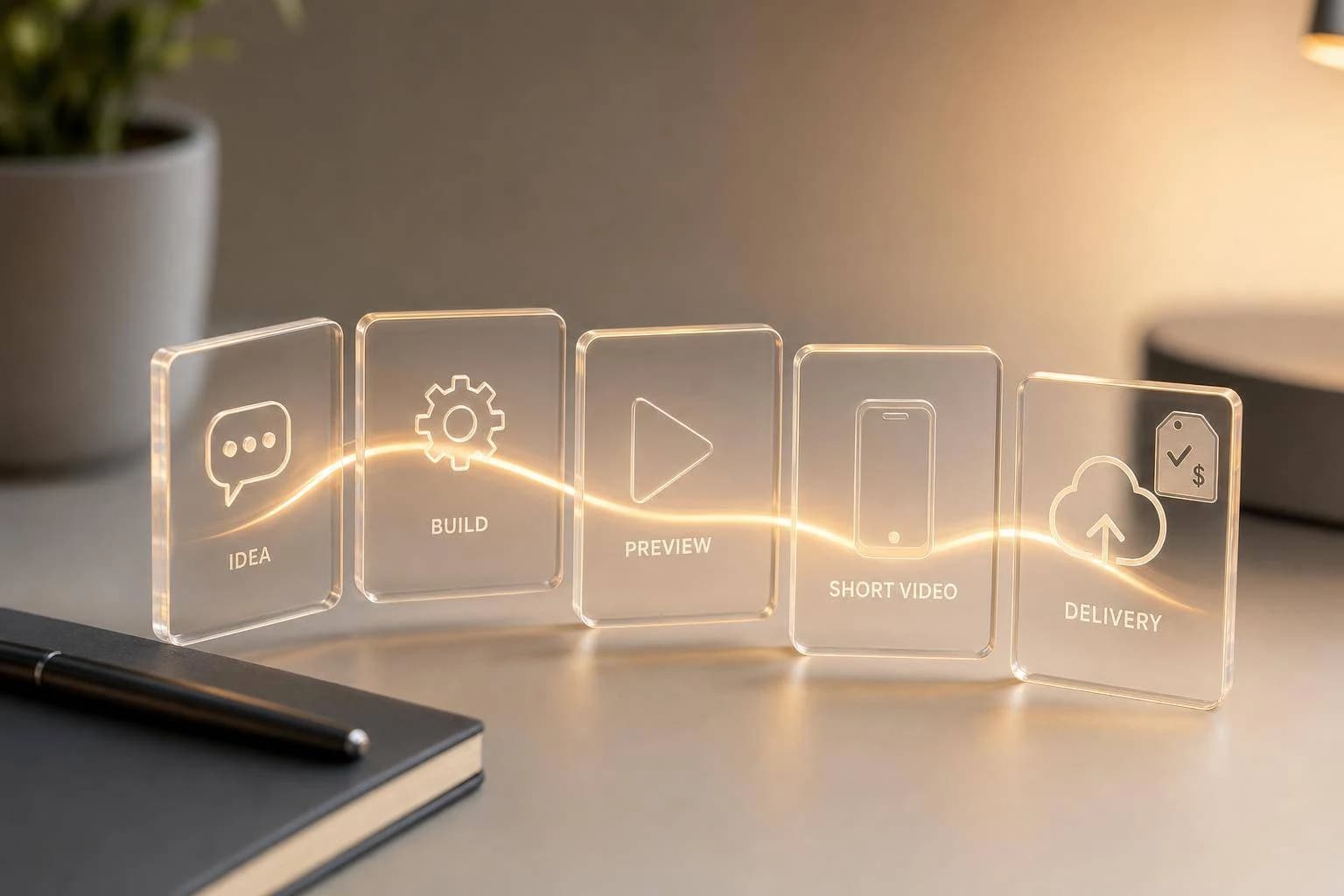
Seedance 2 Mini API: Fast, Affordable AI Video
A developer guide to ByteDance Seedance 2 Mini: inputs, output specs, pricing near $0.081/sec, and the async API flow for fast, low-cost short-form video.
If you need short AI video clips fast, Seedance 2 Mini looks like a draft-first model, not a finish-first one. From what I see in the article, the main tradeoff is simple: you get lower cost and short wait times, but you give up some top-end output quality.
Here’s the short version:
- I’d use Seedance 2 Mini (
seedance-2-0-fast) for 5- to 15-second clips - It supports text, image, video, and audio inputs
- It returns MP4 at 24 fps
- It supports 480p, 720p, and 1080p
- A 5-second 720p clip is listed at about 35 to 48 seconds
- Cost is described in two ways in the source:
- about $0.05 to $0.10 per clip
- and $0.081 per second ($0.41 for 5 seconds)
- It runs through an async API flow with task IDs, polling, or webhooks
- Generated file links expire after 24 hours
- Best fit: ad tests, short social clips, product teasers, and batch idea testing
What matters most is how you use it. I wouldn’t treat Mini as the final render tier for every job. I’d treat it as the first-pass model: test prompts at 480p or 720p, keep clips short, then move the best idea to a higher tier like Sora 2 if polish matters.
How to Access the Seedance 2.0 API (Video Walkthrough)
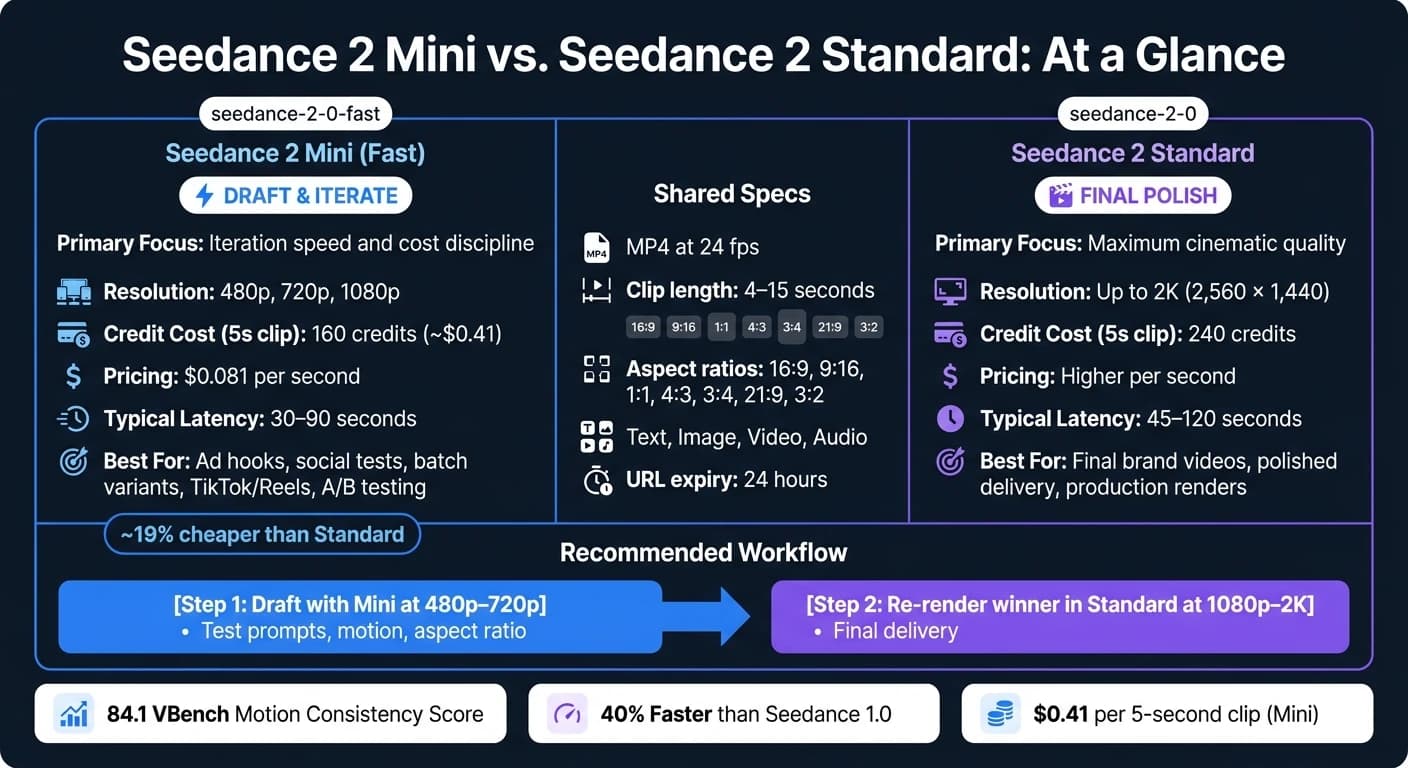
Quick comparison
| Model | Main use | Resolution | 5s cost | Typical wait time | Best fit |
|---|---|---|---|---|---|
| Seedance 2 Mini / Fast | Lower-cost drafting | 480p, 720p, 1080p | 160 credits | ~30–90 seconds | Ad hooks, social tests, batch variants |
| Seedance 2.0 Standard | Higher-end output | Up to 2K | 240 credits | ~45–120 seconds | Final brand videos, polished delivery |
A few points stand out from the article.
First, the model is built around short-form generation. That means your request setup matters a lot. You have limits on uploaded assets, such as:
- Images: up to 30 MB
- Video: 2 to 15 seconds, under 50 MB
- Audio: MP3 or WAV, up to 15 MB each
- Up to 3 audio files
- Up to 9 image references
- Up to 3 video references
Second, the article shows that prompt structure still matters. A plain format like shot + subject + motion + setting + lighting + style should help keep outputs more on target. For lip-sync, the quoted speech inside the prompt is the trigger noted in the source.
Third, this looks like a model you should wire into a pipeline with some care. I’d make sure to:
- save the task ID
- poll job status or use a webhook
- handle 429 limits with backoff
- catch 402 credit errors before retries
- download finished videos right away because URLs expire in 24 hours
The article also points out one useful workflow: chain clips by asking for the last frame, then pass that frame into the next request. That’s a simple way to make multi-shot sequences feel less jumpy.
So my takeaway is straightforward: Seedance 2 Mini makes the most sense when volume, short clips, and turn time matter more than top polish. If you’re building ad tests, vertical social drafts, or product teasers, it looks like a good first stop. For projects requiring cinematic realism, Kling V3 offers a powerful alternative. If you need a more polished final, I’d use Mini to find the winner, then rerun that concept in a higher tier like Google Veo 3.1.
Below, the full guide goes into the model setup, request flow, pricing, limits, and production tips in more detail.
Seedance 2 Mini: Background and Context
Seedance 2 Mini is ByteDance's fast, lower-cost tier in the Seedance 2.0 family. It's built for short clips and fast iteration. That tradeoff shows up in the input limits, output options, and the way you should design requests.
How Seedance 2 Works Under the Hood
These architecture choices help explain why Mini is better suited to short, repeatable jobs than long renders.
Seedance 2.0 uses a Dual-Branch Diffusion Transformer architecture that generates video and audio together in a single pass [6][9]. In plain terms, that lets visuals and sound stay in sync during generation instead of adding audio later. It also supports multimodal inputs, including text, image, video, and audio references [6].
Seedance 2.0 earned a VBench motion consistency score of 84.1, which was a 16.2% improvement over the previous version [3]. It also cut average generation latency by about 40% compared with version 1.0 [3]. For teams, that means faster review cycles and steadier motion from one clip to the next.
Where Mini Fits in the Seedance 2 Lineup
Mini, listed as seedance-2-0-fast in the API, sits below the standard Seedance 2.0 model. The standard tier is the quality-first baseline. Mini is tuned for speed, iteration, and producing lots of creative variants instead of chasing the top visual finish [1][11]. It's roughly 19% cheaper than the standard model [11] and is built for 5-, 10-, or 15-second clips [10].
| Seedance 2.0 Mini / Fast | Seedance 2.0 Standard | |
|---|---|---|
| Primary Focus | Iteration speed and cost discipline | Maximum cinematic quality |
| Resolution | 480p, 720p, 1080p | Up to 2K (2,560 × 1,440) |
| Credit Cost (5s clip) | 160 credits | 240 credits |
| Typical Latency | ~30–90 seconds | ~45–120 seconds |
| Best Use Case | Drafts, ad hooks, batch ideation | Final production, brand videos |
Use Cases for U.S. Teams
Mini makes sense in workflows where speed matters most. Think A/B testing ad hooks, making TikTok or Reels content, turning out lots of creative variants, or producing B-roll for educational or marketing videos [1][11]. It can also animate a still product image into a short teaser using an AI canvas editor while keeping the product's visual identity intact [5][12].
A common setup is simple: prototype at 720p with Mini, then re-render the winning idea at 1080p or higher after the direction is approved [6]. That keeps early rounds fast and saves final rendering for the concepts most likely to ship. Next, we'll look at the input modes, output formats, and limits that shape request design.
Input Modes, Output Formats, and Limits
Those speed and cost gains only hold up if your request setup is tight. Input choices, file caps, and output settings all shape what you get back.
Supported Inputs: Text, Image, Video, and Audio
Seedance 2 Mini can take text, images, video clips, and audio files in a single request. Each input type lines up with a different kind of job.
Text-to-video is the fastest route for ad mockups and social concept tests. If you want a prompt-only draft, this path gets you there without needing any source assets.
Image-to-video turns still images into motion. It supports up to 9 image references per request and fits e-commerce use cases well, especially when teams want to turn static product shots into short animated teasers for Amazon or Shopify listings [12][9].
Video-guided generation supports up to 3 reference clips to steer style, camera motion, or subject movement [4][9]. You can also use it to swap objects or backgrounds when reworking footage you already have.
For audio-conditioned generation, the model creates audio and visuals in one pass. That makes lip-sync possible in 8+ languages, including English, Spanish, French, and German [9]. To trigger lip-sync, put the spoken dialogue in double quotes inside the text prompt [4].
When you need to point to uploaded files inside the prompt, use the @ symbol. For example, @Image1 or @Video1 links your instruction to a specific asset [12][9].
The upload limits are pretty strict, so they matter:
- Images can be up to 30 MB each
- Video files must be 2 to 15 seconds and under 50 MB
- Audio uploads can be MP3 or WAV files up to 15 MB each, with a combined duration of 15 seconds or less
- Seedance 2 Mini supports up to 3 audio files per request [2][12][9]
These limits affect how you build API calls and how many references you can pack into one request.
Output Profile: Resolution, Duration, Frame Rate, and File Delivery
Outputs come back as MP4 files at a fixed 24 fps [13][2]. Clip length ranges from 4 to 15 seconds, and you can use -1 for automatic duration if you want the model to decide the final length [12][2][4].
Aspect ratio presets include 16:9, 9:16, 1:1, 4:3, 3:4, 21:9, and 3:2 [14][9]. For image-to-video requests, set the ratio parameter to "adaptive" so the output follows the source image dimensions and avoids black bars [2][4].
| Aspect Ratio | 480p | 720p | 1080p |
|---|---|---|---|
| 16:9 | 864 × 496 | 1,280 × 720 | 1,920 × 1,080 |
| 9:16 | 496 × 864 | 720 × 1,280 | 1,080 × 1,920 |
| 1:1 | 640 × 640 | 960 × 960 | 1,080 × 1,080 |
| 21:9 | 992 × 432 | 1,470 × 630 | 1,920 × 822 |
Resolution affects whether a clip works as a rough preview or something closer to final delivery. Duration limits shape how you break scenes into smaller beats.
One more thing: generated video URLs expire after 24 hours [2]. So if a job finishes and nothing grabs the file, it can vanish on you. Build an automatic download step into your pipeline, then move the file into permanent storage as soon as the request succeeds.
These settings shape storage, delivery, and post-production planning.
Content Policy and Prompt Design Constraints
Prompts and uploads go through moderation. Jobs that involve realistic violence, explicit material, or unauthorized deepfakes of real people will fail [2][9]. Your error handling should account for that directly so one rejected task doesn’t quietly freeze a batch run.
For prompt structure, use this order: [Shot type], [Subject description], [Action/motion], [Environment], [Lighting], [Style] [8]. The model supports up to 2,000 prompt tokens [3], which gives you plenty of room for detailed cinematic direction when the scene calls for it.
With the input rules, output settings, and policy limits set, the next part is the API request flow.
How to Access Seedance 2 Mini Through the API
Why APIMart Works Well for This Workflow

Once you know the input and output limits, the next step is pretty simple: get access, handle auth, and figure out cost. APIMart gives you one API endpoint for Seedance 2 Mini, plus other AI video models like WAN 2.6, under a single key and one auth flow, with billing in USD.[6][16] For U.S. teams, that makes billing and key management a lot less messy.
This is where Seedance 2 Mini stops being just a model on paper and starts fitting into an actual API workflow. APIMart is OpenAI-compatible, so if your team already uses that request pattern, adding Seedance 2 Mini usually takes very little rework.
Account Setup, API Keys, and Environment Configuration
Getting started is straightforward. Create an account on APIMart, then go to API Key Management and generate a server-side key.[15]
Store that key in an environment variable or a secrets manager. If you're working across dev, staging, and production, use a separate API key for each one. That way, test traffic won't eat into production throughput limits, and usage is easier to track.[15]
Send every request with a Bearer token in the Authorization header:[15]
Authorization: Bearer YOUR_API_KEY
You use the same key and endpoint for text, image, video, and audio requests. The model ID is seedance-2-0-fast throughout.[15][2]
Pricing and Throughput Planning
After the key is set up, your budget mostly comes down to clip length and resolution. Seedance 2 Mini costs $0.081 per second, which means a 5-second clip costs about $0.41, and a 10-second clip costs about $0.81.[7]
For video-to-video work, token pricing is about $3.90 per 1 million tokens. Standard text-to-video and image-to-video jobs cost about $6.40 per 1 million tokens.[2]
Resolution can drive token use up fast. A 5-second 1080p clip uses about 102,960 tokens, so those choices matter once you're running jobs at scale. Enterprise plans may also include volume discounts and higher concurrency limits.[2][6][17]
Building Requests and Production Workflows
Text-to-Video and Image-to-Video Request Patterns
Once access is set up, the request flow is pretty simple. Most Seedance 2 Mini jobs follow the same async pattern: send a POST request, store the task_id, then poll the status endpoint or wait for a webhook until the job finishes.
import requests

headers = {
    "Authorization": "Bearer YOUR_API_KEY",
    "Content-Type": "application/json"
}

payload = {
    "model": "seedance-2-0-fast",
    "prompt": "A barista pours latte art in a sunlit café, slow dolly push in, warm tones, cinematic",
    "resolution": "480p",
    "duration": 5,
    "aspect_ratio": "16:9",
    "generate_audio": True,
    "seed": 12345
}

response = requests.post("YOUR_GENERATION_ENDPOINT", headers=headers, json=payload)
task_id = response.json().get("task_id") or response.json().get("job_id")
For image-to-video, include image_url and set aspect_ratio to "adaptive" so the output matches the source frame.[2]
The seed parameter helps when you want the same starting point across runs. Keep it fixed while you test prompt changes or swap resolutions. That way, you can judge what changed without chasing random variation.
Prompt structure matters too. A simple formula works well: Subject + Action + Camera + Scene/Lighting + Style. Be specific about camera movement, because the model tends to do better when it has a clear visual target.[21]
Tuning for Speed, Cost, and Consistent Results
For production work, Mini is best used as the testing tier. Use it to try prompt wording, motion, and aspect ratio before you spend more credits on final renders. This works well for ad hooks, product teasers, and educational visuals, or as a precursor to higher-fidelity models like WAN 2.6.
Start with 480p and 4 to 5 seconds, then rerun the best ideas at 720p.[18][12] The Fast/Mini tier uses a duration-based pricing formula: duration_seconds × 40 credits, so a 5-second clip costs 160 credits.[19]
| Setting | Draft Concept | Refined Clip |
|---|---|---|
| Resolution | 480p | 720p |
| Duration | 4–5 seconds | 10–15 seconds |
| Credit use | Lower credit spend | Higher credit spend |
| Best For | Prompt testing, A/B iteration | Final delivery |
This kind of two-pass workflow saves credits and keeps the process sane. You test the idea first, then spend more only on clips that already look promising.
Async Jobs, Error Handling, and Workflow Examples
After you submit a job, handle completion asynchronously. You can poll the status endpoint every few seconds or use a webhook if you're running jobs at higher volume. A 300-second timeout is a solid production default.[8] Once the job succeeds, download the video right away.
For multi-shot narratives, which come up a lot in product walkthroughs and educational sequences, similar to the high-consistency output of MiniMax Hailuo 02, set return_last_frame: true on each request. Then pass that frame into the next call as image_url. It’s a simple trick, but it helps shots flow into each other more smoothly.[3]
The most common production errors are pretty easy to read:
429means you've hit a concurrency limit, so use exponential backoff.402means your credit balance is empty, so check for that before you start any retry loop.- Policy-related issues return
failed; if that happens, revise the prompt or source assets before trying again.[20]
Conclusion: When to Use Seedance 2 Mini
Once you look at the API flow, usage caps, and pricing together, the choice is pretty simple: speed vs. final polish. Use Mini when fast turnaround and lower cost matter more than top-tier output.
That’s why it works well for draft testing and batch ideation. You can run more early-stage video concepts without spending too much.
Mini isn’t the final-production tier. In complex scenes and longer clips, it’s less dependable than the higher-quality tier. So it makes more sense as the draft lane, not the final-render lane.
It also fits neatly into the async API workflow covered above. If your team produces short-form video at any real volume, a two-pass setup - draft in Mini, then finish in the higher-quality tier - is a cost-efficient way to move from idea to deliverable.
FAQs
Is Seedance 2 Mini good enough for final videos?
Seedance 2 Mini works best when speed matters most.
Use it for fast prompt testing, batch ideation, and rough social concept drafts. It’s a good fit for early-stage work when you want to try a lot of directions without slowing down. But it’s not the right pick as your main model for final, high-fidelity production.
When a prompt starts to look strong, move it into the full Seedance 2.0 workflow. That’s where you’ll get better output quality, tighter motion control, and stronger multimodal coherence for polished, consumer-facing assets.
How should I choose between 480p, 720p, and 1080p?
Choose based on where you are in the process and what you need to ship:
- 480p works best for early idea checks, fast prompt testing, and batch ideation when speed and cost matter most.
- 720p is a good fit for social posts, previews, and drafts that need a solid mix of quality and lower API cost.
- 1080p is the right pick for marketing assets, YouTube videos, and final client deliverables where visual quality needs to look polished.
What should I automate in the API workflow?
Automate the async generation flow end to end: submit the request, poll for status, and download the finished video.
Because generation usually takes 30 to 120 seconds, your code should:
- save the job ID as soon as the request is accepted
- check job status every 5 to 10 seconds
- use exponential backoff if the API returns HTTP 429
It also helps to add retry logic for short-lived failures, like timeouts, connection drops, or temporary 5xx responses.
Once a video is ready, download it right away to permanent storage. That matters because temporary download URLs expire within 24 hours.
Choose the model you want in the model marketplace
Try chat, image and video models in the APIMart model marketplace, and experience model capabilities quickly with one unified API.