5 Best Seedance 4.5 Alternatives for AI Video
Looking for Seedance 4.5 alternatives? Compare the top 5 AI video tools — APIMart, Sora 2, Kling, Runway and Pika — ranked by price, quality and speed.
Seedance 4.5 is known for its high-level video and audio generation capabilities, but its complexity, limited accessibility, and high cost make it challenging for many users. If you're looking for alternatives, here are five tools that cater to different needs:
- APIMart Unified AI Video API: Offers access to multiple video AI models through a single API, with flexible pricing and multi-resolution support. Ideal for developers and large-scale workflows.
- Sora 2: Excels in storytelling with persistent character ID and 25-second clips. However, its API will sunset in September 2026.
- Kling V3 Omni: Perfect for e-commerce and social media, offering native 4K and advanced multi-shot capabilities.
- Runway Gen 4.5: Great for cinematic production and detailed editing, though its costs can add up for extended projects.
- Pika 2.5: Focused on quick, eye-catching social media content with advanced effects, but lacks 4K support and cinematic precision.
Quick Comparison
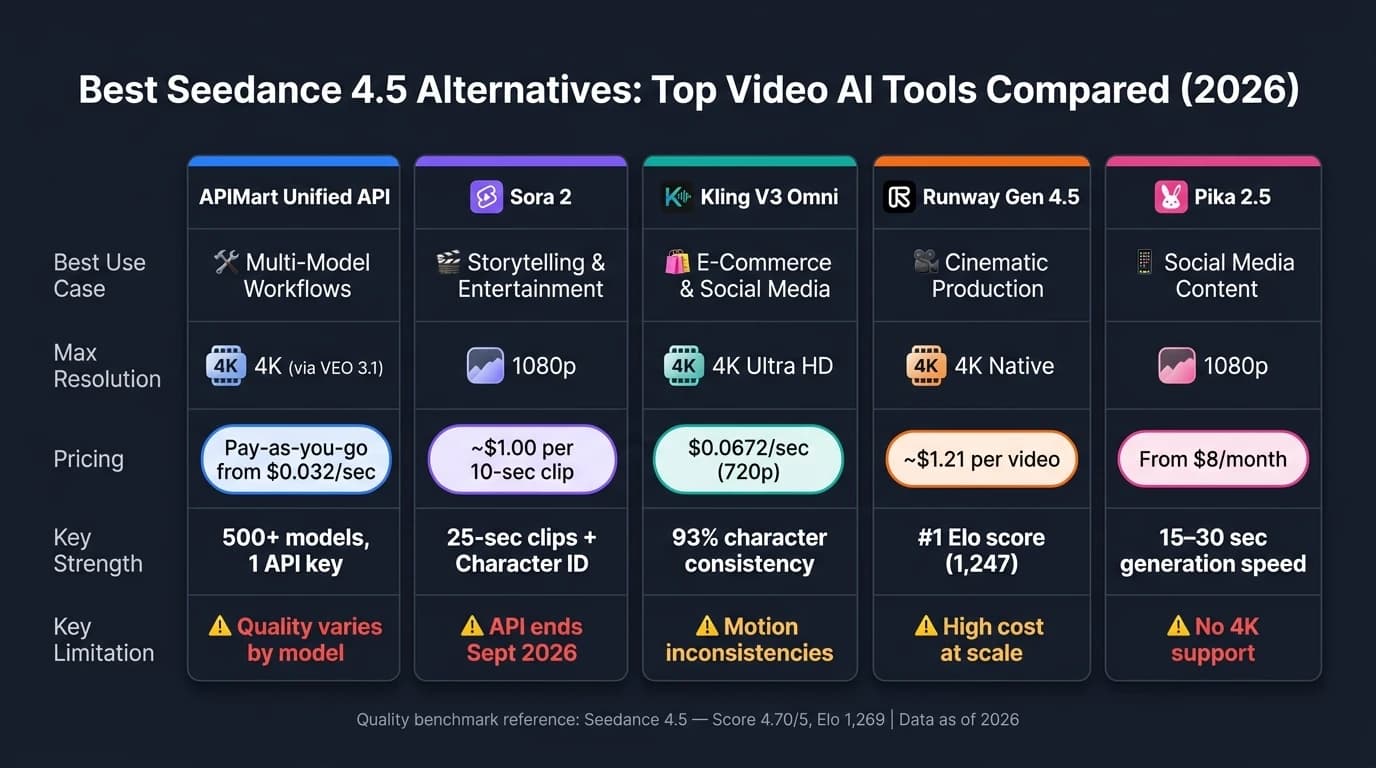
| Tool | Best Use Case | Key Features | Pricing (USD) | Limitations |
|---|---|---|---|---|
| APIMart | Multi-model workflows | Unified API for 500+ models | Pay-as-you-go | Quality varies by model |
| Sora 2 | Storytelling, entertainment | Persistent character ID, 25-sec clips | ~$1.00 per 10-sec clip | API ends Sept. 2026, no 4K |
| Kling V3 Omni | E-commerce, social media | Native 4K, multi-shot capabilities | $0.0672/sec (720p) | Motion inconsistencies |
| Runway Gen 4.5 | Cinematic production | Scene editing, Act-One feature | ~$1.21 per video | High cost for extended projects |
| Pika 2.5 | Social media content | Advanced effects, fast generation | $8+/month (Standard) | No 4K, inconsistent character continuity |
Each tool has its strengths and weaknesses. Choose based on your specific needs, whether it's high-quality storytelling, bulk social media content, or detailed editing.
I Tried EVERY AI Video Generator (Here's What Each Does Best)
1. APIMart Unified AI Video API

APIMart eliminates the hassle of being locked into a single model by offering access to multiple cutting-edge models - like Sora 2 Pro, SkyReels V4, WAN 2.7, Vidu Q3, and VEO 3.1 - all through a single API key. Switching between models is as easy as changing a parameter.
Model Capabilities
APIMart's unified API supports various modes, including text, image, reference-image, and video editing. Output quality ranges from 720P to 4K with VEO 3.1, while SkyReels V4 delivers 1080p at 32 FPS for smoother playback. Sora 2 Pro allows for clips up to 25 seconds long at 1080p, surpassing Seedance 4.5's limit of 15 seconds at the same resolution.
Audio co-generation is another standout feature, producing synchronized dialogue, ambient sounds, and lip-sync in a single pass. Alex Morgan, a Creative Director, praised this capability:
"The HappyHorse 1.0 API audio output is unreal - dialogue lip-sync just works on the first generation, no separate TTS pipeline." - Alex Morgan, Creative Director [6]
For production workflows, parameters like seed control, negative_prompt, and aspect_ratio (16:9, 9:16, and 1:1) ensure consistency across large-scale projects, which is crucial for maintaining brand standards.
All these features are offered with competitive, usage-based pricing.
Pricing (USD)
APIMart operates on a pay-as-you-go model with no monthly minimums, offering pricing that’s typically 20% lower than the official rates of the individual models [5]. Below is a snapshot of the pricing:
| Model | Resolution | Price (USD/sec) |
|---|---|---|
| Vidu Q3 Turbo | 540P | $0.032 |
| WAN 2.7 | 720P | $0.0664 |
| WAN 2.7 | 1080P | $0.1096 |
| Vidu Q3 Pro | 1080P | $0.128 |
| SkyReels V4 Fast | 1080P | $0.22 |
| Sora 2 Pro | 1080P | $0.56 |
For example, creating 50 fifteen-second 1080p videos with WAN 2.7 would cost about $82.20 per month, while producing 500 clips for a mid-size agency would run approximately $822.00 per month. A free trial tier is available, letting users test the service before committing to any spending [5]. APIMart’s pricing structure makes it an appealing choice for high-volume creative projects.
Use Cases
This multi-model setup is ideal for performance marketing and large-scale e-commerce projects. For instance, a U.S.-based beauty brand can integrate its product catalog with APIMart to generate dozens of 9:16 format demo videos for A/B testing on platforms like Meta and TikTok. Similarly, e-commerce teams can automate the transformation of 5,000 SKU images into 15-second explainer videos with English voiceovers, saving time and effort compared to manual production.
Entertainment and agency teams also benefit from APIMart’s flexibility. They can use Vidu Q3 Turbo for quick creative validation and switch to Sora 2 Pro or VEO 3.1 for high-quality final renders - all within the same API setup.
API and Integration
The API workflow is straightforward and uses an async pattern. To generate a video, you POST to /v1/videos/generations with details like the prompt, model ID, duration, and aspect ratio. The API returns a task_id, which can be polled at /v1/tasks/{id} every five seconds until the status updates to completed. For hands-free processes, webhook callbacks are supported.
Here’s an example of how an e-commerce team might use APIMart: a daily cron job fetches new product data, sends it to the API with a pre-defined prompt for each SKU, uploads the resulting video to AWS S3, and updates the CMS with the video link - all fully automated. Official code examples are provided in Python, JavaScript/TypeScript, and cURL, and the API integrates seamlessly with platforms like Shopify, marketing automation tools, and S3-compatible storage. The service operates under a 99.9% SLA [5], with dashboards available for tracking costs and monitoring request logs in USD.
"One API key for Sora 2 Pro, Claude 4.5, and 500+ models simplifies our workflow dramatically." - Rachel Foster, Enterprise Architect [3]
Next, we’ll take a closer look at Sora 2 to showcase more of the capabilities available through APIMart’s versatile lineup.
2. Sora 2
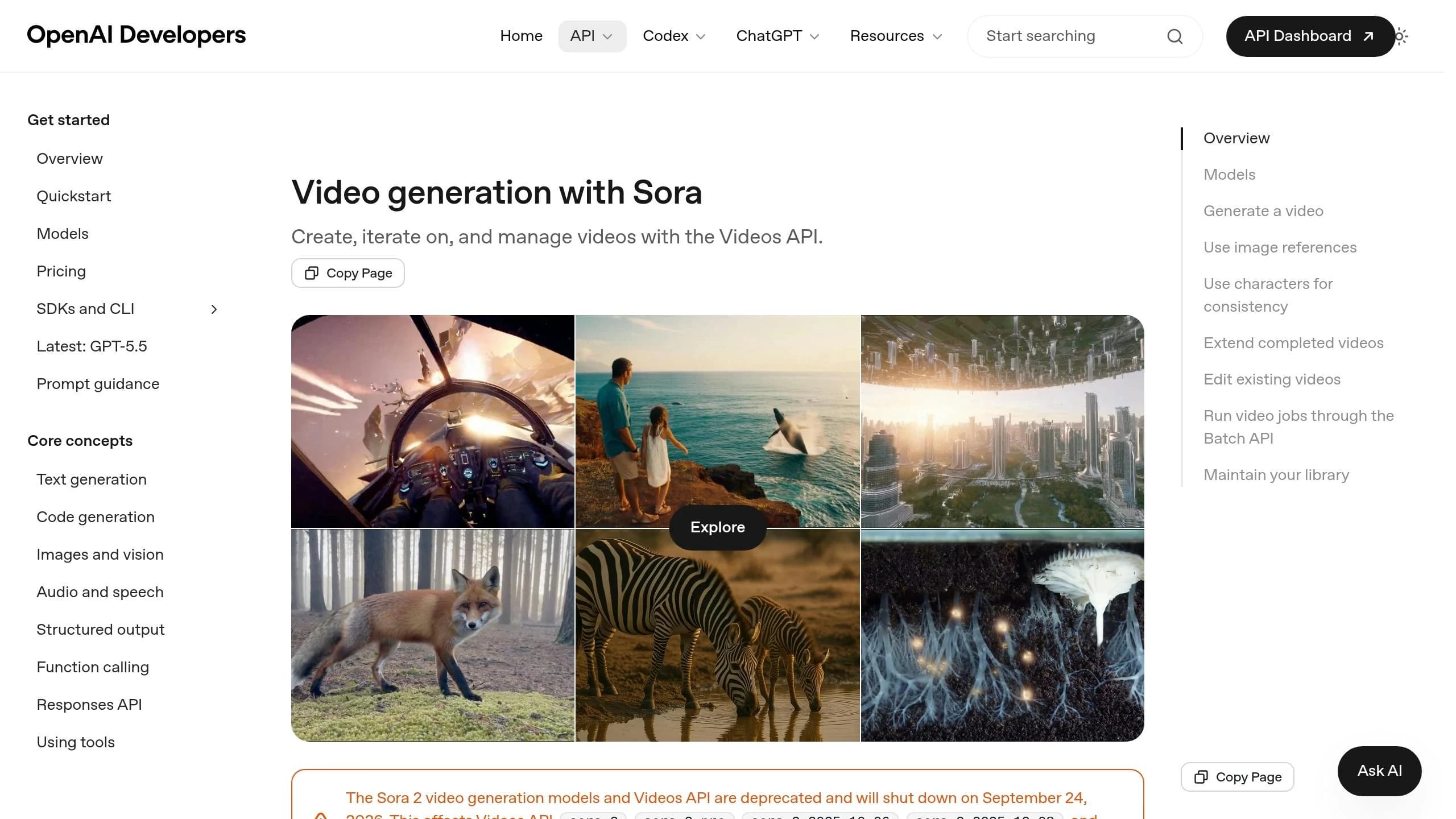
Sora 2 is OpenAI's video generation model designed to replicate real-world physics, capturing intricate details like water flow, gravity, and collisions[7].
Model Capabilities
Sora 2 is available in two tiers. The standard tier offers 720p output optimized for speed and volume, while Sora 2 Pro delivers true 1080p (1920×1080) resolution. The Pro tier supports clips up to 25 seconds with synchronized audio at no additional cost , similar to the Veo 3.1 API capabilities and includes a Character ID system that maintains visual consistency for up to two characters across different video generations[2][8]. Pro users can also extend clips up to six times, creating videos as long as 120 seconds[9].
"Sora 2 Pro's 1024p quality exceeded our expectations for client deliverables. The cinematic controls let us specify exact camera movements that match our brand's visual style." - Jennifer Wu, Video Producer[3]
Generating a 25-second clip takes approximately 3–5 minutes, which is slower compared to Seedance 4.5's 60-second turnaround for the same duration[10].
Pricing (USD)
Sora 2 operates on a pay-as-you-go pricing model with no subscription fees. Rates vary based on resolution and model tier:
| Model | Resolution | Official Price | APIMart Price |
|---|---|---|---|
| Sora 2 (Standard) | 720p | $0.10/sec | $0.08/sec |
| Sora 2 Pro | 720p | $0.30/sec | $0.24/sec |
| Sora 2 Pro | 1024p (1792×1024) | $0.50/sec | $0.40/sec |
| Sora 2 Pro | True 1080p (1920×1080) | $0.70/sec | $0.56/sec |
For basic needs, the standard tier's $0.025 per generation is a budget-friendly option for social media testing[10]. Meanwhile, the Pro tier's $0.70 per second is favored for projects requiring broadcast-quality videos.
"At $0.025 per video, we can test dozens of variations for our social media campaigns." - Sarah Martinez, Marketing Manager[10]
Use Cases
Sora 2 is perfect for cinematic pre-production and e-learning applications. Teams can prototype complex scenes - like a dynamic product launch - without the need for costly full-scale shoots[10]. Its realistic simulations are also a game-changer for e-learning, enabling detailed recreations of medical procedures or industrial safety scenarios. Agencies benefit from instant API access, which expedites client projects.
"Instant access with no waitlist was a game-changer for our agency. We can now prototype Sora 2 video concepts for clients in hours instead of days." - Marcus Chen, Creative Director[10]
API and Integration
The Sora 2 API uses a standard RESTful structure. To generate a video, send a POST request to the endpoint with parameters like prompt, duration (options: 4, 8, 12, 16, 20, or 25 seconds), resolution, and aspect_ratio (16:9 or 9:16)[4]. Due to the 3–5 minute generation time, asynchronous calls with webhook callbacks are recommended[10]. For studios handling bulk projects, a Batch API is available for processing large render queues overnight[9].
"The async API integration is seamless. We built a custom video platform where users input prompts and get videos delivered via webhook." - David Kim, Lead Developer[10]
Note: OpenAI has announced the Sora 2 and Sora 2 Pro APIs will be discontinued on September 24, 2026[9].
Next, we’ll look at another advanced alternative to Seedance 4.5.
3. Kling V3 Omni
Kling V3 Omni is a multimodal video AI model that brings together text, images, audio, and video into a single workflow. It's a strong choice for projects that require more than just visuals - perfect for dialogue-heavy content, recurring character roles, and multi-shot sequences. Let’s explore what makes this model stand out.
Model Capabilities
One of the highlights of Kling V3 Omni is its AI Director feature, which supports up to six camera cuts, including advanced techniques like shot-reverse-shot and cross-cutting - all in one generation [11][13]. This pairs seamlessly with Character Identity 3.0, which uses a 3–8 second reference clip to lock in both a character's visual appearance and voice [11][12]. It’s designed for episodic, character-driven content, offering clips up to 15 seconds long - an upgrade from the previous 10-second limit. The model also supports synchronized dialogue in multiple languages, including English, Chinese, Japanese, Korean, and Spanish, along with regional accents [11][13].
The Omni Edit feature enhances post-production by allowing users to replace characters or environments in an existing video while maintaining the original motion and timing [12]. Kling AI reports a 93% character consistency rate across multi-shot sequences, far ahead of the 78% reported for competing models [15]. The platform is already trusted by over 60 million creators and 30,000 enterprise clients globally [11].
"Kling 3 Omni wins for multi-shot episodic content, recurring character casts, and teams who think in cuts rather than clips." - ThePlanetTools.ai [15]
Pricing (USD)
Kling V3 Omni offers flexible pricing through a subscription plan or a pay-as-you-go API model. The Pro plan, at $29.99/month, includes 3,000 credits, access to Omni mode, 4K output, and API integration - ideal for creators producing 6–10 minutes of content per month [15]. For developers or those with lower-volume needs, API pricing is as follows:
- 720p: $0.084 per second
- 1080p: $0.112 per second
- 1080p with native audio: $0.140 per second
- 4K Ultra HD: $0.428 per second [16]
Keep in mind that one Omni generation uses about 1.6× the credits of a standard Kling 3.0 generation [15].
Use Cases
Kling V3 Omni is a great fit for character-driven storytelling, branded content with recurring personas, and multilingual campaigns. Its built-in native audio feature eliminates the need for separate voiceover tools, simplifying localized ad production for different markets. The Omni Edit feature is especially useful for VFX teams looking to replace actors or locations in existing footage without reshoots.
"The 15-second duration option in kling-v3 gives us so much more creative freedom for storytelling." - Sarah Johnson, Creative Director [16]
API and Integration
The Kling V3 Omni API uses an asynchronous workflow. After submitting a POST request with your parameters, you’ll receive a task ID to poll for results or can provide a webhook URL for an automated callback when the process is complete [14][19]. Authentication is handled via a Bearer Token in the header. The API is designed for flexibility, with key parameters like:
- model: set to
kling-v3-omni - mode: choose from
std(720p),pro(1080p), or4k(Ultra HD) - duration: between 3–15 seconds
- multi_shot: activates the AI Director for multi-shot sequences
To ensure character consistency, users can pass an element_list array with up to three reference subjects and use the <<<image_N>>> syntax in prompts to link inputs. The audio: true parameter adds ambient sound, while voice_ids allows for character-specific narration [14][18].
"As a developer, the unified API for kling-v3-omni makes integration a breeze. One kling-v3 series model handles all our multi-modal generation needs." - James Liu, Senior Developer [16]
The platform also ensures 99.9% uptime for enterprise integrations, with personal data stored in Singapore and excluded from model training [16][17].
4. Runway Gen 4.5
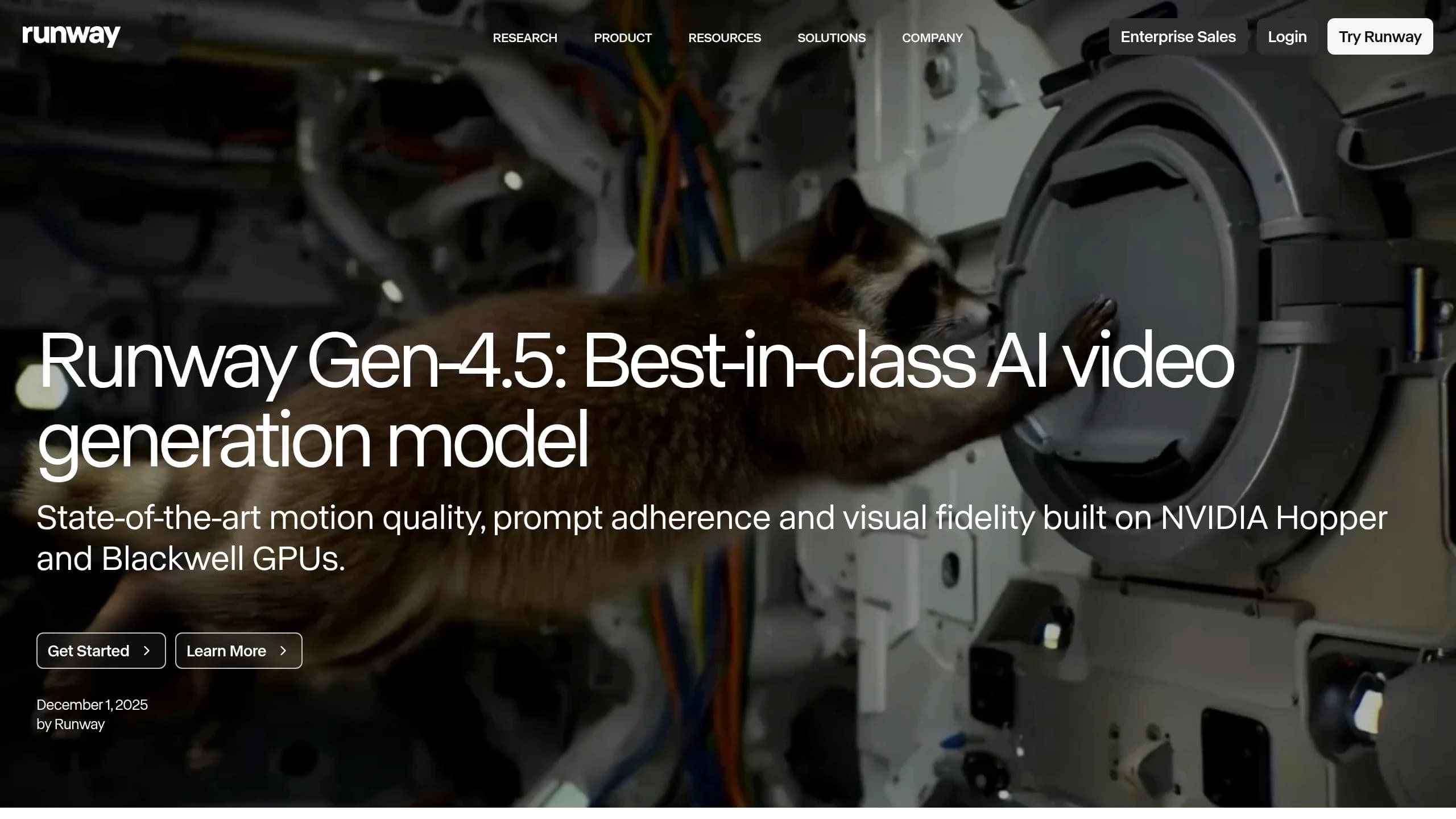
Runway Gen 4.5 has become the leading tool for professional AI video generation. Built on the General World Model (GWM-1) architecture and launched in December 2025, it currently holds the #1 spot on the Artificial Analysis text-to-video leaderboard with an Elo score of 1,247 as of April 2026 [20][24]. This puts it ahead of competitors like Google Veo 3 (1,226 Elo) and Sora 2 Pro (1,206 Elo).
Model Capabilities
Gen 4.5 stands out for its improved physics accuracy, handling complex simulations like cloth draping, liquid motion, weight, and momentum - areas where earlier models struggled. Testing shows it achieves accurate physics simulations 40% of the time, a noticeable step forward [23]. Additionally, 70% of generated sequences maintain perfect character consistency, according to independent evaluations [23].
Its features include:
- Act-One: Maps human expressions onto AI characters.
- Motion Brush: Offers precise control over spatial movements.
- Edit Studio: Enables natural language-based clip editing (introduced in May 2026).
- Native Audio Generation: Added in May 2026, this feature synchronizes sound with video in a single pass.
"Runway Gen-4.5 is the first version where the language you write is the language the model reads back." - Invideo Editorial [22]
A standout example of its capabilities is the Under Armour "Forever is Made Now" campaign, completed in just 4 weeks - a process that typically takes 5–6 weeks. Creative Director Dustin Callif credited Runway Gen 4.5 for this accelerated timeline [23].
Pricing (USD)
Runway uses a credit-based system for its services. Gen 4.5 costs 25 credits per second on the web app, making it five times more expensive than the older Gen 4 Turbo (5 credits per second) [24]. The API offers a more affordable rate at 12 credits per second [25].
| Plan | Price (Monthly/Annual) | Credits/Month | Key Features |
|---|---|---|---|
| Free | $0 | 125 | 720p, watermarked, 3 projects |
| Standard | $15 / $12 | 625 | 4K upscale, Gen 4.5 access, unlimited projects |
| Pro | $35 / $28 | 2,250 | 4K native export, ProRes, commercial license |
| Unlimited | N/A / $76 | 2,250 + unlimited | "Explore Mode" for high-volume relaxed-rate generations |
For context, a 10-second 4K clip requires over 100 credits. Teams producing professional content often generate 20–50 candidate clips to select the best 2–3, so managing credits efficiently is crucial [23].
Use Cases
Gen 4.5 shines in marketing, entertainment, and e-commerce. Its precise physics make it ideal for product demonstrations involving fabrics, liquids, or reflective surfaces. The Act-One feature is perfect for music videos or short films requiring expressive character performances. For social media, its Image-to-Video workflow supports vertical 9:16 aspect ratios (for platforms like TikTok and Instagram), though text-to-video is currently limited to 16:9 [22].
This combination of technical precision and creative flexibility makes it a go-to tool for high-quality content creation across industries.
API and Integration
The Runway API charges 12 credits per second, with credits priced at $0.01 each [25]. It integrates seamlessly with tools like Adobe Firefly, Premiere Pro, Adobe Express, and After Effects. Since May 2026, Adobe has embedded Gen 4.5 into Firefly’s "Generate Video" and "Firefly Boards" workflows, accessible directly through an Adobe login [21]. Developers can also use it through third-party platforms like Invideo AI [22].
"Runway wins decisively on complex compositing, character performance (Act-One), and professional post-production integration." - AI Brainjet Review [23]
While the cost of 4K generations can add up quickly, and the 10-second base clip limit (extendable to 18 seconds) is shorter than some competitors, Gen 4.5 excels in delivering cinematic-quality results, similar to those produced by MiniMax Hailuo 2.3. For teams that prioritize professional-grade output and advanced creative control, it sets a high bar for AI video tools.
5. Pika 2.5
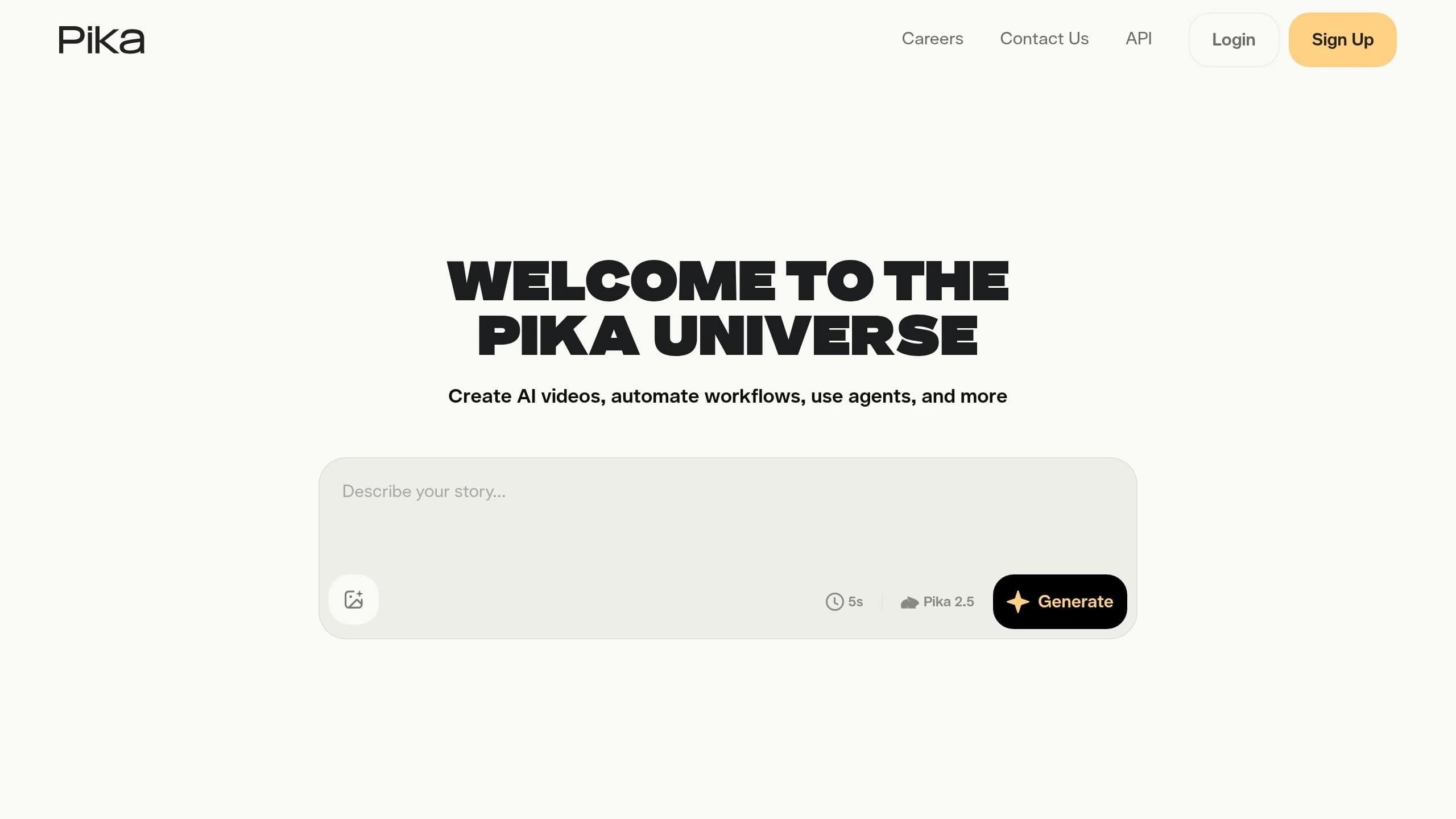
Pika 2.5 is designed for creating quick, visually captivating short clips, perfect for social media. Unlike tools geared toward cinematic productions, Pika 2.5 prioritizes speed and impact, making it the go-to choice when you need eye-catching content ready for platforms like TikTok or Instagram.
Model Capabilities
One of Pika 2.5's standout features is its advanced physics engine, which simulates real-world interactions like weight, impact, and fluid dynamics. Think of a balloon deforming under pressure, water flowing realistically, or the convincing force of a punch - all rendered with impressive accuracy[26][27]. This engine powers the Pikaffects suite, offering effects like Melt, Explode, Inflate, Crush, and Crumble, ideal for creating scroll-stopping visuals.
In addition to effects, Pika 2.5 includes Pikaformance, which enables hyper-realistic lip-syncing from static images at about 3 credits per second. With Pikaframes, users can control precise start and end frames, extending clips up to 25 seconds[29][31]. The platform also syncs sound effects with on-screen actions, like the crunch of metal during a car crash[26]. A recent feature, "AI Selves", allows users to create persistent digital clones using selfies and voice samples, adding a personalized touch to their content[31].
"Pika has evolved from a toy into a tool - and that's the best compliment an AI video platform can earn." - AIGums[29]
Pricing (USD)
Pika operates on a credit-based system, with costs varying by resolution and clip length. For example, a 480p, 5-second clip costs around 12 credits, while a 1080p, 25-second clip using Pikaframes can use up to 200 credits[31].
| Plan | Monthly Price | Annual Price (per mo.) | Credits/Month | Key Features |
|---|---|---|---|---|
| Basic / Free | $0 | $0 | 80 | 480p only, watermarked, no commercial rights[29][32] |
| Standard | $10 | $8 | 700 | Up to 1080p, no watermark, includes commercial rights[31][32] |
| Pro | $35 | $28 | 2,300 | Faster generation, early access to new effects[30][32] |
| Fancy | $95 | $76 | 6,000 | Fastest generation, maximum quality and volume[31][32] |
It's worth noting that commercial rights are excluded from the free tier. For creators planning to monetize their content, the Standard plan at $8/month (billed annually) is the most practical starting point[28][32]. High-demand teams, such as agencies managing daily campaigns, may find the Fancy plan more suitable for handling the credit-intensive requirements of 1080p Pikaframes[31].
Use Cases
Pika 2.5 shines in areas like social media marketing, e-commerce, and digital education. Its fast generation times (15–30 seconds per clip) and native support for 9:16 aspect ratios make it perfect for creators producing multiple Reels or Shorts daily[33][34]. For e-commerce, its Pikaffects library can bring products to life - imagine a skincare brand showing cream melting into skin or a food company using the "Cake-ify" effect for a campaign.
"Pika is the best answer I can give a social creator - the person posting 5 Reels a day, remixing trends, and needing a visual hit that stops the scroll." - AIUnpacking[31]
However, its 1080p resolution cap and occasional inconsistencies with character continuity across scenes make it less ideal for cinematic projects that require 4K quality.
API and Integration
Pika 2.5 also offers strong API support for seamless integration. Through fal.ai and REST endpoints at api.pika.art, users can programmatically access features like text-to-video, image-to-video, and specific effects (e.g., "explode" or "melt"). This makes it a practical choice for automated social media workflows or VFX pipelines. On top of that, its mobile app for iOS and Android syncs with the web platform, letting users create and publish content directly to social media while on the move[26][34].
Pros and Cons
Each tool brings something different to the table when compared to Seedance 4.5. While none of them surpass Seedance 4.5 across the board, they excel in specific areas. For reference, Seedance 4.5 leads the pack with a stellar quality score of 4.70/5, perfect instruction adherence, and an Elo rating of 1,269 [37]. The tools below address niche scenarios but come with their own compromises.
| Tool | Pricing | Supported Inputs | Best-Fit Use Case | Key Strength vs. Seedance 4.5 | Key Limitation vs. Seedance 4.5 |
|---|---|---|---|---|---|
| APIMart Unified API | Pay-as-you-go (e.g., $0.08/sec for Sora 2 Preview) | Text, image, video (multi-model) | Developers; multi-model workflows | Single REST endpoint offering access to over 500 AI models without vendor lock-in [38] | Output quality depends on the underlying model selected |
| Sora 2 | ~$1.00 per 10‑second clip | Text-to-video, image-to-video | Narrative storytelling, entertainment | 25‑second single‑pass clips with persistent character ID [36] | API sunsetting in September 2026; lacks native 4K |
| Kling V3 Omni | $0.0672/sec (720p via APIMart) | Text, image, multi‑reference (up to 4 images) | E-commerce, social media, action content | Native 4K at 60fps with an "Elements" feature for visual consistency [36][39] | Quality score of 3.74/5; occasional frozen motion artifacts [37] |
| Runway Gen 4.5 | ~$1.21 per video | Text-to-video, image-to-video | Cinematic production, scene editing | Granular, scene‑level editing without full regeneration [35] | Quality score of 3.78/5; may exhibit morphing artifacts and stiff motion [37] |
| Pika 2.5 | N/A | Not specified | High‑volume social media content | Practical for rapid, large‑scale content production [1][40] | May sacrifice cinematic precision and consistency |
Here’s a quick breakdown of what each tool offers:
- APIMart Unified API: Perfect for developers seeking multi-model flexibility. It connects you to over 500 AI models through one REST endpoint, avoiding vendor lock-in. However, the results depend heavily on the specific model you choose.
- Sora 2: Great for long-form storytelling and entertainment, with features like persistent character IDs in 25-second clips. But keep in mind, its API will be phased out by September 2026, and it doesn’t support native 4K resolution.
- Kling V3 Omni: Tailored for e-commerce and social media, this tool shines with native 4K at 60fps and its "Elements" feature for consistent visuals. That said, it struggles with motion consistency, earning a lower quality score of 3.74/5.
- Runway Gen 4.5: A strong option for cinematic production and scene editing. Its granular editing capabilities are a boon for post-production workflows, but it can suffer from motion artifacts and stiffness.
- Pika 2.5: Ideal for producing high volumes of social media content quickly. While it’s efficient, it may lack the polish and precision needed for cinematic projects.
"Seedance 2.0 ($0.70) is the new #1 in quality (4.70) while costing 78% less than Veo 3.1 ($3.20, score 4.57)." - VibeDex Research [37]
When quality and strict adherence to instructions are non-negotiable, Seedance 4.5 remains the gold standard. However, depending on your specific needs - whether it’s multi-modal functionality, advanced storytelling, or bulk content production - these alternatives provide targeted solutions to help you achieve your creative goals.
Conclusion
There isn’t a single tool that dominates every metric - each alternative has its strengths tailored to specific workflows.
For e-commerce teams, Seedance 2.0 stands out with its multimodal system, perfect for generating consistent, high-volume content. On the other hand, Kling V3 Omni thrives in social media formats like TikTok and Reels, thanks to its streamlined, unified API.
When it comes to entertainment and storytelling, Sora 2 remains a top choice for its 25-second single-pass coherence and advanced character ID system. Keep in mind, though, that its API will sunset on September 24, 2026 [36]. For teams focused on detailed, scene-level editing in branded storytelling or complex ad campaigns, Runway Gen 4.5 is a strong contender [35]. These specialized features empower users to choose tools that best meet their production needs.
For developers and marketers, APIMart offers a unified API that integrates with over 500 models, eliminating vendor lock-in and simplifying workflows.
"Seedance 2.0 is the most well-rounded AI video generator for independent creators in 2026." - Mihai (Mike) Bizz, Tech Pilot [41]
The AI video industry hit $4.8 billion in 2026, with 42% of Fortune 500 companies already using these tools to produce content. Delaying adoption could mean falling behind. Choose the tool that matches your creative goals and scale your production capabilities as your projects grow.
FAQs
Which alternative is best for my use case?
Seedance 2.0 is perfect for scenarios where you need detailed creative control and can work with multiple input types, such as reference images, video clips, and audio files. This makes it an excellent choice for tasks like marketing campaigns that require consistent branding, cinematic pre-visualizations, or projects where motion stability and precise audio-video synchronization are critical. However, if you're working on high-frame-rate content like slow-motion or action-packed sequences, Kling v3, which supports 60fps, might be a better option.
How do I estimate total cost per month?
To get a clearer picture of your monthly expenses, take the advertised per-clip or per-second price and multiply it by 1.7. This adjustment factors in real-world costs like retries, failed attempts, post-processing, and audio. Don't forget to account for other potential charges, such as moderation rejection fees, retry overhead, and the impact of resolution settings.
If you're using a credit-based system, keep an eye on how many credits each generation consumes. This helps ensure your usage stays within the limits of your plan.
What should I consider for API integration?
To get started with API integration, begin by generating an API key from your dashboard. Make sure to store this key securely, such as in an environment variable (e.g., a .env file). When making requests, use Bearer Token authentication by including an Authorization header with the token.
Set the base URL to https://api.apimart.ai/v1 to ensure compatibility with the API. For video generation, keep in mind that asynchronous tasks require polling the status endpoint to track progress. Additionally, take advantage of features like automated failover to maintain reliability during the process.
Related Blog Posts
Choose the model you want in the model marketplace
Try chat, image and video models in the APIMart model marketplace, and experience model capabilities quickly with one unified API.