
Seedance 1.5 Pro vs Hailuo: Which AI Video Wins
Compare Seedance 1.5 Pro and Hailuo for AI video: lip-sync, multi-shot consistency, pricing, and speed. See which video AI fits your project.
Looking for the best AI video tool in 2026? Here’s the quick answer:
- Seedance 1.5 Pro is ideal for dialogue-heavy, multilingual, and structured storytelling projects. It excels in lip-sync accuracy, multi-shot consistency, and supports seven+ languages. Perfect for brands, marketing teams, and filmmakers.
- Hailuo focuses on speed and cinematic visuals. For those seeking alternative high-end options, Kling V3 offers comparable film-quality generation. It’s the go-to for social media content, high-energy clips, and hero moments with dramatic camera work.
Quick Comparison
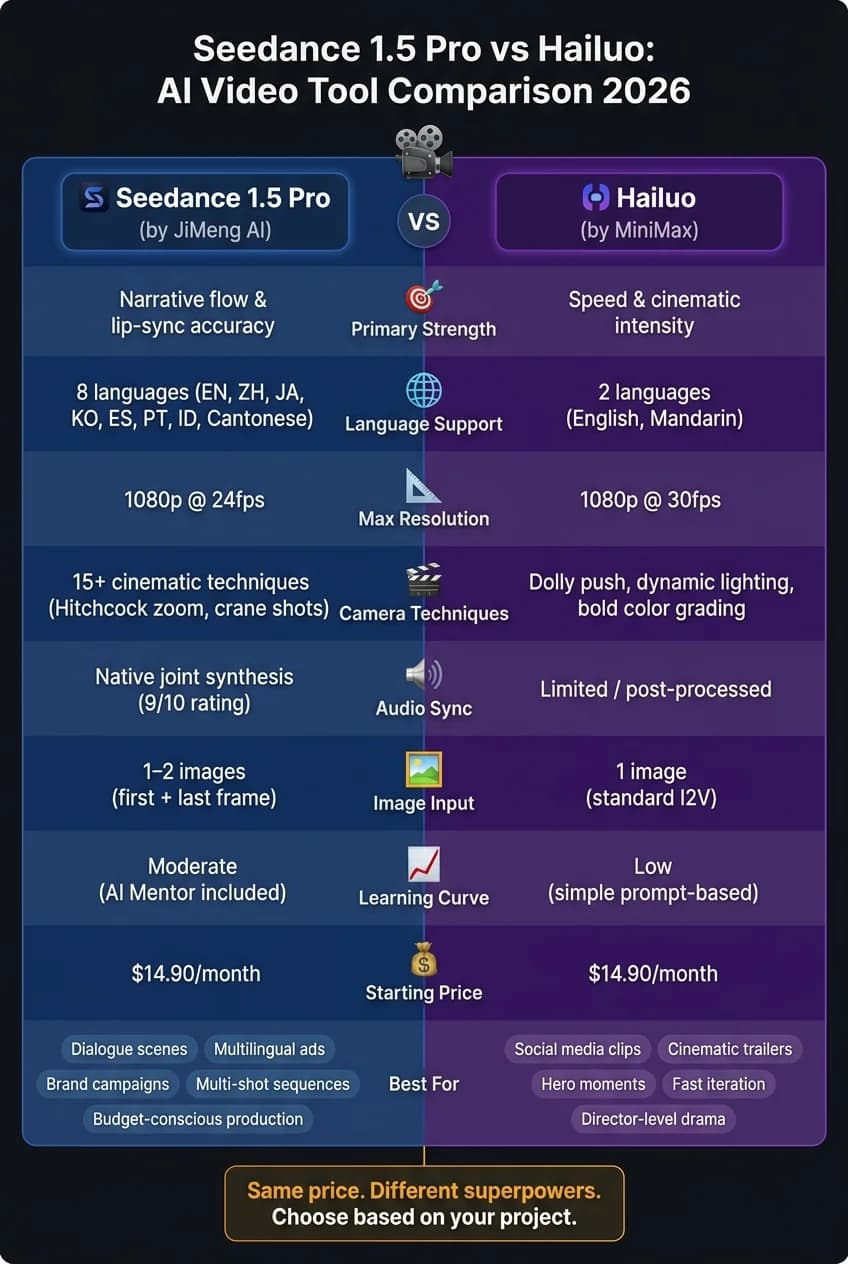
| Feature | Seedance 1.5 Pro | Hailuo |
|---|---|---|
| Strength | Narrative flow, lip-sync accuracy | Fast production, cinematic visuals |
| Resolution | 1080p | 1080p |
| Languages | 7+ (incl. dialects) | English, Mandarin |
| Best For | Dialogue, multi-shot sequences | Bold, single-shot visuals |
| Monthly Cost | Starts at $14.90 | Starts at $14.90 |
If your project requires multi-scene continuity or precise audio-video sync, Seedance 1.5 Pro is the better pick. For quick, visually striking clips, Hailuo is the stronger choice. Both tools share a credit-based pricing system, making it easy to switch between them depending on your needs. Let’s dive into the details.
Watch: Hailuo 2 vs Seedance Video Generator Showdown
Seedance 1.5 Pro and Hailuo: A Quick Overview
These two tools are built with distinct goals in mind. Seedance 1.5 Pro, from JiMeng AI, focuses on precision and detailed storytelling. Meanwhile, Hailuo, created by MiniMax, emphasizes speed and dynamic visuals. Let’s break down their core features and how they’re best used.
Seedance 1.5 Pro: Features and Use Cases
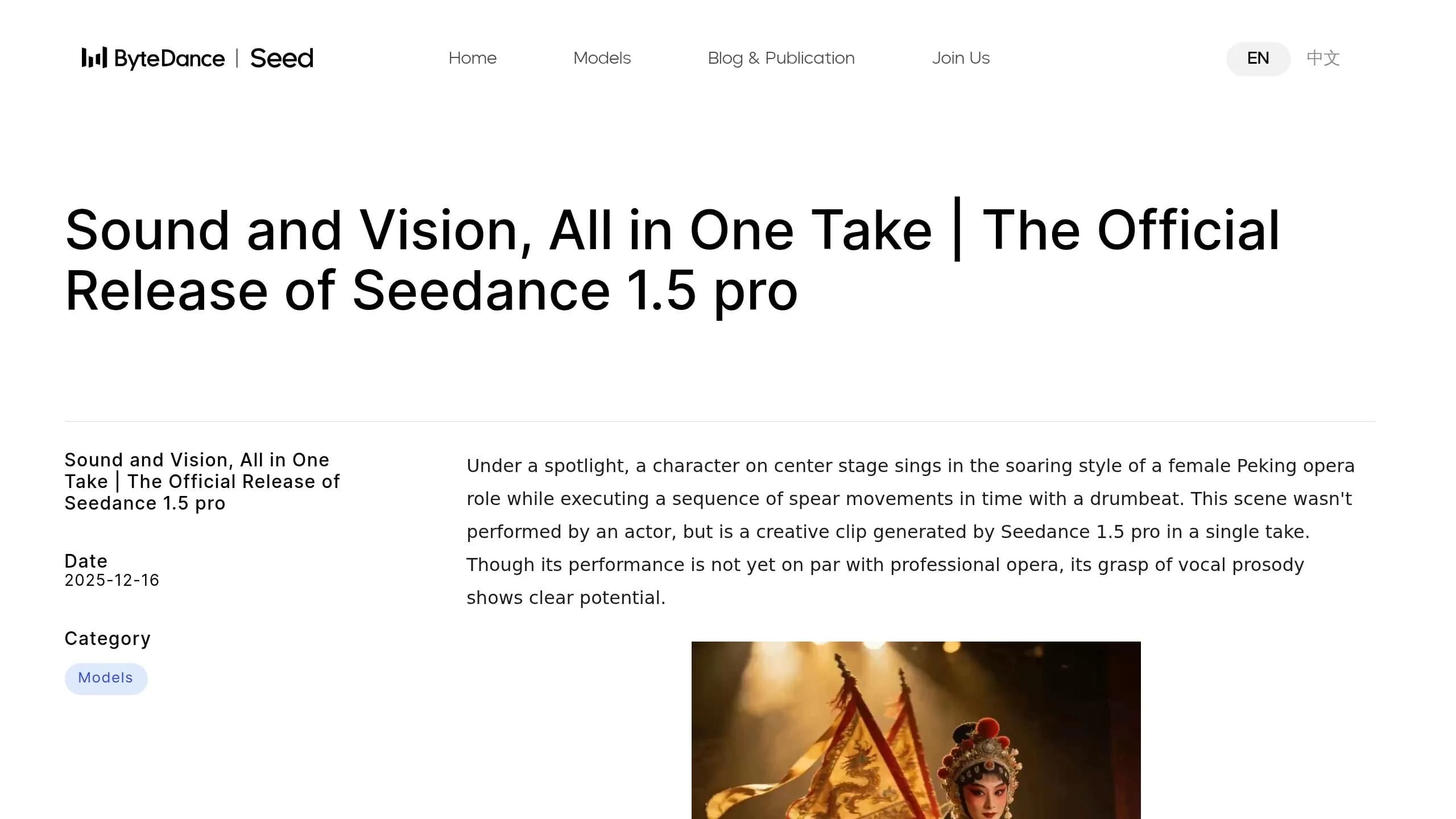
One standout feature of Seedance 1.5 Pro is its joint audio-visual generation. Thanks to its Dual-Branch Diffusion Transformer (DB-DiT) architecture, it achieves millisecond-level lip-sync accuracy across more than seven languages and dialects, including Sichuanese [6][7][8].
In addition to audio, it offers over 15 cinematic techniques, such as Kling-style cinematic shots, Hitchcock zooms, and crane shots. It also supports multi-reference generation, ensuring consistency in characters, styles, and environments across multiple scenes [3][6]. This makes it a go-to tool for professional teams in video production, marketing, and film who need cohesive storytelling across an entire sequence, not just one-off clips.
"Seedance 1.5 Pro behaves like a documentary or storytelling director... Hailuo 02 is closer to a cinematic action director." - Segmind [2]
Common applications include brand storytelling, product showcases, lifestyle videos, film pre-visualizations, and multilingual advertising campaigns.
Hailuo: Features and Use Cases
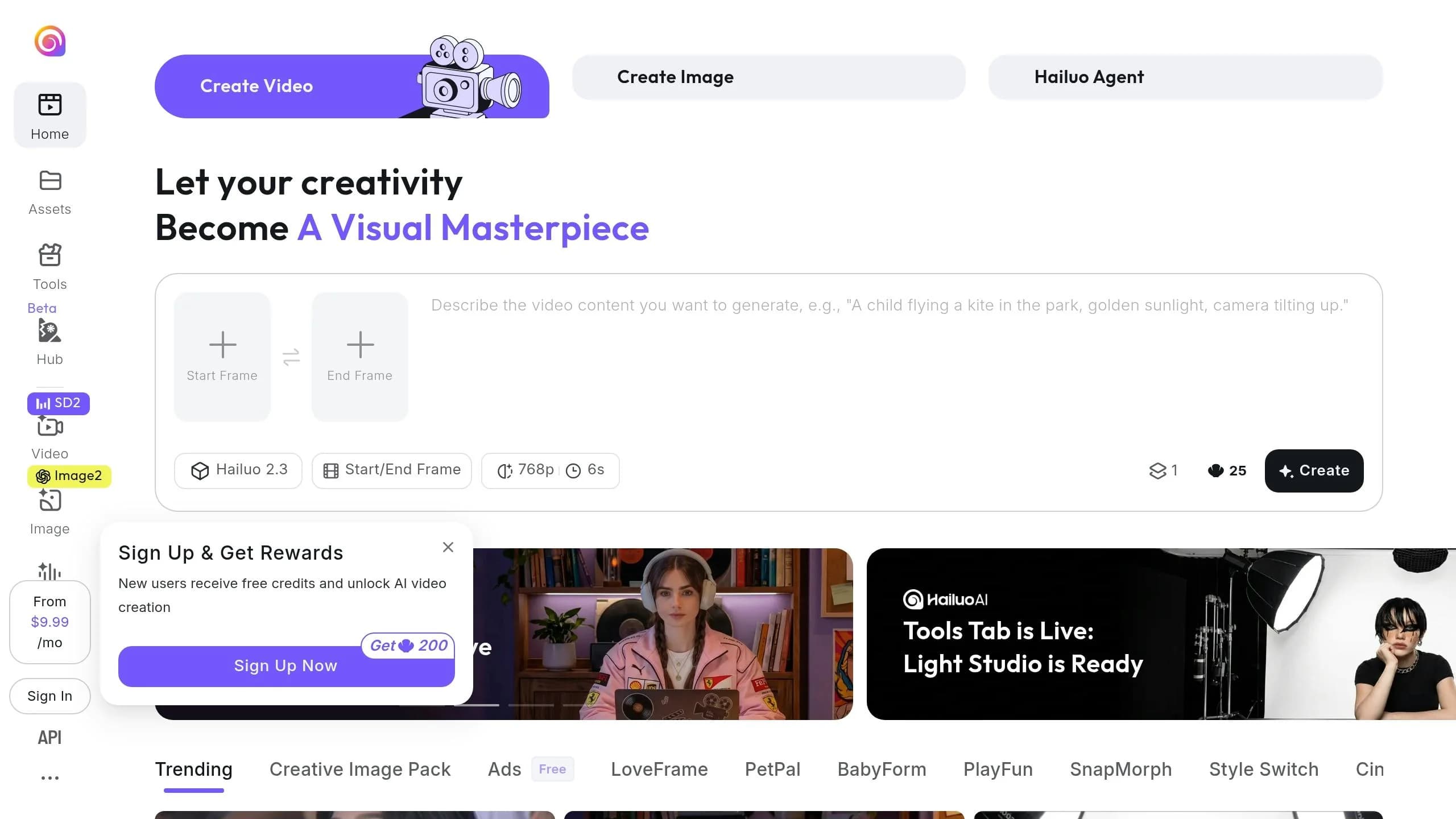
Hailuo, on the other hand, is built for creators who need speed and energy. It’s a lightweight model designed for fast, high-volume production, delivering vibrant clips with expressive motion and bold camera angles [1][2]. It supports native audio generation, including ambient sounds and music, all in a single pass [9]. However, its language focus is primarily on English and Mandarin, and its reference image capabilities are limited to single-subject anchoring. For those aiming to produce quick, visually impactful content, Hailuo is an excellent choice.
| Feature | Seedance 1.5 Pro | Hailuo |
|---|---|---|
| Primary Strength | Narrative consistency & lip-sync | Speed & cinematic intensity |
| Architecture | Dual-Branch Diffusion Transformer (DB-DiT) | Lightweight/fast iteration |
| Max Resolution | 1080p | 1080p |
| Best For | Dialogue, products, multi-shot | Social media, action, hero shots |
| Language Support | 7+ languages and dialects | Primarily English/Mandarin |
Feature Comparison: Seedance 1.5 Pro vs Hailuo
This section dives into the defining features of these two tools, highlighting their editing and generation tools and strengths in detail.
AI Editing and Customization
The key difference between Seedance 1.5 Pro and Hailuo lies in the level of control they offer. Seedance 1.5 Pro emphasizes structural precision. Its "first-last-frame" mode allows users to dictate the exact starting and ending composition of a clip, with AI seamlessly managing the motion in between. This makes it ideal for scenarios like product showcases or scene transitions where predictability is a priority. On the other hand, Hailuo focuses on visual storytelling, leveraging techniques like dolly pushes, dynamic lighting, and bold color grading to create dramatic, cinematic moments.
In January 2026, an AI researcher tested Seedance 1.5 Pro on a cyberpunk confession scene. The model autonomously applied a slow "push-in" camera movement as the character's expression shifted - a testament to its nuanced motion capabilities[3].
"If your goal is a single unforgettable moment, Hailuo delivers sharper energy. It treats the camera as a storyteller, not just an observer." - Segmind [2]
Seedance's foundation is a 4.5-billion parameter Dual-Branch Diffusion Transformer, enabling it to handle complex multi-shot sequences. In contrast, Hailuo is optimized for single, high-impact clips, prioritizing visual intensity over extended sequences.
Multi-Modal Input Support
Seedance 1.5 Pro shines in multi-modal input capabilities, thanks to its joint architecture that processes audio and video simultaneously. This ensures precise lip-sync, ambient sound alignment, and motion synchronization across eight languages: English, Mandarin, Japanese, Korean, Spanish, Portuguese, Indonesian, and Cantonese[5].
Hailuo, while offering standard text-to-video and image-to-video inputs, handles audio sequentially rather than natively. This approach makes it less suited for projects requiring precise synchronization, particularly in dialogue-heavy or multilingual content.
| Input Mode | Seedance 1.5 Pro | Hailuo |
|---|---|---|
| Text-to-Video | Full (includes audio cues) | Full (focus on lens/atmosphere) |
| Image-to-Video | 1–2 images (start/end frame support) | 1 image (standard I2V) |
| First-Last Frame | Yes (anchored motion) | Not specified |
| Native Audio Sync | Yes (8 languages, joint synthesis) | Limited/post-processed |
These input capabilities highlight Seedance's strength in creating synchronized, multi-layered outputs, particularly for complex projects.
Output Quality and Realism
When it comes to realism, the two tools excel in different areas. Seedance 1.5 Pro is known for its organic motion, capturing details like hair movement, fabric flow, and water ripples with lifelike precision. Meanwhile, Hailuo 2.3 Pro focuses on delivering a polished cinematic aesthetic, complete with professional-grade color grading and atmospheric depth.
In April 2026, the Ropewalk Team compared both tools using the prompt "young woman walks through autumn forest, leaves falling." Seedance produced natural secondary motion, such as varied speeds for hair and leaves, while Hailuo 2.3 Pro created a scene with teal-orange grading and soft backlighting, resembling a professionally filmed production[4].
"Hailuo 2.3 Pro is the model that produces the most 'this looks like it was shot, not generated' output." - Ropewalk Team [4]
From a technical perspective, Seedance operates at 24 fps with clip durations of 12 to 15 seconds. Hailuo, on the other hand, reaches up to 30 fps, offering smoother playback for fast-action scenes. Seedance also scores high in audio-video synchronization (9/10) and camera work (8/10), though it may struggle with stability in more complex, high-speed sequences[3].
Pricing and Cost Breakdown
Subscription Plans and Pricing Models
Both tools operate on a shared subscription platform, allowing you to allocate credits based on your project needs. Plans range from $14.90/month (Plus) to $89.90/month (Super), with annual billing offering a 50% discount. The Plus plan supports up to 100 videos per month, while the Super plan extends to 1,200 videos. Credits reset at the start of each billing cycle.
| Plan | Monthly Price | Annual Price | Monthly Credits | Video Limit |
|---|---|---|---|---|
| Plus | $14.90 | $178.80/year | 1,000 | Up to 100 |
| Pro | $24.90 | $298.80/year | 2,500 | Up to 250 |
| Max | $49.90 | $598.80/year | 6,000 | Up to 600 |
| Super | $89.90 | $1,078.80/year | 12,000 | Up to 1,200 |
For users with less frequent needs, one-time Credit Packs offer flexibility without the pressure of monthly deadlines. These start at $49.90 for 2,000 credits, which never expire. The Creator Pack, priced at $99.90 for 5,500 credits, is a great option for occasional but focused projects.
For API users, pricing is based on video duration. At 480p (non-audio), the cost is $0.012 per second, doubling with audio. Rendering in 1080p can cost up to $0.116 per second [10].
Cost vs. Value by Use Case
The real value lies in how each tool matches your project requirements. If you're working on dialogue-heavy or multilingual content, Seedance 1.5 Pro's advanced audio-video synchronization makes the extra audio cost worthwhile. For example, producing a 10-second ad could save $1,000–$1,500 compared to traditional production methods, making it a practical choice for small businesses or agencies running frequent campaigns [3].
On the other hand, Hailuo excels at creating quick, high-impact moments. Whether you need a standout shot for a social media ad, a high-energy sports clip, or a dramatic product reveal, Hailuo delivers. Since both tools share the same credit pool, you can use Hailuo for these striking moments and Seedance 1.5 Pro for projects requiring seamless scene transitions and precise audio synchronization [11].
"If your video needs to flow scene by scene, Seedance handles continuity better. If your goal is a single unforgettable moment, Hailuo delivers sharper energy." - Segmind [11]
This unified credit system means you can mix and match tools without incurring additional costs.
For enterprises with high production needs, the Super annual plan at $1,078.80/year offers the best value, bringing the cost to roughly $0.0075 per credit. API users looking to manage costs effectively should consider prototyping at 480p before committing to final renders in 1080p, as higher resolutions can increase costs nearly fivefold [10].
User Experience and Usability
Getting the most out of AI-driven video production tools hinges on how user-friendly and accessible they are. Let’s dive into how two tools - Hailuo and Seedance 1.5 Pro - approach usability and integration.
Interface Design and Ease of Use
MiniMax Hailuo focuses on speed and simplicity, making it perfect for creators who need to churn out high volumes of content. A simple prompt is all it takes to generate results, keeping the process straightforward and accessible.
On the other hand, Seedance 1.5 Pro balances advanced features with usability, scoring a 7/10 for ease of use. It shines when you provide precise, structured prompts. The tool boasts powerful features like first-to-last-frame control and over 15 cinematic camera techniques (think Hitchcock zooms and crane shots). However, these capabilities come with a learning curve. To ease this, Seedance includes an "AI Mentor" that helps refine prompts for scene descriptions and camera directions, making it easier for new users to navigate the system [5].
"The AI Mentor shortens the learning curve considerably for creators new to Seedance 1.5 Pro." - Alex Morgan, AI Experience Designer, CreateVision AI [5]
Pro Tip for Seedance Users: When writing prompts, enclose spoken dialogue in double quotation marks. This activates the model’s precise lip-sync feature, ensuring millisecond-level accuracy without additional setup [5].
These user interface strengths set the stage for how these tools integrate into larger workflows.
Workflow and API Integration
Seedance 1.5 Pro is designed for professional-grade pipelines. Its enterprise-level API supports all generation modes, resolution settings, and callback webhooks for asynchronous task management - ideal for rendering multiple clips at once [5]. Its multi-reference input mode ensures consistent subject identity across projects, which is especially useful for branded campaigns or multi-episode series [9].
Hailuo, by contrast, keeps things streamlined. Its API is built for rapid iteration, allowing users to test multiple creative ideas quickly. This makes it a go-to for fast-paced production environments, especially when creating social media content or experimenting with viral video concepts [1]. For those exploring alternative high-performance models, Grok Imagine Video offers another robust option for text-to-video generation.
| Feature | Seedance 1.5 Pro | Hailuo |
|---|---|---|
| Learning Curve | Moderate; needs structured prompts [3] | Low; optimized for quick results [1] |
| API Features | Callback webhooks, enterprise integration [5] | Single gateway for multi-model tasks [1] |
| Workflow Focus | Multi-clip consistency, structural control [9] | Speed and rapid iteration [1] |
| Best For | Brand campaigns, dialogue scenes, structured sequences | Social media clips, quick prototyping, viral content |
Both tools excel in their own way, catering to different types of creators and production needs. Whether you’re aiming for polished, structured campaigns or fast-turnaround viral clips, there’s a tool tailored for the job.
Conclusion: Which Tool Should You Use?
Based on the comparisons outlined earlier, each tool shines in its own way when it comes to video production. For those keeping an eye on costs, Seedance 1.5 Pro stands out with its per-clip cost of $0.28 on the Pro tier, making it a budget-friendly option. This affordability is particularly beneficial for small businesses that need a high volume of video output. In contrast, Hailuo 2.3 Pro has the highest per-clip cost among major 2026 models, but it compensates with exceptional visuals, making it perfect for projects where stunning imagery is a must [4].
Hailuo’s strength lies in creating visually striking content, ideal for trailers, sports highlights, and brand films. Its ability to craft dramatic, atmospheric visuals makes it a go-to choice for projects that require a bold, cinematic touch [2].
As Segmind puts it:
"If your goal is a single clip that hits hard, Hailuo will carry the weight. If you aim for consistent delivery and narrative flow, Seedance will serve you well." - Segmind [11]
Here’s a quick breakdown to help you decide:
| Your Priority | Best Choice |
|---|---|
| Dialogue, lip-sync, multi-language | Seedance 1.5 Pro |
| High-volume social media content | Seedance 1.5 Pro |
| Cinematic trailers or hero moments | Hailuo 2.3 Pro |
| Budget-conscious production | Seedance 1.5 Pro |
| Director-level camera drama | Hailuo 2.3 Pro |
This table highlights the tools' distinct advantages: Seedance excels in structured, high-volume projects, while Hailuo dominates in creating show-stopping, cinematic moments.
For consistent storytelling and quick turnaround times, Seedance 1.5 Pro is the clear winner. It boasts a 9/10 audio-video sync rating and a 10× inference speedup, cutting generation times to just 2–3 minutes [3]. On the other hand, when your project demands visuals that stand out and speak for themselves, Hailuo 2.3 Pro is the tool to reach for.
FAQs
Which tool is better for long, multi-scene videos?
Seedance 1.5 Pro stands out when it comes to creating long, multi-scene videos. It shines in maintaining stability over extended durations, ensuring narrative flow, and delivering smooth transitions between multiple shots. Its strength lies in keeping characters and scenes consistent across different angles, making it perfect for professional-level storytelling. Another key advantage is its support for longer clips - up to 15 seconds - giving creators more room to craft detailed and engaging narratives compared to tools designed for shorter, punchier clips.
How do credits convert to actual video length?
Credits are tied to video length, factoring in the model's clip duration limit and the resolution or mode you choose. For instance, Seedance and Hailuo generally produce brief clips lasting 6–10 seconds, with credits deducted per clip rather than by the second. Opting for higher resolutions like 1080p will consume more credits compared to shorter, lower-resolution options such as the 6-second "Fast" mode.
What prompts improve lip-sync and dialogue results?
To improve lip-sync and dialogue accuracy in Seedance 1.5 Pro, craft structured prompts that integrate both visual and audio elements. Be specific about the subject and their actions to guide the model effectively. For speech, place the dialogue in quotes to emphasize proper audio alignment. Include details like the language being spoken, the speaker's emotional tone, and any background sounds to ensure everything syncs smoothly. Adding detailed scene context enhances the model's ability to produce precise lip movements.
Choose the model you want in the model marketplace
Try chat, image and video models in the APIMart model marketplace, and experience model capabilities quickly with one unified API.