Suno Pricing 2026: Free, Pro & Premier Plans
Compare Suno Free, Pro, and Premier plans for 2026: credits, song limits, commercial rights, exports, and developer API options to pick the right music plan.
If you want to make money from Suno tracks, the Free plan is not enough. I’d boil it down like this: Free gives you 50 daily credits and personal-use only, Pro costs about $10/month for 2,500 credits and commercial use, and Premier costs about $30/month for 10,000 credits and the same commercial rights at a much higher output level.
Here’s the short version:
-
Free: $0, 50 credits/day, about 10 songs/day, no commercial use
-
Pro: about $10/month ($8/month billed yearly), 2,500 credits/month, about 500 songs/month, commercial use allowed
-
Premier: about $30/month ($24/month billed yearly), 10,000 credits/month, about 2,000 songs/month, commercial use allowed
-
Rights rule: the plan you had when the song was made decides what you can do with it
-
Scale rule: if you need automation, recurring jobs, or high-volume output, a developer route may fit better than the web app alone (or explore Sora 2 for video automation if your workflow requires visual content)
That means if you’re posting to a monetized YouTube channel, making podcast intros, running ads, or handing tracks to clients, you should look at Pro or Premier, not Free.
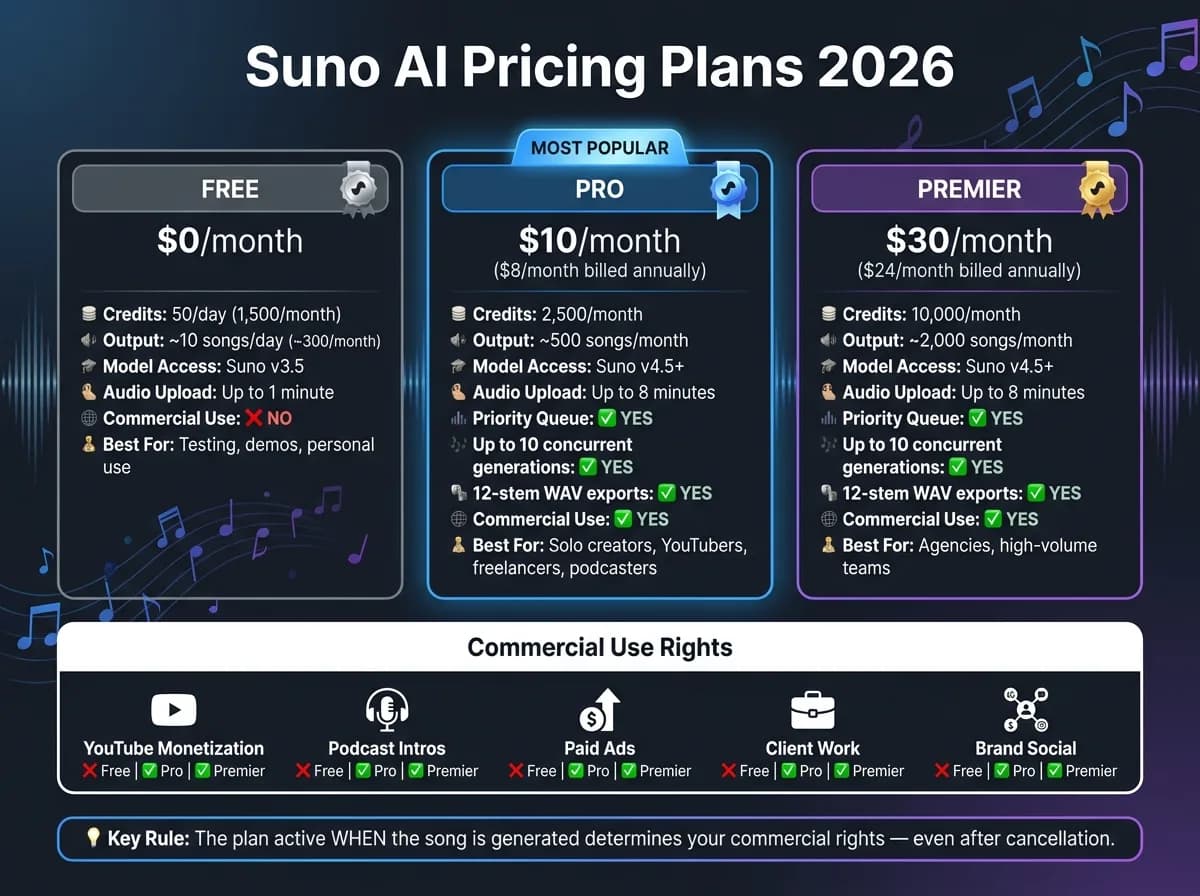
Suno AI Pricing Tiers Explained 2026 - Free vs Pro vs Premier Plans Compared
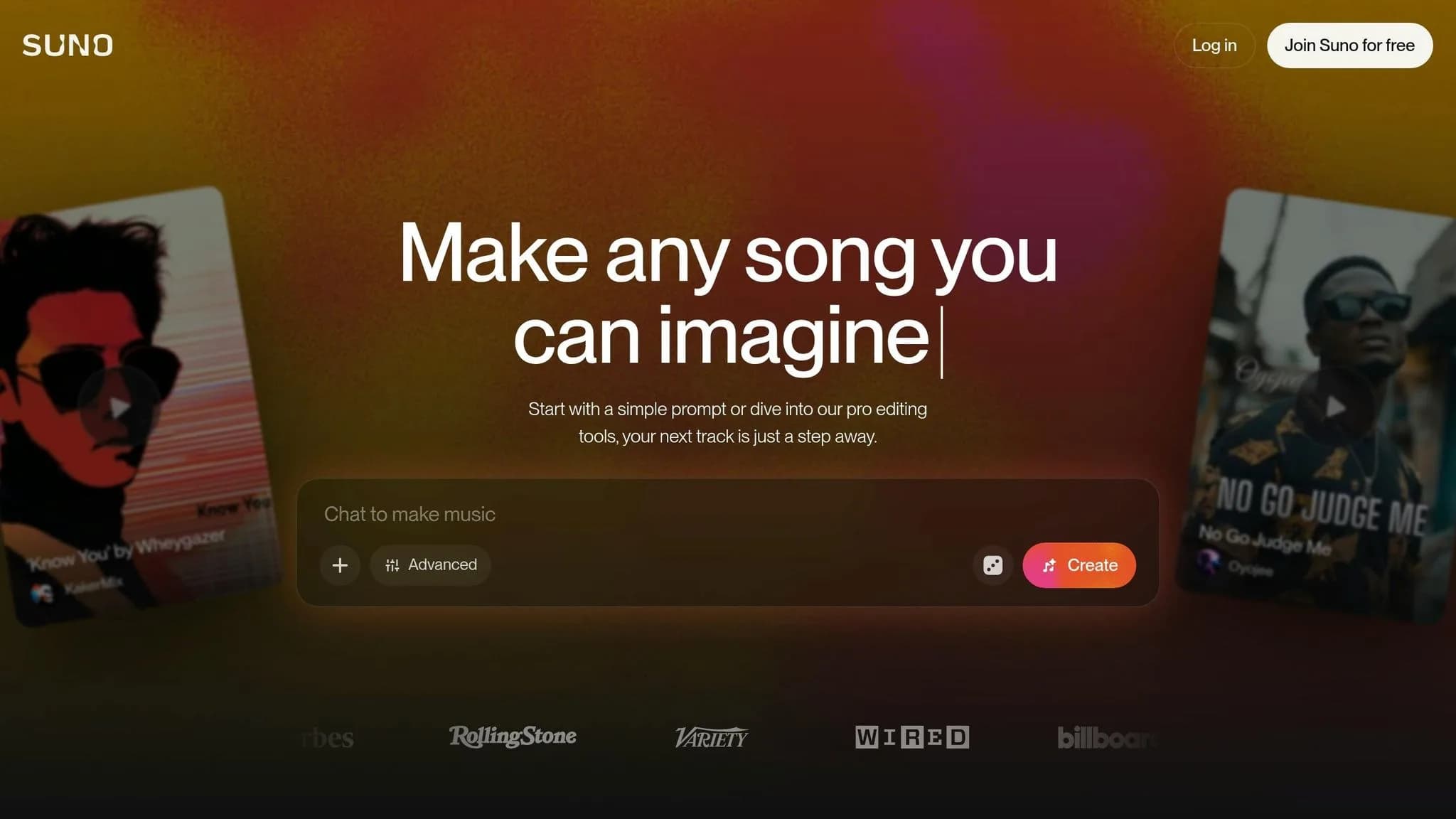
Quick Comparison
| Plan | Price | Credits | Output | Commercial use | Best fit |
|---|---|---|---|---|---|
| Free | $0 | 50/day | ~10/day | No | Testing and personal use |
| Pro | $10/month | 2,500/month | ~500/month | Yes | Solo creators and freelance work |
| Premier | $30/month | 10,000/month | ~2,000/month | Yes | Agencies and high-output teams |
I’d use this guide to make one decision fast: test on Free, publish on Pro, and move to Premier or API-based workflows when volume starts to bottleneck your process.
Suno pricing tiers: cost, credits, and song limits
The main differences come down to credits, how those credits refresh, and which paid-only features you can use. Here’s how Suno’s 2026 plans stack up:
| Plan | Monthly Price (USD) | Annual billing (effective monthly) | Monthly Credits | Approx. songs/month | Rights Status |
|---|---|---|---|---|---|
| Free | $0 | N/A | 1,500 (50/day) | ~300 (~10/day) | Non-commercial |
| Pro | $10 | $8 | 2,500 | ~500 | Commercial |
| Premier | $30 | $24 | 10,000 | ~2,000 | Commercial |
At a glance, that’s the core split in Suno’s 2026 pricing and access model [4][2][5][6].
Free plan: daily credits and basic access
The Free plan gives you 50 credits per day, and those credits reset every 24 hours. Free users are limited to Suno v3.5 and can upload audio clips up to 1 minute long.
That makes the free tier a good fit for testing prompts, trying ideas, and making music for personal, noncommercial use. Once you step into paid plans, both your output volume and your usage rights change [4][2].
Pro and Premier: monthly credits for regular output
Pro and Premier switch from a daily refill to a monthly credit pool. Pro comes with 2,500 credits per month, while Premier includes 10,000 credits per month.
Both paid plans also let you purchase extra credits if you hit your monthly cap [4][2]. If you make music often, that monthly setup is a lot easier to work with than watching a small daily limit.
What paid plans add beyond more credits
More credits help, but that’s not the whole story. Pro and Premier also unlock Suno v4.5+ models, a priority generation queue, and the ability to run up to 10 generations at once. You also get 12-stem WAV exports and audio uploads up to 8 minutes long.
Paid tiers add Personas and editing tools for vocals or instruments too. That’s where the jump starts to matter: not just more songs, but faster production, better export options, and commercial use rights. If you’re moving from casual testing to publishing, monetization, or client work, those extras start doing the heavy lifting [4].
Next, the licensing section explains what you can publish, monetize, and use in client work.
Free vs. paid use: what you can publish and monetize
A lot of creators think that if they can download a track, they can use it anywhere. With Suno, it doesn’t work like that. The rights tied to your track depend on which plan was active when you generated it.
Free plan limits: personal, testing, and noncommercial use
Free-tier tracks are for personal use only [7][2]. And that rule matters more than it may seem at first. The license is tied to the plan you had at the moment the track was generated.
So even if a Free-plan track sounds polished, you can’t use it in monetized YouTube videos, podcast intros for a branded show, background music for a client’s Instagram ad, or other paid work. If you’re a freelancer, that’s the deal-breaker: a Free-tier track does not give your client commercial rights. In plain English, it’s not fit for client deliverables.
Use the Free plan to test prompts, try ideas, and lock in the direction before you switch to a paid plan for release [7][2]. And don’t treat downloaded Free tracks as cleared for commercial use.
Paid plans: YouTube, podcasts, ads, and client work
Once you’re past testing, the big difference is commercial clearance. Pro and Premier let you use tracks in monetized YouTube videos, podcast intros and outros, paid ads, client deliverables, and brand social posts [3][7].
| Usage Scenario | Free Plan | Pro Plan | Premier Plan |
|---|---|---|---|
| Personal listening / demos | ✅ Allowed | ✅ Allowed | ✅ Allowed |
| YouTube monetization | ❌ Prohibited | ✅ Allowed | ✅ Allowed |
| Podcast intro/outro | ❌ Prohibited | ✅ Allowed | ✅ Allowed |
| Paid ads | ❌ Prohibited | ✅ Allowed | ✅ Allowed |
| Client work | ❌ Prohibited | ✅ Allowed | ✅ Allowed |
| Brand social | ❌ Prohibited | ✅ Allowed | ✅ Allowed |
On Pro and Premier, tracks generated during an active subscription are cleared for those use cases [1][2].
License to use vs. full ownership
Paid plans give you a commercial-use license, not full ownership [7][8]. That’s the key line. Free tracks are for personal use only, while paid plans give you rights to tracks generated during an active subscription [7][2].
There’s one more point that helps: if you make a track while your paid subscription is active, that track stays commercially usable even after you cancel, subject to the current terms [7].
With rights sorted out, the next move is picking the plan that fits how often you publish.
How to pick the right Suno plan for your workflow
Now that the rights split is clear, the main choice comes down to output, usage rights, and how much friction you can tolerate in your process.
When Free is enough
The Free plan works well for prompt testing, Custom Mode, and noncommercial drafts. It’s a good sandbox for trying different genres, tightening up lyrics, and getting used to the section replacement tool before paying for a plan.
When Pro is the right upgrade
Go with Pro if you need commercial rights for monetized or client-facing work. If you publish on a steady basis, Pro is usually the practical move. It gives solo creators, freelancers, YouTubers, and podcasters both the output volume and the licensing they need to keep shipping work.
When Premier makes sense
Premier starts to make sense when Pro’s monthly cap begins to slow you down. The main difference is scale. That makes it a good fit for agencies and high-volume teams that need more room to produce. Past that point, manual generation can turn into a bottleneck.
| Plan | Monthly Cost | Songs/Month | Commercial Use | Best For |
|---|---|---|---|---|
| Free | $0 | ~10/day | No | Testing, demos, noncommercial use |
| Pro | $10 | ~500/month | Yes | Solo creators, YouTubers, freelancers, podcasters |
| Premier | $30 | ~2,000/month | Yes | Agencies, high-volume producers |
If you need higher volume or want automation, move to a developer workflow. For those building video-first applications, integrating a professional AI video API can complement your music production.
Developer options and APIMart workflows for scaled production
When manual generation stops being enough
The web UI works fine at first. But once your team needs recurring jobs, automated generation, or several tracks running at the same time, it starts to feel cramped.
At that point, API access makes more sense. If music generation needs to fire from user input, app events, or upstream data, it’s time to move to a developer or integration workflow [1][2].
How APIMart fits multi-modal production
APIMart makes sense for teams that need Suno as one part of a bigger AI pipeline. That matters most when Suno isn’t working alone, but alongside other tools in a music, video, or image workflow.
APIMart is a unified AI API platform that gives access to 500+ models through a single OpenAI-compatible endpoint. In plain English: you can plug Suno into a broader production stack without juggling a pile of separate integrations.
That setup is especially useful for teams in marketing, education, e-commerce, and media, where multiple AI tools often need to work together in the same flow.
| Use Case | Suno Access Method | Required Plan | APIMart Capability | Indicative Cost (USD) |
|---|---|---|---|---|
| In-app music automation | SunoAPI | Developer access | API integration for recurring generation | Custom / pay-as-you-go |
| Multi-modal ad campaigns | APIMart | Pay-as-you-go | Single OpenAI-compatible endpoint for 500+ models | Variable |
| High-concurrency production | SunoAPI | Developer access | High-volume concurrent generation | Custom pricing |
Conclusion: the simplest way to decide
Free is enough for testing and noncommercial use. Pro ($10/mo) and Premier ($30/mo) add commercial rights and higher monthly output.
If you’re generating music on and off, those plans may be all you need. But when the work becomes recurring, high-volume, or tied into a broader AI pipeline, a developer workflow through a unified platform like APIMart is usually the better fit.
FAQs
Do unused credits roll over?
No. Unused credits do not roll over.
Credits renew on a monthly or daily cycle, depending on your plan. If you don’t use them during that period, they expire when the cycle ends. Once the next renewal starts, your credit balance resets.
Can I upgrade before using a track commercially?
Yes. In most cases, you’ll need to upgrade to a Pro plan to get commercial rights for your tracks.
Tracks made on the free tier don’t come with a commercial license. So if you want to use a track in monetized content, ads, or client work, make sure you’re on a paid plan before you use it for commercial purposes.
When should I switch to API access?
Switch to API access when you need programmatic integration, high-volume production, or automated scaling beyond what web-based plans can handle.
It’s the right fit for developers building custom applications that need studio-quality track generation, multi-track stem separation, faster scaling, and technical support like 99.9% uptime SLAs. It also works well if you want pay-as-you-go billing instead of monthly subscription credits.
Choose the model you want in the model marketplace
Try chat, image and video models in the APIMart model marketplace, and experience model capabilities quickly with one unified API.