Top 7 AI Video Template APIs Compared for 2026
Compare the top 7 AI video template APIs by price, resolution, and use case — APIMart, Kling V3, Sora 2, Vidu Q3 Pro, and more for scalable video production.
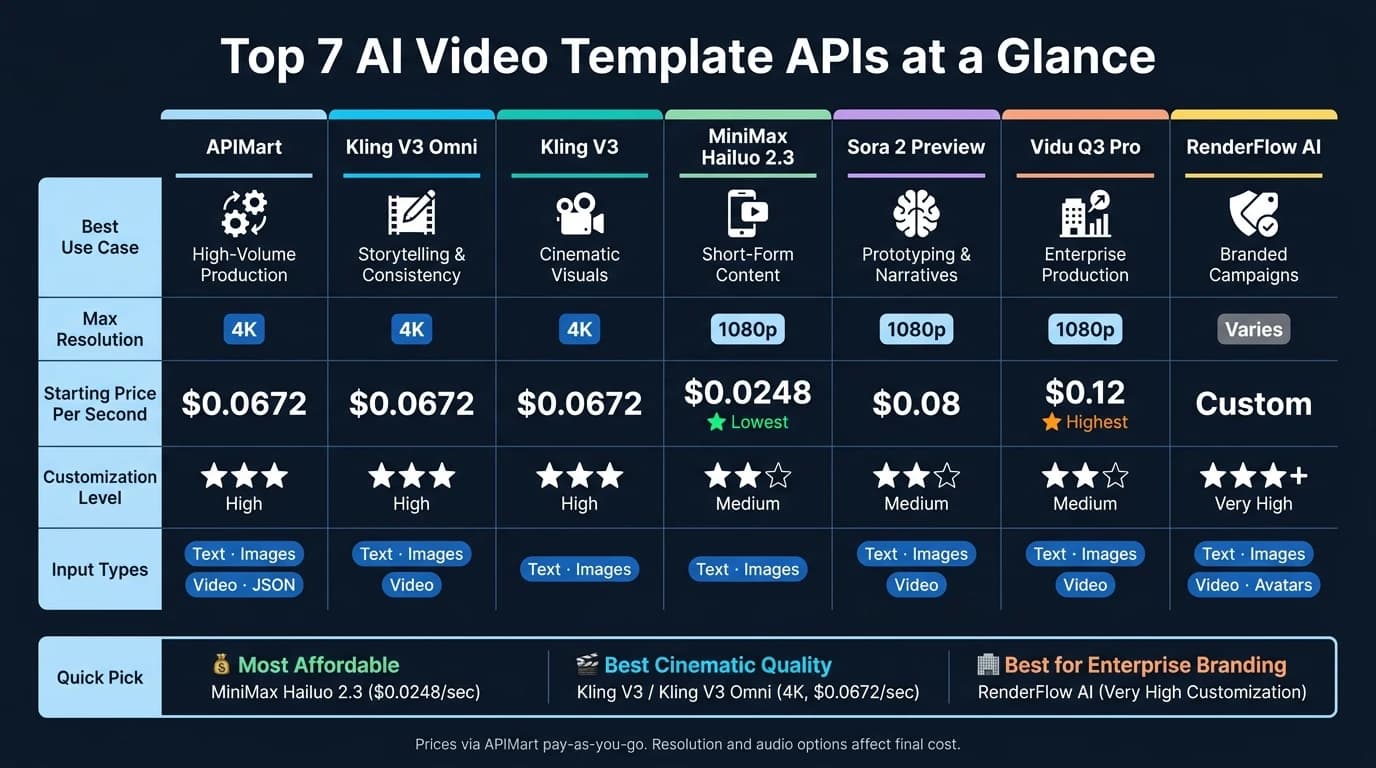
AI video template APIs make it easy to create professional videos by combining fixed design elements with dynamic content through simple API calls. These tools are perfect for scaling video production in industries like e-commerce, marketing, education, and real estate. Most APIs support resolutions up to 4K, multimodal inputs (text, images, videos), and asynchronous rendering in 2–5 minutes. Below are the top seven APIs to consider:
- APIMart: Offers access to 500+ AI models with multi-modal inputs and reusable templates. Pricing starts at $0.0672/second for 720p.
- Kling V3 Omni: Ideal for storytelling with consistent character appearances and multi-shot mode. Pricing starts at $0.0672/second for 720p.
- Kling V3: Focused on cinematic-quality videos with advanced control over lighting and depth. Pricing starts at $0.0672/second for 720p.
- MiniMax Hailuo 2.3: Fast and affordable for short-form content, with pricing as low as $0.0248/second for 768p.
- Sora 2 Preview: Flexible for prototyping and long-form narratives. Pricing ranges from $0.08/second (720p) to $0.56/second (1080p).
- Vidu Q3 Pro: Tailored for enterprise use, supporting text-to-video and automated editing. Pricing starts at $0.12/second for 720p.
- RenderFlow AI: Best for branded content with dynamic templates and global design updates. Pricing varies by plan.
Quick Comparison
| API | Best Use Case | Input Types | Max Resolution | Starting Price (per second) |
|---|---|---|---|---|
| APIMart | High-volume production | Text, images, video, JSON | 4K | $0.0672 (720p) |
| Kling V3 Omni | Storytelling with consistency | Text, images, video | 4K | $0.0672 (720p) |
| Kling V3 | Cinematic visuals | Text, images | 4K | $0.0672 (720p) |
| MiniMax Hailuo | Short-form content | Text, images | 1080p | $0.0248 (768p) |
| Sora 2 Preview | Prototyping and narratives | Text, images, video | 1080p | $0.08 (720p) |
| Vidu Q3 Pro | Enterprise production | Text, images, video | 1080p | $0.12 (720p) |
| RenderFlow AI | Branded campaigns | Text, images, video | Varies | Varies by plan |
Choose an API based on your project's needs, budget, and resolution requirements. For cost savings, consider rendering drafts in lower resolutions before finalizing in higher quality.
I Built an AI Video Generator in 10 Minutes (No Coding Required!)
1. APIMart
APIMart brings together over 500 AI models into a single API, simplifying access to video, image, and language tools like GPT-5, Claude, Sora, and Kling V3. With just one set of credentials, it eliminates the hassle of managing multiple vendors, making the entire process - from content creation to rendering - much smoother.
One standout feature of APIMart is its multi-modal input support. This means you can provide a variety of inputs - text prompts, product images, video clips, or structured JSON data (e.g., {product_name, price_in_USD, discount_percent}) - and the system automatically directs them to the appropriate model. For instance, a U.S. e-commerce team can input a product catalog entry and receive a polished 15-second promo video, complete with AI-generated visuals, text overlays, and transitions. This capability makes it ideal for high-volume production, saving both time and effort.
APIMart also allows you to define reusable JSON templates for scenes, text, and aspect ratios, enabling dynamic content swaps at runtime. It supports multiple formats, including vertical 9:16, standard 16:9, and square 1:1. Output quality ranges from 720p drafts to 4K production-ready videos using advanced models like Kling V3.
Pricing is straightforward and transparent. APIMart operates on a pay-as-you-go model in USD, with costs based on resolution, duration, and model choice. For example, Kling V3 is priced at $0.0672 per second at 720p, while Vidu Q3 Pro costs $0.12 per second. A smart workflow might involve using lower-resolution "fast" models for prototyping, then switching to higher-quality tiers for final renders - all without altering your integration or template setup.
"We test dozens of variations quickly with veo3.1-fast, then finalize with veo3.1-quality for client deliverables." - Lucas Huang, Video Producer [6]
Another advantage is consolidated billing. All usage is rolled into a single USD invoice, giving finance and engineering teams a clear breakdown of costs. This unified approach is particularly helpful for managing large-scale template jobs, such as marketing campaigns or product catalog updates, without the headache of tracking multiple invoices from different providers.
2. Kling V3 Omni
Kling V3 Omni brings together text-to-video, image-to-video, and video editing into a single, unified system, streamlining the entire creative process. Whether you start with a text prompt, a product image, specific frames, or even an existing video clip, this platform processes them all through the same workflow. It's built for ease and efficiency, especially for template-based projects.
One standout feature is Element Consistency Control, which allows you to register a character or object using just 2–4 reference images. Once registered, you receive an element_id that can be referenced in your prompts using <<<element_1>>>. This ensures the consistent appearance of elements across multiple videos - an essential tool for maintaining brand identity in video templates [7][9].
Another highlight is the Multi-shot mode, which lets you define up to six distinct shots in a single request. This means you can create a complete 15-second narrative - think product reveal, close-ups, and a call-to-action - without needing to piece together separate clips. This feature makes it easier to craft story-driven, professional-looking video templates.
"kling-v3's cinematic quality is incredible! The 15-second duration option in kling-v3 gives us so much more creative freedom for storytelling." - Sarah Johnson, Creative Director [10]
When it comes to pricing, Kling V3 Omni offers flexibility based on resolution and audio options. Through APIMart, rates begin at $0.0672 per second for 720P, increase to $0.0896 per second for 1080P, and go up to $0.42856 per second for 4K [10]. If you need synchronized audio in multiple languages, the 1080P rate rises slightly to $0.112 per second.
- 720P Standard: Ideal for high-volume social media content at $0.0672 per second.
- 1080P Professional: A solid choice for polished, client-facing videos at $0.0896 per second (or $0.112 per second with audio).
- 4K Ultra HD: Perfect for ultra-high-quality projects, priced at $0.42856 per second.
| Quality Tier | Audio | APIMart Price (per sec) |
|---|---|---|
| 720P Standard | No | $0.0672 |
| 1080P Professional | No | $0.0896 |
| 1080P Professional | Yes | $0.1120 |
| 4K Ultra HD | Optional | $0.42856 |
With its mix of creative tools and scalable pricing options, Kling V3 Omni is designed to meet the needs of both casual creators and professional teams.
3. Kling V3
Kling V3 is the cinematic-focused counterpart to Kling V3 Omni, designed specifically for producing high-quality video content with exceptional control. While the Omni version handles multiple media types in one workflow, Kling V3 zeroes in on creating cinematic visuals. It excels in delivering dynamic lighting, realistic depth of field, and smooth camera transitions, supporting resolutions up to 4K.
The model works with text prompts, reference images, or a mix of both, and allows users to anchor start and end frames for precise control over scenes. This makes it a perfect fit for workflows that demand the precision and polish of Hollywood-level production.
Element Reference is a standout feature, letting you lock in up to three distinct subjects using 2–4 reference images for each. Once defined, these elements can be referenced in prompts using @name (e.g., @element_dog) to maintain their appearance during camera movements like zooms and pans. Kling V3 also supports multi-shot video generation, allowing 2–6 shots per request. You can opt for "Intelligent" mode, which automatically segments shots, or "Customize" mode, where you define specific prompts and durations for each shot. In Customize mode, the total duration of all shots must match the overall duration parameter exactly - otherwise, the API will return an error [5].
Pricing for Kling V3 is offered through APIMart on a pay-as-you-go basis, with rates determined by resolution and audio options:
| Tier | Resolution | Audio | Price (per second) |
|---|---|---|---|
| Standard | 720P | No | $0.0672 |
| Standard | 720P | Yes | $0.1008 |
| Professional | 1080P | No | $0.0896 |
| Professional | 1080P | Yes | $0.1344 |
| Ultra HD | 4K | Optional | $0.42856 |
The 720P tier is ideal for quick prototyping and high-volume projects, while the 1080P and 4K tiers are better suited for client-facing content and commercial campaigns. Kling V3 also includes native audio generation in five languages - Chinese, English, Japanese, Korean, and Spanish. You can even specify accents, such as British or Indian, directly in your prompt [8].
4. MiniMax Hailuo 2.3
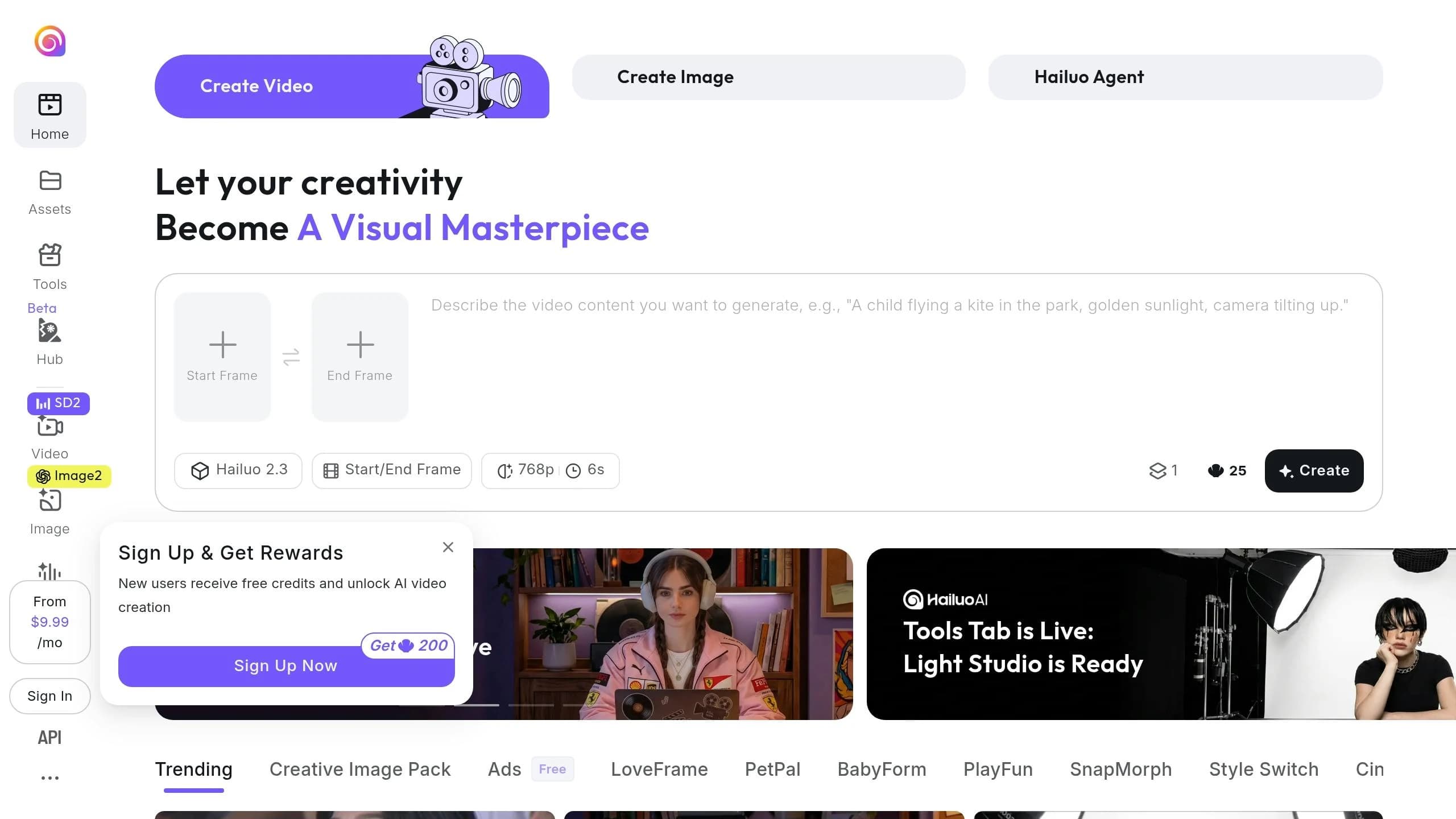
The MiniMax Hailuo 2.3 is a cutting-edge video generator designed for cinematic-quality outputs. It supports both Text-to-Video (T2V) and Image-to-Video (I2V) workflows, allowing users to input text prompts (up to 2,000 characters) or reference images in formats like JPEG, PNG, or WebP (up to 10MB). The process is quick, with video generation taking just 30–90 seconds at 25 fps [12][13].
One standout feature of Hailuo 2.3 is its advanced camera control system. Using a bracketed [command] syntax, users can access 15 precise camera movements, including Pan, Tilt, Zoom, Pedestal, Tracking, and Static shots. You can combine up to three commands simultaneously (e.g., [Pan left, Pedestal up]) or chain them in sequence (e.g., "[Push in], then [Push out]"). This level of control is rare at this price point, making it perfect for crafting narratives or creating advertisements.
"MiniMax Hailuo 2.3 is a newly upgraded video generation model with improved performance in body movements, physical effects, and instruction comprehension and execution." - MyRouter AI [14]
The model also includes a built-in prompt_optimizer, which automatically refines descriptions for better results. If you prefer exact adherence to your input, you can disable this feature by setting prompt_optimizer to false. However, there are some output limitations: 1080P resolution is restricted to 6-second clips, while 10-second clips are capped at 768P. Compared to its predecessor, Version 2.3 is twice as fast and delivers smoother motion coherence [12]. For those seeking similar cinematic results, the Kling V3 API also offers high-quality motion generation.
Pricing and Workflow Tips
MiniMax Hailuo 2.3 is available on APIMart with a pay-as-you-go pricing model, offering two variants: Standard and Fast. Here's the pricing breakdown:
| Model Variant | Resolution | Price (per second) |
|---|---|---|
| Standard | 768P | $0.0488 |
| Standard | 1080P | $0.072 |
| Fast | 768P | $0.0248 |
| Fast | 1080P | $0.0424 |
The Fast variant is around 40–50% cheaper than the Standard option, making it an economical choice for testing and iterative workflows. A practical approach would be to create drafts with 6-second Fast clips at 768P and reserve Standard 1080P for the final production render. This flexible pricing structure makes the Hailuo 2.3 an excellent tool for both rapid experimentation and polished, high-quality outputs.
5. Sora 2 Preview
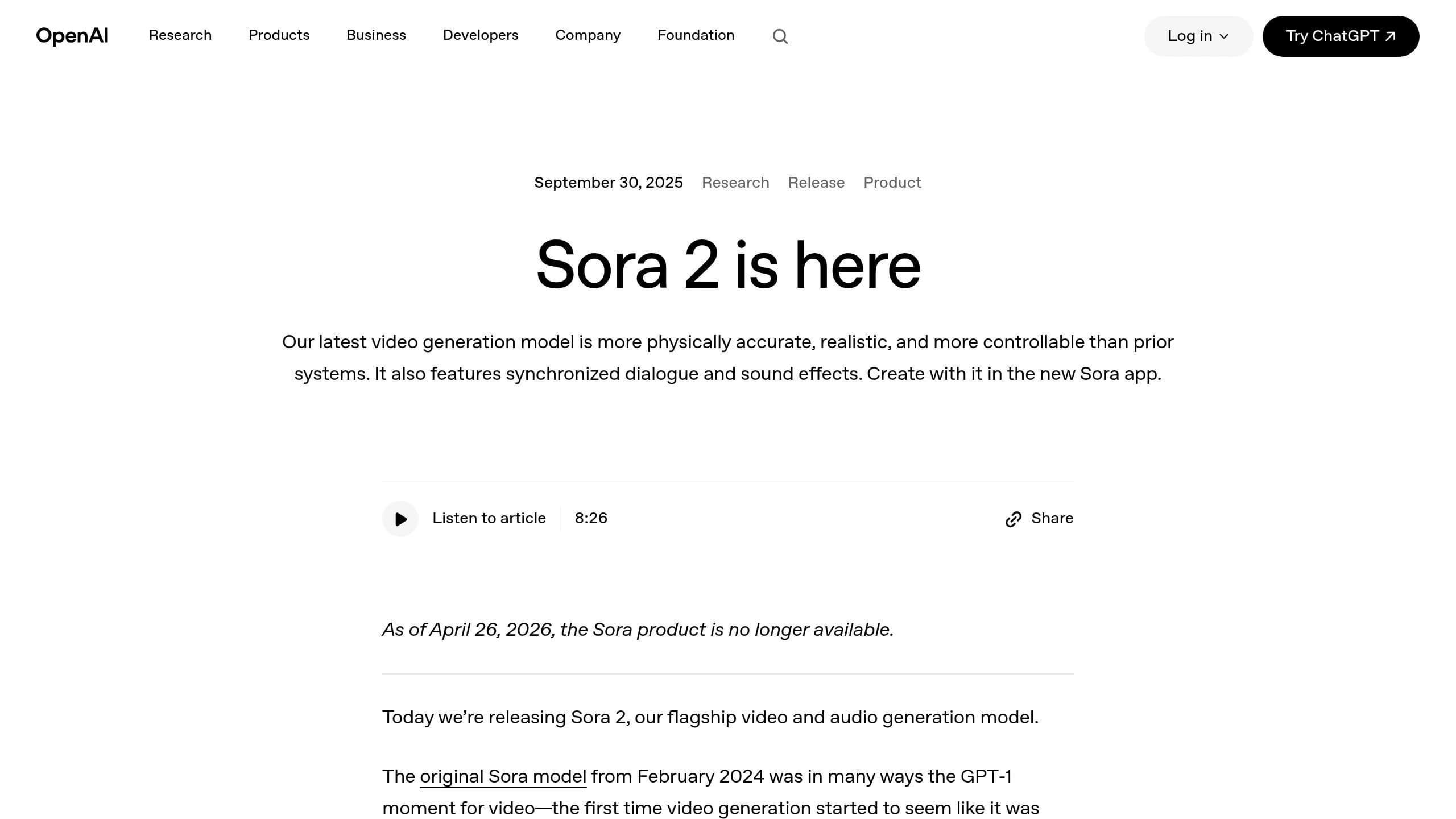
Sora 2 Preview, created by OpenAI, brings a flexible, multi-modal approach to video generation. It allows you to create videos from text prompts, use an image as the starting frame (Image-to-Video), or tweak existing footage (similar to the MiniMax Hailuo 02 model) with its Remix and Edit tools. These features make it easy to change colors, swap objects, or alter backgrounds without the need to regenerate the entire scene [15].
For branded content, the Character ID feature is a standout. By using just a 2–4 second reference clip, it ensures consistent mascot appearances across multiple videos. You can also extend video clips in 20-second increments, reaching a maximum length of 120 seconds [16].
The model is offered in two tiers. Sora 2 (Standard) supports resolutions up to 1280×720, making it ideal for quick social media drafts and prototyping. On the other hand, Sora 2 Pro delivers up to 1920×1080 Full HD, perfect for polished, client-ready productions or broadcast-quality content [17].
"Sora 2 Pro's 1024p quality exceeded our expectations for client deliverables. The cinematic controls let us specify exact camera movements that match our brand's visual style." - Jennifer Wu, Video Producer [19][20]
This feedback highlights its strength in maintaining brand consistency and delivering high-quality results. For those seeking alternatives with comparable consistency, the WAN 2.6 API also offers professional-grade video generation.
Video generation with Sora 2 is quick, taking between 1–5 minutes [15]. However, it's important to download your videos immediately after they’re created, as the URLs expire within 1–24 hours [16].
On APIMart, Sora 2 Standard is priced at $0.08 per second, while Sora 2 Pro ranges from $0.24 per second at 720p to $0.56 per second at 1080p. These rates are more budget-friendly than OpenAI's direct pricing [18]. Keep in mind that OpenAI plans to discontinue the Sora 2 API on September 24, 2026, so it's wise to plan your production schedules accordingly [16].
| Sora 2 Standard | Sora 2 Pro | |
|---|---|---|
| Max Resolution | 1280×720 (HD) | 1920×1080 (Full HD) |
| Max Duration | 20 seconds (extendable up to 120 seconds) [16] | 20 seconds (extendable up to 120 seconds) [16] |
| APIMart Price | $0.08 per second | $0.24–$0.56 per second |
| Best For | Prototyping, social media | Production and client deliverables |
| Audio | Synced output | Synced output |
Sora 2 offers a practical solution for both quick drafts and polished productions, giving creators the tools they need to meet a variety of video content demands.
6. Vidu Q3 Pro
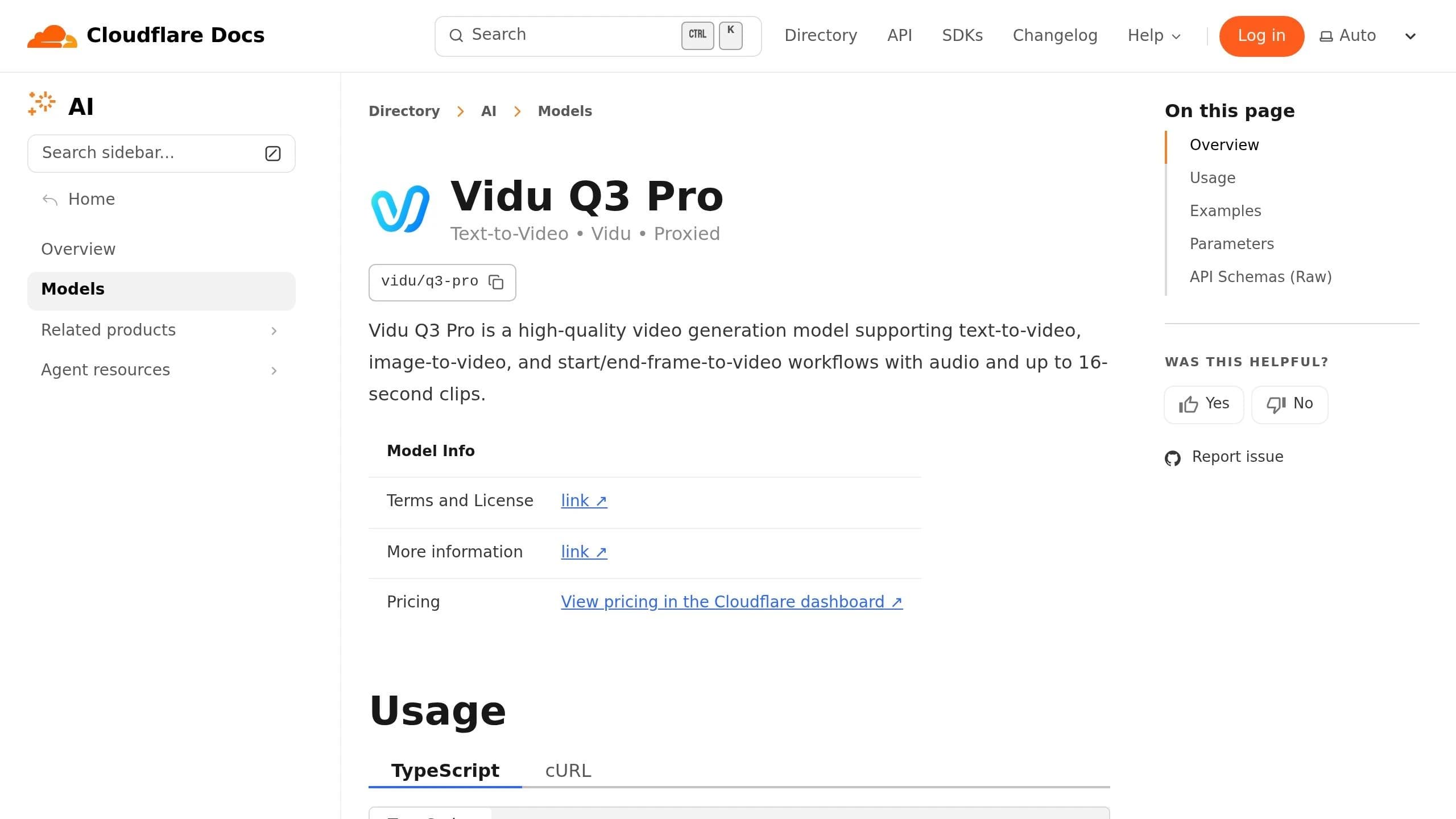
The Vidu Q3 Pro takes AI-driven video templates to the next level by offering advanced input options and automated editing tools that make production more efficient. It supports three input methods: Text-to-Video, Image-to-Video (animating a starting frame), and First-Last Frame mode (creating motion between two provided images) [21][24]. The First-Last Frame mode is especially handy for animatic-style storyboarding, giving you precise control over both the opening and closing shots. Text prompts allow up to 5,000 characters in English or Chinese, enabling detailed scene descriptions [22][23]. These options give creators greater flexibility and control over their projects while simplifying the editing process.
The platform also enhances efficiency with automation. Smart Cuts detects scene transitions and outputs pre-segmented clips, saving time during post-production [27]. Additionally, built-in audio generation synchronizes dialogue and sound effects in a single pass, further reducing the need for manual edits [21][22].
"Pro's cinematic quality is outstanding! And Turbo lets me quickly validate creative directions - using both models together doubles my efficiency." - Sarah Johnson, Content Creator [23]
Vidu Q3 Pro delivers videos in 1080p Full HD (24fps) and offers multiple aspect ratios, including 16:9, 9:16, 4:3, 3:4, and 1:1 [21][25]. Videos can range from 1 to 16 seconds, with adjustable motion settings (auto, small, medium, large) to suit different creative needs [22][26].
Pricing through APIMart is based on resolution:
| Resolution | APIMart Price |
|---|---|
| 540p | $0.056/sec |
| 720p | $0.12/sec |
| 1080p | $0.128/sec |
For batch or non-urgent projects, the off-peak mode reduces credit usage by half and completes tasks within 48 hours [22][28]. This pricing model and flexibility make the Vidu Q3 Pro an attractive option for content creators looking to balance cost and quality.
7. RenderFlow AI
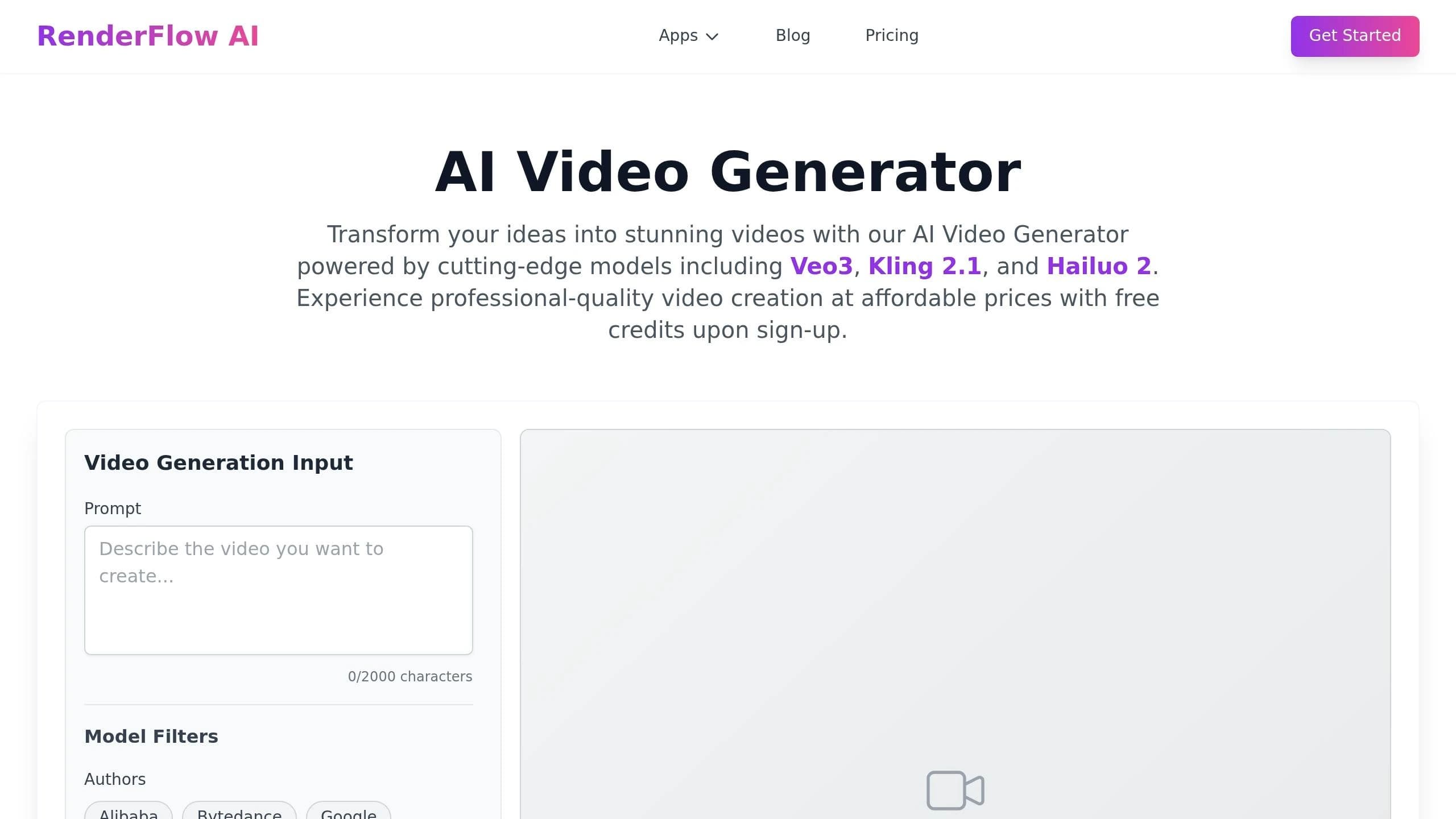
RenderFlow AI stands out with its Smart Template engine, which uses Elastic Containers to automatically adjust background boxes based on text length [29]. This feature makes it easier for teams to create videos with dynamic content, such as product descriptions, event announcements, or localized campaigns, without sacrificing efficiency or design quality.
The platform also incorporates a modular design system that applies features like grayscale filters and zoom animations consistently across templates. Additionally, its Global Controllers allow for instant updates to brand elements - like colors - across all templates, ensuring edits are quick and the overall design stays polished.
| Feature | Detail |
|---|---|
| Template Engine | Smart Template with Elastic Containers |
| Design System | Modular with inherited media properties |
| Brand Management | Global Controllers for color updates |
| Input Support | Text, image, and media placeholders |
With RenderFlow AI, you can scale your video production while keeping your brand identity consistent and professional, even as your content evolves.
Comparison Table
Here's a detailed comparison of seven AI video template APIs, highlighting their best use cases, input types, customization options, pricing, and limitations.
| API | Best Use Case | Input Types | Template Customization | Pricing | Main Limitations |
|---|---|---|---|---|---|
| APIMart | High-definition cinematic content, video extension, and character consistency | Text, keyframe images (up to 6), reference video, audio | High - Allows precise asset injection for extensive customization | Usage-based pricing; higher costs for 1080p tiers | Increased costs for 1080p and reference video inputs |
| Kling V3 Omni | Character-consistent storytelling and multimodal campaigns | Text, images, motion reference video | High - Uses an @tag system for specific subject or motion injection [3][4] | $0.0672/sec (720p) | Limited to 15-second videos |
| Kling V3 | Rapid concept shots and batch daily content | Text, start/end frame images, "Kling Elements" (2–4 images or 1 video) | High - Supports multi-shot prompting with built-in audio generation [11] | $0.0672/sec (720p); tiers include Standard, Pro, and 4K [11] | Restricted to 15-second videos |
| MiniMax Hailuo 2.3 | Fast, high-volume short-form content | Image (required), text | Medium - Focuses on character consistency in simple layouts [3] | $0.025/sec; 6-second videos cost 30 credits, while 10-second Pro versions use up to 90 credits [30] | Limited to short video lengths; less control over complex templates |
| Sora 2 Preview | Long-form coherent narratives and creative storytelling | Text, image | Medium - Features a storyboard mode for structured workflows [30] | $0.08/sec (8 credits per second) [30] | Fewer resolution options available |
| Vidu Q3 Pro | Enterprise video production for B2B teams | Text, image | Medium - Offers intelligent optimization for complex scenarios [3] | $0.12/sec | Highest per-second cost; documentation lacks depth |
| RenderFlow AI | Dynamic branded content and localized campaigns | Text, image, video, scripts, avatars | Very High - Provides fixed layouts with variable replacement and precise timeline control [2][1] | Pricing varies by plan | Less suited for freeform cinematic generation |
Key Insights
- Deep Customization: APIMart, Kling V3 Omni, and Kling V3 stand out for their high flexibility, making them ideal for projects requiring character or motion consistency across videos.
- Cost-Effective Options: MiniMax Hailuo 2.3 is a good fit when speed and affordability are priorities, especially for short clips.
- Brand Consistency: RenderFlow AI excels in scenarios that demand strict layout control and branding, though it's less equipped for freeform cinematic styles.
This table provides a quick yet comprehensive guide to help you choose the best API for your specific video creation needs.
Conclusion
Choose an AI video template API that aligns with your project's specific needs, budget, and the level of control you require.
For marketing and branding campaigns, APIMart stands out with its versatile multi-modal input options, making it ideal when consistent character presentation is a priority. On the other hand, enterprise teams working on polished and complex scenes might find Vidu Q3 Pro better suited to their performance demands. Since pricing varies depending on workflows, it's important to balance the cost of each model against your production volume and desired quality.
To save on costs, consider producing drafts in lower resolutions before rendering the final version. Keep in mind that using video references can increase expenses by 1.5–2×, so it's wise to reserve these features for the final, production-ready renders.
"The best AI video generator in 2026 isn't a model - it's a fit between output spec, access path, and unit economics." - WaveSpeed Blog
FAQs
How do I choose the right AI video template API for my use case?
When selecting an AI video template API, it's important to align the model's features with your project's specific requirements. Key factors to evaluate include:
- Control: Look for features like customizable camera paths and multi-shot consistency to ensure your videos meet creative expectations.
- Cost: Compare pricing structures, such as per-second charges or bundled credit options, to find what fits your budget.
- Resolution: Determine the output quality you need - 4K might be ideal for cinematic projects, while 1080p is often sufficient for social media content.
Platforms like APIMart make this process easier by providing access to over 500 models through a single API. This flexibility allows you to test and switch between models based on performance and cost efficiency.
What’s the cheapest way to test videos before rendering in 1080p or 4K?
Testing videos without breaking the bank is easier when you opt for lower-resolution settings like 360p or 540p. These options let you experiment and refine your content while keeping costs low. Tools like PixVerse V6 support these resolutions, making it simple to iterate quickly.
For even faster results, consider speed-focused options like SkyReels V4 Fast or Veo 3.1 Fast. These tiers are tailored for rapid prototyping, allowing you to test ideas efficiently without the expense of higher-resolution rendering.
How can I keep the same character or product consistent across videos?
To keep characters or products consistent across videos, consider using a template-based system. This means setting up fixed layouts with predefined variables for elements like avatars, product images, and backgrounds. These templates ensure your videos maintain a uniform look and feel.
Within APIMart, you can take this a step further by utilizing reference images or video inputs. These references help integrate specific visual features into new content. By reusing the same assets and configurations, you can guarantee that all your videos share a cohesive and polished style.
Related Blog Posts
Choose the model you want in the model marketplace
Try chat, image and video models in the APIMart model marketplace, and experience model capabilities quickly with one unified API.