Top 7 APIs for Speech-to-Subtitle Conversion
Compare 7 leading speech-to-subtitle APIs (APIMart, Cleanvoice, Rev AI, Deepgram, OpenAI Whisper, AssemblyAI, Google Cloud) by pricing, accuracy and use case.
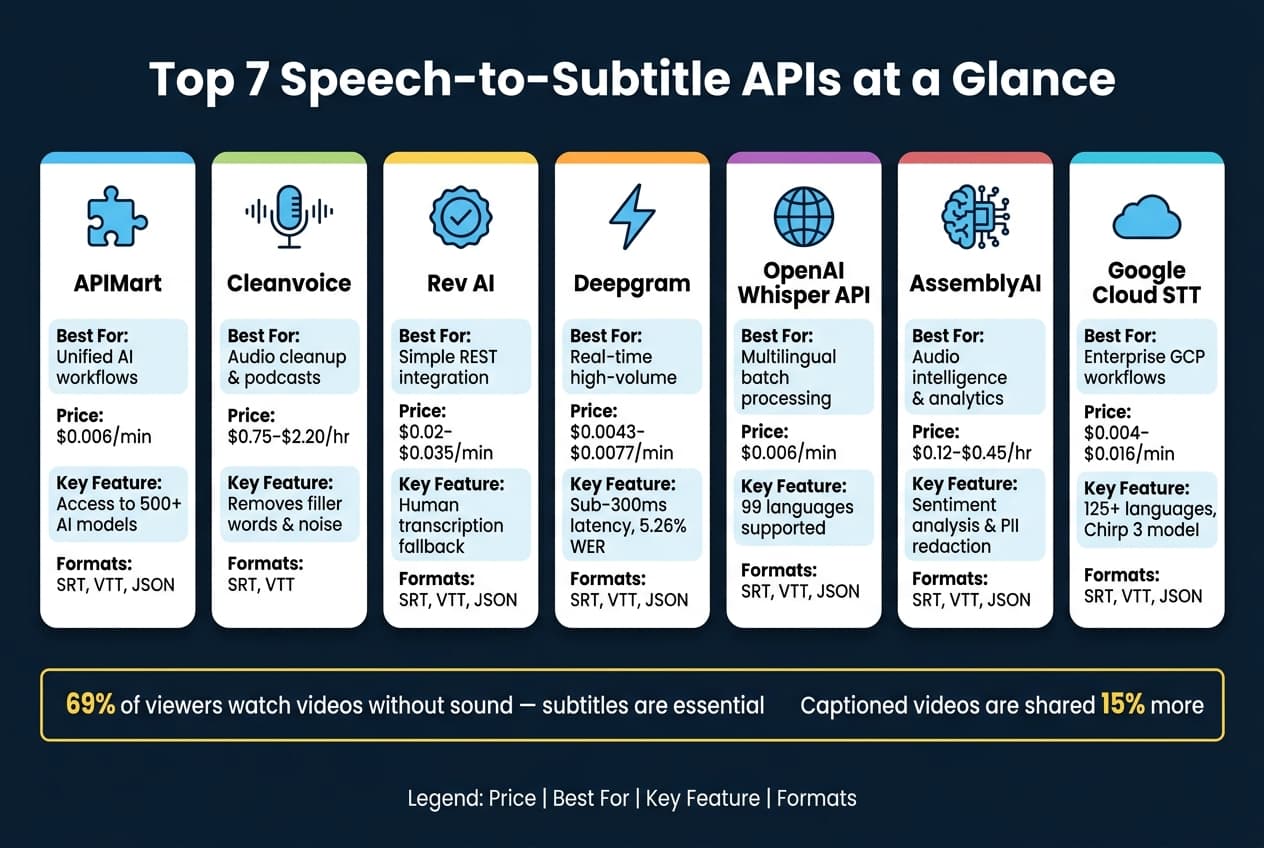
Creating subtitles from speech has never been easier thanks to modern APIs. These tools convert spoken audio into time-coded text files like SRT and VTT, making videos more accessible, engaging, and shareable. With 69% of viewers watching videos without sound and captioned videos shared 15% more, subtitles are now essential for content creators, educators, and businesses.
Here’s a quick overview of the 7 best APIs for speech-to-subtitle conversion:
- APIMart: Offers access to 500+ AI models, including Whisper-1, with detailed outputs and multilingual support.
- Cleanvoice: Specializes in cleaning audio by removing filler words and stutters, perfect for polished subtitles.
- Rev AI: Provides accurate transcriptions with real-time and batch processing options, plus human transcription fallback.
- Deepgram: Known for high accuracy and sub-300ms latency, ideal for real-time transcription in noisy environments.
- OpenAI Whisper API: Supports 99 languages with robust noise handling and precise timestamping.
- AssemblyAI: Goes beyond transcription with features like sentiment analysis and PII redaction.
- Google Cloud Speech-to-Text: Scalable solution with advanced models for enterprise-level workflows.
Quick Comparison
| API | Best Use Case | Subtitle Formats | Pricing | Key Feature |
|---|---|---|---|---|
| APIMart | Unified AI workflows | SRT, VTT, JSON | $0.006/min | Access to 500+ AI models |
| Cleanvoice | Audio cleanup for subtitles | SRT, VTT | $0.75-$2.20/hr | Removes filler words and noise |
| Rev AI | Simple integration | SRT, VTT, JSON | $0.02-$0.035/min | Human transcription fallback |
| Deepgram | Real-time transcription | SRT, VTT, JSON | $0.0043-$0.0077/min | High accuracy in noisy environments |
| OpenAI Whisper API | Multilingual batch processing | SRT, VTT, JSON | $0.006/min | Supports 99 languages |
| AssemblyAI | Advanced audio intelligence | SRT, VTT, JSON | $0.12-$0.45/hr | Sentiment analysis and PII redaction |
| Google Cloud STT | Enterprise video workflows | SRT, VTT, JSON | $0.004-$0.016/min | Scalable with 125+ language support |
Each API is tailored for specific needs, from real-time captions to large-scale enterprise workflows. Choose the one that aligns with your goals, whether it’s speed, language support, or advanced features.
The Most Accurate Speech-to-Text APIs in 2026
1. APIMart
APIMart provides access to over 500 AI models through a single integration point, making it a versatile tool for various AI-driven tasks. For speech-to-subtitle conversion, it utilizes the whisper-1 model, which ensures high accuracy even with diverse accents and noisy audio environments [1].
The platform generates precise subtitles with features like word-level timestamps, segment metadata (start and end times), and confidence indicators such as avg_logprob and no_speech_prob. These details are delivered in a verbose_json response format [2]. Additional features like automatic punctuation, capitalization, and adjustable sampling temperatures (ranging from 0 to 1, with lower values like 0.2 producing more consistent results) enhance the readability and reliability of the output [2].
APIMart supports transcription in more than 99 languages using ISO-639-1 codes. It also allows users to include an optional prompt to fine-tune results for specific terminology [2]. Subtitle outputs are available in SRT and VTT formats, alongside JSON and plain text. Supported audio file types include mp3, mp4, mpeg, mpga, m4a, wav, and webm, with a maximum file size of 25 MB [2].
Pricing is competitive, starting at approximately $0.006 per minute based on the whisper-1 model [1][3]. One of APIMart's standout features is its unified API structure, which offers flexibility to switch or combine models as your project needs evolve - without requiring changes to your integration.
With its detailed outputs and adaptable integration options, APIMart stands out as a strong contender among leading AI solutions.
2. Cleanvoice
Cleanvoice is a tool that merges transcription with automatic audio cleanup. It removes filler words like "uh", "um", and "like", along with stutters and mouth sounds, from both audio and transcripts. This makes it perfect for creating polished, error-free subtitles. It also offers built-in timestamp synchronization and automatic speaker labeling, which is especially handy for podcasts and recordings with multiple hosts [4].
The platform supports over 20 languages and accents, allows batch processing, and integrates with Make.com for workflow automation. It can export EDLs (Edit Decision Lists) that work seamlessly with tools like Adobe Premiere, DaVinci Resolve, and Audacity. Cleanvoice operates on a job-based model, making it ideal for post-production tasks rather than real-time streaming [4][7]. Its features are tailored for users looking to streamline their subtitle creation during post-production.
Pricing Plans
Cleanvoice offers flexible pricing based on usage:
| Plan Type | Hours | Price (USD) | Effective Rate |
|---|---|---|---|
| Pay-As-You-Go | 5 hrs | $11 | $2.20/hr |
| Pay-As-You-Go | 30 hrs | $45 | $1.50/hr |
| Monthly Subscription | 10 hrs/mo | $11/mo | $1.10/hr |
| Monthly Subscription | 100 hrs/mo | $90/mo | $0.90/hr |
| Annual Subscription | 100 hrs/mo | $900/yr | ~$0.75/hr |
| Enterprise | 200+ hrs/mo | Custom | Custom |
New users can try Cleanvoice with 30 minutes of free credit. Plus, subscription credits roll over for up to three months, allowing users to accumulate up to three times their subscribed limit. For teams handling large volumes, the enterprise tier includes custom endpoints and priority support [4][7].
"Cleanvoice does not try to be everything. It just fixes what matters. It cleans filler words, trims silences, removes those little lip sounds and background clicks, and lets you keep your natural tone." - Tomas Loucky, Host of Produced By [5]
3. Rev AI
Rev AI stands out as a solid option for converting speech into subtitles. Its ASR model has been trained on an impressive 7 million hours of human-verified speech, resulting in highly accurate transcriptions [10][8]. The service provides per-word timestamps in JSON format, ensuring precise alignment for subtitles [9].
To improve readability, Rev AI incorporates features like punctuation, capitalization, and ITN (turning "June twentieth" into "June 20th"). It also filters out filler words and profanities, covering a list of around 600 terms [9]. This means the output is clean and requires minimal manual editing.
The platform offers flexibility with asynchronous API support for batch processing, including integration with YouTube and Vimeo, as well as a streaming API for real-time transcription via WebSocket and RTMP protocols [13][15]. It supports more than 14 output formats such as SRT, WebVTT, and Scenarist (.scc), and provides SDKs for Python, Node.js, and Java [14].
Rev AI is built to handle large-scale transcription needs, processing up to 10,000 requests every 10 minutes. Shorter jobs are typically completed in under 5 minutes [11].
"Using the Rev API to transcribe our user interviews saves us hours of time on every project." - David Kahn, CEO, Instapanel [12]
Pricing Plans
| Plan | Price | AI Minutes Included |
|---|---|---|
| Free | $0 | 45 min/month |
| Essentials | $25.49/seat/month (billed annually) | 5,000 min/month |
| Pro | $47.99/seat/month (billed annually) | 10,000 min/month |
| Unlimited | Custom | Unlimited |
| Pay-as-you-go | $0.035/min | - |
| Enterprise | From $0.020/min | High-volume discounts |
For those needing human-verified captions, pricing starts at $1.99 per file, with at least 99% accuracy guaranteed for clear audio [12]. Burned-in captions (open captions) are available as an add-on for $0.30 per audio minute [15]. Startups may also qualify for one year of free usage and $5,000 in credits [14].
4. Deepgram
Deepgram stands out for its impressive accuracy and speed, even in tough audio environments. Its Nova-3 model achieves a 5.26% Word Error Rate (WER) on English benchmarks [20], making it a strong performer for noisy settings, overlapping speech, and low-quality phone recordings.
When it comes to subtitles, Deepgram offers a unique approach by combining word-level timestamps with phrase-level "utterances", perfectly aligning with SRT and WebVTT timing formats [16]. Plus, its Smart Formatting feature handles punctuation, capitalization, dates, and currency automatically, ensuring polished transcripts without any extra charges across all plans [17].
Deepgram supports two transcription modes: batch processing for pre-recorded files (via REST API) and real-time streaming (via WebSocket). For live captions, it delivers end-to-end latency of around 200-400ms [20]. Developers can take advantage of SDKs for languages like Node.js, Python, .NET, Go, and Rust [16]. Batch transcription operates at 100x real-time speed, making it a great choice for quickly processing archives [21]. The platform also covers 45+ languages for batch jobs and over 10 for real-time multilingual transcription [17][18].
Pricing is transparent, with charges based on the exact second of audio processed - no rounding up to the nearest minute [17]. New users receive $200 in free credit, translating to approximately 43,000 minutes of transcription [17].
| Plan | Nova-3 Monolingual (Batch) | Nova-3 Monolingual (Streaming) | Speaker Diarization Add-on |
|---|---|---|---|
| Pay As You Go | $0.0043/min | $0.0077/min | +$0.0020/min |
| Growth (min. $4,000/yr) | $0.0036/min | $0.0065/min | +$0.0017/min |
The Growth plan offers about 20% savings compared to Pay As You Go pricing [17]. For those needing more control, Deepgram also supports on-premises deployment and complies with SOC 2 Type 2 and HIPAA standards [17].
Next, we'll dive into another solution that simplifies the speech-to-subtitle workflow even further.
5. OpenAI Whisper API
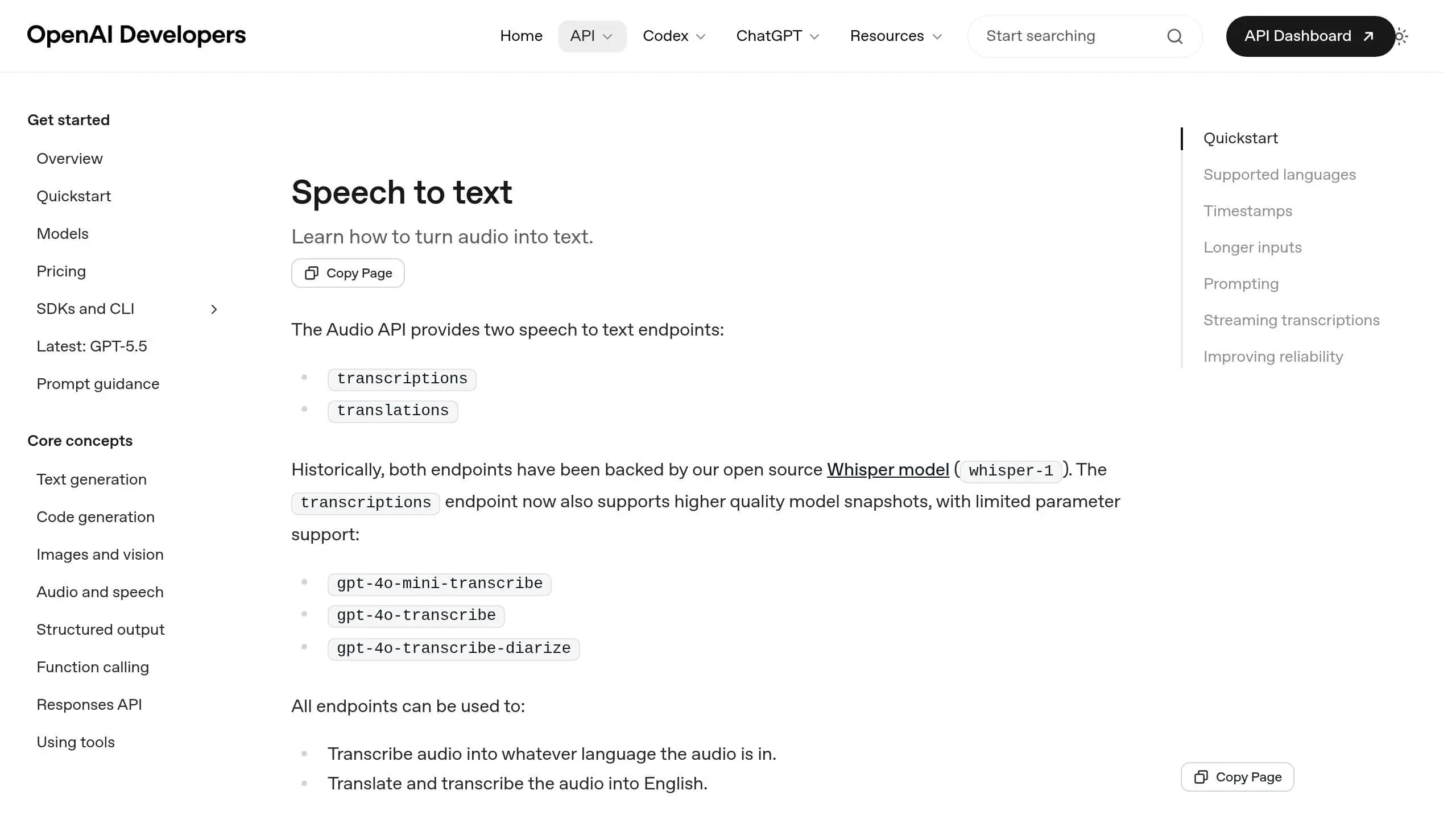
The OpenAI Whisper API allows you to generate highly accurate subtitles with built-in support for standard subtitle formats like SRT and VTT. This means you can seamlessly incorporate subtitles into your video editing workflow without extra steps [24]. The API provides both word-level and segment-level timestamps, giving you precise control over how subtitles align with your audio [24].
Whisper delivers strong accuracy across multiple languages. Independent tests show its performance at 97% accuracy for Spanish, 96% for Italian, and 95.8% for English when the audio is clear [22]. The model was trained using a massive dataset of 680,000 hours of multilingual content spanning 98 languages. Out of these, 57 languages meet the industry standard of under a 50% word error rate [23]. The translations endpoint is another handy feature - it converts any supported language directly into English text, making it a great tool for creating English subtitles from foreign-language videos [24].
One standout feature is prompt guidance. You can input a short prompt to guide the model’s output, helping it maintain specific punctuation styles, preserve terminology, or even filter out filler words like "uh" or "umm." For instance, a prompt like "Hello, welcome to my lecture" ensures the model keeps punctuation and phrasing consistent with your intent [24]. For even deeper control, the verbose_json format provides metadata such as confidence scores (avg_logprob) and silence detection (no_speech_prob). This can help you fine-tune results by filtering out background noise or irrelevant audio [25].
When it comes to integration, the whisper-1 model supports batch uploads for files up to 25 MB via a REST API, with SDKs available for Python and Node.js [24]. For larger audio files, you’ll need to split them into smaller segments while ensuring context is preserved [24]. If you’re working on live transcription, the gpt-4o-transcribe model supports streaming with the stream=true parameter. Additionally, the Realtime API uses server-side Voice Activity Detection (VAD) to handle ongoing audio streams [26][27]. These features make the API a flexible tool for streamlining video editing and transcription workflows.
Pricing is straightforward: the whisper-1 model costs $0.006 per minute, while real-time transcription using GPT-4o models is priced at $0.017 per minute [27]. Rate limits range from 500 to 10,000 requests per minute, allowing the API to scale for both small projects and high-volume workflows.
| Feature | whisper-1 | gpt-4o-transcribe |
|---|---|---|
| Pricing | $0.006/min | $0.017/min (Realtime) |
| Streaming | Not supported | Supported (stream=true) |
| Subtitle Formats | SRT, VTT | JSON, Text only |
| Timestamp Granularity | Word & Segment level | Limited |
| Speaker Diarization | No | Yes (via diarize variant) |
6. AssemblyAI
AssemblyAI offers precise word and sentence timestamps down to the millisecond, making subtitle syncing seamless [28]. It also comes with automatic punctuation and casing, saving users from the hassle of manually cleaning up transcripts. Plus, the chars_per_caption parameter (e.g., set to 32) ensures subtitles stay concise and easy to read [29][30].
The Universal-3 Pro model delivers a 6.3% mean Word Error Rate (WER) across English domains and achieves 92.7% accuracy for recognizing entities like names, emails, and phone numbers [32]. While Universal-2 supports over 99 languages, Universal-3 Pro focuses on English, Spanish, German, French, Italian, and Portuguese, offering advanced features such as real-time prompting and code-switching [32][34].
With its high accuracy, AssemblyAI provides flexible integration options, including batch REST APIs and real-time WebSocket streaming. For live scenarios, it boasts an end-to-end latency of under 200ms [32]. Developers can also take advantage of a Python SDK and native integrations with platforms like Twilio and LiveKit. Subtitles can be exported in SRT format for media players or VTT format for HTML5 web players [31].
Pricing is based on usage per second. Batch processing starts at $0.15 per hour for Universal-2 and $0.21 per hour for Universal-3 Pro. Real-time streaming with Universal-3 Pro is priced at $0.45 per hour, with an optional streaming speaker diarization add-on available for $0.12 per hour. New users are welcomed with $50 in free credits [33][34].
In 2025, Siro, a sales analysis platform, integrated AssemblyAI's Speech-to-Text technology and reported a 90% drop in customer complaints and support tickets, thanks to more accurate transcriptions [34]. For teams managing large workloads, AssemblyAI automatically scales concurrent streams, starting at 100 sessions per minute and increasing capacity by 10% whenever 70% of the current limit is reached [34].
7. Google Cloud Speech-to-Text
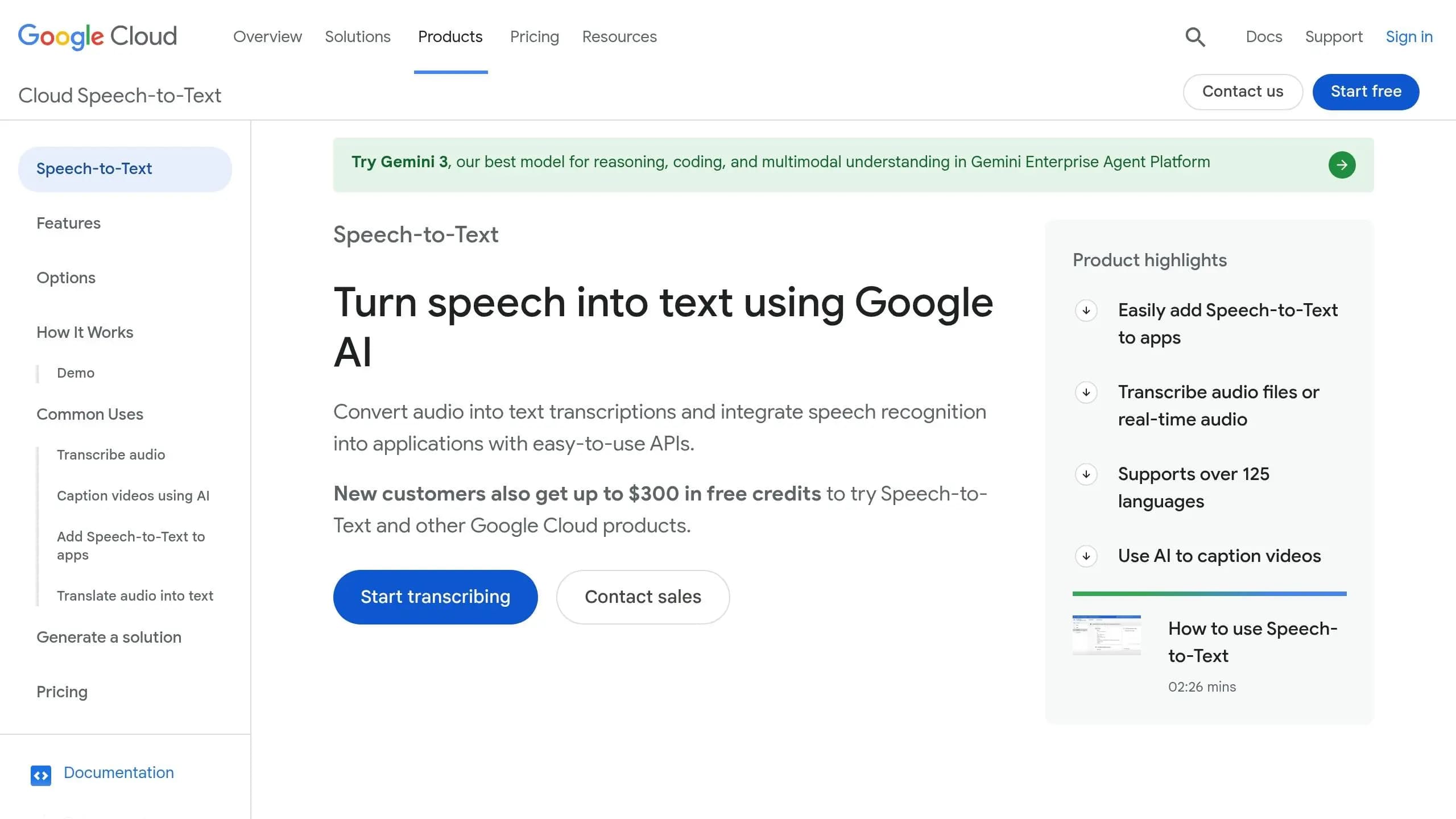
Wrapping up, Google Cloud Speech-to-Text uses the powerful Chirp 3 model to create high-quality subtitles, even in challenging environments with background noise or diverse accents. This model, built on a massive 2-billion parameter foundation, has been trained on millions of hours of audio and 28 billion sentences in over 100 languages [35][36]. Such extensive training ensures it performs well with various accents, noisy settings, and specialized vocabulary - all without needing custom training. It's particularly effective for indexing and subtitling videos and multi-speaker content. For those looking to generate AI videos with high-quality synced audio from the start, professional generation tools offer a streamlined alternative.
The V2 API simplifies workflows by using the BatchRecognize method, which directly generates .srt and .vtt subtitle files, eliminating the need for post-processing. Word time offsets can be activated to provide precise word-level timestamps, keeping subtitles perfectly aligned with audio [37]. Automatic punctuation further boosts readability [35]. Additional features like speaker diarization and speech adaptation enhance accuracy, especially for technical or specialized content.
This API supports over 125 languages and regional variants. Its Multiple Language Recognition feature automatically identifies the best-fit language for audio content [39]. For mixed-language recordings, users can specify a primary language and up to three alternatives, and the system will select the most appropriate one. There's also a Media Translation API that can simultaneously transcribe and translate audio into more than 100 languages [38]. Integration options include synchronous mode for short audio, asynchronous batch processing for files up to 8 hours long, and real-time streaming. The platform can handle up to 300 concurrent streaming sessions and 150 batch requests per minute in each region [40], making it ideal for large-scale enterprise video workflows.
Pricing for the standard V2 API starts at $0.016 per minute [35]. For less time-sensitive tasks, the Dynamic Batch option slashes costs by 75%, bringing the rate down to about $0.004 per minute for results delivered within 24 hours [36][41]. High-volume users processing over 100,000 hours annually may qualify for custom pricing. New customers can take advantage of $300 in free credits and a free tier offering 60 minutes of transcription each month [35][41]. However, additional charges from related Google Cloud services, such as Cloud Storage (about $0.020/GB) and data egress fees, may apply. To manage expenses effectively, it's wise to set budget alerts in the Google Cloud console [41].
Comparison Table
This table brings together key details from the API overviews, making it easier to evaluate options by comparing pricing models, supported formats, and standout features side by side.
| API | Best Use Case | Subtitle Formats | Pricing Model | Standout Feature |
|---|---|---|---|---|
| APIMart | Unified AI workflows needing speech and other AI models | SRT, VTT, JSON | Usage-based; access to 500+ models under one API | Single API access to over 500 AI models including speech, video, and language |
| Cleanvoice | Podcast and audio cleanup before subtitling | SRT, VTT | Subscription + usage | Automated filler word and noise removal |
| Rev AI | App embedding with simple REST integration | SRT, VTT, JSON | $0.02/min (async) / $0.035/min (streaming) | Human transcription fallback at $1.99/min for 99%+ accuracy [19] |
| Deepgram | Real-time, high-volume transcription | SRT, VTT, JSON | $0.0043/min (batch) / $0.0077/min (streaming) | Sub-300ms latency with Nova-3 model [6][19] |
| OpenAI Whisper API | Multilingual batch processing | SRT, VTT, JSON | $0.006/min | Supports 99 languages with robust noise handling [6] |
| AssemblyAI | Content teams needing audio intelligence | SRT, VTT, JSON | $0.12-$0.21/hr (batch) / $0.15-$0.45/hr (streaming) | Built-in summaries, PII redaction, and sentiment analysis [6][19] |
| Google Cloud STT | GCP-native apps and enterprise video workflows | JSON (native); SRT/VTT via BatchRecognize | $0.016-$0.024/min | Chirp 3 model with massive scalability [6] |
A few key takeaways stand out. For real-time transcription, Deepgram offers some of the most competitive rates, with streaming prices far lower than those of Google Cloud, which can cost 3-10 times more for similar accuracy levels [19]. Additionally, features like speaker diarization can add to the total cost, so it’s important to consider these extras when comparing providers [19].
This overview simplifies the decision-making process, helping you choose the right API for your needs.
Conclusion
Every API discussed has its strengths, tailored to different needs. Deepgram excels in real-time, high-volume transcription with lightning-fast sub-300ms latency. OpenAI Whisper API stands out for multilingual batch processing, offering flexibility at a cost-effective $0.006 per minute. AssemblyAI goes beyond transcription, integrating features like sentiment analysis for added audio insights. Rev AI provides easy REST integration and the option for human transcription to boost accuracy. Meanwhile, Google Cloud Speech-to-Text is a natural fit for enterprises already using GCP. Lastly, Cleanvoice improves audio clarity, making it a great choice for subtitling workflows.
When selecting an API, think about three key questions: How fast do you need results? How many languages must be supported? And what comes next after transcription? For live events, speed is crucial. For global content, multilingual precision is a priority. And for enterprise-level video libraries, compliance and scalability take center stage. Matching your needs to these factors ensures your choice supports both current demands and future growth.
Runbo Li, CEO of Magic Hour, captures the importance of these tools perfectly:
"Subtitle APIs sit at the intersection of accessibility, growth, and automation. They are no longer a 'nice to have' - they are infrastructure." - Runbo Li, CEO of Magic Hour [1]
For teams managing complex workflows that extend beyond transcription into advanced video editing or generation, platforms like APIMart can simplify the process. With access to over 500 AI models spanning speech, video, and language tasks, APIMart consolidates multiple needs into a single integration, saving time and effort.
Subtitles have shifted from being optional to being a baseline requirement. Choosing the right API today lays the foundation for a scalable workflow that meets growing demand.
FAQs
How do I choose the best subtitle API for my needs?
To find the right subtitle API, start by identifying what matters most to your project: accuracy, speed, and integration requirements. Determine whether features like multi-language support, real-time or batch processing, or specific output formats (like SRT or VTT) are essential. Check if the API works smoothly with your platform and fits within your budget. The key is aligning the API's capabilities with your goals - whether you need top-notch precision for professional tasks, flexibility for custom workflows, or ease of use for fast implementation.
What’s the best way to handle audio files over 25 MB?
To work with audio files larger than 25 MB using speech-to-text APIs, you can rely on streaming or batch processing options. Streaming allows you to process smaller portions of audio in real time, eliminating the need to upload massive files all at once. Alternatively, you can divide the audio into smaller segments, which helps bypass size restrictions and minimizes delays. Make sure to verify if the API supports transcription for large files, and tailor your method to ensure efficient processing.
How can I improve subtitle accuracy for jargon and names?
To improve the accuracy of subtitles when dealing with jargon or specific names, many speech-to-text APIs offer custom vocabulary features. These tools - such as phrase boosting or keyword hints - allow you to define terms that the API should prioritize. By including these specialized words or phrases, the API becomes better equipped to handle domain-specific language and proper names. This leads to more accurate and precise transcriptions, especially for technical or niche content.
Related Blog Posts
Choose the model you want in the model marketplace
Try chat, image and video models in the APIMart model marketplace, and experience model capabilities quickly with one unified API.