Top Kling Video O1 Alternatives You Should Know
Explore the top Kling Video O1 alternatives for 2026 — APIMart, Runway, Luma, Pika, Ngram, Synthesia, and HeyGen — compared on features and pricing.
Kling Video O1, launched in December 2025, combines text-to-video, image-to-video, and advanced contextual editing into a single workflow. While it delivers visually consistent 1080p videos with smooth motion, its 10-second clip limit, slow rendering (60–180 seconds), and lack of stock libraries or editing tools leave room for improvement. For teams juggling diverse production needs, here are seven alternatives worth exploring:
- APIMart: A centralized AI API marketplace offering access to 500+ models for text, image, audio, and video tasks like Veo 3.1. Flexible workflows and competitive pricing make it ideal for developers.
- Runway: Known for its Gen-4.5 model, it excels in frame control and cinematic quality, with tools like Motion Brush and camera path control.
- Luma Dream Machine: Focused on rapid, cinematic drafts with tools for natural-language edits and visual annotations.
- Pika: Built for speed, it generates short, engaging clips with effects like transitions and object swaps, perfect for social media.
- Ngram: Converts existing assets (like PDFs or URLs) into polished videos, automating scripts and visuals for SaaS teams and marketers.
- Synthesia: Specializes in AI avatars for training and explainer videos, supporting over 160 languages with precise lip-syncing.
- HeyGen: Focused on AI avatar presenters with tools for video translation, photo-to-video, and cinematic effects.
Quick Comparison
| Platform | Strengths | Weaknesses | Pricing Highlights |
|---|---|---|---|
| APIMart | Unified API for 500+ models; flexible pricing | Requires API integration | $0.13–$0.23/sec (1080p) |
| Runway | Advanced editing, cinematic tools | Silent videos, higher cost | $12–$95/month (credits-based) |
| Luma | Fast drafts, cinematic tools | Artifacts in outputs | $9.99–$94.99/month |
| Pika | Speed, affordable plans | Limited character tools | $8–$76/month |
| Ngram | Converts existing assets into videos | Simplified timeline editor | $23.20–$239.20/month |
| Synthesia | AI avatars, multilingual support | Limited to presenter videos | $22–$10,000+/year |
| HeyGen | AI avatars, translation tools | Repetitive gestures in long videos | $29–$149/month |
Each platform caters to specific needs, from cinematic storytelling to social media content or corporate training. Your choice will depend on your workflow, budget, and production goals.
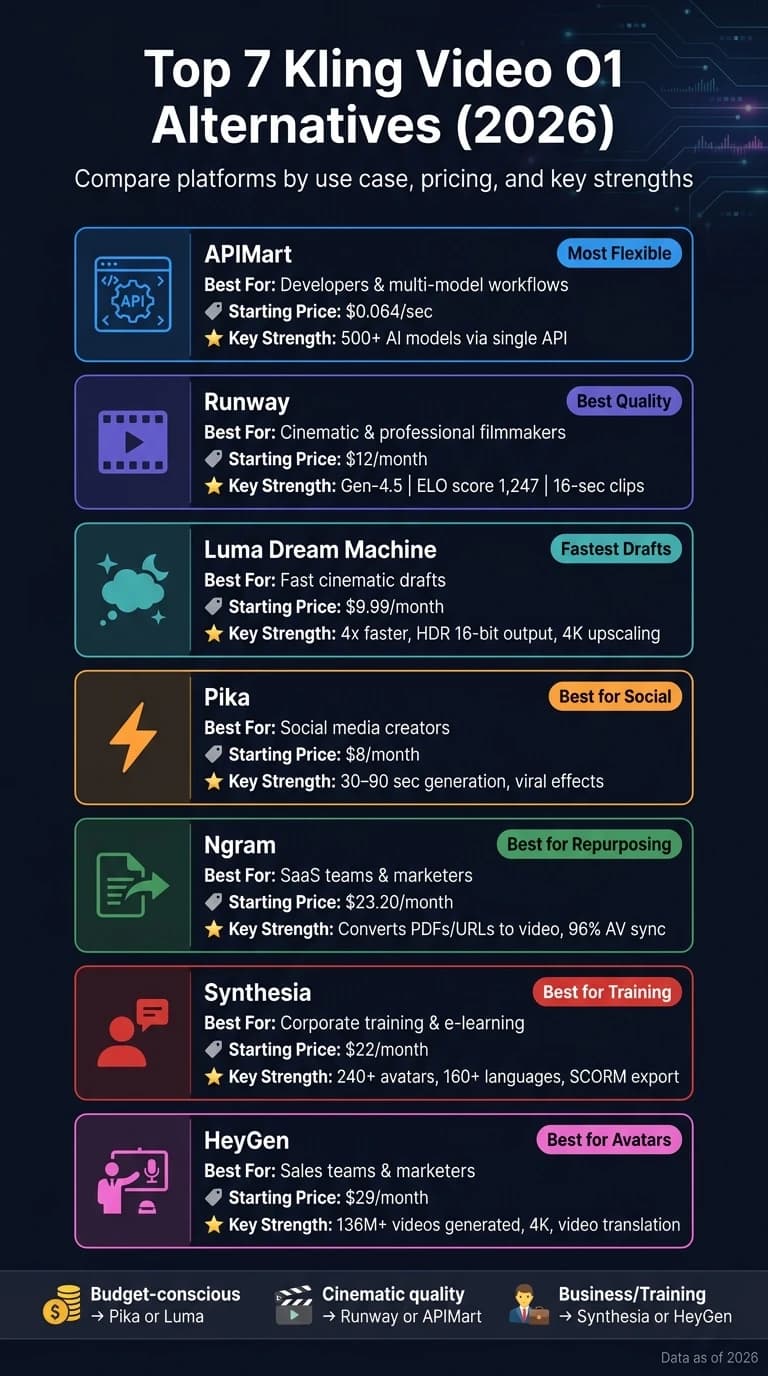
Best AI Video Generators Right Now (2026)
1. APIMart

APIMart isn't your typical video generator. Instead, it's a centralized AI API marketplace that grants developers and teams access to over 500 AI models - spanning video, image, text, and audio - all through a single API key and a unified billing account in USD. Acting as an orchestration layer, it simplifies access to multiple video engines, making it a versatile tool for diverse creative projects.
Generation Modes
APIMart offers a range of video-related capabilities, including text-to-video, image-to-video, video editing, video continuation, and audio-driven video generation. The platform hosts models like HappyHorse 1.0, SkyReels V4, VEO 3.1, Sora 2, and Doubao-Seedance 2.0. Users can route the same prompt through different engines, compare outputs, and select the one that best suits their needs. This multi-engine setup not only provides variety but also streamlines complex production workflows.
Multi-Modal Capabilities
One of APIMart’s standout features is its ability to support end-to-end workflows. For example, a marketing team could use a text model to draft a campaign script, an image model to create product visuals, and a video model to animate the final result - all within the same API ecosystem. A prime example is HappyHorse 1.0, which processes text, image, video, and audio tokens simultaneously, generating synchronized dialogue, ambient effects, and motion.
"HappyHorse 1.0 cut our localization time by 70%. One prompt, seven languages, all with matching mouth shapes." - Sarah Kim, Marketing Manager
These capabilities make APIMart a flexible and efficient choice for teams looking to produce high-quality content quickly.
Output Quality
The quality of output depends on the model selected. For instance, HappyHorse 1.0 is a top performer, ranking #1 on Artificial Analysis leaderboards for text-to-video (1,333 Elo) and image-to-video (1,392 Elo) as of April 2026. It delivers native 1080p video in roughly 38 seconds using a single H100 GPU [5]. For higher-end needs, VEO 3.1 supports up to 4K resolution. Across its video generation services, APIMart maintains a 99.9% SLA uptime, ensuring reliability for users.
Pricing
APIMart’s pricing is straightforward, with charges billed in USD on a per-second or per-clip basis, depending on the model. Here’s a snapshot of current rates:
| Model | Resolution | Price |
|---|---|---|
| HappyHorse 1.0 | 720p | $0.13/sec |
| HappyHorse 1.0 | 1080p | $0.23/sec |
| SkyReels V4 Fast | 1080p | $0.064/sec |
| Kling V3 | 720p | $0.0672/sec |
| Sora 2 Preview | - | $0.08/sec |
Teams can control costs by using budget-friendly models for drafts and reserving premium models for final outputs. Volume discounts are available for high usage, making it a scalable option for larger projects.
Integration Options
APIMart uses a standardized RESTful API with Bearer Token authentication. Video generation operates asynchronously: users submit a request, receive a task ID, and poll for results. This setup integrates smoothly with backend systems like Node.js or Python, serverless platforms such as AWS, GCP, or Azure, and even low-code automation tools. For non-technical users, the API can be wrapped into internal dashboards or content tools. Plus, a single consolidated invoice in USD simplifies procurement and expense tracking, making vendor management more efficient.
2. Runway
Runway gives creators precise control over video frames, with its standout model, Gen-4.5, leading the pack in video generation. This model supports text-to-video, image-to-video, and video-to-video capabilities, earning the top spot on the Artificial Analysis leaderboard with an impressive ELO score of 1,247 for visual fidelity and temporal consistency as of early 2026 [6][8].
Generation Modes
Gen-4.5 offers multiple generation modes, including text-to-video, image-to-video, and video-to-video. Its video-to-video feature is particularly striking, allowing users to transform basic footage - like a smartphone clip - into something resembling a polished, cinematic production. For faster iterations, the Gen-4 Turbo variant is available at just 5 credits per second, compared to 25 credits for Gen-4.5. These options highlight Runway's flexibility and its ability to handle diverse creative needs.
Multi-Modal Depth
One of Runway's standout features is World Consistency, which ensures characters maintain a consistent appearance across scenes by allowing up to three reference images. This tackles the common "flicker" issue, where subtle changes in a character's face or clothing can disrupt continuity [8][6]. Add tools like Motion Brush and Camera Path Control, and Runway becomes more than just a generator - it feels like a full editing suite.
"Runway wins on creative control: motion brush, image-to-video, camera control, lip-sync, extension tools, video in-painting. It's a mini Final Cut + AI." - Comparateur-IA [9]
However, one drawback is that Runway outputs silent video, unlike Kling O1 or Veo 3.1, which include synchronized audio. This means users need a separate audio pipeline for dialogue or sound effects [8].
Output Quality
Runway's engineering ensures high-quality results. Videos are natively rendered at 1080p, with optional 4K upscaling available on higher-tier plans. Each generation can produce clips up to 16 seconds long, and multi-shot sequences can extend to around 60 seconds [6][7]. Its camera movement prompts are accurate about 85% of the time [10], making it a reliable choice for creators seeking precise control.
Pricing
| Plan | Monthly Cost | Credits Included |
|---|---|---|
| Free | $0 | 125 (one-time) |
| Standard | $12–$15 | 625 |
| Pro | $28–$35 | 2,000–2,250 |
| Unlimited | $76–$95 | Unlimited (tiered) |
A 10-second Gen-4.5 clip costs around 250 credits, meaning the Standard plan's 625 credits cover roughly 3–4 finished clips per month [6][8]. As Paul Grisel, Founder of VIDEOAI.ME, notes: "Kling for volume, Runway for polish." For those seeking high-end cinematic results, MiniMax Hailuo 2.3 also offers professional-grade consistency. [11]. Alongside its pricing, Runway's integration options make it a versatile tool for creators.
Integration Options
Runway supports a range of workflows with its robust API and SDKs for Python and Node.js. It also integrates with tools like Adobe, making it ideal for studios and agencies looking to automate batch generation or incorporate AI into their post-production pipelines [10][8]. For freelancers and marketers, the web interface offers intuitive tools like Motion Brush and inpainting, no coding required. This accessibility ensures that Runway caters to a variety of users, from solo creators to large teams.
3. Luma Dream Machine
The Luma Dream Machine brings a cinematic flair to AI-powered video creation. Built on the Ray3.14 reasoning model (introduced in early 2026), this platform aims to make video generation feel like directing a scene rather than just operating a tool. AI Analyst Steven Austin highlights its unique approach: "Dream Machine is built for momentum, not perfection. It can get you from idea to strong draft very quickly." [15] Below, you'll find an overview of its generation modes, multi-modal features, output quality, pricing, and integration options.
Generation Modes
Luma offers a variety of generation options, including text-to-video, image-to-video, and video-to-video transformations. It also features a "Modify with Instructions" tool, which allows users to make natural-language edits to their footage. This includes restyling scenes, removing objects, or altering environments without needing to manually mask elements [16]. For those working on tight deadlines, the Draft Mode delivers results up to 20x faster and at 5x lower cost than standard rendering, making it ideal for quick iterations before finalizing a project [14].
Multi-Modal Depth
Luma provides intuitive controls for creative direction. With its Visual Annotation feature, users can sketch directly onto frames to define camera movements and scene adjustments without relying solely on text input [14]. Additionally, the platform treats camera movement as a key instruction, supporting precise cinematic techniques like dolly-ins, tracking shots, and crane moves. However, it currently lacks built-in support for audio, lip-syncing, and multi-shot narrative generation [12]. For creators seeking alternatives with different reasoning capabilities, Grok Video offers another high-quality option for text-to-video generation.
Output Quality
The Ray3.14 model delivers native 1080p video with an optional 4K upscaling feature. Compared to its predecessor, it is 4x faster and 3x cheaper at 720p resolution [15]. Luma is also the first AI video tool to offer 16-bit HDR output in the ACES2065-1 EXR format, making it compatible with professional VFX workflows [19]. While about 20–30% of its outputs are production-ready, some results may show artifacts, such as face morphing issues [17].
"Luma makes beautiful things. Kling makes things that sell." - Paul Grisel, Founder, VIDEOAI.ME [13]
Pricing
Luma offers a range of pricing plans to suit different needs:
| Plan | Monthly Cost | Credits Included | Notes |
|---|---|---|---|
| Free | $0 | 30 generations | Watermarked, personal use only |
| Lite | $9.99 | 3,200 credits | Watermarked, personal use only |
| Plus | $29.99 | 10,000 credits | Commercial license, no watermark |
| Unlimited | $94.99 | 10,000 fast + unlimited relaxed | Best for high-volume users |
For reference, generating a 10-second 1080p clip on the Ray2 model costs roughly 340 credits [16]. This means the Plus plan can cover about 29 finished clips per month.
Integration Options
Luma emphasizes smooth integration into existing workflows. Its API pricing starts at $0.08 per second of video generated, with API credits sold separately from subscription plans [12]. For enterprise users, Luma offers features like SSO, shared team credits, usage analytics, and a privacy guarantee that ensures no training data is extracted from user content [20]. Additionally, the Ray3 model integrates with platforms like Adobe Firefly and Amazon Bedrock, making it a practical choice for studios already using these tools [19].
4. Pika
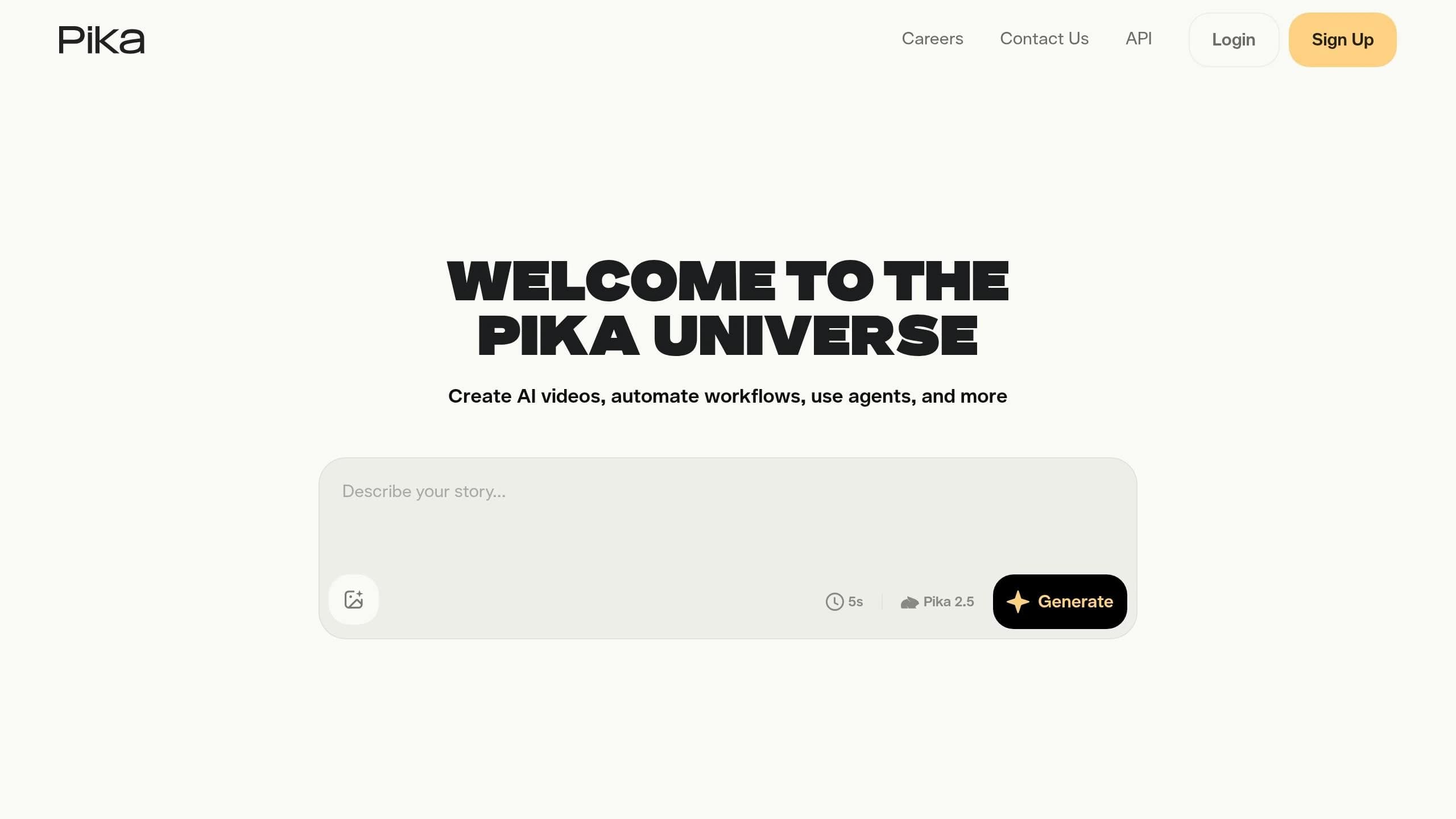
Pika is built for speed and creativity, catering to social media creators and marketers who need quick, eye-catching results. It’s designed to generate clips in as little as 30–90 seconds, making it a go-to tool for fast-paced content creation [21]. Its focus on rapid workflows and creative versatility makes it a standout option for generating engaging visuals.
Generation Modes
Pika offers multiple ways to create content, including text-to-video, image-to-video, and video-to-video generation. One of its most interesting features is PikaFrames, which allows users to upload start and end images for a smooth AI-generated transition. Additionally, Pika includes several one-click tools aimed at creating viral content:
- Pikaffects: Adds dramatic effects like "melt", "explode", or "transform."
- Pikaswaps: Replaces objects or people mid-scene.
- Pikadditions: Inserts new elements into existing footage.
These tools are tailored for short, shareable clips rather than extended narratives.
Multi-Modal Depth
Pika’s Scene Ingredients feature combines visual elements from multiple images, while Scene Extension ensures continuity by using ending frames to link clips [21]. However, Pika doesn’t yet offer a character consistency tool, such as Kling's "Elements" feature, which could be a drawback for projects that require recurring characters across scenes [21].
Output Quality
Pika supports resolutions up to 1080p on its paid plans, with 4K unlocked at the Pro tier [22]. It also includes automatic sound effect generation that syncs with on-screen actions, such as a metal crunch during a collision. While its speed is a major advantage, the platform’s stylized motion engine can occasionally struggle with rendering complex human movements, a challenge also addressed by WAN 2.7 [6].
"While everyone was arguing about whether Runway or Sora would win the AI video war, Pika quietly did something none of them could match: it made video generation feel instant." - Digital by Default [23]
Pricing
Pika offers some of the most affordable plans in the AI video space:
| Plan | Monthly Cost (Billed Annually) | Credits | Key Features |
|---|---|---|---|
| Basic | $0 | 80/month | 480p, watermarked, personal use only |
| Standard | $8 | 700/month | 1080p, no watermark, commercial use |
| Pro | $28 | 2,300/month | 4K, faster generation, API access |
| Fancy | $76 | 6,000/month | Highest speeds, bulk generation |
Integration Options
Pika is primarily web-based but also offers native desktop apps for macOS and Windows, along with an iOS app for applying Pikaffects to mobile footage [22]. API access is included with the Pro and enterprise plans, making it a good fit for teams looking to automate content production. The platform also features Studio, a timeline-based editor that allows users to sequence clips and layer effects without switching tools. These integrations make Pika a flexible solution for teams aiming to produce dynamic content quickly and efficiently.
5. Ngram
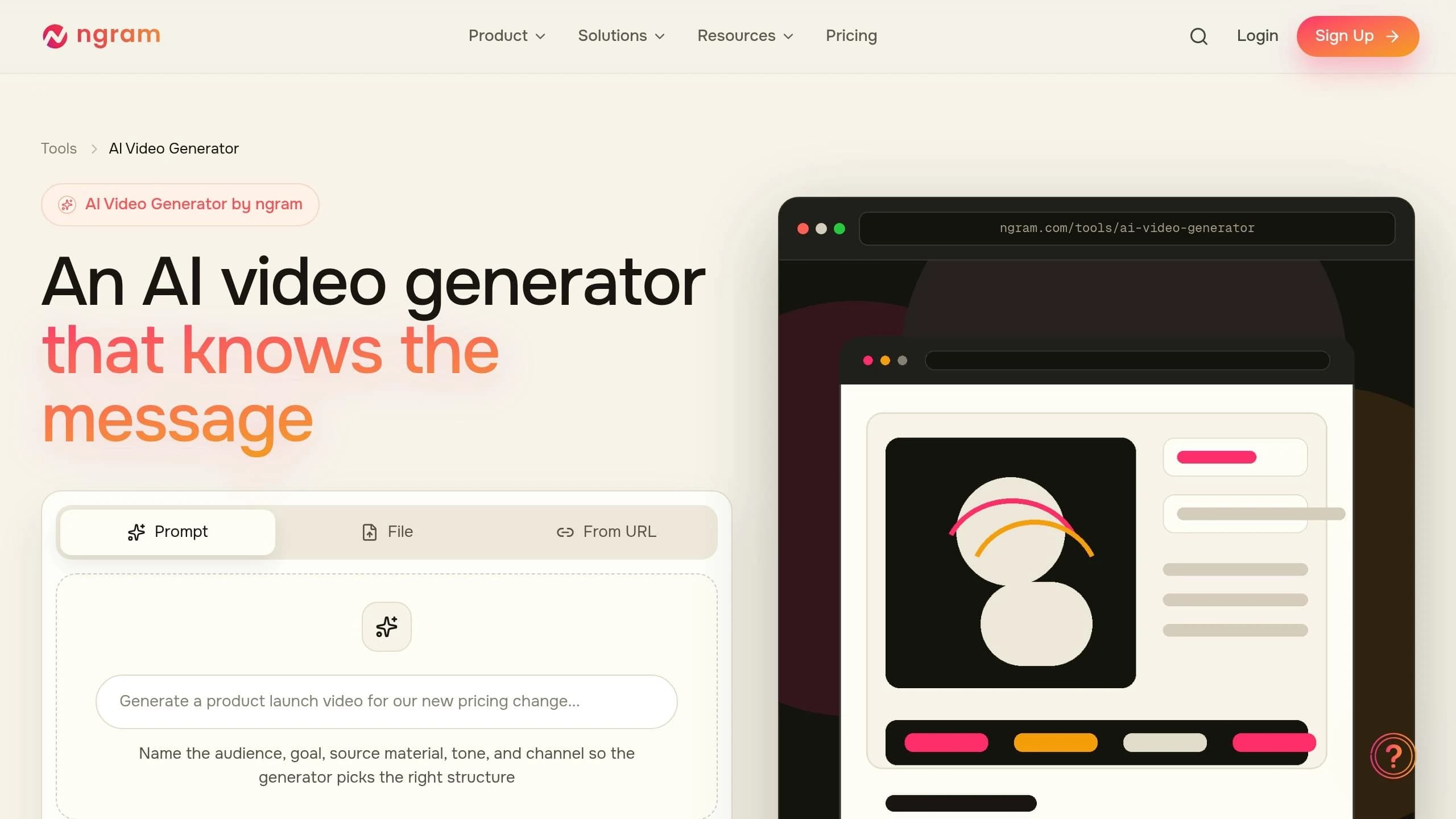
Ngram stands out in the crowded field of unified multi-modal AI with its unique approach to video generation. Instead of starting from scratch, it transforms existing assets - like documents, screen recordings, website URLs, or PDFs - into polished, professional videos. This makes it especially useful for SaaS teams, product marketers, and customer success managers.
"Ngram starts with what you already have." - Kyra Rachitsky, Content & Insights, Ngram [25]
Generation Modes
Ngram offers three ways to kick off a video project: Start from a URL by pasting a product page or blog post, Upload content such as PDFs, documents, or screen recordings, or Describe your video using a text prompt [24]. Its streamlined workflow - Idea → Script → Storyboard → Render - ensures users can review and approve the script before visuals are generated, saving time on revisions [28].
Multi-Modal Depth
One of Ngram’s key strengths is its ability to structure narratives intelligently. It organizes input content into a problem–solution–proof format before generating visuals. For example, in March 2026, tech entrepreneur Sumit Pradhan used Ngram to transform a 2,800-word technical documentation page for a B2B SaaS analytics platform into a polished 90-second explainer video. The process took just 4 minutes and required only minor stylistic tweaks [24]. Ngram also applies a Brand Kit - complete with logos, fonts, colors, and intro/outro sequences - automatically, ensuring consistency in every video [24][29].
Output Quality
When it comes to screen recordings, Ngram goes the extra mile by trimming unnecessary pauses, adding smart zooms on clicks, highlighting cursor movements, and inserting UI callouts [26][27]. Videos can be exported in 16:9, 9:16, and 1:1 formats, and 4K resolution is available for higher-tier plans [27]. Its audio-visual synchronization is rated at 96%, far exceeding the industry average of 68% [30]. However, AI-generated B-roll can sometimes be inconsistent, and the simplified timeline editor may feel limiting for those used to more advanced tools like Adobe Premiere Pro [24].
Pricing
Ngram’s pricing is designed to cater to a range of users, from beginners to professionals:
| Plan | Monthly Cost (Billed Annually) | Key Features |
|---|---|---|
| Free | $0 | 300 credits, Ngram watermark |
| Basic | $23.20/mo | No watermark, core features, standard resolution |
| Plus | $47.20/mo | Higher usage limits, priority rendering |
| Pro | $239.20/mo | 4K resolution, advanced brand kits, extended access |
Integration Options
Ngram also shines with its integration capabilities. Its Chrome Extension allows users to capture any webpage or product document and convert it into a video draft without the need for manual copy-pasting [24]. Direct publishing to LinkedIn makes content sharing seamless. Future integrations, including Zapier, ChatGPT Custom GPTs, and MCP Server, aim to fully automate agent-driven video creation. For enterprise teams in the U.S., Ngram meets SOC 2 and GDPR compliance standards, serving clients like Salesforce, HubSpot, PayPal, and Snap Inc. [27][29].
6. Synthesia
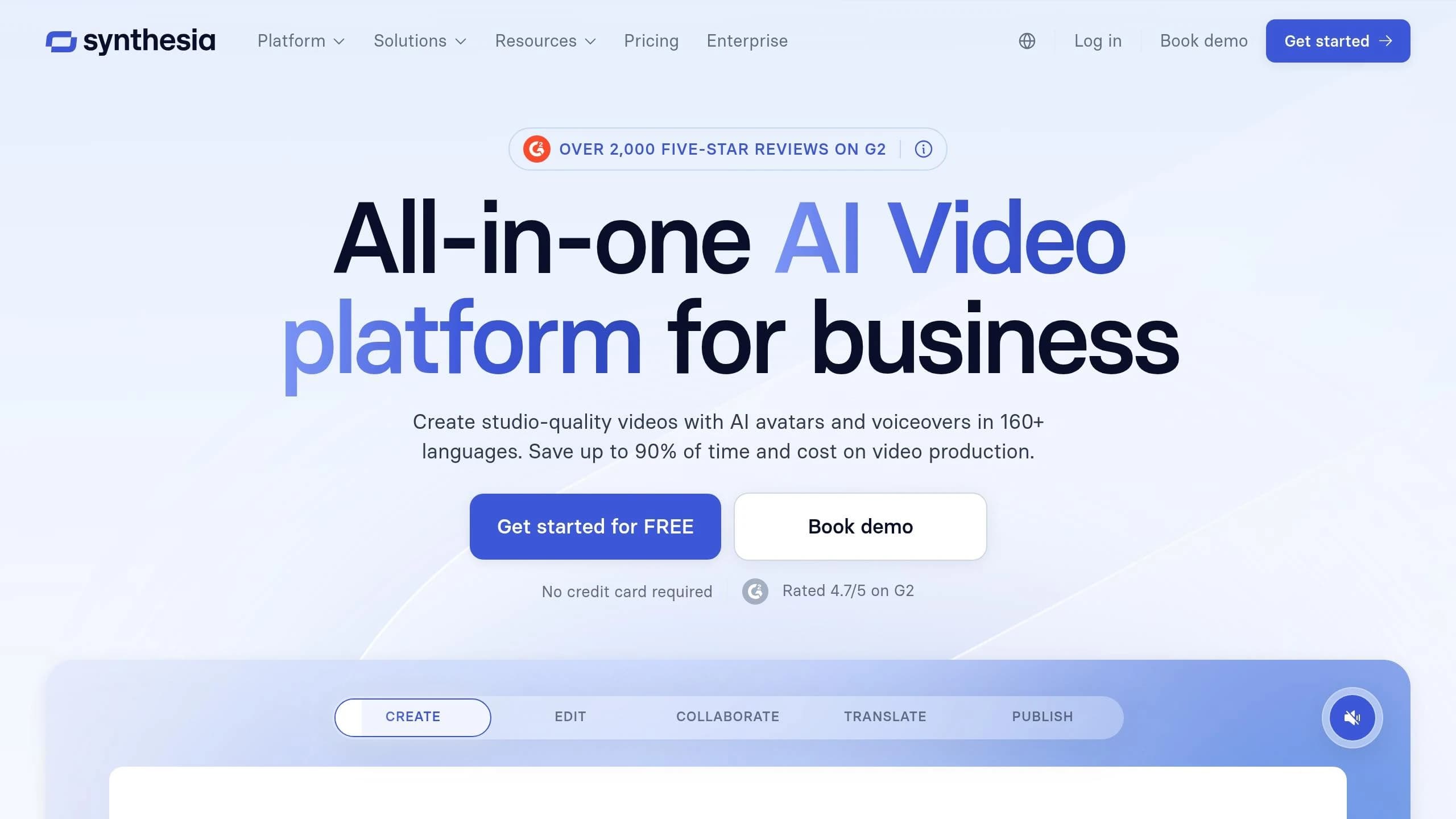
Synthesia leverages AI-powered avatar presenters to create talking-head videos from simple scripts. This eliminates the need for cameras, studios, or actors, making it particularly useful for corporate training, onboarding, and compliance content. With just a script and a few clicks, you can produce professional-quality videos featuring AI avatars.
Generation Modes
Synthesia operates much like a slide deck builder. You start with a text script, PowerPoint, or PDF, and the platform transforms it into a polished video featuring an AI presenter on-screen. This straightforward process is the backbone of its advanced features [31].
Multi-Modal Features
Synthesia goes beyond basic script-to-video conversion. The platform's Express-2 model, introduced in September 2025, enhanced its avatars with full-body rendering, natural hand gestures, and posture movements. Its "Express-Voice" system employs a two-stage process with 800 million parameters per stage to deliver highly accurate voice cloning and lip-syncing [33]. Users can choose from a library of over 240 avatars modeled on real actors and access more than 400 voices in 160+ languages [34].
Output Quality
Synthesia produces videos in 1080p Full HD, making it ideal for business presentations and e-learning platforms. While the lip-syncing is precise, videos longer than 90 seconds can sometimes feel overly mechanical [32]. Breaking long scripts into smaller sections or switching avatars can help maintain viewer engagement.
Pricing
Synthesia offers tiered pricing plans to cater to a variety of needs, from individual creators to large enterprises. Here’s a breakdown:
| Plan | Monthly Price (Billed Annually) | Video Allocation | Key Features |
|---|---|---|---|
| Free | $0 | 3 videos/month | 9 avatars, 160+ languages, watermark |
| Starter | $22/mo | 10 minutes/month | 125+ avatars, 1 editor + 3 guest seats |
| Creator | $67/mo | 30 minutes/month | 180+ avatars, Personal Avatar, API access |
| Enterprise | Custom (~$10,000+/yr) | Unlimited | 240+ avatars, SCORM, SSO, 1-click translation |
The Enterprise tier stands out for its SCORM export capabilities, essential for integrating with learning management systems. However, the cost jump from the Creator plan to Enterprise is substantial [35].
Integration Options
Synthesia integrates smoothly with popular tools like PowerPoint, Google Slides, Zapier, and Make. It also supports SAML/SSO for secure team access [34]. For learning and development teams, compatibility with SCORM 1.2 and 2004 makes it an excellent choice for platforms such as Workday Learning or Cornerstone [36]. Additionally, the Enterprise plan’s 1-Click Translation feature allows users to localize a single video into multiple languages simultaneously [36]. Synthesia’s effectiveness is reflected in its adoption by 90% of Fortune 100 companies and over 50,000 businesses worldwide [34][35].
7. HeyGen
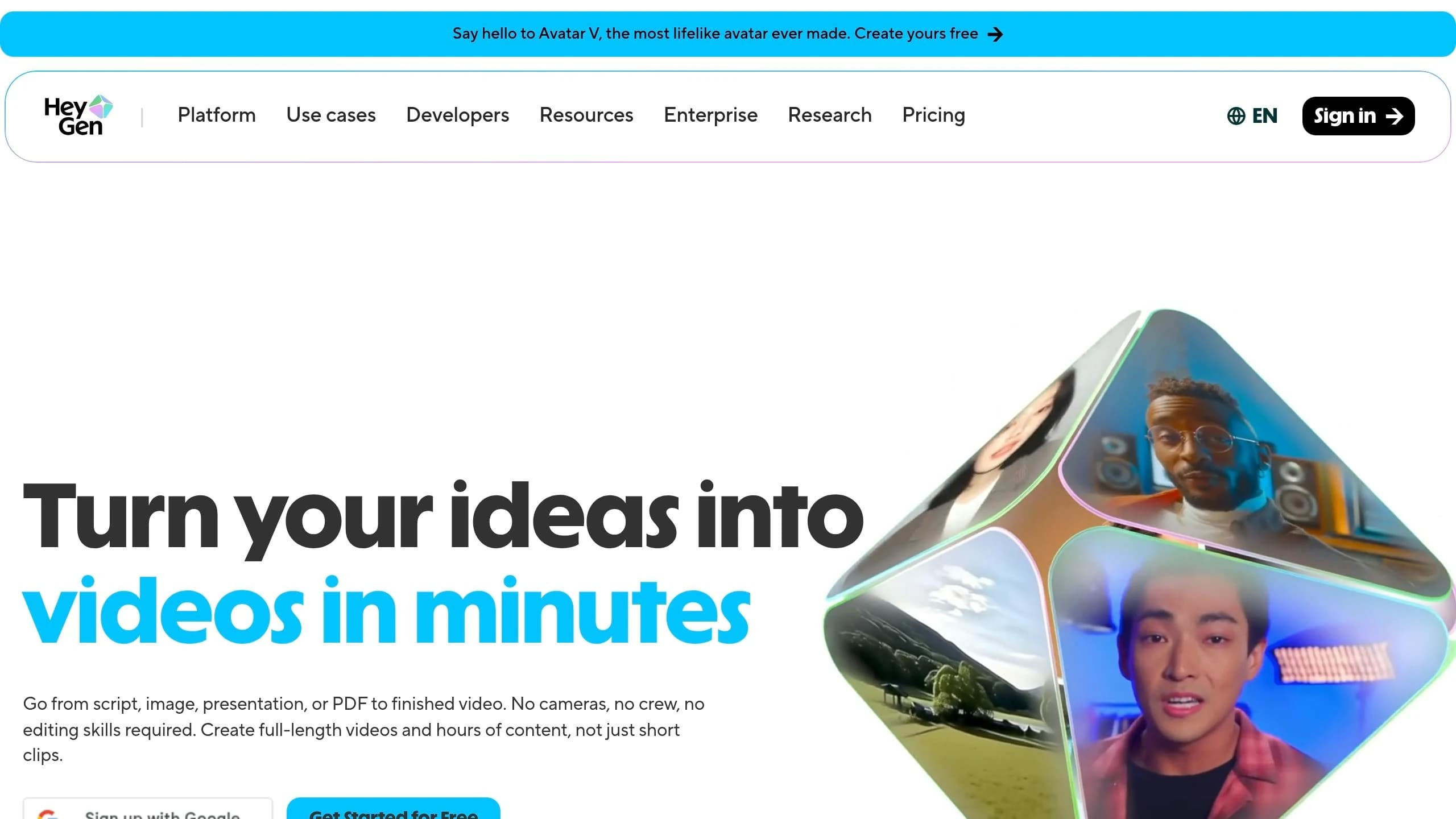
HeyGen specializes in creating AI avatar presenters, making it ideal for sales teams, corporate trainers, and marketers who need to produce talking-head videos on a large scale. By mid-2026, the platform had already generated over 136 million videos and 111 million avatars [42].
Generation Modes
HeyGen supports four main workflows: Text-to-Video (script-driven), Photo-to-Video (bringing static portraits to life), Video Translation (dubbing with lip-sync), and a Video Agent mode that generates complete videos from a single prompt [37][40]. A standout feature is the Seedance 2.0 integration, which simplifies the process by letting users attach reference images, choose characters, and add audio in one step. It even produces motion and lighting effects that feel natural, all from a single prompt bar [42]. For cinematic B-roll, HeyGen utilizes models like Sora and Veo [37][39]. These workflows highlight the platform’s versatility.
Multi-Modal Input Options
HeyGen takes flexibility further by accepting a range of input formats, including text, images, PDFs, presentations, and audio. It integrates specialized models tailored for specific tasks - ElevenLabs for speech, Flux for detailed imagery, and multiple engines for generating B-roll content [37]. This setup allows users to combine different AI tools, depending on the desired output.
Output Quality
HeyGen delivers videos in 1080p or 4K resolution, featuring sharp depth of field and precise lip-syncing [37][42]. The platform has earned an average rating of 4.6/5 across G2, Capterra, and Product Hunt, based on 4,100 reviews [38]. However, videos over 60 seconds can sometimes feel repetitive, with gestures and emotional expressions losing their natural flow [38][41]. Lip-sync quality also diminishes noticeably in non-English languages.
"HeyGen is the right pick for solo creators, sales teams doing personalized video outreach at scale, and small marketing teams producing short-form AI-presenter video at budget-friendly pricing." - John Pham, Founder & Editor-in-Chief, MytheAi [38]
Real-world use cases confirm its efficiency. Steve Sowrey, a Learning Media Designer at Miro, reported a 10x boost in video production speed and a 5x increase in total video output after adopting HeyGen [37].
Pricing
HeyGen offers flexible pricing plans, combining unlimited standard Avatar III generation with a credit-based system for premium features like Avatar IV (20 credits/minute) and translation (5 credits/minute) [43][45].
| Plan | Monthly Price | Key Features |
|---|---|---|
| Free | $0 | 3 videos/month, 1-min limit, Avatar IV access |
| Creator | $29 | 30-min videos, 1080p, voice cloning, 175+ languages |
| Pro | $99 | 4K export, 2,000 Premium Credits, faster processing |
| Business | $149 + $20/seat | 60-min videos, team tools, LMS integrations |
| Enterprise | Custom | No video duration cap, SSO/SAML, dedicated support |
Annual subscriptions save 17–20% compared to monthly plans [43][44]. A practical tip: try a few months of monthly billing before switching to an annual plan, as premium features like Avatar IV and translation can consume credits quickly [43][44].
Integration Options
HeyGen supports a REST API with 99.8% uptime [40] and integrates with tools like Zapier, Make, n8n, and HubSpot [40][41]. The Business plan includes LMS integrations for training purposes, while the Enterprise tier offers SSO/SAML for secure team access. HeyGen meets compliance standards such as SOC 2 Type II and GDPR [40][41]. API usage is billed separately, starting at $5 on a pay-as-you-go basis [43].
Pros and Cons
Here's a quick breakdown of the strengths and weaknesses of each platform compared to Kling Video O1:
| Platform | Pros | Cons |
|---|---|---|
| APIMart | Access to 500+ AI models (including Grok Imagine Video) via a unified API; OpenAI-compatible integration; competitive pay-as-you-go pricing; supports multi-modal inputs | Requires API integration, as it's not a standalone video generator; primarily designed for developers |
| Runway | Offers advanced character animation with Act-Two; includes an integrated editing suite; delivers cinematic quality for professional filmmakers [4] | Costs ~$1.20 per 10-second clip (2.4× pricier than Kling); has a learning curve; uses proprietary models [4][7] |
| Luma Dream Machine | Quick generation; high-quality motion; supports looping [3][7] | Charges ~$2.00 per 10-second clip (4× Kling's cost); less cost-effective for large-scale production [7] |
| Pika | Optimized for speed; budget-friendly plans; one-click viral effects; automatic sound effects generation [21][22] | Lacks a character consistency tool; struggles with complex human movements due to its stylized motion engine [6][21] |
| Ngram | Converts existing assets into videos; automates brand kits effectively; achieves 96% audio-visual sync accuracy [30] | AI-generated B-roll can be unreliable; simplified timeline editor may not meet the needs of advanced users [24] |
| Synthesia | Excels in avatar-led training and business explainer videos; delivers consistent, human-like presenters [4] | Limited to presenter-style videos; lacks flexibility for creative or cinematic text-to-video projects [4] |
| HeyGen | Comprehensive production workflow; produces high-quality avatars | High standalone costs; focuses on presenter videos rather than generative scene creation [1] |
This comparison highlights key points for creators aiming to balance cost and production quality. Production expenses can vary significantly, so it's wise to prototype with budget-friendly options before committing to premium models for final renders. Interestingly, creators often overspend by about 75% during testing with premium tools. A smarter approach is to use economical models for early-stage prototyping, reserving premium options for polished, final outputs.
Conclusion
Choosing the right platform ultimately comes down to the type of content you need and how often you produce it. For high-frequency social media content like TikTok, Reels, and YouTube Shorts, Kling 3.0 stands out with its cost efficiency, offering 66 free daily credits [2]. On the other hand, marketing agencies prioritizing brand consistency may benefit from Seedance 2.0, which provides creative control through its streamlined 12-file multimodal input system [2]. These tools are tailored for platforms requiring consistent, rapid social media output, while others cater to more specific content needs.
For educational and training teams, platforms like Synthesia or HeyGen are great choices for creating presenter-style explainer videos without needing advanced video production skills. These tools fit seamlessly into broader strategies where simplicity and efficiency are key. Meanwhile, teams needing quick adjustments to instructional content may find Gemini Omni's conversational editing workflow particularly useful, allowing for easy updates using simple text prompts [46].
When top-tier cinematic quality is a must - think broadcast ads, product launch videos, or enterprise marketing - Veo 3.1 via Google Vertex AI delivers stunning 4K video at 24fps, complete with enterprise-grade governance. While technical specs are impressive, the takeaway is clear: Veo 3.1 is perfect for projects demanding broadcast-ready content.
For teams dealing with integration challenges, a unified solution can simplify workflows. APIMart's unified API combines the strengths of several models discussed, including Kling V3, Sora 2 Preview, and MiniMax Hailuo 2.3, all accessible through a single OpenAI-compatible endpoint. This setup offers a practical and efficient starting point for streamlining processes.
FAQs
Which tool is best for consistent characters across multiple scenes?
For creating consistent characters across scenes, these platforms shine:
- Genra AI: Utilizes Cast Script to anchor characters with 180-degree reference shots.
- Mokzu: Views characters as digital assets, ensuring stable features and consistent clothing.
- Crreo AI: Provides a scene editor designed to maintain continuity in both appearance and voice.
Additionally, platforms like WMHub suggest tools such as Seedance 2.0 and Nano Banana to streamline multi-shot workflows.
Which option is cheapest for high-volume 1080p video?
For producing large volumes of 1080p video, self-hosting open-weight models like Wan 2.5 offers a budget-friendly solution. Once you’ve set up GPU infrastructure, you can avoid ongoing per-generation API fees, making it ideal for long-term, high-capacity projects.
If you prefer a commercial API, Kling 2.5 Turbo stands out as an economical choice, priced at $0.042 per second on WaveSpeed. While there are cheaper models available, they often come with trade-offs like missing native audio features or lower resolution limits.
When planning for professional-scale production, it’s essential to evaluate total ownership costs, including hardware, software, and operational expenses, to ensure the solution meets your needs effectively.
Do any of these support built-in audio and lip-sync?
Several solutions available on APIMart come with integrated audio and lip-sync features:
- HappyHorse 1.0 API: Produces 1080p videos with perfectly synced dialogue, background effects, and ambient sounds in seven different languages.
- Seedance 1.5 Pro: Delivers lip-syncing precision down to the millisecond, complete with dialogue and background music.
- Wan 3.0: Supports phoneme-level lip-syncing in 12 languages, offering multi-track stereo audio for a richer experience.
- InfiniteTalk and MultiTalk: Focus on syncing audio tracks to portrait animations for seamless results.
Related Blog Posts
Choose the model you want in the model marketplace
Try chat, image and video models in the APIMart model marketplace, and experience model capabilities quickly with one unified API.