
Top Pixverse V6 Alternatives in 2026
The best Pixverse V6 alternatives for 2026: Kling, Veo 3.1, Runway, Sora 2, Luma, Seedance and more, compared by resolution, audio, motion and pricing.
Pixverse V6 launched in March 2026, quickly becoming a popular AI video tool with features like 1080p clips, 20+ camera controls, and synchronized audio. While it’s widely used, it may not fit every need. Here are the best alternatives, each excelling in specific areas like resolution, audio, motion realism, or pricing:
- Kling V3: Offers 4K at 60fps, strong photorealism, and affordable plans starting at $6.99/month.
- Google Veo 3.1: Best for synchronized audio and seamless Google integration, but pricier.
- Runway Gen-4.5: Delivers polished visuals with advanced editing tools, ideal for professionals.
- Sora 2: Produces 25-second clips with strong character consistency, now exclusive to ChatGPT Pro.
- Luma AI: Excels in physics accuracy and 4K HDR visuals, though lacks native audio.
- Seedance 1.5 Pro: Strong in multilingual audio sync and precise motion, priced at $0.12/second for 1080p.
- Hailuo 2.3: Budget-friendly with excellent motion realism, but silent by default.
- Vidu Q3 Pro: Focused on cinematic quality with synchronized audio, priced at $0.128/second for 1080p.
Quick Comparison
| Model | Resolution | Audio Features | Pricing (1080p) | Best For |
|---|---|---|---|---|
| Kling V3 | 4K at 60fps | Multilingual, regional accents | $0.0672/sec | High-res videos, affordability |
| Google Veo 3.1 | 4K | Synchronized dialogue | $0.40–$0.60/sec | Audio-rich content |
| Runway Gen-4.5 | 4K at 60fps | Synchronized audio (new) | $0.10–$0.20/sec | Professional filmmaking |
| Sora 2 | 1080p (25-sec max) | Lip-sync, Foley effects | $0.10–$0.70/sec | Narrative projects |
| Luma AI | 4K HDR | None | $0.08–$0.10/sec | Physics-heavy visuals |
| Seedance 1.5 Pro | 1080p at 24fps | Multilingual, precise sync | $0.12/sec | Multilingual campaigns |
| Hailuo 2.3 | 1080p (6-sec max) | None | $0.072/sec | Budget-friendly projects |
| Vidu Q3 Pro | 1080p at 24fps | Synchronized audio | $0.128/sec | Cinematic storytelling |
Choose based on your specific needs - whether it’s resolution, audio, or cost efficiency.
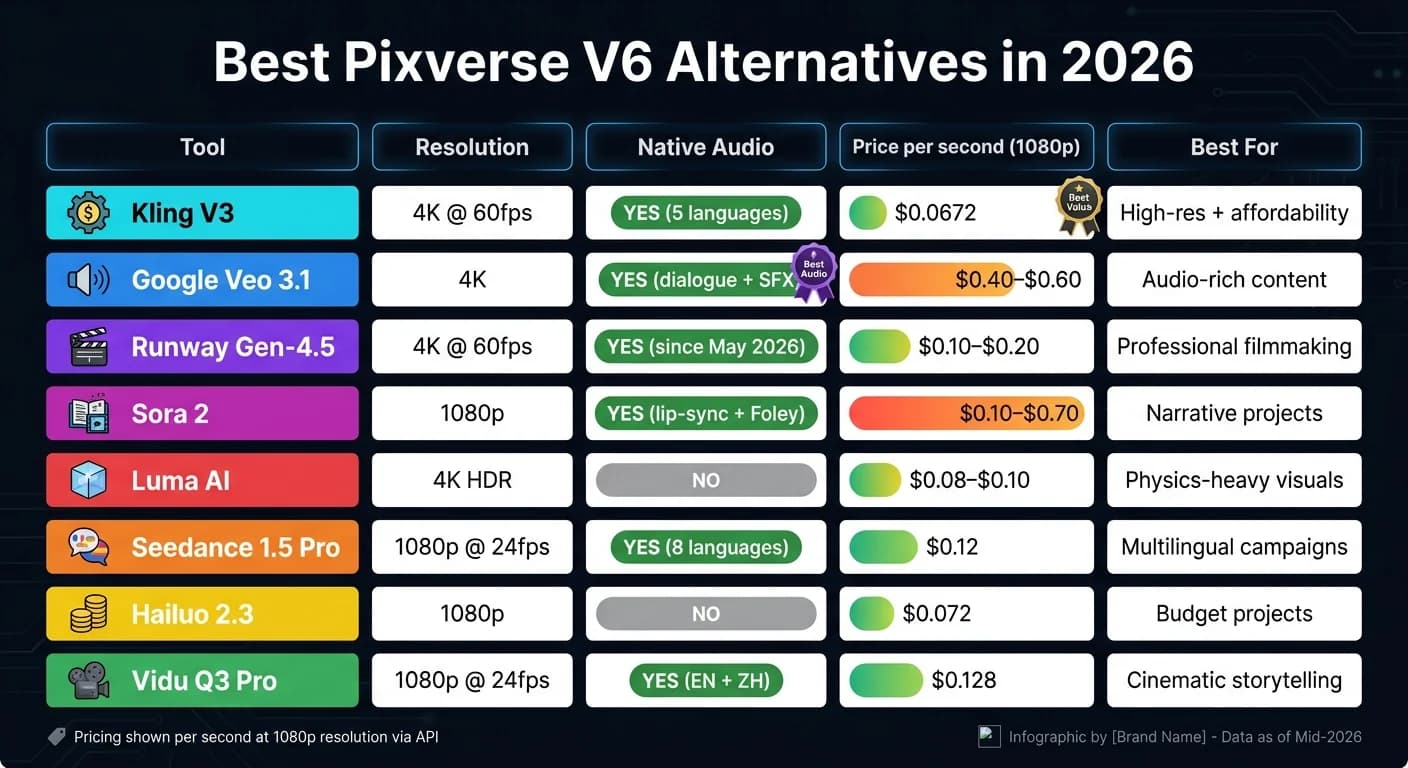
I Ranked EVERY AI Video Generator From Best to Worst in 2026
1. Kling V3

Launched on February 4, 2026, Kling V3 has quickly become a strong alternative to Pixverse V6 for creators who demand higher resolution and longer video clips. It’s already trusted by over 60 million users, who have collectively generated more than 600 million AI videos [8].
Video Quality
Kling V3 sets itself apart with native 4K resolution (3840×2160) at 60 fps, outperforming Pixverse V6, which maxes out at 1080p. Tests revealed that 38 out of 40 video clips showed no signs of upscaling artifacts [5]. With a photorealism score of 9.4/10 [5], Kling V3 owes its success to its unified multimodal (MVL) architecture, which processes video, audio, and images in one seamless operation. This efficiency is comparable to the WAN 2.6 API, which also prioritizes consistency in video generation.
"Kling 3.0 wins on photorealism and audio fidelity. It loses on camera control and accessibility." - Boris Dittberner, Founder, SixSides Academy [5]
Motion Realism
Kling V3 employs a physics-aware engine enhanced by reinforcement learning to handle complex scenarios like liquid dynamics, character interactions, and multi-character scenes. Its Spatial Continuity feature ensures consistent character positioning across up to six camera cuts in a 15-second multi-shot sequence [6][7].
"The AI Director feature is the first time an AI video model has felt truly useful for narrative filmmaking, not just for creating atmospheric b-roll." - Elena Marchetti, Senior AI Editor, Awesome Agents [7]
Audio Features
The Omni variant of Kling V3 processes audio directly, eliminating the need for external lip-sync tools. It supports five languages - Chinese, English, Japanese, Korean, and Spanish - and can replicate regional accents. The Voice Binding feature maintains a character's voice across multiple clips based on a short 3–8 second reference audio sample [9][11]. Additionally, Kling V3 automatically generates background ambience and sound effects based on the scene. However, lip-sync quality may falter in clips longer than five seconds [12].
Pricing
Kling V3 follows a credit-based subscription model, with API pricing calculated per second of generated video. Through APIMart, users can access Kling V3 for $0.0672 per second at 720p resolution, making it suitable for teams with high-volume needs (or those exploring MiniMax-Hailuo-02) without requiring a dedicated subscription. Consumer plans range from a free tier (limited to five generations per month without 4K) to a premium $180/month plan offering 26,000 credits [7].
| Plan | Monthly Price | Credits | 4K Access |
|---|---|---|---|
| Free | $0 | 5 generations | No |
| Standard | $6.99–$10 | 660 | Yes |
| Pro | $25.99–$35 | 3,000 | Yes |
| Premier | $64.92–$92 | 8,000 | Yes |
| Ultra | $180 | 26,000 | Yes |
API/Integration
Kling V3’s API is designed for demanding production workflows. It supports asynchronous operations with webhook callbacks, making it a great fit for pipelines that can’t rely on instant responses. The unified API handles text-to-video, image-to-video, and multi-modal inputs, all while maintaining a 99.9% SLA uptime guarantee [13]. Content generated using Kling V3 is cleared for commercial use [14].
For developers, integration is straightforward:
"As a developer, the unified API for kling-v3-omni makes integration a breeze. One kling-v3 series model handles all our multi-modal generation needs." - James Liu, Senior Developer [13]
That said, the model does have its tradeoffs. Rendering 4K clips takes 3–5 minutes, and evaluating consumer-tier pricing can be tricky before committing to a plan [5][10].
2. Google Veo 3.1
Veo 3.1 is a step forward in AI video tools, combining synchronized dialogue, lip-sync, and contextual sound effects in one seamless process - no additional tools required. With Google retiring Veo 2 and Veo 3 by June 30, 2026, Veo 3.1 will become the go-to solution for Google-based workflows [18]. Let’s dive into its video quality, motion rendering, audio features, pricing, and API integrations.
Video Quality
Veo 3.1 supports native 4K resolution (3840×2160) in its Standard tier, offering a resolution advantage over Pixverse V6, which maxes out at 1080p [15][16]. When it comes to material rendering, Veo 3.1 delivers sharp geometry and lifelike textures. However, Pixverse V6 holds an edge in temporal stability for extended clips [15]. Veo 3.1 currently limits clips to 8 seconds, while Pixverse V6 allows up to 15 seconds [15][17].
Motion Realism
Veo 3.1 performs impressively in physical simulations, rendering elements like liquids, smoke, and gravity-driven movements with realistic detail [20]. That said, tests reveal a minor "slow drift" in fast-moving subjects. Its ELO ratings stand at 1,246 (Standard) and 1,291 (Fast), slightly below Pixverse V6’s 1,343 [15].
Audio Features
What truly sets Veo 3.1 apart is its ability to generate synchronized audio - including dialogue, ambient sounds, and special effects - directly alongside video. No other AI video tool currently offers this capability [16].
"Veo 3.1 is the best AI video tool in 2026 for content where audio matters. If your video needs sound - dialogue, music, synchronized effects - Veo is in a category of one." - Andre Logos, Editorial Pen Name, Pick Right [16]
Pocket FM’s integration of Veo 3.1 into their workflow led to a 30–40% increase in user retention for AI-generated promos that matched the quality of live-action videos [21].
"With Veo 3.1, our creators finally have a gen AI tool that matches that ambition. Its lifelike lip-sync and cinematic quality have made it indispensable." - Umesh Bude, CTO, Pocket Entertainment [21]
Pricing
Veo 3.1 offers flexible API tiers tailored to different needs:
| Tier | Best For | Video + Audio (per sec) | Max Resolution |
|---|---|---|---|
| Lite | High-volume apps | $0.05 | 1080p |
| Fast | Social media, rapid edits | $0.10 | 1080p |
| Standard | Final production cuts | $0.40–$0.60 | 4K |
For individual users, plans start with a free tier (10 videos/month, 720p, watermarked) via any Google account. Heavier workloads can upgrade to Google AI Pro at $19.99/month or Google AI Ultra at $100–$200/month [16][22].
API/Integration
Veo 3.1 integrates seamlessly into Google’s ecosystem, available through tools like Gemini API, Google AI Studio, and Vertex AI [22]. Enterprise users on Vertex AI benefit from advanced features like regional routing, IAM controls, audit logs, and SLA guarantees [19]. The API supports text-to-video, image-to-video, and video-to-video generation, though the latter is exclusive to Veo 3.1 and 3.1 Fast tiers [17].
For developers handling high-volume projects, Veo 3.1 Lite offers the same generation speed as the Fast tier but at roughly half the cost. This makes it a practical choice for prototyping and scaling programmatic workflows [23][24].
"Veo 3.1 Lite is our most cost-effective model, empowering businesses to build high-volume video applications and rapidly iterate and scale." - Sandeep Gupta, Group Product Manager, Google Cloud [19]
With its deep Google integration and robust features, Veo 3.1 simplifies production workflows for enterprises looking for an alternative to Pixverse V6.
3. Runway Gen-4.5
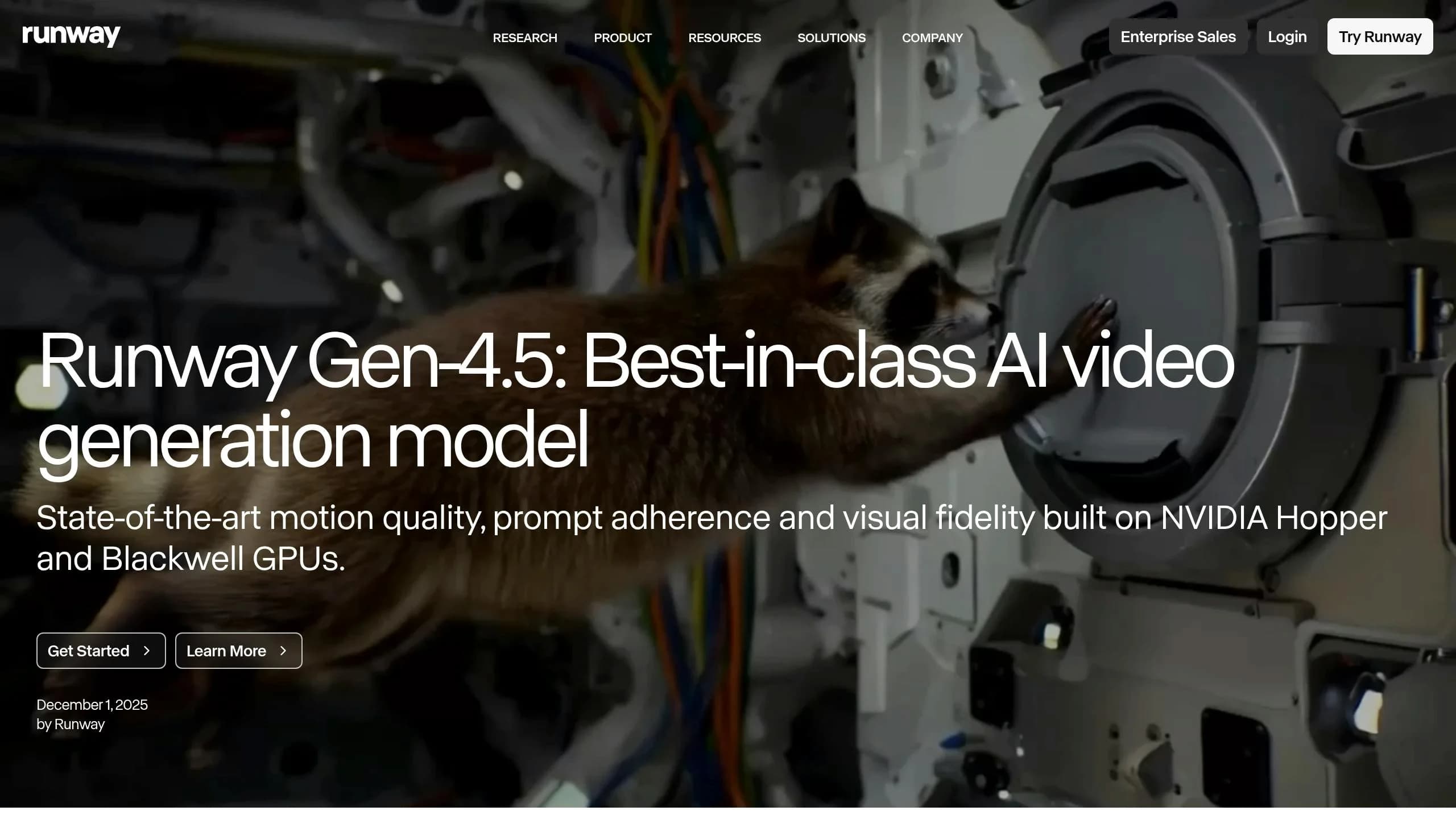
Runway Gen-4.5 has set the standard for professional AI video production in 2026, currently ranked #1 on the Artificial Analysis text-to-video leaderboard with an Elo rating of 1,247 [25][28]. Its polished visuals and comprehensive tools make it a go-to choice for production teams. Combining high-resolution output with advanced control options, it offers flexibility and precision for professionals.
Video Quality
Gen-4.5 delivers native 4K resolution at 60 fps through its Gen-4 Turbo model. Each generation can produce clips up to 20 seconds long, extendable to 60 seconds, giving editors plenty of material to work with [28]. However, it’s worth noting the cost difference: a 10-second 4K render on Gen-4.5 requires around 250 credits, compared to just 50 credits on the Gen-4 Turbo model [34][31].
Motion Realism
One of the standout features of Gen-4.5 is its advanced physics engine. Powered by the GWM-1 (General World Model) family, introduced in May 2026, it delivers highly realistic simulations of weight, momentum, and fluid dynamics [27][28]. The platform also includes Director Mode for precise keyframing of camera movements - like pan, tilt, zoom, and dolly - and Motion Brush 3.0, which allows users to paint specific areas to control movement. Impressively, about 72% of Gen-4 clips are production-ready without needing re-generation [30].
"Runway Gen-4.5 Turbo delivers the most cinematically polished result... Objects exhibit realistic weight and momentum, and water dynamics maintain physical plausibility." - Creative AI News [25]
Audio Features
To complement its motion realism, Gen-4.5 has enhanced its audio capabilities, now including native synchronized audio as of May 2026 [28][37]. Before this update, users had to rely on external tools like the Act-Two model for lip-sync and performance capture or Adobe Firefly for sound effects. While this separate workflow adds steps, it gives sound designers more precise control over their audio mixes.
"Act-Two eliminated our need for a mocap studio for pre-visualization. We shoot reference on an iPhone, apply it to our CG characters, and have a rough cut in minutes." - VFX Supervisor [29]
Pricing
Runway uses a credit-based pricing system with multiple subscription tiers:
| Plan | Monthly (Annual) | Credits/Month | Key Features |
|---|---|---|---|
| Free | $0 | 125 (one-time) | 720p export, watermarked, 5GB storage |
| Standard | $12/mo | 625 | Commercial use, watermark removal, 4K upscaling |
| Pro | $28/mo | 2,250 | ProRes export, custom voice, 500GB storage |
| Unlimited | $76/mo | 2,250 + Explore Mode | Unlimited relaxed generations, priority support |
| Enterprise | Custom | Custom | SSO, advanced security, workspace analytics |
For cost efficiency, consider using Gen-4 Turbo at 5 credits per second for drafts and prototypes, then switching to Gen-4.5 at 25 credits per second for final renders. Keep in mind that commercial rights require at least a Standard plan subscription [37][34].
API/Integration
Runway provides a robust REST API with Python and Node.js SDKs, as well as webhook support for asynchronous generation, making it ideal for enterprise workflows [26][29]. The Runway Builders program, launched in March 2026, offers developers priority API access and detailed documentation [35]. For teams working within the Adobe ecosystem, Gen-4.5 integrates seamlessly with Adobe Firefly, allowing smooth transitions into Premiere Pro or Adobe Express [32][33].
"We're proud that Runway built their groundbreaking video and world model on NVIDIA GPUs, and are thrilled to see Runway revolutionize the video generation industry." - Jensen Huang, President and CEO of NVIDIA [36]
4. Sora 2
After the release of Runway Gen-4.5, Sora 2 steps up as a standout tool for cinematic realism, blending technical precision with narrative depth.
OpenAI's Sora 2 is well-regarded for its ability to produce lifelike visuals and maintain character consistency. However, the standalone Sora app and API were discontinued on March 24, 2026. Now, access is limited to ChatGPT Pro subscribers and select third-party aggregators [38].
Video Quality
Sora 2 Pro delivers video resolutions up to 1080p (1,792×1,024), with advanced depth-of-field rendering and motion blur that enhance its cinematic quality [39][40]. Pro users also benefit from extended clip lengths of up to 25 seconds, compared to the standard 12–20 seconds, allowing for more detailed storytelling. Impressively, Sora 2 achieves over 95% face consistency when using character profiles, making it a go-to tool for projects requiring strong narrative cohesion [38].
"The kitchen read beautifully. Warm grade, cinematic depth, strong ambient light that felt considered rather than procedural." - PixVerse Research (on Sora 2 output) [15]
Motion Realism
What makes Sora 2 stand out is its world-simulation engine, which doesn’t just create realistic-looking motion - it models physical interactions like gravity, fluid dynamics, and object collisions. By processing video as unified 3D segments, it ensures smooth transitions and avoids issues like flickering or morphing that often plague other models. Materials behave naturally: glass refracts, cloth drapes with realistic weight, and liquids flow logically.
"Objects fall, bounce, break, and interact with their surroundings in ways that seem legitimately plausible - a feat that no competing model has yet to match to its fullest." - Atlas Cloud Blog [41]
This solid motion framework is further amplified by its integrated audio tools.
Audio Features
Sora 2 Pro provides synchronized, lip-synced audio alongside contextual Foley effects and spatial soundscapes that align perfectly with on-screen action [40]. This streamlines workflows by eliminating the need for separate audio production, which is still required for certain use cases in tools like Runway Gen-4.5.
Pricing
Sora 2’s premium features come with a matching price tag. Access is available through a ChatGPT Pro subscription ($200/month, which includes ~10,000 credits and up to 25-second 1080p clips) or via usage-based API pricing. API costs range from $0.10/second for 720p to $0.70/second for 1080p Pro Ultra [43]. However, due to the iterative nature of production, creating a 10-second Pro HD clip can effectively cost around $100 [42].
"The real cost of Sora 2 is iteration, not the final export. Most teams generate multiple versions before approving a final video." - Runbo Li, CEO of Magic Hour [42]
For teams looking to experiment without committing to a full subscription, APIMart offers Sora 2 Preview at $0.08/second - a more budget-friendly way to test its cinematic capabilities.
API/Integration
Since OpenAI discontinued the official Sora API in March 2026, direct API access is no longer available [38]. Teams requiring API stability for production pipelines must now rely on third-party aggregators. Sora 2’s integration options cater to high-end productions like hero shots, brand films, and cinematic trailers, rather than workflows requiring high-volume automation. Its focus on quality over quantity makes it ideal for standout, one-off projects.
5. Luma AI

Luma AI is making waves in the multi-modal AI video generation space with its Ray3 engine. By pre-computing elements like physics, lighting, and spatial logic before rendering, it minimizes glitches and improves precision. This approach ensures a higher level of physical accuracy, positioning it firmly as a tool for professional creators.
Video Quality
The Ray3 engine delivers stunning 4K HDR visuals. With the Ray3.14 update, it now supports native 1080p rendering at four times the speed and at one-third of the cost. Its prompt accuracy sits at an impressive 85% [48], making it a reliable choice for creators focused on visual quality.
Motion Realism
When it comes to motion, Luma excels. Its 3D physics engine processes video as a continuous 4D space, enabling realistic simulations of complex movements like fluid dynamics, cloth behavior, and light reflections. This method reduces physics-related errors by 70% compared to models from 2024 [46].
"Luma's Ray3 engine has set a new benchmark for temporal consistency and physical accuracy, competing directly with emerging powerhouses." - Digen AI [46]
Audio Features
One limitation of Luma AI is its lack of native audio capabilities. The Luma Dream Machine produces silent videos by default, and most tiers do not include audio or lip-sync generation [44]. Users needing synchronized audio will have to rely on external tools for integration.
Pricing
Luma AI uses a credit-based pricing system, offering flexibility for different user needs. The Plus plan costs $29.99 per month and includes 10,000 credits, enough for about 15 ten-second 1080p clips [50]. For creators with higher demands, the Unlimited plan at $94.99 per month provides 10,000 fast credits and unlimited relaxed-rate rendering. API access costs approximately $0.08 per second [47], and the Draft Mode feature allows for cost-effective iterations before committing to HiFi renders [50].
| Plan | Monthly Price | Best For |
|---|---|---|
| Free | $0 | Testing, beginners |
| Lite | $9.99 | Hobbyists |
| Plus | $29.99 | Professional creators |
| Unlimited | $94.99 | High-volume creators |
| Enterprise | Custom | Large agencies/studios |
API/Integration
Luma offers API access through Amazon Bedrock and its dedicated developer API [45]. Its integration with Adobe Firefly simplifies post-production by allowing Premiere Pro and After Effects users to generate AI video segments directly within their editing tools [46]. For studios requiring high-quality exports, the original Ray3 engine supports 16-bit HDR/EXR output.
"Ray3.14 is designed for creators who need animation and video to behave like real production assets." - Amit Jain, CEO and Co-Founder of Luma AI [49]
These versatile integration options make Luma AI a valuable addition to professional multi-modal workflows, ensuring seamless compatibility with existing tools and pipelines.
6. Seedance 1.5 Pro
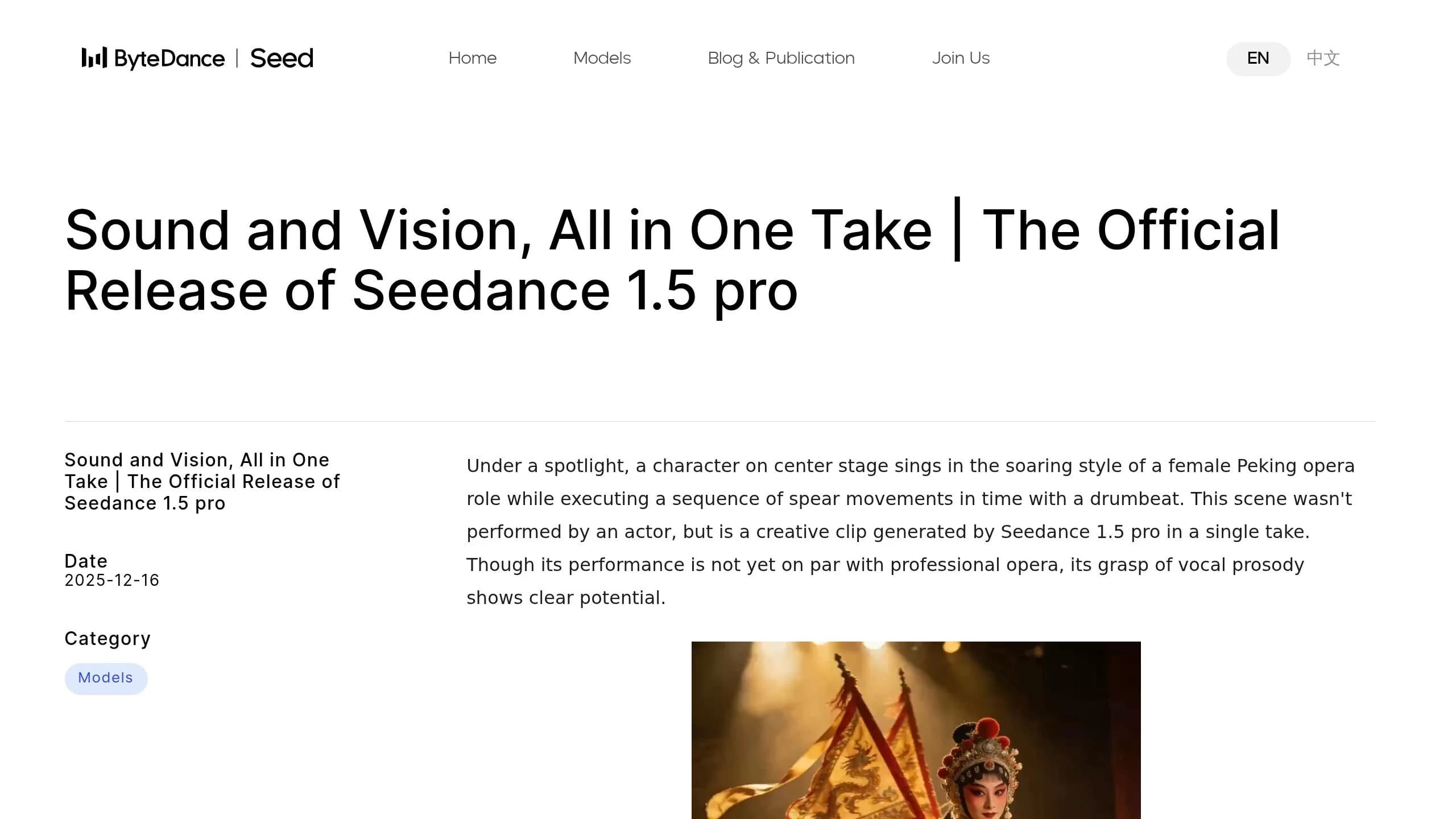
Seedance 1.5 Pro, created by ByteDance's Seed team, takes a unique approach to video and audio generation by seamlessly producing both in one step. This is made possible by its Dual-Branch Diffusion Transformer (DB-DiT) architecture, which ensures a cohesive output.
Video Quality
This model delivers native 1080p resolution at 24 fps, with clips lasting between 4 and 12 seconds. It’s particularly skilled at showcasing intricate details - like individual hair strands, fabric textures, and skin features. While Pixverse V6 leans towards creating dynamic, energetic scenes, Seedance focuses on sharp edges and precise textures [51]. It also supports over 15 professional camera techniques, such as dolly zooms, orbits, and tracking shots [56]. These capabilities make it ideal for smooth and precise motion sequences.
Motion Realism
Seedance 1.5 Pro excels in executing camera movements exactly as instructed. Whether it’s a slow push-in or a complex orbit, the model delivers with precision. In a January 2026 test by CrePal AI researcher Dora, 87 generated clips - including an anime-style fireworks festival - showed seamless execution. The model accurately sequenced three shots with Japanese dialogue, perfectly synchronized lip movements, and layered ambient crowd noise, all without manual post-production [55].
This attention to detail doesn’t stop at visuals - the model’s audio capabilities are equally impressive.
Audio Features
The audio features of Seedance 1.5 Pro are robust and versatile. It supports eight languages - English, Mandarin, Japanese, Korean, Spanish, Portuguese, Indonesian, and Cantonese - as well as regional dialects like Sichuanese. Its lip-syncing operates with millisecond precision, ensuring phonemes match mouth movements perfectly [52][53][56]. The model also generates ambient sounds that are contextually relevant. Sergey Nuzhnyy, Head of Product Analytics at AIMLAPI, highlights this:
"The model understands why a sound should happen, not just when. Fabric rustling varies by the material type visible in frame." [54]
This integrated audio-visual approach eliminates the need for additional dubbing or sync adjustments, making it especially useful for dialogue-heavy projects or multilingual campaigns [55][56].
Pricing
Seedance 1.5 Pro is offered on a pay-per-second basis, with costs varying by resolution and audio options:
| Provider | Resolution | Audio | Price |
|---|---|---|---|
| Replicate | 720p | On | $0.052/second |
| Replicate | 1080p | On | $0.12/second |
| Replicate | 480p | Off | $0.013/second |
| APIXO | 720p | On | $0.04/second |
| APIXO | 480p | Off | $0.01/second |
For those preferring subscriptions, JiMeng AI offers plans starting at ¥99/month ($14) for 100 generations and ¥299/month ($42) for 500 generations [55].
API/Integration
Developers can access Seedance 1.5 Pro through providers like Replicate, ModelsLab, APIXO, and Segmind using REST API, Python, or JavaScript SDKs. It also supports callback webhooks for asynchronous processing, making it ideal for high-volume projects [56][59]. The model accommodates text prompts up to 5,000 characters and allows the use of two reference images for frame-conditioned generation [59][60]. Its support for vertical 9:16 aspect ratios makes it well-suited for short-form content on social media platforms [57][58]. This flexibility positions Seedance 1.5 Pro as a strong contender in the multi-modal AI video creation space.
7. Hailuo 2.3
Hailuo 2.3, created by MiniMax, features a 456-billion parameter MoE architecture and incorporates a "Lightning Attention" mechanism, enabling a 4-million token context window [62]. This design allows it to handle lengthy and detailed prompts while maintaining consistency, making it especially useful for intricate creative projects.
Video Quality
Hailuo 2.3 produces 6-second clips in native 1080p resolution and 10-second clips in 768p. It's particularly well-suited for stylized visuals like anime, ink-wash painting, and game CG, delivering impressive visual clarity [61]. Alongside its strong visual performance, it stands out for its realistic motion rendering.
Motion Realism
Hailuo 2.3 leads the WorldModelBench rankings for physics simulations, excelling in areas like fluid dynamics and complex human movements [62]. For dance choreography prompts, it achieved an 8% reject rate, significantly better than the 22% rate of Veo 3.1 Lite [61]. Anthony M. from ThePlanetTools.ai shared his insights:
"Hailuo produced the cleanest limb continuity at speed - fewer phantom limbs, less of the 'elbow snap' artifact that plagues most current models." [61]
Its generation speed is another highlight, with clips typically completed in 30–90 seconds [62].
Audio Features
By default, Hailuo 2.3 generates silent videos. However, audio can be added using MiniMax's Speech 2.8 and Music 2.6 models or other third-party tools. Its Media Agent feature can automatically sync video with music or narration, simplifying workflows for social media and educational content.
Pricing
Hailuo 2.3 offers flexible pricing options for both subscriptions and API access:
| Plan | Price | Credits/Output |
|---|---|---|
| Standard | $9.99/month | ~1,000 credits |
| Pro | $34.99/month | ~4,500 credits |
| Master | $79.99/month | ~10,000 credits |
| Max | $199.99/month | 20,000 credits + unlimited Relax mode |
On the MiniMax platform, creating a 6-second clip in 1080p costs 80 credits, while the same in 768p costs 25 credits [62]. A "Fast" variant for image-to-video generation is also available, reducing costs by 50–70%, making it a great choice for quick iterations before committing to high-resolution renders [62].
API & Integration
Hailuo 2.3 is accessible through multiple API providers. For example, APIMart offers a pay-as-you-go model at $0.072 per second for 1080p and $0.0488 per second for 768p, with a 99.9% SLA [63]. The system supports hidden parameters like --seed for maintaining continuity and --cfg (5.0–7.0) for controlling prompt adherence. It works seamlessly with both Text-to-Video and Image-to-Video workflows [62][63].
8. Vidu Q3 Pro
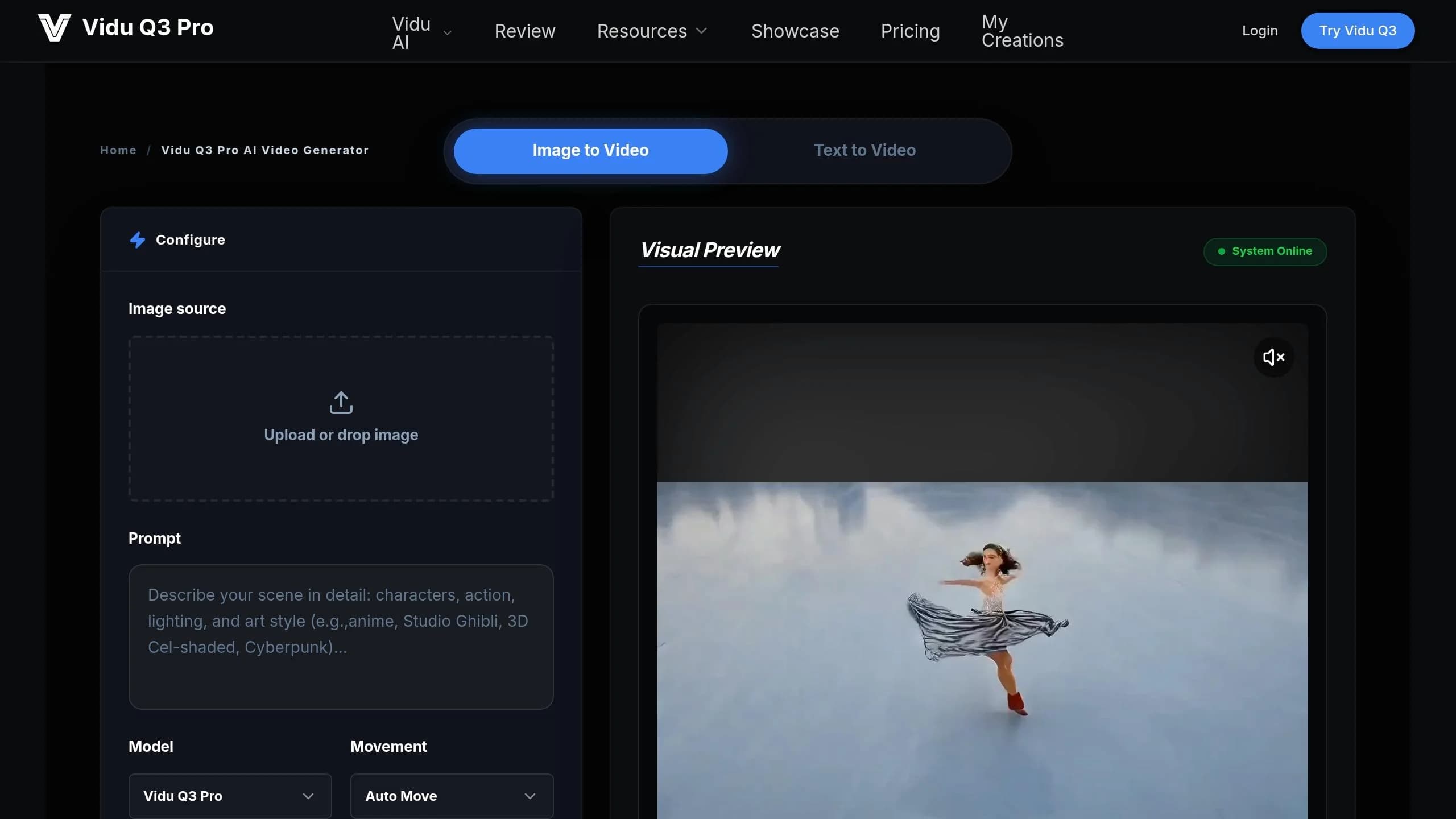
The Vidu Q3 Pro is designed for creators who aim for professional, cinematic-quality videos. By mid-2026, Artificial Analysis ranked it as the #1 AI video model in China and #2 globally [64]. This makes it a top choice for those focused on producing polished, narrative-driven content.
Video Quality
The Vidu Q3 Pro specializes in cinematic precision, delivering videos in up to 1080p resolution at 24fps with a cinematic depth of field. It supports clips up to 16 seconds long, making it ideal for storytelling and cohesive narratives. One standout feature is the "First‑Last Frame" mode, which allows users to upload two images and create a seamless transition between them. This is particularly useful for product reveals or smooth scene transitions.
Motion Realism
With advanced temporal modeling, the Vidu Q3 Pro excels at handling complex camera movements like push-ins, orbit angles, tracking shots, and pans. Users can adjust motion amplitude (small, medium, or large) to suit the energy of their scenes. In independent tests, it scored 7.5/10 for physics simulation [64], though character consistency may waver slightly in clips longer than 12 seconds [67].
Another highlight is the Smart Cuts feature, which automatically detects logical scene boundaries and generates metadata for easy editing. As Atlas Cloud puts it:
"The feature transforms raw AI‑generated output from 'a clip that needs editing' into 'pre‑segmented content ready for assembly.'" [66]
Audio Features
Unlike Pixverse V6, which only outputs silent videos, the Vidu Q3 Pro includes synchronized audio. This feature blends ambient sounds, background music, and dialogue in both English and Chinese [68][69]. For marketing teams and entertainment creators, this means receiving a fully polished, ready-to-publish video.
Pricing
The Vidu Q3 Pro is priced higher than Pixverse V6, reflecting its advanced capabilities. A 5-second 720p clip with audio costs roughly $0.75 [64][65]. On APIMart, pricing is broken down as follows:
- 1080p: $0.128 per second
- 720p: $0.12 per second
- 540p (Turbo): $0.056 per second
The Turbo variant is a budget-friendly option for quick creative validation, offering lower resolution (540p) at a reduced cost.
| Resolution | Official Price/sec | APIMart Price/sec |
|---|---|---|
| 1080p | $0.16 | $0.128 |
| 720p | $0.15 | $0.12 |
| 540p (Turbo) | $0.07 | $0.056 |
API & Integration
Vidu Q3 Pro also shines in its API capabilities, offering seamless integration for automation and flexibility. Developers can easily switch between Pro and Turbo versions by adjusting a single model parameter. The API supports three generation modes - Text-to-Video, Image-to-Video, and Start-End-to-Video.
Authentication is managed through Bearer Tokens, and users can customize parameters like aspect_ratio, seed, and audio. Adding audio to Image-to-Video or Reference-to-Video tasks comes with a flat fee of 15 credits ($0.075) [70]. For batch processing, the API uses asynchronous task handling, returning a task_id for status polling, making it ideal for production pipelines.
Pros and Cons
Every alternative to Pixverse V6 comes with its own set of advantages and compromises. While some excel in resolution, audio quality, or pricing, others may fall short in areas like API functionality or motion realism.
Here's a quick breakdown of how these alternatives stack up against Pixverse V6:
| Model | Key Strengths vs. Pixverse V6 | Key Weaknesses vs. Pixverse V6 |
|---|---|---|
| Kling 3.0 | Offers native 4K at 60fps, multi-shot storyboard mode, and free daily credits [3] | Suffers from "frozen motion" artifacts and inconsistent lip-sync [1][4] |
| Google Veo 3.1 | Excels in physics simulation and integrates deeply with Google Cloud via Vertex AI and Gemini API [2][71] | Carries the highest price tag and struggles with character merging issues [2] |
| Runway Gen-4.5 | Features Motion Brush 2.0 and Camera Director controls; combines Kling 3.0 and Veo 3.1 on one platform [4][74] | Displays stiff motion, morphing artifacts, and has a poor value-to-cost ratio [1] |
| Sora 2 | Produces the longest single-pass clips at 25 seconds and offers strong scene coherence [2] | Faces API discontinuation by September 24, 2026 [2] |
| Luma AI | Provides flexible pricing and creative versatility [72] | Higher per-second costs ($0.10–$0.20) and lacks specialization compared to top competitors [72][73] |
| Seedance 2.0 | Achieves top Elo scores on benchmarks and features native audio-visual sync [1][2] | Limited regional availability due to IP disputes expected in early 2026 [2][4] |
| Hailuo 2.3 | Offers excellent character consistency for the price and is budget-friendly for high-volume projects [1][2] | Lacks native audio generation and falls short in cinematic depth compared to Veo or Kling [1][2] |
| Vidu Q3 Pro | Ranked #1 AI video model in China and #2 globally by mid-2026; optimized for B2B workflows [64] | Less polished for consumer-grade creative projects compared to Seedance 2.0 [2] |
These comparisons underline how cost, performance, and reliability vary widely depending on the model. For instance, Google Veo 3.1 stands out for its cinematic quality but comes at a hefty price, while Hailuo 2.3 offers excellent character consistency at a fraction of the cost - around six times cheaper - though it lacks native audio capabilities.
As WaveSpeed Blog's Dora aptly noted:
"The model that wins on cinematic baseline loses on cost-per-second. The one with the cleanest API has the strictest content policy." [2]
For users prioritizing long-form content, Sora 2 offers unmatched clip lengths of up to 25 seconds. However, its API discontinuation in 2026 poses a risk for extended workflows. On the other hand, Seedance 2.0, with its top standardized test pass rate of 15/18, may be a safer bet for long-term narrative projects.
Ultimately, choosing the right model depends on balancing these tradeoffs with specific project needs.
Conclusion
The right platform for your project depends on what you need and how quickly you need it done. Here's a breakdown of the top platforms by use case to help you decide faster.
For marketing, Reeporter AI stands out. It transforms a product URL into a ready-to-go video ad for Meta or TikTok in just 60 seconds. The platform also boasts a 20x Creator ROI on first campaigns [76]. Plus, it includes access to models like Sora 2, Veo 3.1, and Kling 3.0.
If you're in e-commerce and managing large product catalogs, Hailuo 2.3 is a cost-effective option that ensures consistent character rendering. Viralance also reports that e-commerce sellers using AI video see a 30% boost in conversion rates and 5x better social engagement [77].
For education, tools tailored to structured content are key. Animaker is a strong choice for K–12 and corporate training, improving learner satisfaction and retention. If you're already using platforms like Moodle or Canvas, Cubite (VidBuilder) integrates directly with these LMSs, allowing instructors to create videos within their existing systems [78].
In entertainment and cinematic production, Google Veo 3.1 sets the bar for quality, while Runway Gen-4.5 provides filmmakers with the detailed editing control they need. Lena Park, Creative Director at Northbeam Studio, praised Veo for streamlining her workflow:
"VEO omni collapsed my ad workflow. Previs, animatic, voice scratch and the final cut all came out of one chat. What used to be three days is now an afternoon." [75]
This mix of high-quality visuals, audio, and editing tools reflects the growing trend of unified AI video solutions.
For quick reference, here's a summary:
| Use Case | Recommended Platform | Primary Reason |
|---|---|---|
| Marketing | Reeporter AI | Fast URL-to-ad creation; multi-model access [76] |
| Education | Animaker / Cubite | Engaging animations; LMS integration [78] |
| E-commerce | Hailuo 2.3 / Viralance | Cost-efficient; boosts conversions [77] |
| Entertainment | Google Veo 3.1 / Runway Gen-4.5 | High-quality visuals; advanced editing tools [2] |
To choose the best platform, align your use case with the recommended tools, factoring in your budget and API requirements. This approach simplifies the decision-making process.
FAQs
Which alternative is best if I need native audio and lip-sync?
For native audio and precise lip-sync, Wan 3.0 and Seedance 2.0 stand out as excellent options. Wan 3.0 provides phoneme-level lip-sync in 12 languages and supports multi-track stereo audio in a single process. On the other hand, Seedance 2.0 shines with its ability to deliver emotional vocal performances and accurate lip-sync in over 8 languages. Both tools generate synchronized video and audio simultaneously, making them ideal for multilingual dialogue or complex multi-shot commercial sequences. This eliminates the hassle of aligning audio and video during post-production.
How can I estimate my total cost per finished video (not just per second)?
To figure out your total cost per finished video, you need to account for the iteration rate. In practice, costs often end up being 5–20 times higher than the single-generation price because it usually takes multiple attempts to get one usable take.
To calculate the effective cost, divide the cost per generation by the pass rate. Pay attention to your effective cost per usable second, as this metric incorporates both the failure rates and the demands of production. This gives you a clearer picture of the real expenses involved.
What should I check before choosing a model for API-based production workflows?
When evaluating performance, it's essential to focus on measurable metrics such as:
- Prompt fidelity: How accurately the output matches the input prompt.
- Motion coherence: The smoothness and consistency of motion in generated content.
- Wall-clock latency: The time it takes to deliver results.
- Cost per finished second: The expense associated with producing each second of finished output.
Additionally, ensure the API includes critical features like:
- Support for specific aspect ratios (e.g., 2.39:1 for cinematic visuals).
- Native audio generation to streamline workflows.
- Multi-shot capabilities to maintain consistent character identity across sequences.
Since no single model can handle every task perfectly, many teams adopt a hybrid approach. They use fast, cost-efficient models for initial drafts and reserve flagship models for high-quality final renders. This strategy balances speed, cost, and quality effectively.