
Best SkyReels V4 Fast Alternatives for Video
Compare six SkyReels V4 Fast alternatives for quick AI video work, including Kling, Hailuo, Sora, Vidu, Runway, and Luma pricing, speed, and use cases.
If you’re tired of slow processing times or high costs with SkyReels V4, there are six alternatives worth considering. These tools offer faster video generation, better pricing, and unique features tailored for marketers, educators, and creators. Here’s a quick breakdown:
- Kling V3: High-quality 4K videos with advanced motion and camera control. Costs $0.0672–$0.42856 per second.
- MiniMax Hailuo 2.3: Fast and affordable, ideal for short, stylized clips. Prices start at $0.0248 per second.
- Sora 2 Preview: Best for cinematic-quality videos with lifelike physics. Costs $0.08–$0.30 per second.
- Vidu Q3 Pro: Perfect for extended, high-quality videos up to 16 seconds. Starts at $0.128 per second.
- Runway: Combines content generation with editing tools. Subscription plans start at $12/month.
- Luma Dream Machine: Quick drafts with natural motion at $9.99/month or $0.08 per second via API.
Each tool is accessible through APIMart, simplifying testing and integration. You can also explore Grok Imagine Video for high-quality text-to-video results. Below is a quick comparison to help you choose the right fit.
Quick Comparison
| Tool | Speed | Best Use Case | Price (Per Second) | Max Resolution |
|---|---|---|---|---|
| Kling V3 | 30 sec–5 min | Storytelling, social content | $0.0672–$0.42856 | 4K |
| MiniMax Hailuo | Under 90 sec | Prototyping, stylized visuals | $0.0248–$0.072 | 1080p |
| Sora 2 Preview | 90 sec–3 min | Cinematic narratives | $0.08–$0.30 | 1080p |
| Vidu Q3 Pro | 30 sec–2 min | High-fidelity final renders | $0.128 | 1080p |
| Runway | 30 sec–3 min | Professional editing workflows | $2.50 (API) | 4K |
| Luma Dream Machine | 30 sec–3 min | Quick drafts, short clips | $0.08 (API) | 1080p |
Whether you need speed, quality, or affordability, there’s an option here for every project, including professional video generation with Veo 3.1.
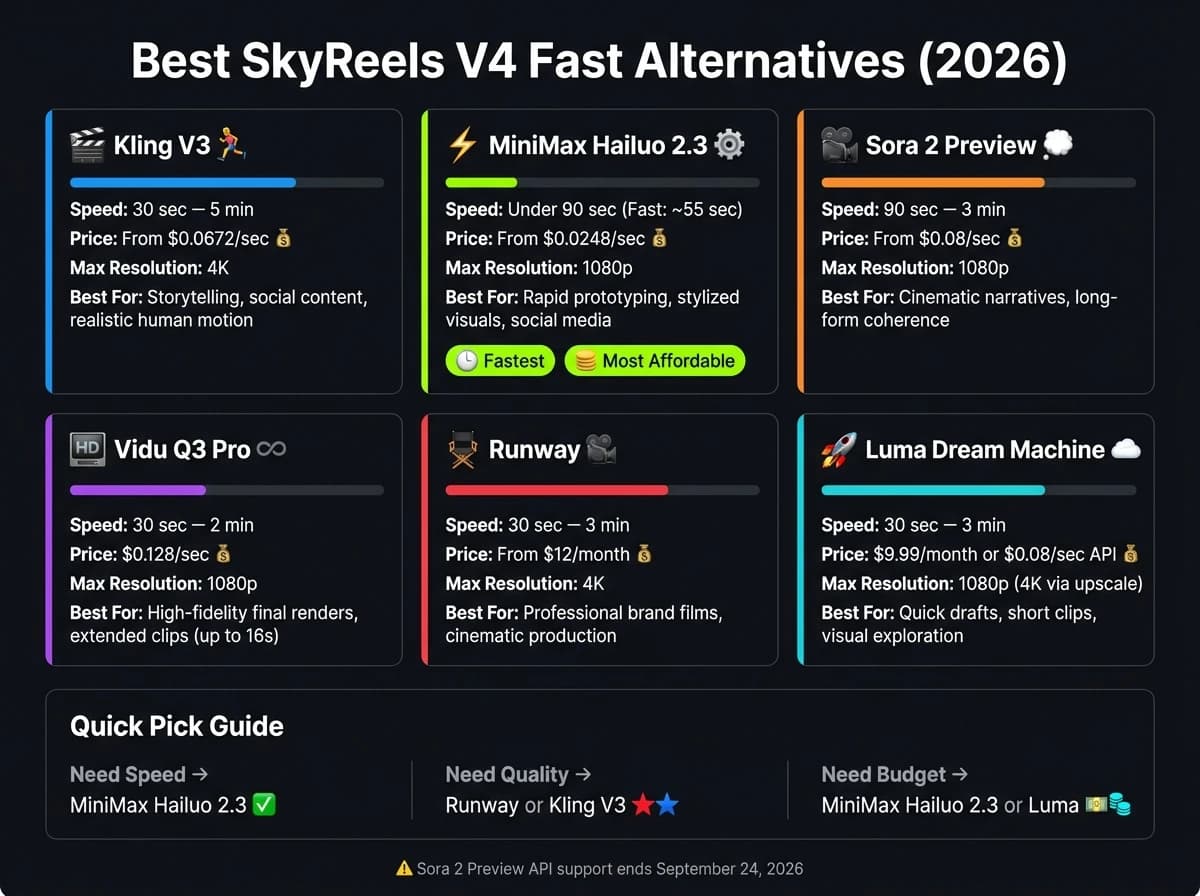
The Best AI Video Generators in 2026 (Ranked)
1. Kling V3
Kling V3 has established itself as a leading AI video model, making it a top choice for those seeking alternatives to SkyReels V4. With an impressive user base of over 22 million users and generating $240 million in annualized revenue as of December 2025, it’s clear this model has made a significant impact [4].
Speed
The time it takes Kling V3 to generate videos depends on the complexity of the request and server load. Officially, generation times range from 30 to 120 seconds [2]. For simpler, low-resolution clips, the model is notably quick. However, creating a 15-second 4K video can take 5 minutes or more [3]. This variability reflects its ability to balance speed with delivering high-quality, high-definition outputs.
Output Quality
Kling V3 uses a Multi-modal Visual Language (MVL) architecture, allowing it to produce 4K resolution at 60fps, a step up from the more typical 1080p/30fps outputs [3]. Its standout feature, the AI Director, enables users to define up to six distinct camera angles (wide, medium, close-up, POV) within a single 15-second video. Characters maintain spatial continuity across these angles, making it ideal for storytelling [3][5].
"The AI Director feature is the first time an AI video model has felt truly useful for narrative filmmaking, not just for creating atmospheric b-roll." - Elena Marchetti, Senior AI Editor, Awesome Agents [3]
Another notable strength is its ability to preserve text. Brand logos, signs, and price tags remain legible in approximately 80% of generated content [6]. This precision is particularly appealing for e-commerce and marketing teams that require detailed visuals.
Multimodal Support
The Kling V3 Omni variant stands out for its ability to process text, images, and audio simultaneously. It generates synchronized audio, including speech, sound effects, and ambient noise, in five languages: Chinese, English, Japanese, Korean, and Spanish [5][7]. Additionally, the Elements feature allows users to upload 2–4 reference images or a short video clip to ensure a character's appearance and voice remain consistent across multiple scenes [5][9]. This solves the common issue of identity drift seen in many AI video tools.
Pricing
Kling V3's pricing structure is flexible, catering to both individual users and teams. Through APIMart, the base rate starts at $0.0672 per second for 720p output. For 1080p (Omni variant), the cost is $0.0896 per second, while 4K output is priced at $0.42856 per second [2]. Subscription plans for consumers range from $6.99/month (Standard, 660 credits) to $180/month (Ultra, 26,000 credits) [3][8]. This competitive pricing, combined with its advanced features, makes Kling V3 a strong contender in the AI video space.
| Tier | Price | Resolution |
|---|---|---|
| API Standard (APIMart) | $0.0672/sec | 720p |
| API Omni (APIMart) | $0.0896/sec | 1080p |
| API 4K | $0.42856/sec | 4K |
| Consumer Pro | $25.99/month | 1080p, 3,000 credits |
| Consumer Ultra | $180/month | 4K, 26,000 credits |
2. MiniMax Hailuo 2.3
MiniMax Hailuo 2.3 is a powerful option for teams that need speed and volume while maintaining excellent motion quality. With over $1 billion in funding, MiniMax has developed a model that thrives in demanding workflows, particularly for stylized and character-driven projects.
Speed
The model includes a Fast variant designed to cut down render times for high-volume workflows. For example, it can produce a 6-second 768p clip in just 55 seconds [12]. The standard version, on the other hand, takes between 35 and 90 seconds depending on the complexity of the scene [10]. The Fast variant, however, only works with image inputs, making it a great choice for quick prototyping when visuals are already available.
Output Quality
Hailuo 2.3 stands out for its smooth and dynamic motion generation. It ranked #1 on WorldModelBench for physics simulation [13], which means it handles complex movements like dance sequences, intricate hand gestures, or even liquid dynamics with ease.
"Hailuo 2.3 represents a significant shift in how creators can approach their workflow... it tackles the biggest pain point in AI video creation - render time - without compromising on motion quality." - AKOOL Content Team [12]
Beyond motion, the model excels at stylized visuals, offering painterly effects for styles like anime, ink-wash painting, and game CG. It doesn’t just apply surface-level filters but creates authentic, detailed output. Professional reviewers have given it an impressive score of 8.4 out of 10 [13]. However, keep in mind that 1080p output is capped at 6 seconds, while 768p allows up to 10 seconds.
Multimodal Support
The core Hailuo 2.3 model supports both text-to-video and image-to-video inputs, while the Fast variant is limited to image inputs [11]. Audio generation isn’t built-in, so you’ll need to handle that in post-production. For those looking to combine text, images, video, and audio seamlessly, MiniMax offers a separate Media Agent feature (formerly known as Video Agent) [10]. When working with image-to-video, it’s best to focus prompts on motion rather than scene details for optimal results [12]. These versatile features make it a competitive choice for various workflows.
Pricing
MiniMax Hailuo 2.3 is available through APIMart, with pricing based on resolution and variant. For 768p, the standard version costs $0.0488 per second, while the 1080p version is priced at $0.072 per second. The Fast variant is more affordable at $0.0248 per second for 768p, cutting costs by about 50%. Subscription plans start at $9.99 per month for casual users and go up to $199.99 per month for the Max tier. All plans include commercial use rights and watermark-free output.
| Variant | Resolution | Price (APIMart) | Input Type |
|---|---|---|---|
| Standard | 768p | $0.0488/sec | Text + Image |
| Standard | 1080p | $0.072/sec | Text + Image |
| Fast | 768p | $0.0248/sec | Image only |
3. Sora 2 Preview
Sora 2 Preview focuses on delivering cinematic-quality videos with consistent character representation, prioritizing polished results over sheer speed. This makes it ideal for projects where quality and precision take precedence over quick turnaround times.
Speed
While not the fastest option, Sora 2 Preview can generate videos in approximately 90 seconds under optimal conditions [15]. To strike a balance between cost and efficiency, you can use Fast Mode for initial testing and switch to Pro Mode for final renders. Its slightly slower pace is offset by the exceptional quality of its outputs, as detailed below.
Output Quality
Sora 2 Preview produces videos in 1080p resolution at 24fps [19], with fixed clip durations of 4, 8, or 12 seconds [18]. What sets this tool apart is how natural and lifelike its videos feel. Materials like fabric and glass behave as they would in real life, lighting adjusts dynamically, and physics simulations are impressively realistic [19].
"The output does not just look realistic - it looks directed. Camera movements feel intentional, compositions feel considered, and there is an artistic sensibility." - AdCreate Team [19]
As of February 2026, Sora 2 Preview ranked #2 on the Artificial Analysis leaderboard for text-to-video quality [20]. Its ability to handle complex prompts and maintain temporal consistency ensures smooth transitions with minimal flickering or warping across frames [17]. These strengths make it a standout choice for high-quality visual storytelling.
Multimodal Support
Sora 2 Preview supports both text and image inputs, generating videos with synchronized audio [14]. Its image-to-video feature automatically detects and adapts to the aspect ratio of the reference image, streamlining the production process [18]. The "Cameo" feature is another highlight, enabling consistent character identity across multiple clips - a valuable tool for branded content or serialized narratives [21]. Currently, the Preview version supports landscape (16:9) and portrait (9:16) formats, though square (1:1) is not yet available [18].
Pricing
Sora 2 Preview is accessible via APIMart at $0.08 per second of generated video. For users requiring direct API access, the Standard version costs $0.10 per second, while the Pro variant is priced at $0.30 per second [14]. Subscription bundles offer additional options: ChatGPT Plus at $20/month includes unlimited 480p and limited 720p generations, while ChatGPT Pro at $200/month provides 1080p output with higher usage limits [15][16].
| Tier | Price | Resolution | Notes |
|---|---|---|---|
| APIMart (Preview) | $0.08/sec | Up to 1080p | Balanced quality and cost |
| Standard (OpenAI API) | $0.10/sec | Up to 1080p | Direct API access |
| Pro (OpenAI API) | $0.30/sec | Up to 1080p | Highest quality output |
| ChatGPT Plus | $20/month | Up to 720p | Limited generations |
| ChatGPT Pro | $200/month | Up to 1080p | 10,000 credits included |
4. Vidu Q3 Pro
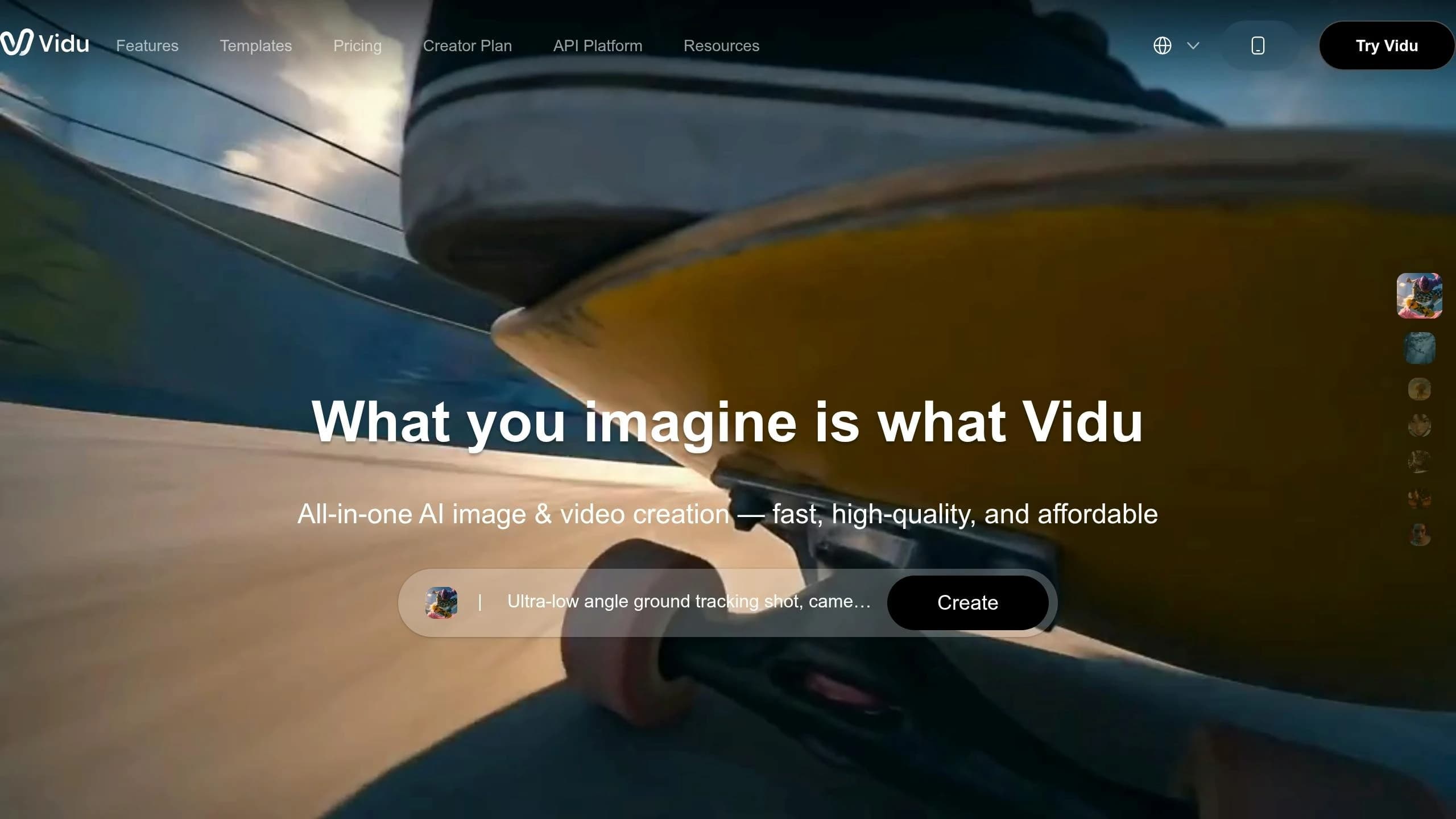
The Vidu Q3 Pro, built on its unique U-ViT architecture, is the high-fidelity member of the Q3 series. Unlike its counterpart, the Vidu Q3 Turbo, which is tailored for quick drafts, the Q3 Pro focuses on delivering cinematic depth and precision. It's best suited as the "final render" tool in workflows that demand top-tier visual quality. Compared to other high-end models like MiniMax-Hailuo-02, let’s break down its key features and performance metrics.
Speed
The Q3 Pro prioritizes quality over speed. For a 10-second clip, the generation process typically takes under 30 seconds, while longer or higher-resolution clips may require up to two minutes. If speed is critical - such as for rapid prototyping or high-volume tasks - the Vidu Q3 Turbo is a better alternative.
Output Quality
This model stands out with its extended generation capabilities. It can produce up to 16 seconds of continuous 1080p video at 24fps in a single pass, which is unmatched among its competitors.
"Vidu Q3 generates up to 16 seconds of continuous video at 1080p resolution and 24fps in a single pass - the longest continuous generation window among leading competitors." - Atlas Cloud
Its ability to deliver extended, high-quality video makes it ideal for final renders where detail and clarity are crucial. As of early 2026, the Vidu Q3 series holds an ELO rating of 1,220–1,244 on the Artificial Analysis Video Arena, ranking it as the second-best globally. Approximately 70% of its first-generation clips are deemed immediately usable for professional content. However, it’s worth noting that clips longer than 12 seconds may show some character inconsistency, and the visuals can occasionally appear slightly synthetic.
Multimodal Support
The Vidu Q3 Pro offers a range of multimodal features, making it versatile for various creative needs:
- Text-to-video and image-to-video capabilities
- Start-end frame mode, where two images define the opening and closing frames, with motion interpolated between them
- Support for 1–4 reference images to maintain visual consistency
Two standout features include:
- Native audio: Generates synchronized environmental sounds, ambient noise, and lip-sync in a single pass.
- Smart Cuts: Automatically detects scene boundaries and provides metadata for seamless editing.
The model supports multiple aspect ratios, including 16:9, 9:16, 4:3, 3:4, and 1:1, all at resolutions up to 1080p.
Pricing
The Q3 Pro is priced to balance premium quality with cost efficiency. On APIMart, it’s available at $0.128 per second for 1080p (discounted from $0.16 per second) and $0.12 per second for 720p. For faster, less detailed iterations, the Turbo variant is available at $0.056 per second for 1080p, making it a budget-friendly option for high-volume workflows.
| Tier | Provider | Price/Sec | Resolution |
|---|---|---|---|
| Vidu Q3 Pro | APIMart | $0.128 | 1080p |
| Vidu Q3 Turbo | APIMart | $0.056 | 1080p |
5. Runway
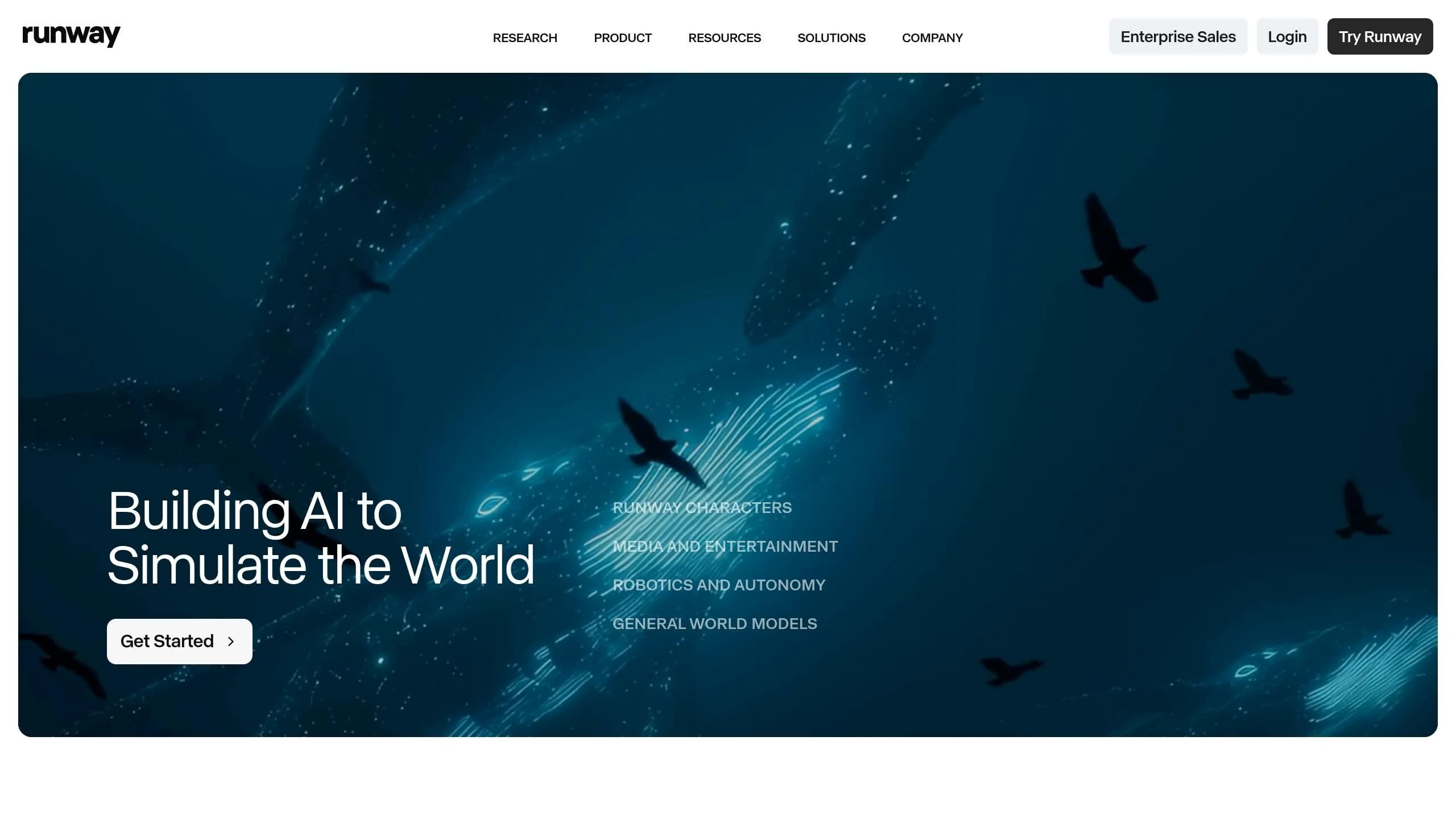
Runway is a professional-grade motion platform that blends content generation and post-production editing into a single, streamlined workspace. As of June 2026, the platform boasts over 300,000 paying customers, including major film studios and advertising agencies, and has achieved a valuation of $5.3 billion following its Series E funding round in February 2026 [23].
Speed
Runway offers a two-tier system designed to balance speed and output quality. The Gen-4 Turbo model can generate a 10-second clip in about 30 seconds, making it roughly five times faster than the cinematic Gen-4.5 model, which takes between one and three minutes for the same task [22][23]. This flexibility allows creators to choose between rapid prototyping and high-quality production. For quick drafts or social media content, Gen-4 Turbo is ideal, while Gen-4.5 is better suited for polished, final-quality work.
Output Quality
Gen-4.5 leads the Artificial Analysis text-to-video leaderboard with an Elo score of 1,247 [27]. It supports native clips up to 16 seconds, with the option to extend to 30 seconds in "Quality" mode, and delivers resolutions up to 4K at 60fps [23][24]. One standout feature is its ability to maintain character consistency. Using the Reference View system, users can lock in a character’s face, clothing, and body type across multiple generations, which can save a lot of time for narrative or branded projects.
"Gen-4.5's character consistency and reference image control eliminated manual re-rolling cycles that previously extended project times." - Community Sentiment Report [25]
Multimodal Support
Runway supports workflows across text, image, and video-to-video inputs. Its suite of tools includes Act-Two, which maps human expressions onto AI characters using just an iPhone clip, Motion Brush for animating specific parts of a frame, and Aleph, which enables in-context editing. For instance, you can add effects like rain to a scene without regenerating the entire clip [22][23]. Additionally, native audio generation was introduced in February 2026, similar to the capabilities of the WAN 2.7 API, expanding the platform's capabilities even further [23].
Pricing
Runway uses a credit-based pricing model for its subscription plans. The Standard plan costs $12 per user per month (billed annually) and includes 625 credits, enough for about 25 seconds of Gen-4.5 video. The Pro plan, at $28 per user per month, offers 2,250 credits plus features like 4K exports and custom voice creation. For high-volume users, the Unlimited plan costs $76 per user per month and provides access to "Explore Mode", which allows unlimited generations at a slower queue rate [26][27].
| Plan | Price (Annual) | Credits/Month | Key Feature |
|---|---|---|---|
| Standard | $12/user/month | 625 | 4K upscale, Gen-4.5 access |
| Pro | $28/user/month | 2,250 | ProRes export, custom voices |
| Unlimited | $76/user/month | 2,250 + Unlimited generations | Access to "Explore Mode" |
For API users, credits are priced at $0.01 each, meaning a 10-second Gen-4.5 video costs about $2.50 [22][23]. Keep in mind that API and web subscription credits are managed separately, so plan your usage accordingly.
6. Luma Dream Machine

The Luma Dream Machine is designed to turn ideas into videos quickly while maintaining a strong balance between speed and quality. As Steven Austin of Marketing Scoop aptly said, "Dream Machine is built for momentum, not perfection. It can get you from idea to strong draft very quickly." [30] This makes it a practical choice for users who prioritize efficiency without compromising too much on output.
Speed
Luma's speed is one of its standout features. Standard video generations take just 1–3 minutes, while the Ray Flash 2 model can produce 540p output in as little as 30–45 seconds. [28][29] The January 2026 Ray3.14 update made things even better - it's four times faster and three times cheaper than the older Ray3 model for 720p output. [30] Additionally, Luma's editing workflow allows users to tweak styles, subjects, or environments directly from an existing clip, eliminating the need to start over. These enhancements reinforce Luma's reputation for quick and efficient video generation.
Output Quality
Luma shines when it comes to rendering lifelike motion. Elements like water, hair, and fabric move naturally, adding a polished feel to the videos. With an impressive 85% prompt accuracy, users can create usable clips with fewer retries. [31] The native resolution tops out at 1080p, with 4K available through upscaling on higher-tier plans. Clips typically range from 5–9 seconds but can be extended up to 30 seconds. Built-in camera controls such as orbit, dolly, crane, and pan ensure realistic interactions between lighting and physics. [30]
Multimodal Support
Luma offers more than just text-to-video capabilities. Its "Modify Video" feature supports image-to-video and video-to-video workflows. [30] One of its standout tools is keyframe control, which lets users upload start and end images to create smooth transitions. [34][35] Another unique feature is "Create with Your Voice", which converts spoken ideas into video prompts. [33] However, Luma does not currently support native audio or lip-syncing, so users will need to add sound externally. [28][32]
Pricing
Luma's pricing structure is designed to cater to a range of needs, balancing affordability with creative flexibility. The free tier offers 30 generations per month, though these are watermarked and restricted to non-commercial use. Paid plans start at $9.99/month for 120 generations (Standard), $29.99/month for 400 generations (Pro), and $99.99/month for 2,000 generations (Premier), which includes 4K output and a commercial license. For those needing API access, the cost is $0.08 per second of generated video. [28][32]
| Plan | Monthly Cost | Generations/Month | Key Features |
|---|---|---|---|
| Free | $0 | 30 | Basic access, watermark |
| Standard | $9.99 | 120 | Ray 2/3 access, camera controls, edit workflow |
| Pro | $29.99 | 400 | Priority queue, higher resolution |
| Premier | $99.99 | 2,000 | 4K output, commercial license |
| API | $0.08/sec | N/A | Well-documented API |
For those looking to save, annual billing offers up to 20% off on paid plans. [33] A helpful tip: test prompts at 720p first, as it uses about 75% fewer credits than 1080p, making it a cost-effective way to refine your ideas. [35]
Pros and Cons
The table below outlines the strengths and limitations of each tool, making it easier to identify the right fit for your workflow.
| Tool | Generation Speed | Best Use Case | Key Limitations |
|---|---|---|---|
| Kling V3 | 2–5 minutes | Complex motion, realistic human movement, social storytelling | Inconsistent lip-sync; high accumulated costs at scale |
| MiniMax Hailuo 2.3 | Under 30 seconds | Social media content, rapid prototyping, character-driven shorts | 10-second max duration; 4K available only on top-tier plans |
| Sora 2 Preview | 1–3 minutes | Long-form narrative coherence (up to 25s single pass) | API support ends September 24, 2026; limited access |
| Vidu Q3 Pro | Very fast | Ideal for fast social media clips | Higher cost compared to other models |
| Runway | 2–4 minutes | Professional brand films, editorial, cinematic production | Slower rendering and premium pricing compared to speed-first tools |
| Luma Dream Machine | 1–2 minutes | Short high-quality clips, visual exploration | 5-second clip limit |
Here’s a closer look at the standout features and challenges of these tools.
MiniMax Hailuo 2.3 leads the pack in speed, offering a 2.5x boost in inference efficiency. This makes it perfect for teams that need to produce a high volume of content quickly. On the other hand, Runway prioritizes depth and polish over speed, making it a strong choice for professional, client-facing projects - though it might not be ideal for same-day turnarounds.
Sora 2 Preview shines with its ability to maintain narrative coherence for clips up to 25 seconds in a single pass. However, its API support will end on September 24, 2026, which could be a limitation for long-term workflows. As Dora, Infrastructure Lead at WaveSpeed, aptly noted:
"The model that wins on cinematic baseline loses on cost-per-second."
Kling V3 excels at generating realistic human motion, but its high per-second cost for 720p content can add up quickly. Luma Dream Machine offers an affordable starting price of $9.99 per month, though its 5-second clip limit restricts it to shorter projects. Vidu Q3 Pro is tailored for complex scenarios, but this comes at a higher price point.
These insights aim to simplify the decision-making process for APIMart users, helping them balance speed, quality, and cost in their video generation needs.
Conclusion
Choose your AI video tool based on your project's goals, required speed, and available budget.
For marketing needs, MiniMax Hailuo 2.3 offers quick results. If you're working on narrative-focused projects, Kling V3 stands out with its smooth motion capabilities. For cinematic or client-facing projects, Runway delivers high-quality, polished videos, though it requires longer rendering times.
If you're on a tight budget, MiniMax Hailuo 2.3 is the most affordable option, costing just $0.025 per second. On the other hand, tools like Kling V3 and Vidu Q3 Pro are better suited for projects where motion quality is a top priority. The key takeaway? Matching the right tool to your project's specific needs ensures you get the best balance between quality and cost.
Keep in mind that Sora 2 Preview will no longer be supported after September 24, 2026 [36], so avoid relying on it for long-term workflows.
"The best AI video generator in 2026 isn't a model - it's a fit between output spec, access path, and unit economics." - Dora, WaveSpeed Blog [1]
To achieve the best results, consider combining tools strategically. For example, use a fast option like MiniMax Hailuo 2.3 for drafts, then switch to Kling V3 or Runway for final production. This approach ensures high-quality output while keeping costs under control.
FAQs
Which tool is best for fastest drafts?
For quick video drafts, Kling 2.6 Turbo Pro generates 1080p clips in just 1–3 minutes. If you're looking for fully polished videos complete with scripts and voiceovers, Alici.AI delivers results in approximately 90 seconds. Other tools include ClipsMate AI, which uses cloud rendering to create videos in under 5 minutes, and HeyGen or Invideo's Video Maker, both capable of transforming text prompts into drafts in just a few minutes.
Which option is cheapest per second overall?
HunyuanVideo offers the best pricing, starting at just $0.02 per second for 480p video output. On the other hand, PixVerse v6 has a slightly higher entry rate of $0.025 per second, but this only applies to 360p video and does not include audio.
Keep in mind, pricing can differ depending on your API provider. It's a good idea to double-check costs for the same models on platforms like WaveSpeed or FAL.ai before making your choice.
How do I pick the right model for my workflow?
Before diving into your project, it’s important to clarify your objective. Are you prototyping, iterating, or creating final assets? This decision will shape your approach. For example, use faster models when testing ideas, but switch to higher-quality models for polished, final renders.
Here are a few things to keep in mind:
- Budget: Be mindful of your platform requirements. For instance, rendering in 4K might be unnecessary (and costly) if your content is intended for mobile feeds.
- Control: Think about whether you need precise elements like camera paths or consistent visuals for storytelling.
- Audio: Opt for tools that support native audio if you want to save time on syncing and editing sound.
- Licensing: Double-check that you have the proper commercial rights for any assets you use.
Balancing these factors with your project’s needs will help you achieve the right mix of cost efficiency and quality.